
How to Build Automated Marketo Text Messaging Campaigns
Learn how to build automated Marketo text messaging campaigns, how to integrate it with TextUs, and the benefits that it brings.

Written by
Adam Hamdan
Published
December 22, 2025

Most marketers using Adobe Marketo are focused on building automated campaigns that move leads through the funnel.
But even with all that automation, emails can sit unread, leads lose interest, and timing slips away. Your marketing efforts may capture the right leads, but you may not always reach them fast enough.
When someone fills out a form or signs up for a demo, the clock starts ticking. When you send SMS right after that moment, it can make the difference between a warm lead and a missed one.
In this article, we’ll explore the limits of Marketo’s built-in capabilities and how integrating an SMS marketing platform can help you connect faster and convert more leads.
TL;DR
- Marketo Engage supports SMS messaging through a native integration with Vibes. You can create and send text messages using Smart Campaigns, either as batch sends or triggered by lead actions like form fills.
- If you're using third-party SMS services, webhooks let you pass lead data securely, with options to format that data to match the needs of the receiving system.
- Marketo supports message personalization and link tracking, but successful delivery still depends on respecting compliance standards and message length limits.
- TextUs offers real-time two-way texting, advanced automation, and integration with Marketo via Zapier for sales alerts, lead follow-ups, and behavior-based outreach.
Does Marketo Support SMS Messaging?
Marketo (now Marketo Engage) is a powerful marketing automation platform that allows you to send SMS campaigns from the platform's interface using either native (Vibes) or third-party integrations.
With Vibes, you can create SMS messages, include tracking links, personalize content using tokens, and send messages as part of your Smart Campaigns.
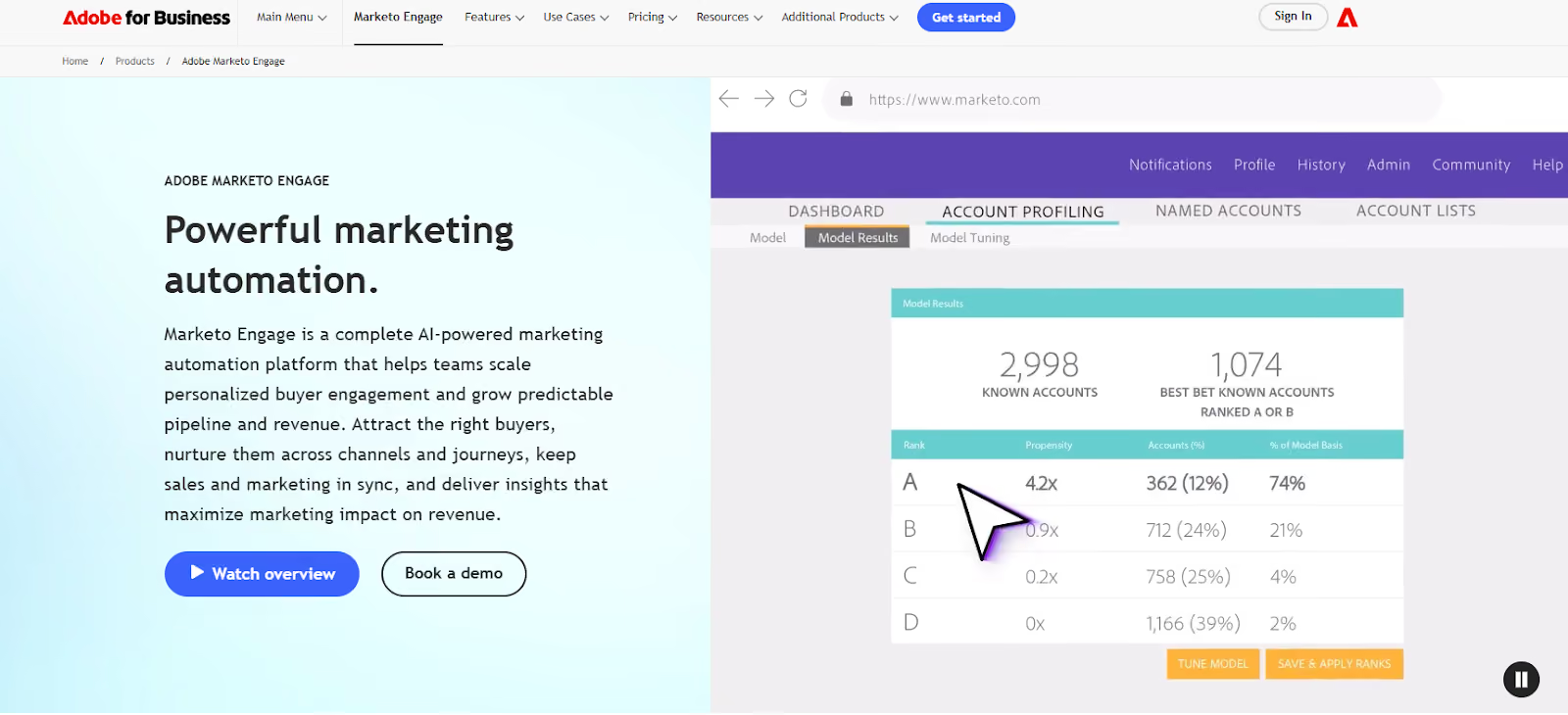
Marketo’s native integration for SMS via Vibes is available in the U.S. and Canada. If your audience is based outside these regions, you’ll need to use Marketo Webhooks, set up an international configuration, or explore a third-party provider.
How to Set Up SMS Messaging in Marketo
You can send SMS messages to people who have opted in to your Vibes SMS campaigns. This lets you include text message engagement in your automation and targeting, just like email activity.
Below is a step-by-step breakdown to help you get started.
Step 1: Add Vibes as a LaunchPoint Service
Before sending SMS messages, you must authorize Vibes in your Marketo Engage instance:
- Go to Admin > LaunchPoint.
- Click New Service, then select Vibes.
- Enter your credentials and authentication details provided by Vibes.
Step 2: Create a New SMS Message
To build the actual text you want to send:
- In Marketing Activities, right-click your program and select New Local Asset.
- Choose SMS Message.
- Name your message and optionally add a description.
- In the SMS editor, click inside the message bubble to start writing.
Using Request Token Encoding
If you're sending SMS through a third-party provider using webhooks, you’ll need to define how Marketo should format your tokens in the webhook setup.
Request token encoding tells Marketo how to package token values, such as a lead’s name or phone number, when sending the webhook request body.
You can choose formats like JSON or Form/URL encoding, depending on what your SMS service supports, so that the receiving system parses the data correctly.
How to Send SMS Messages in Marketo
After you create an SMS message in Marketo, you can send it using either a batch or a triggered Smart Campaign.
Batch SMS Campaigns
Use a batch campaign to send one-time messages to a specific list.
- In Marketing Activities, open your Smart Campaign.
- Click Smart List and define the audience. For example, everyone whose company is “Adobe.”
- Click Flow, then add Send SMS Message.
- Select the SMS message and choose a Vibes List. (Important: The Vibes List filters your audience further. Marketo de-dupes by phone number at the Vibes List level, so only one message will be sent per phone number.)
- In the Schedule, pick your send time.
Marketo Engage de‑duplicates by phone number at the Vibes subscription list level, not at the program level. Marketo will not send to contacts who are Marketing Suspended, blocklisted, or unsubscribed in the Vibes Mobile Database list.
Triggered SMS Campaigns
Use a trigger campaign when you want high-volume SMS to go out automatically, like when someone fills out a form or downloads content.
- Open the Smart Campaign
- Under Smart List, set a trigger like Fills Out Form
- In Flow, add Send SMS Message and choose your message + Vibes List
- In the Schedule section, click Activate
Now the SMS will send automatically every time the trigger action happens. This allows you to respond to lead behavior in real-time and send messages at the right time for maximum impact.
Marketo Integration with TextUs
While Marketo's native SMS through Vibes offers basic campaign delivery and tracking, you need more flexibility for real-time engagement, conversational workflows, and automation across multiple tools.
TextUs is a business texting platform that can extend your reach across thousands of platforms. Zapier acts as the bridge between the two platforms, which allows you to automate SMS touchpoints and connect text messaging to your broader tech stack.
How to Connect TextUs to Zapier
To activate TextUs workflows via Zapier, here’s how to set up the connection:
- Log in to your Zapier account and go to the App Connections section.
- Click Add Connection and search for TextUs (avoid selecting “TextUs 1.0.0” — it’s outdated).
- When prompted, enter your API Key and Account Slug:
- You must be logged in as an organization admin in TextUs to create the API key.
- The account slug is found in your TextUs URL:
Example: https://next.textus.com/example-org/inbox/open — here, example-org is your slug.
- Click Yes, Continue to TextUs to authorize.
Once connected, all messages sent through Zapier workflows will originate from that admin’s account. Each action in your workflow is defined by request type, so make sure to verify the trigger behavior when working across systems.
Using Triggers and Actions With TextUs in Zapier
Zapier workflows, called Zaps, are made up of triggers (events that start a workflow) and actions (tasks that follow). With your TextUs connection active, you can add it to any Zap.
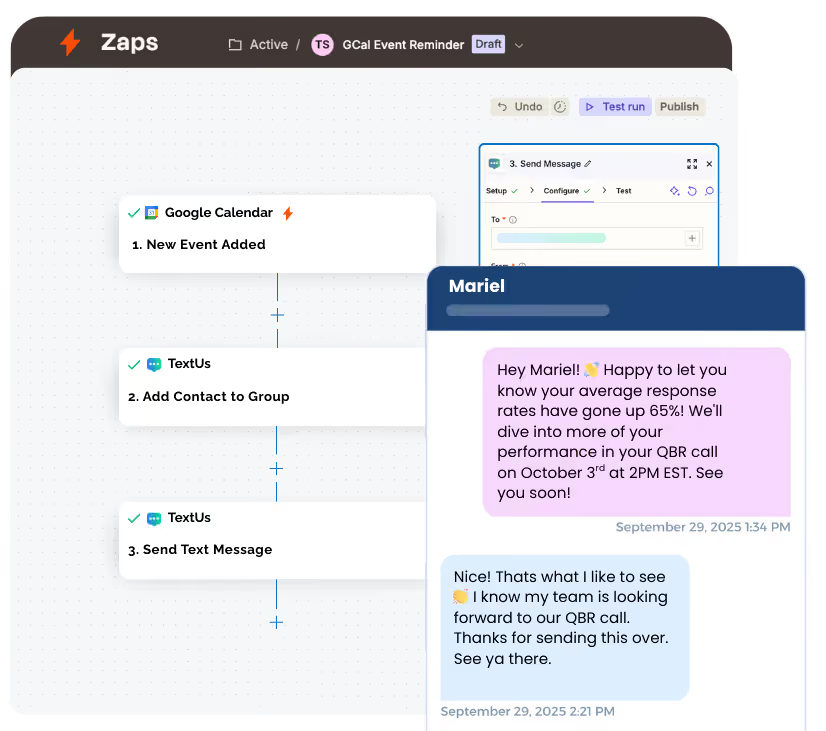
Common SMS Triggers Available:
- New Contact
- Message Delivered
- Message Received
- Phone Number Opted In
- Phone Number Opted Out
- Contact Note Created
These allow you to trigger workflows based on real-time events in TextUs.
Available Actions:
- Send Message
- Create New Contact
- Add Contact to Group
- Add Note to Contact
- Enroll Contact in Sequence
- Add Contact Phone to Sequence
You may also automate reminders, opt‑in/opt‑out sync, contact updates, sequence enrollments, and more by combining triggers and actions in Zapier.
FAQs About Marketo Text Messaging
Can Marketo send SMS?
Yes. Marketo Engage can send SMS messages through its native Vibes integration or through third-party SMS tools using webhooks. You can send texts as batch campaigns or trigger them automatically based on actions like form fills, as long as the contact has opted in.
Is SMS marketing legal in the USA?
Yes, SMS marketing is legal in the United States, but it is strictly regulated. Businesses must comply with the Telephone Consumer Protection Act (TCPA) and follow guidelines from the Cellular Telecommunications and Internet Association (CTIA).
Using a platform like TextUs supports consent management, opt-out tracking, and data compliance across different countries.
Whether you're operating from a single Adobe account or managing global campaigns, a reliable SMS tool helps your team stay compliant at every step of your program.
What is the best text message marketing service?
TextUs is designed for business text messaging and integrates with over 8,000 tools via Zapier. It supports quick updates, message templates, contact notes, and conversation tracking.
For example, you can sync new lead entries, add SMS to a Smart Campaign’s flow tab, or push data to a post-campaign box for reporting and analytics.
Is SMS marketing still effective?
Absolutely. SMS marketing continues to outperform many traditional channels in both engagement and conversion.
Text messages have high open and response rates, and most are read within minutes. This makes SMS ideal for time-sensitive touchpoints like demo follow-ups, event reminders, or sales check-ins.
With tools like TextUs, you can deliver the campaigns at the right moment, using logic to filter contacts based on behavior or interest level. If you're reaching out to a single member or running a scheduled batch message, texting remains a reliable way to connect.
Continue Reading



Frequently Asked Questions
How does Marketo integrate with text messaging platforms?
Marketo integrates with SMS platforms like TextUs to trigger automated text messages based on program actions, lead scores, or custom data changes. This allows marketers to add texting into existing Marketo workflows without rebuilding their automation strategy.
What are the benefits of adding SMS to a Marketo campaign?
SMS adds immediacy and higher open rates to Marketo campaigns that otherwise rely on email alone. Text messages are read within minutes, helping marketers reach leads at the exact moment of peak interest when conversion probability is highest.
Can Marketo send automated text messages without coding?
Yes — with the right SMS integration, Marketo can trigger automated text messages through webhook actions or native connectors, no custom coding required. Marketers configure the message content, timing, and trigger conditions through the Marketo interface.
Business Texting
Built for Results
Create and convert pipeline at scale through industry leading SMS software