
Automated Candidate Outreach: A Guide to Smarter Recruiting
Manual follow-up drains your time. Automated candidate outreach keeps communication timely and organized. See how TextUs helps focused recruiting.

Written by
Adam Hamdan
Published
November 9, 2026

When communication depends on one-off messages, manual reminders, and repeated record searches, routine work takes up too much of your day.
As more candidates enter the pipeline, staying on top of every conversation becomes a bigger challenge.
Automated candidate outreach handles routine communication with scheduled messages, targeted sequences, and trigger-based follow-ups. This gives you more time to discuss opportunities and move interested candidates forward.
In this guide, you’ll learn how automated outreach can simplify candidate follow-up and turn your communication into a more focused recruiting strategy.
TL;DR
- Automate repeatable candidate communication, including first contact, interview reminders, follow-ups, job updates, re-engagement, nurture campaigns, reply routing, and ATS or CRM syncing.
- Build automated candidate outreach by segmenting candidates, setting sequence goals, choosing channels, personalizing messages, planning cadence, defining triggers, and assigning recruiter handoffs.
- TextUs brings automation into candidate texting through targeted campaigns, scheduled sequences, keywords, shared visibility, ATS connections, and performance tracking.
Common Candidate Outreach Tasks You Can Automate
Automation is most useful where your recruiting process follows predictable steps and repetitive tasks. Here are the main parts of candidate outreach you can automate:
Launch Initial Candidate Outreach
Your first message sets the tone for the conversation, especially when you reach passive candidates who aren't checking job boards for a new role.
Automated outreach lets you contact selected prospects based on their skills, experience, location, or fit for the opening.
Strong personalization still needs to be part of the message. You can reference something specific about the candidate, explain why the role caught your attention for them, and end with a simple next step.
Send Interview Schedules and Reminders
Interview scheduling takes up more recruiter time than expected. Automated booking links and calendar options create a more efficient interview scheduling process by reducing back-and-forth emails and allowing candidates to choose available time slots.
Text automation software like TextUs integrates with applicant tracking systems (ATS). Interview-related conversations stay tied to the candidate record instead of sitting in a separate messaging channel.
An automated interview reminder can confirm the date, time, location, or meeting link before the appointment. It keeps both sides informed and reduces the chance of missed interviews or last-minute confusion.
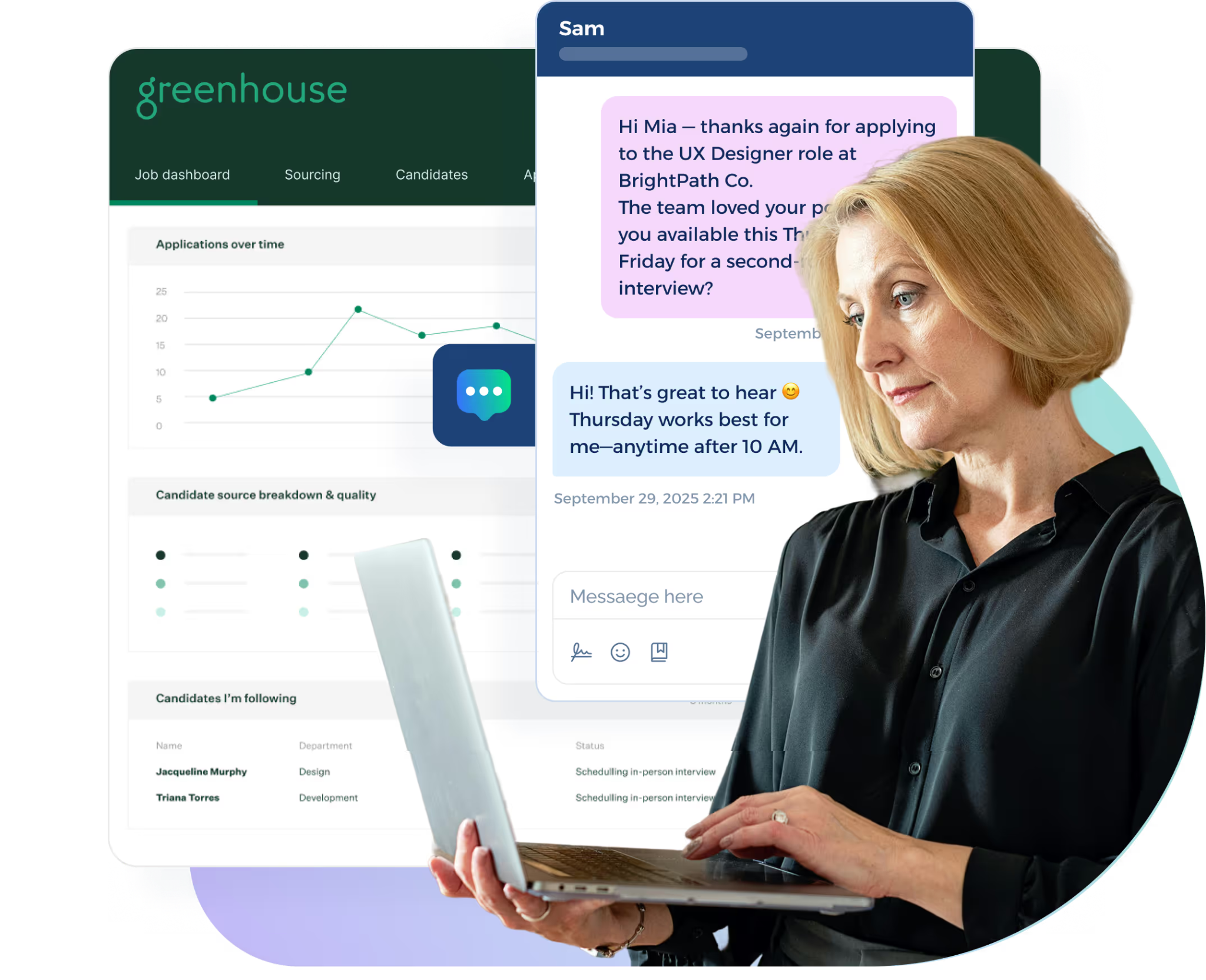
For example, its Greenhouse integration logs sent and received texts under the appropriate candidate or contact profile.
Book a demo with TextUs to see how automated texting supports interview coordination!
Schedule Candidate Follow-Ups
A candidate may miss your first message, get busy, or need more information before responding.
Automated follow-ups let you stay in touch without tracking every conversation by hand or relying on reminders scattered through your workflow.
Each follow-up should bring something new, such as another role detail, a short question, or a different reason to respond. This keeps candidate engagement active while helping you save time on repeated outreach.
Share Job Alerts and Role Updates
When a new opening comes up, automated outreach lets you notify selected candidates based on location, experience, past interest, or other relevant criteria.
This keeps role updates focused on people who are more likely to consider the opportunity instead of sending the same message to your entire talent pool.
Group applicants and past contacts by role type or hiring status, then send updates when a suitable position opens. Outreach is tied to current opportunities and gives candidates a reason to stay connected with your agency.
Reconnect With Previous Candidates
Past candidates already have some history with your recruiting organization, which makes them a good group to revisit when new openings appear.
Automated outreach lets you identify people from existing candidate profiles and reconnect based on prior interest, experience, or earlier conversations.
A well-timed message also increases the chance of reaching someone at the right time, especially if their availability or career plans have changed since your last contact.
Contact Candidates After Recruiting Events
Career fairs, hiring events, and networking sessions leave you with new contacts who need a timely next step.
Automated outreach lets you reconnect after the event based on the roles, interests, or information each person shared. You might send a thank-you message, share an open role, or invite interested candidates to continue the conversation.
Consistent post-event outreach keeps your employer brand visible while you focus on the people who show the most interest.
Run Candidate Nurture Campaigns
Not every promising candidate is ready to make a move when you first reach out.
Automated candidate nurturing keeps those contacts warm through occasional role updates, check-ins, or messages tied to their interests.
A passive prospect may receive occasional role updates, while a past applicant gets messages tied to similar openings or future opportunities.
The goal is to stay present without overwhelming people with constant outreach. When a suitable opportunity comes up, you already have an existing connection.
Route Replies to the Right Recruiter
When a candidate responds, the system sends that conversation to the recruiter assigned to the role, location, or account. This keeps replies from sitting unanswered or getting passed around your team.
Texting software with a shared inbox provides visibility into active conversations, who is handling each reply, and what has already been said. This reduces duplicate responses and makes it easier for recruiters to step in when coverage changes.
Automation should stop once the conversation needs human judgment. From there, you can answer questions, discuss the role, and decide the next step based on what the candidate says.
Sync Outreach Activity With Your ATS or CRM
Your outreach platform should integrate with your ATS or CRM so messages, replies, and candidate activity stay connected to the recruiting record.
You see recent communication without switching between separate platforms or piecing together what happened.
Automatic syncing cuts down on manual data entry as well. Outreach history stays attached to the candidate record, which makes it easier to track progress and pick up a conversation with the information you need.
How to Build an Automated Candidate Outreach Strategy
A solid automated outreach strategy starts with knowing who you want to reach, what you want them to do, and how each step should move the conversation forward.
Here's how you can build a recruitment process that supports your organization's goals:
Define Your Target Candidate Segments
Start by identifying the types of candidates you want each outreach sequence to reach. You might segment people by role, location, experience, availability, previous interest, or fit with your company.
Each segment should share enough traits to justify a similar message and next step. Clear grouping improves relevance and helps you reach the best talent for each role.
Set a Goal for Each Outreach Sequence
Each outreach sequence should have one defined goal from the start.
You may want to open conversations with passive prospects, move interested candidates toward screening, reconnect with older contacts, or support another stage in your recruiting funnel.
Once the goal is set, shape each message around the action you want candidates to take next. That could be replying, applying, booking a conversation, or moving forward to another stage.
TextUs SMS drip campaigns support this type of structured outreach. You can schedule a series of messages around a specific goal, space out each touch, and stop the sequence once a candidate responds.
Choose the Right Channels and Tools
Each channel serves different types of outreach. Email provides more room for role details and longer introductions, while text marketing is ideal for short follow-ups, quick questions, and time-sensitive updates.
LinkedIn provides another way to reach professionals outside your existing database, while phone calls support conversations that require more discussion or direct interaction.
Using several channels keeps outreach from feeling repetitive. For example, you can introduce an opportunity through email, send a short SMS follow-up, connect through LinkedIn, and move to a phone conversation once the candidate shows interest.
Your technology choices affect how easily you run this approach at scale. Some AI tools support research and message creation, while outreach platforms handle sequences, replies, and reporting.
Match Messages to Candidate Context
A first-time prospect needs a different introduction from a past applicant, former finalist, or candidate who already spoke with your recruiter.
You need to personalize the message around what the candidate already knows, what they have shown interest in, and what step makes sense next.
Providing candidates with role details that match their previous interactions also supports a more thoughtful candidate experience.
This approach keeps outreach focused on building relationships instead of pushing every contact toward the same action.
Build a Structured Outreach Cadence
A structured cadence sets when each message goes out and how much time passes between touches.
A practical starting point is an initial message on Day 1, a first follow-up after 2 to 3 days, another touch around Day 5 to 7, and a final message around Day 10 to 14.
The exact timing depends on the role, candidate type, and channel. An urgent opening call may require several touches within a week, while outreach to passive prospects benefits from more space between messages.
Review the average time candidates take to respond before deciding when the next message should arrive. Short gaps may feel too aggressive, while long gaps cause the conversation to lose interest.
Set Triggers and Stop Rules
Triggers determine when automated outreach starts. A candidate might enter a sequence after applying, attending an event, matching a new opening, or reaching a stage that requires scheduling interviews.
Stop rules are just as important. You need to manage what happens after a candidate replies, opts out, books a meeting, or moves to another stage.
Good trigger rules also support recruiter productivity because outreach responds to candidate actions instead of depending on constant reminders.
Plan Recruiter Handoffs
Automation should have a defined point where a recruiter takes control.
Replies that involve career goals, compensation, objections, or detailed questions need a real conversation rather than another scheduled message.
Define ownership before outreach starts. Recruiters waste time when several people review the same reply or assume someone else will respond.
A smooth handoff keeps the conversation personal without losing the speed that automation provides.
If you have a high outreach volume, this setup is a game changer since interested candidates reach the right recruiter.
Keep Candidate Outreach Personal With TextUs
Automated candidate outreach should reduce repetitive outreach without removing the recruiter from the conversation.
TextUs lets you send personalized messages to segmented candidate groups, personalize messages at scale, and guide interested contacts into more focused one-to-one conversations.
Sequences support scheduled, multi-step SMS outreach, with controls for what happens after a candidate responds. You can end the remaining sequence after a reply so another automated message doesn't interrupt the conversation.
TextUs SMS keywords also add another entry point by letting candidates text terms and enter a connected sequence for job openings or follow-up information.
The platform also provides real-time visibility into conversations, campaigns, and outcomes. You can track response rates, spot trends, compare performance, and see which outreach drives action.
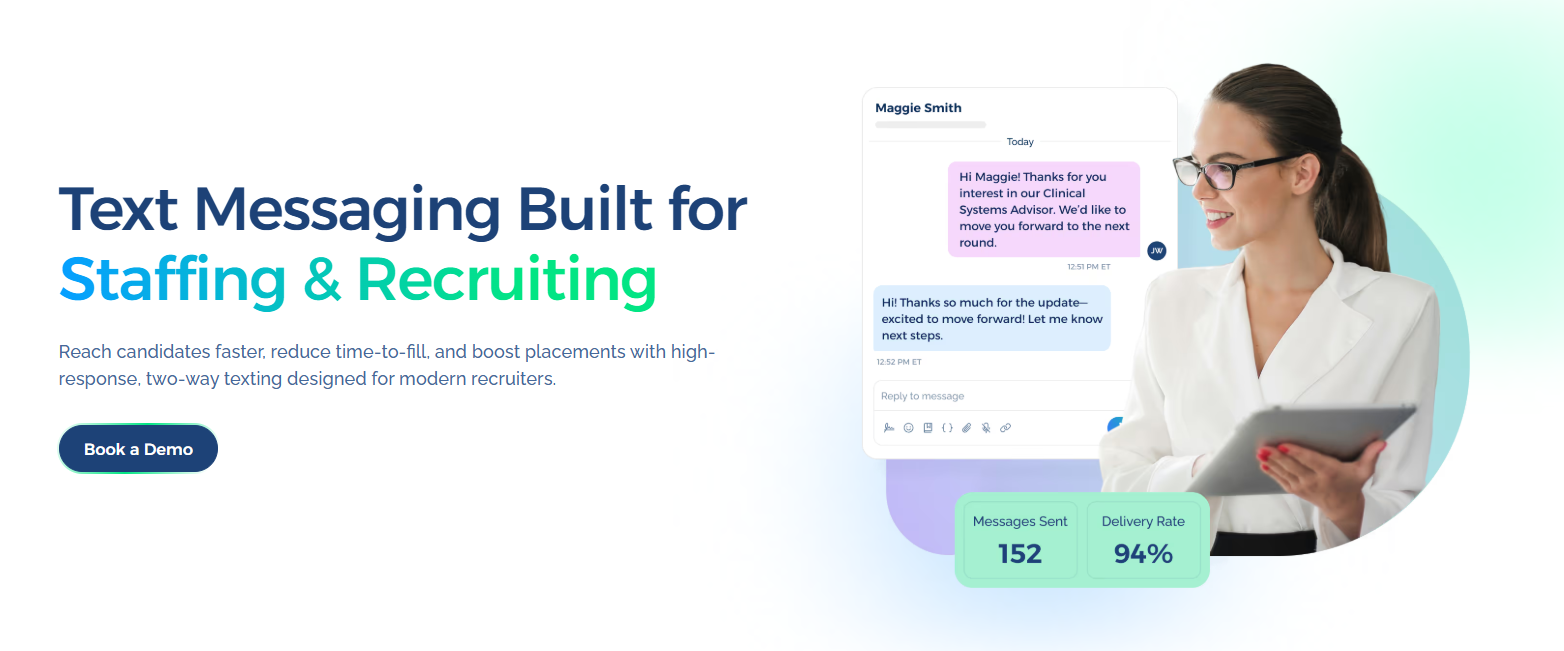
Book a demo with TextUs today to see how recruiter-controlled texting supports faster candidate responses and consistent follow-up!
FAQs About Automated Candidate Outreach
What are the top 5 ATS systems?
Common leading options include Greenhouse, Workday Recruiting, iCIMS, Bullhorn, and Lever. But the right choice depends on your hiring volume, integrations, and wider business requirements.
What is candidate outreach?
Candidate outreach is the process of contacting potential candidates about open roles, future opportunities, or next steps.
It may include SMS marketing, email, LinkedIn, and phone communication, and lead to stronger candidate pipelines when messages match the recipient and hiring stage.
What is the 70/30 rule in hiring?
A popular version suggests hiring someone who meets about 70% of the role requirements and developing the remaining 30%.
Since it's a general hiring guideline rather than a fixed standard, each organization can apply it differently based on the role and hiring needs.
What is an ATS vs CRM?
An ATS manages applicants who are moving through active hiring stages, while a recruiting CRM is valuable for maintaining longer-term prospect relationships before or outside an application.
Connecting both improves efficiency and supports your ability to keep application activity, outreach history, and candidate information connected.
Continue Reading


Frequently Asked Questions
Business Texting
Built for Results
Create and convert pipeline at scale through industry leading SMS software