
35+ Job Fair Text Message Examples for Event Outreach
Explore 35+ job fair text message examples that can help you out with event outreach. Discover how TextUs can help you with SMS communication.

Written by
Adam Hamdan
Published
November 4, 2026

Career fairs take time, planning, and budget. But attendance alone doesn't lead to hires.
The real value comes from how well you follow up and turn event conversations into applications, interviews, and next-step discussions.
A job fair text message keeps communication active before, during, and after the event. SMS fits invitations, reminders, booth updates, interview scheduling, and post-event follow-up.
In this guide, you’ll find job fair text message examples for each stage, what to include in every campaign, and how to spot recruitment scams tied to hiring texts.
You’ll also learn how text recruiting software supports event outreach, candidate replies, follow-up, and campaign tracking.
TL;DR
- Text messaging keeps job fair candidates informed during longer hiring cycles and helps turn event conversations into more applications and interviews.
- This guide covers job fair invitations, RSVPs, registration confirmations, reminders, same-day updates, booth invites, text-to-apply, interview scheduling, virtual events, schedule changes, thank-you notes, and post-event follow-ups.
- A job fair text should include the company name, role details, reason for contact, one next step, and recruiter contact information.
- Recruitment scam signs include mismatched job fair details, copied company identities, requests for money or private data, vague recruiter replies, and suspicious follow-ups that need blocking and reporting.
- TextUs supports job fair outreach with campaigns, personalization, SMS keywords, QR codes, sequences, shared inbox tools, integrations, and campaign analytics.
Why Use Text Messages for Job Fairs
Job fairs bring many candidate conversations into a limited timeframe. Without timely follow-up, interest can drop soon after the event.
Hiring timelines also continue to stretch. Huntr’s Q2 2025 research found that applicants waited about 11 days from interview to offer, nearly twice the six-day wait from application to interview.
When candidates wait longer between stages, consistent communication becomes more valuable.
Texting keeps them informed through quick reminders, updates, and follow-up messages. It also allows job seekers to respond while the conversation is still fresh.
For your business, direct communication makes job fairs more productive. Your recruiters spend less time chasing responses and more time continuing conversations with interested candidates.
30+ Job Fair Text Message Examples for Every Stage
Each stage of a job fair calls for a different type of outreach. Here are job fair texts you can use before, during, and after the event.
Job Fair Invitation
A job fair invitation introduces the event and highlights employment options candidates might want to explore.
- “Hi Mia, BrightPath Health is hosting a career fair on October 18 from 10 AM to 3 PM at the Hilton Downtown. We’re hiring medical assistants and patient coordinators. Reply YES if you’d like to attend.”
- “Hi Jordan, Apex Manufacturing will host a hiring event on November 6 at 2450 Market Street. Recruiters will be meeting candidates for production and warehouse roles from 9 AM to 2 PM.”
- “Hi Camille, Greenway Financial will be at the Metro Career Expo on October 25. Stop by booth 42 to learn about our customer service and operations openings.”
RSVP Request
An RSVP request asks candidates to confirm their plans before the event.
- “Hi Leo, are you planning to attend the Summit Retail hiring event on Friday? Reply YES to confirm your spot.”
- “Hi Nadia, we’re finalizing attendance for the Harbor Medical career fair on October 21. Reply YES if you plan to join us.”
- “Hi Ethan, your invitation to the Cedar Ridge hiring day is still open. Reply YES if you’ll attend or NO if your plans changed.”
Registration Confirmation
A registration confirmation lets candidates know their sign-up went through.
- “Hi Sofia, your registration for the Northfield Hospitality career fair on October 14 is confirmed. We’ll see you at 10 AM at the Grandview Hotel.”
- “Thanks for registering, Andre. The Stonebridge Logistics hiring event starts at 9 AM on November 3. The event address is 800 Commerce Drive.”
- “Hi Lyka, you’re registered for the Horizon Tech career fair on October 30. Check-in opens at 1 PM in Hall B.”
Job Fair Reminder
A reminder brings the event back to the candidate’s attention before the date arrives.
- “Hi Caleb, a quick reminder that the Westbrook Healthcare career fair is tomorrow at 11 AM at Riverside Convention Center.”
- “Hi Jasmine, the Oakline Services hiring event is coming up Friday at 9 AM. We’ll be at 1120 Central Avenue until 2 PM.”
- “Hi Mateo, our career fair starts tomorrow at 10 AM. Visit booth 18 when you arrive at the City Expo Center.”
Same-Day Reminder
A same-day reminder shares final event details before candidates arrive.
- “Hi Alana, the Riverstone job fair starts today at 10 AM. Check in at the main lobby when you arrive.”
- “Hi Devin, we’re looking forward to seeing you today at the Lakeside Career Expo. Our booth is 27 near the east entrance.”
- “Hi Rina, the Beacon Hill hiring event begins at noon today. Free parking is available in the south lot.”
Booth Invitation
A booth invitation points candidates toward your recruiters during a larger career fair.
- “Hi Tyler, Crestline Foods is at booth 36 today. Stop by before 3 PM to learn about our open production roles.”
- “Hi Bianca, Redwood Insurance is at booth 14 until 4 PM. Our recruiters would be glad to speak with you about claims roles.”
- “Hi Omar, Silverline Staffing is at booth 22 at today’s career expo. Visit us to hear about current warehouse openings.”
Text-to-Apply
A text-to-apply option lets candidates start an application from their mobile device.
- “Interested in joining Harborview Hotels? Text APPLY to 555-0134, and we’ll send the application link.”
- “Ready to apply for a warehouse role with Metro Distribution? Text JOBS to 555-0188 to get started.”
- “Want to learn more about the nursing roles at Pinecrest Health? Text NURSE to 555-0172 for open positions.”
Interview Scheduling
An interview scheduling message moves interested candidates into the next hiring stage.
- “Hi Grace, thanks for speaking with us at the career fair. We want to schedule an interview for the patient coordinator role. Are you free Thursday at 2 PM?”
- “Hi Nolan, we enjoyed meeting you at the hiring event. Would Friday at 10 AM suit you for an interview for the sales associate role?”
- “Hi Isabel, we’d like to continue our conversation about the recruiter position. Are you available Monday at 1 PM for an interview?”
Virtual Job Fair
A virtual event message shares the session time and access link.
- “Hi Lucas, the Vertex Digital virtual career fair starts at 1 PM today. Join here: vertexjobs.com/fair.”
- “Hi Amara, your virtual hiring session with BluePeak Support begins at 3 PM. Join at bluepeakcareers.com/live.”
- “Hi Henry, Central Coast Bank will host its online career fair tomorrow at 11 AM. Access the event at ccbcareers.com/event.”
Schedule Change
A schedule update tells candidates when event plans have changed.
- “Hi Elena, the Parkview hiring event will now begin at 11 AM on Saturday. The venue remains Lakeshore Hall.”
- “Hi Julian, the Franklin Career Fair has moved to Building C at 455 Madison Avenue. The event still starts at 10 AM.”
- “Hi Kiara, today’s Eastgate hiring event will end at 5 PM rather than 4 PM. Recruiters will remain available until closing.”
Thank-You Follow-Up
A thank-you message keeps the conversation open after meeting a candidate.
- “Hi Mason, thanks for stopping by the Alder Health booth today. We enjoyed speaking with you about the medical receptionist role.”
- “Hi Zoe, thanks for joining the Summit Foods career fair today. We appreciated the chance to learn more about your background.”
- “Hi Adrian, it was great meeting you at the Northstar Logistics hiring event. We’ll send more information about the warehouse role soon.”
Post-Event Follow-Up
A post-event follow-up moves candidates toward an application, interview, or another hiring step.
- “Hi Chloe, thanks again for meeting us at the career fair. We want to continue our conversation about the customer support role. Apply here: brightwavejobs.com/support.”
- “Hi Isaac, we enjoyed speaking with you at the event. Your application for the maintenance technician role can be completed at ridgewaycareers.com/maintenance.”
- “Hi Maya, thanks for visiting the Westfield Health booth. We want to speak with you again about the patient services role. Are you free Tuesday at 11 AM?”
What Should a Job Fair Text Message Include?
A job fair text needs enough detail to help candidates know who contacted them and why. Here are the main details worth adding to your message.
- Company name: Your company name should appear near the beginning of the message. A known, legitimate company name also helps candidates trust the outreach.
- Job posting details: The message should mention the role, department, location, or shift tied to the event. A link to the full job post lets candidates review duties, qualifications, and application details before they attend.
- Open roles: Your text should mention the positions open at the event. A short job description can also tell candidates what the role involves.
- Reason for contact: The reason for your message should be easy to understand. A past application, event registration, or interest in a certain role helps explain why you reached out.
- Next step: One action is enough to guide the candidate forward. A reply, sign-up link, booth visit, or interview booking tells them what to do next.
- Contact details: A recruiter name and phone number provide candidates a way to ask questions before the event. It also makes follow-up easier after the first message.
How to Spot Recruitment Scams in Job Fair Texts
Not every job fair follow-up is what it claims to be. If an unsolicited text message doesn't match the employer, role, or event details you know, it's worth checking.
Here are a few warning signs to look for before you respond:
Match the Text to Your Job Fair Conversation
The role, company name, location, and hiring steps in the text need to match what you heard at the fair.
A fake job offer promises higher pay, remote work, or an immediate start that never came up during your conversation.
Any push to skip normal hiring steps is also a red flag. Fake recruiters rush candidates toward an offer before a formal job interview.
Check the Employer Through Official Sources
Scammers sometimes copy names and logos from real companies to make hiring messages look authentic.
A quick search lets you compare the sender’s details with the employer’s official website. You could also double-check the event exhibitor list or use contact details shared at the booth.
Be Extra Careful With Requests for Money
Job fair follow-up should center on applications, interviews, role details, or hiring steps. Requests for payment, paid training, or money for equipment are warning signals.
Legitimate employers don't ask candidates to send money to secure a role. Any pressure to pay before hiring may indicate a job scam.
Keep Sensitive Information Outside Text Messages
A request for bank account details or other financial information during early job fair follow-up should raise concerns. Sharing that sensitive info too soon raises the risk of identity theft.
Payroll information usually comes later, after a formal offer and verified onboarding process.
Look at How the Recruiter Communicates
Real recruiters should be able to name the event, company, and upcoming hiring stage. Messages from legit companies should also match what candidates saw or heard at the booth.
A genuine recruiter should be able to answer basic questions about the role, event, or office. Vague answers or refusal to connect you with a real person suggest the sender needs more verification.
Report Suspicious Job Fair Follow-Ups
If a job fair text looks suspicious, avoid replying or opening any links. Block the sender, mark the message as spam, and report it to the employer or event host.
Event staff also need to know when someone uses an exhibitor’s name to contact attendees. A recruitment scam alert helps protect other candidates from similar messages.
TextUs Helps You Stay Connected With Job Fair Candidates
TextUs connects job fair outreach with the tools you already use for candidate communication. Here are several ways its features support invitations, event-day replies, and post-event follow-up.
Reach Job Seekers With Targeted Campaigns
TextUs Campaigns let you choose a contact group and send a custom text at a set date and time. One-time and recurring campaigns support event invites, registration reminders, and post-event outreach.
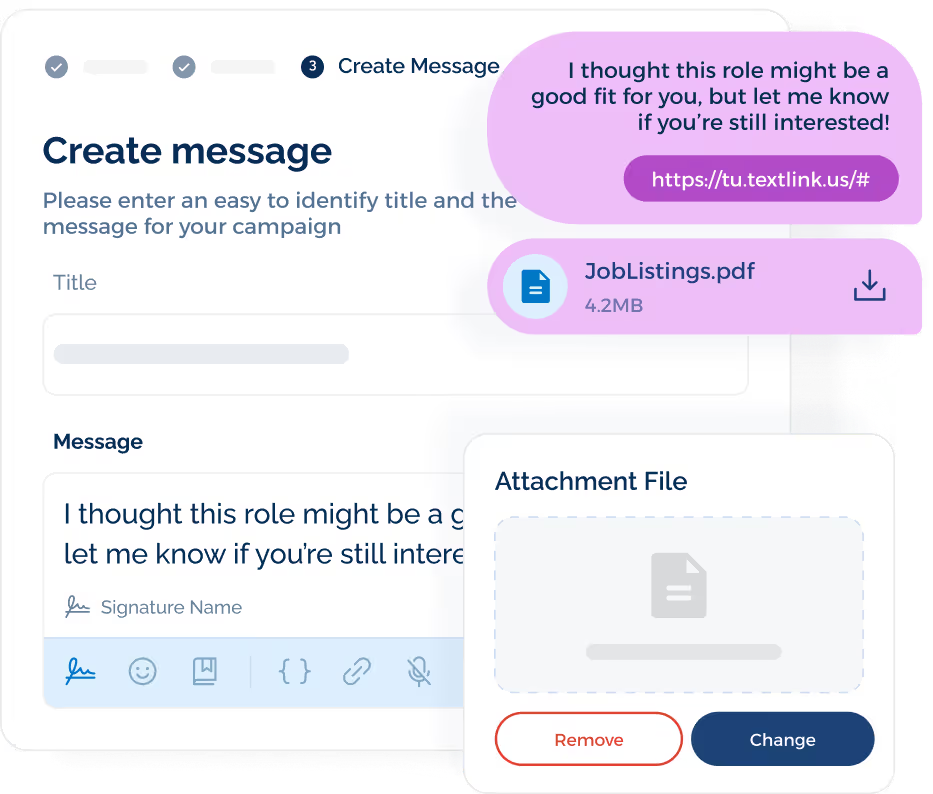
Campaigns Pro adds attachments, branded short links, link-click tracking, and A/B tests for one-time campaigns. You can test invite copy or attach a job flyer, map, or event file from the same campaign.
Add Personal Details to Job Fair Messages
TextUs supports personalization fields and templates inside your SMS marketing campaigns. Candidate names, role details, or event information can be added to messages sent to a larger contact group.
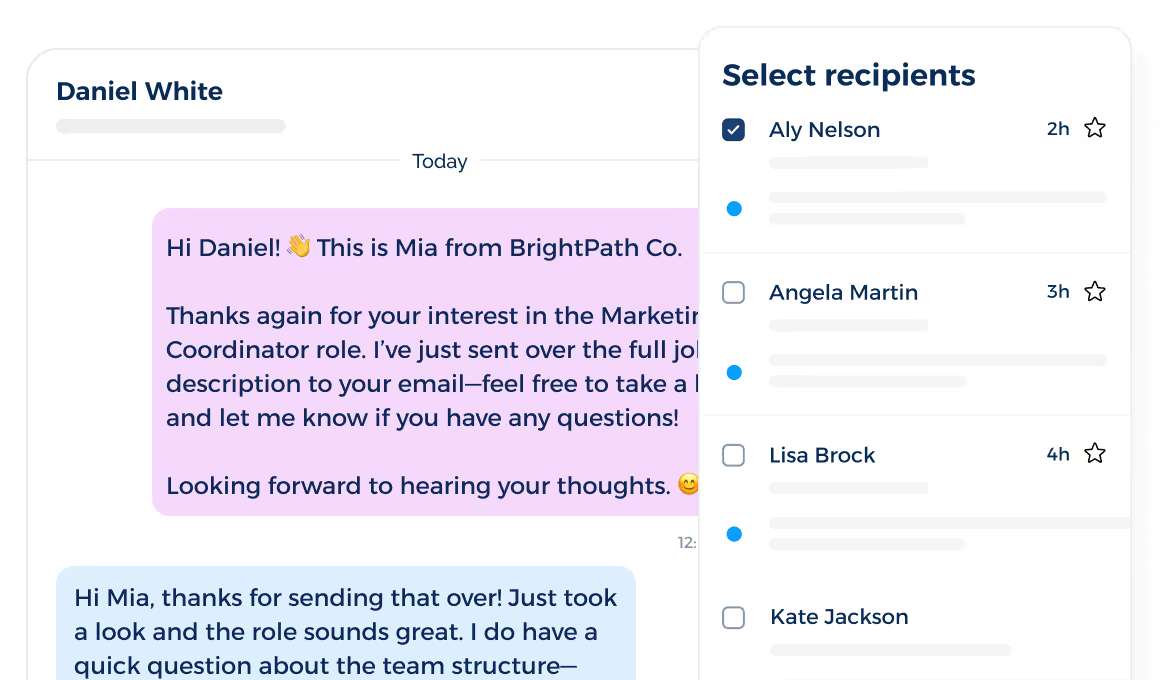
Personal details also make an invite sound more professional and written specifically for that candidate.
Collect Interest With Keywords and QR Codes
TextUs SMS keywords allow candidates to send a set word and receive a pre-written reply. Keyword QR codes let candidates scan a sign or flyer and send a pre-filled text from their mobile device.
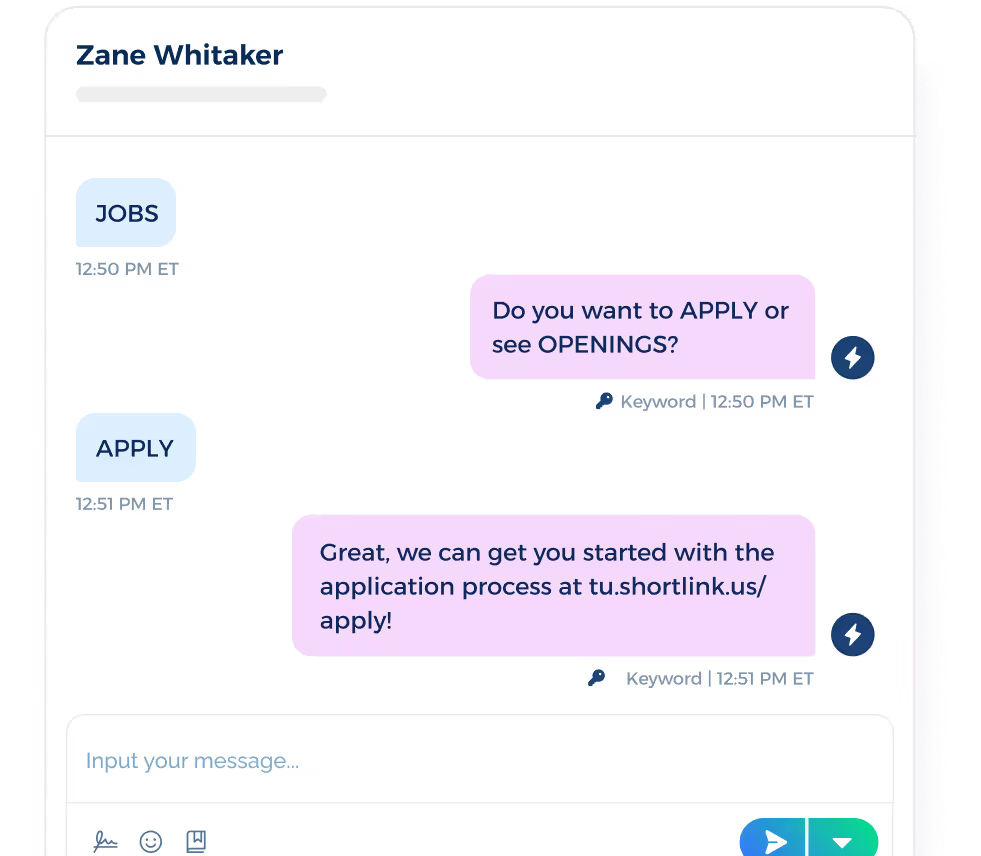
A booth sign may ask candidates to text CAREERS, EVENT, APPLY, or a role-based keyword. Different keywords point people toward different job opportunities, event details, or application links.
Send Job Offer Follow-Ups
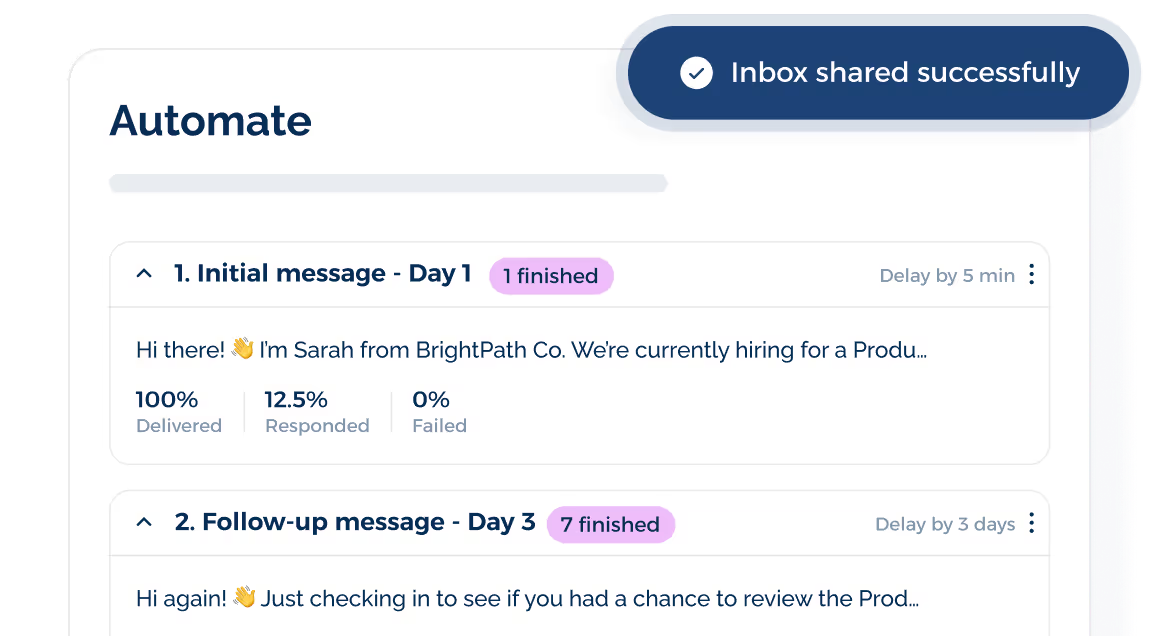
TextUs Sequences send a planned series of one-to-one texts over a set period. Keyword activity may also place a contact into a Sequence.
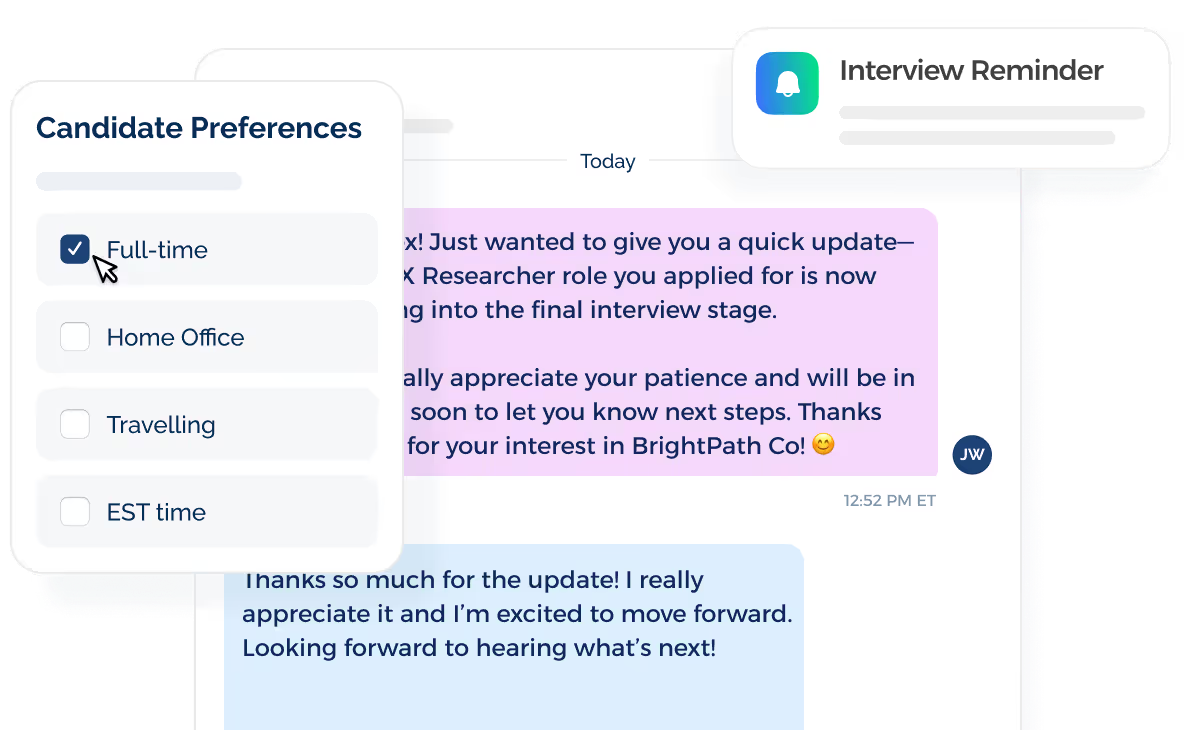
After a job fair, you can use a sequence for a thank-you note, application link, interview reminder, or another hiring update. A planned follow-up flow lowers the chance that promising contacts receive no message after the event.
Manage Replies From a Shared Inbox
Candidate replies appear in the shared inbox, where you assign message ownership and use templates for common responses. Your hiring staff handles questions from the same messaging space.
Job fair replies can cover open roles, event times, parking, interview slots, or application links. A shared inbox keeps those conversations visible to the people responsible for follow-up.
Connect Texting With Your ATS or CRM
TextUs connects with ATS and other recruitment software, including Bullhorn, Avionté, and JobDiva in its recruiting guide. Messages and employee activity stay tied to records already used during hiring.
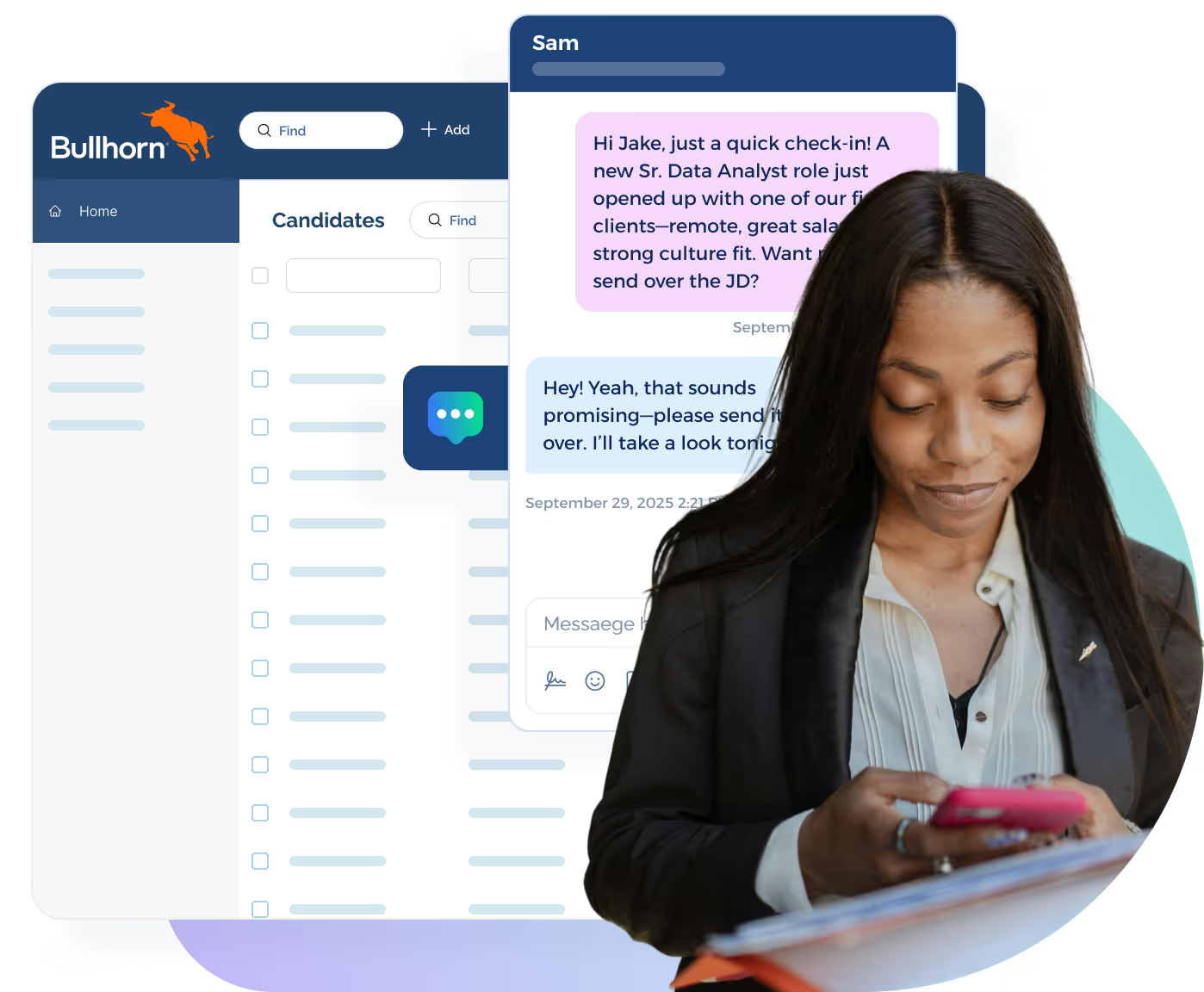
That connection lets you review text activity beside candidate records rather than treating SMS as a separate channel. Hiring staff can also use ATS contact groups as the starting audience for job fair campaigns.
Turn Booth Interest Into Meaningful Text Conversations With TextUs
Job fairs create a lot of candidate interest in a short period. TextUs keeps those conversations active before and after the event.
TextUs lets you send event invitations, reminders, and follow-ups while managing two-way replies from the same texting platform. You also stay connected with candidates before the fair, during the event, and after they leave your booth.
Book a demo with TextUs today and keep more job fair conversations going!
FAQs About Job Fair Text Messages
Are the recruiter text messages real?
Some recruiter texts are real, especially after a job fair, application, or past conversation.
Your best approach is to match the sender, role, and company details with the employer’s site or event listing instead of choosing to rely on the text alone.
Is it safe to accept a job offer via text?
A text might start the offer process, but a formal offer should include the role, salary, start date, and company details through an approved hiring channel.
Any upfront cost before hiring is a suspicious sign, so you should expect written offer details before accepting.
How to tell if a text message is legit?
A real recruiting text message should match the company, position, event, and application steps you already know.
If something is unfamiliar and irrelevant, your next step is to research the company, watch for unusual requests, and stay aware of mismatched details.
How to ask for a job via text message?
Your text should state your name, the role you want, where you met the employer, and where they can review your resume.
A short message that gets straight to your interest and asks about the next hiring step keeps the conversation moving.
Continue Reading



Frequently Asked Questions
Business Texting
Built for Results
Create and convert pipeline at scale through industry leading SMS software