
Text Recruiting Software: A Guide to Candidate Outreach
Learn what text recruiting software does, which features to look for, and how to choose the best software for your recruiting workflow.

Written by
Adam Hamdan
Published
July 16, 2026

Unknown numbers, busy schedules, and work restrictions make phone calls harder for recruiters. Many job seekers cannot step away to answer during the workday.
Texting is better for short updates, confirmations, reminders, and quick questions. Candidates can read and reply from their mobile phones without committing to a full call.
But personal phones are not built for hiring workflows. This is how text recruiting software lets you centralize campaigns and conversations while connecting messages with your recruiting systems.
In this article, we will explain what text recruiting software does, which features to look for, and how to choose the best text recruiting software for your recruiting workflow.
TL;DR
- Text recruiting software helps hiring teams replace personal phone texting with an SMS platform for candidate outreach, replies, follow-ups, and hiring updates.
- It improves the recruitment process by reducing scheduling delays, speeding up candidate replies, lowering drop-off, improving interview attendance, providing stronger team visibility, and keeping candidate records easier to review.
- The best text recruiting software includes two-way texting, bulk SMS campaigns, templates, scheduling, shared inboxes, segmentation, auto-replies, keywords, compliance tools, deliverability features, analytics, mobile access, and admin permissions.
- Strong integrations with your ATS, CRM, calendar, HRIS, job boards, workflow tools, and API systems keep candidate conversations connected to the rest of your recruiting workflow.
- TextUs is the best texting software with its real-time SMS messaging, shared inboxes, automated sequences, ATS- or CRM-connected workflows, contact syncing, and better visibility across candidate conversations.
How Text Recruiting Software Supports Faster Hiring
According to GoodTime’s 2025 Hiring Insights Report, recruiters spend 38% of their time scheduling interviews. This makes scheduling one of the biggest operational burdens in hiring.
This is where text recruiting software creates real value. With automated campaigns, applicant tracking system (ATS) syncing, and mobile access, you reduce back-and-forth scheduling tasks and spend more time on qualified job seekers.
Here are the main ways texting software can improve the recruitment process:
Faster Time-to-Hire
SMS delivers higher response rates than email, which makes it one of the strongest channels for talent communication.
Recruiting text messaging software can shorten the gap of waiting too long for candidates to reply. It makes outreach, interview coordination, and follow-ups easier to manage.
Improved Candidate Experience
Candidates often respond faster to text messages than to long emails or missed phone calls.
A text recruiting platform creates a more direct path for recruiters to confirm interest, answer questions, and keep conversations moving.
Lower Candidate Drop-Off
Candidates may lose interest when updates take too long or next steps are unclear.
Text recruiting software keeps communication active with timely updates and follow-ups throughout the hiring process.
Better Interview Attendance
Missed interviews happen because candidates forget the time, lose the details, or never receive a reminder.
SMS recruiting software can send interview confirmations and reminders, which makes it easier for candidates to show up prepared.
Stronger Team Visibility
Recruiting managers and team members can view candidate conversations, message history, assignments, and follow-up activity.
This reduces duplicate outreach and makes each candidate’s status easier to understand.
Better Candidate Recordkeeping
A good text message recruiting platform keeps SMS conversations connected to candidate records.
Recruiters can review past outreach, replies, interview updates, and next steps without searching through separate tools.
Improved Hiring Campaign Performance
Text recruiting software shows how messages, candidate lists, and hiring campaigns perform.
Reporting can track delivery rates, response rates, opt-outs, and campaign results so that recruiting teams can improve future outreach.
Key Features to Look for in Text Recruiting Software
The right platform should support your team in finding candidates, engaging the best talent, and keeping your candidate experience intact.
These are the main SMS features you should look for in a platform:
Two-Way Text Messaging
Two-way texting is the foundation of any strong text recruiting platform. Candidates may ask about job details, interview times, pay range, location, requirements, or next steps.
Conversational texting is important because recruiting is not a one-way process. You should send messages and receive candidate replies in the same system.
Bulk SMS Campaigns
Bulk messaging allows you to engage groups of candidates at once. This is useful when your team needs to share job openings, interview reminders, or re-engagement messages with a larger candidate list.
A good recruiting text messaging software should still allow personalization inside high-volume hiring campaigns. Candidate name, role, location, and hiring stage make outreach feel more relevant.
Message Templates
Message templates save you from rewriting the same texts over and over. You may create approved messages for candidate outreach, interview invites, follow-ups, screening questions, and application updates.
Templates should also be easy to edit and personalize. The goal is to keep communication consistent without making every message sound copied and robotic.
Message Scheduling
Campaign scheduling allows you to prepare campaigns and send them at the best time. You can send texts through a channel candidates actually check, without relying only on email or phone calls.
Automated messages also let you send a planned series of messages based on timing or candidate stage.
These sequences can support follow-ups, interview reminders, hiring event communication, and candidate re-engagement.
Shared Team Inbox
A shared team inbox keeps candidate replies in a single place instead of separate recruiter phones or disconnected inboxes.
This feature is valuable for teams with multiple recruiters, hiring managers, or locations. Everyone can see the communication history and understand what has already been sent.
Candidate Segmentation
Candidate segmentation allows you to group contacts by role, location, skill set, hiring stage, source, availability, or engagement level.
Without SMS segmentation, mass texting becomes too broad. Good text recruiting software should make it simple to send the message to the appropriate candidate group.
Auto-Replies
Auto-replies help confirm that a candidate's response was received, answer common questions, or route candidates to the next step. It keeps large-scale communication moving even when recruiters are busy.
An effective text recruiting platform should let you customize auto-replies based on keywords, campaigns, or candidate actions.
Keywords and QR Codes
SMS keywords allow potential candidates to text a specific word to join a talent pool, show interest in a role, or receive more information.
QR codes can connect offline recruiting materials, job alerts, posters, and virtual career fairs to SMS workflows.
Instead of asking candidates to fill out a long form first, these tools keep your messages short and make candidate entry points easier to manage.
Compliance and Opt-Out Management
SMS compliance tools are essential when using SMS for recruiting. The platform should manage opt-outs, track unsubscribe requests, and support prior express consent practices.
SMS opt-out management should not depend on recruiters remembering to update records by hand.
A reliable text message recruiting platform should process stop requests and protect teams from contacting candidates who opted out.
Message Quality and Deliverability Tools
Message quality tools review texts before they are sent and flag content that may look risky, unclear, or spam-like.
Deliverability features may include carrier registration support, delivery reporting, opt-out monitoring, message scoring, and guidance on safer SMS content.
Analytics and Reporting
Analytics show how candidate texting efforts perform. Recruiters and managers should be able to track delivery rates, response rates, opt-outs, campaign results, recruiter activity, and candidate engagement.
Reporting turns SMS from a simple communication channel into a measurable recruiting tool. You can see which messages work, which campaigns need improvement, and where candidates drop off.
Mobile and Desktop Access
You need to manage conversations from both a computer and a mobile device.
Desktop access is useful for campaign management, reporting, and team workflows, while mobile access keeps you connected when you're away from your desk.
Role-Based Permissions
Role-based permissions allow admins to control what each user can view, send, edit, or manage. This is important for larger teams, multi-location businesses, and organizations with compliance requirements.
Permissions can limit who sends bulk campaigns, edits templates, accesses reports, or manages account settings.
Important Integrations for Text Recruiting Software
The right integrations keep candidate conversations, records, reminders, and recruiter activity connected across the systems your business already uses.
ATS Integrations
Applicant Tracking System (ATS) integrations are one of the most important features to review when choosing text recruiting software.
Your ATS stores candidate profiles, application stages, resumes, notes, and hiring activity, so SMS conversations should connect to those records.
A strong ATS integration can log text messages, sync candidate details, update activity history, and reduce manual copy-pasting.
CRM Integrations
Customer Relationship Management (CRM) integrations are beneficial for staffing firms, recruiting agencies, and businesses that manage long-term candidate or client relationships.
A recruitment CRM may store top talent pools, client contacts, sales conversations, placement history, and pipeline activity.
When your text recruiting platform connects with your CRM, you keep SMS conversations tied to the right contact records.
Calendar Integrations
Calendar integrations help you manage interview coordination, reminders, and scheduling updates.
This is essential when several talent management teams, HR professionals, or locations are involved in the process.
A good calendar connection can support confirmations, reminder texts, scheduling interviews, and availability workflows. It reduces confusion around dates, times, meeting links, and location details.
HRIS Integrations
Human Resource Information System (HRIS) integrations may be important for businesses that want recruiting communication to connect with employee records, onboarding steps, or internal hiring workflows.
Text recruiting software does not always need a deep HRIS integration, but if you're a growing business, you should still check this option. It can support a smoother handoff from recruiting to onboarding when hiring volume increases.
Job Board and Candidate Source Integrations
Some businesses need text recruiting software that connects with job boards, career pages, forms, landing pages, or other candidate sources.
These integrations are useful when your business collects leads from several places. You may respond faster when new candidates are added to the right campaign, segment, or inbox without waiting for manual uploads.
Zapier or Workflow Automation Integrations
Workflow automation integrations connect text recruiting software with other tools when native integrations are limited.
Platforms like Zapier or similar automation tools can move candidate data, trigger text messages, update records, or notify recruiters.
API Access
SMS API access is important for custom recruiting systems, internal dashboards, advanced reporting needs, or unique hiring workflows.
It allows technical teams to connect text recruiting software with other business systems.
Not every team needs API access from day one. However, if you're an enterprise team and a fast-growing business, you should review it early to avoid outgrowing the platform later.
How to Choose the Best Text Recruiting Software
Choosing the best text recruiting software starts with understanding how your hiring team communicates with candidates.
Here are the most important factors to review before choosing a recruiting text messaging platform.
Step #1: Define Your Recruiting Communication Problems
Common issues include slow candidate replies, missed follow-ups, scattered conversations, interview no-shows, limited ATS visibility, and too much manual texting.
This step keeps the buying process focused. A platform should match your actual recruiting workflow instead of adding features your team will rarely use.
Step #2: Match the Platform to Your Hiring Volume
If you're a small business with occasional hiring needs, you may not need the same setup as a staffing firm, healthcare recruiter, or enterprise hiring team.
Your message volume, recruiter count, candidate database size, number of open roles, and company structure should shape the type of platform you choose.
High-volume HR teams usually need stronger recruitment automation, segmentation, reporting, and team controls.
Smaller teams may care more about simple setup, clear pricing, and easy two-way candidate texting.
Step #3: Prioritize Integration Depth Over Integration Count
A vendor may list many integrations, but the depth of each connection is more important than the number of logos shown.
You should know whether the platform only imports contacts or if it also syncs conversations, updates candidate activity, logs message history, and connects with hiring stages.
This is important for ATS and CRM systems. A shallow integration may still leave you doing manual updates after every candidate conversation.
Step #4: Check Whether Automation Allows Human Control
SMS automation reduces repetitive tasks and saves every recruiter's time. But it should not take control away from the hiring team.
You should be able to pause, edit, stop, or adjust automated messages when a candidate replies or moves to another stage.
The best text recruiting software should support automation without making candidate communication feel disconnected. You still need room to personalize conversations and respond based on context.
Step #5: Request Demos from Vendors
A demo should show how the software handles actual recruiting work, not just general feature screens.
Useful demo scenarios may include sending a candidate text, managing a reply, assigning a conversation, launching a campaign, syncing activity with your ATS, handling an opt-out, and reviewing performance reports.
Step #6: Choose the Right Text Recruiting Platform
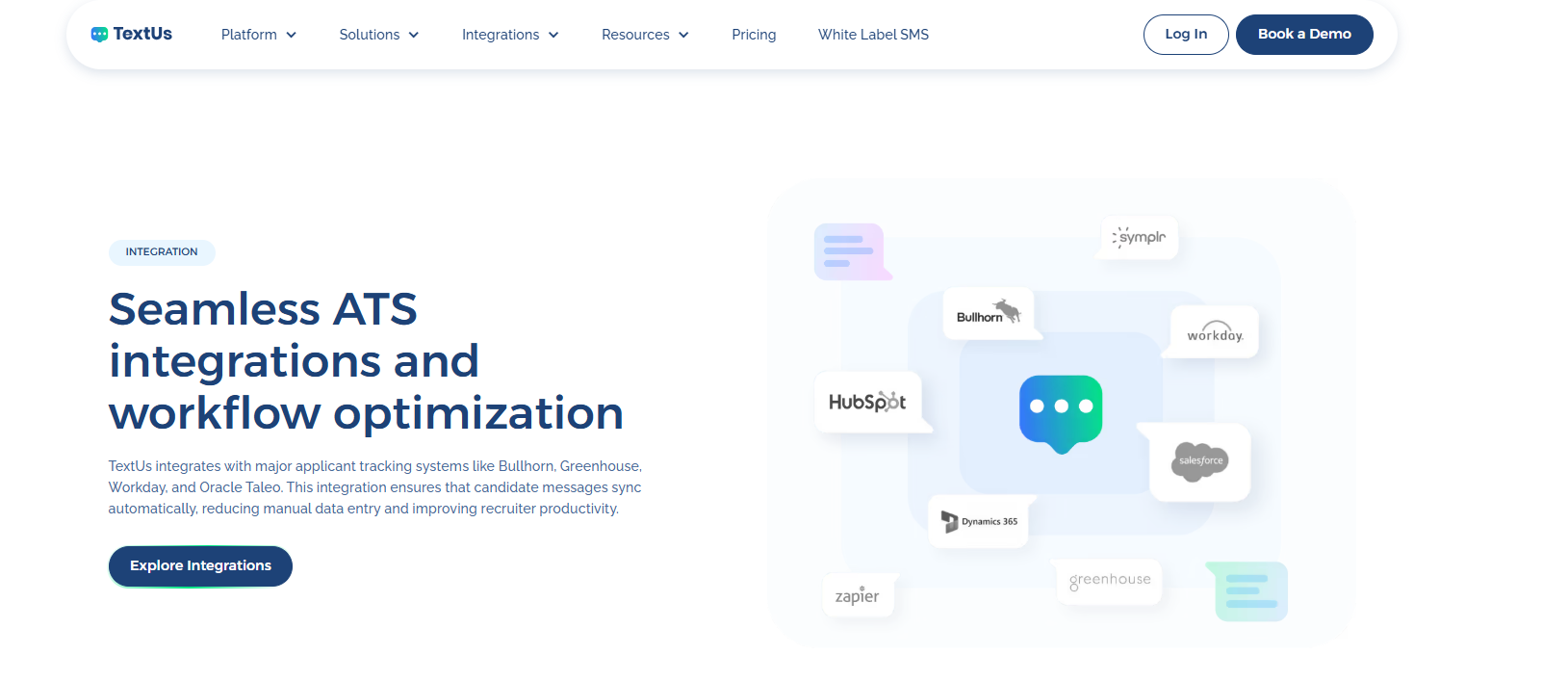
TextUs is built for fast, two-way conversations between recruiters and job seekers. It brings real-time SMS messaging, shared inboxes, automated sequences, analytics, and ATS or CRM-connected workflows.
With TextUs embedded into your CRM, recruiting and hiring teams can create, track, and improve SMS campaigns without leaving the platform they already use.
It saves time, reduces the risk of missed follow-ups, and makes each campaign easier to manage from initial outreach to final response.
TextUs also reduces manual data entry through real-time contact syncing. It keeps records connected across systems, so you have current details, cleaner lists, and better visibility into every conversation.
If you want a more organized way to reach candidates, boost engagement, and move hiring conversations forward, TextUs deserves a place among your recruitment tools.
Build a Faster Candidate Communication Workflow With TextUs
Candidate communication should not slow down your recruiting process. With the right text recruiting software, you can reach job seekers and qualify candidates faster.
TextUs keeps you connected across the full workday. The mobile app supports quick replies on the go. The web app also makes it easier to manage campaigns, automation, and larger candidate lists.
This text recruiting software integrates with major ATS so that multiple candidates can sync with the right records, and you can spend more time connecting with candidates.
Ready to improve your recruiting workflow? Book a demo with TextUs today and see how it can turn text messaging into a stronger hiring channel!
Continue Reading



Frequently Asked Questions
What is the 70/30 rule in hiring?
The 70/30 rule in hiring means choosing a candidate who meets around 70% of the role requirements, while the remaining 30% can be learned on the job.
It helps you avoid waiting too long for a “perfect” candidate and focus on skills, potential, and trainability.
What is the best software for recruitment?
The best recruitment software depends on your hiring needs. Most businesses compare ATS platforms, recruitment CRMs, text-to-apply tools, sourcing platforms, and interview scheduling software.
TextUs is worth reviewing if you need a stronger way to reach candidates through SMS. It supports two-way candidate texting, shared inboxes, automated campaigns, and seamless ATS integrations.
What is an ATS vs CRM?
An ATS manages active job applications, candidate stages, resumes, interview steps, and hiring workflows. It's mainly used to move candidates through open roles.
A CRM focuses on building and nurturing longer-term talent relationships. You use a CRM to manage talent pools, past applicants, passive candidates, referrals, and future hiring opportunities.
Business Texting
Built for Results
Create and convert pipeline at scale through industry leading SMS software