
Boost Your Sales and Marketing With HubSpot SMS Integration
Learn how to easily boost your sales and marketing with HubSpot SMS Integration. See how TextUs helps make the process simple.

Written by
Published
December 26, 2025

Email and phone calls still matter, but they don’t always deliver the response times your sales and marketing teams need.
SMS gives your team a direct line to leads and customers. When integrated into your CRM, your team doesn’t need to switch tabs or copy-paste contact data into another tool.
In this article, we’ll explore how integrating SMS with HubSpot using TextUs can help you engage faster and drive better results across your funnel. You'll learn how the integration works, what it enables, and why it belongs in your communication stack.
TL;DR
- HubSpot doesn’t support SMS out of the box. You can’t send or receive text messages, automate follow-ups, or log conversations in contact records without an external app.
- SMS marketing reaches contacts faster than email. It's better for follow-ups, reminders, and time-sensitive communication.
- TextUs connects SMS directly to HubSpot. You can send SMS based on workflows, reply from the contact profile, and use inbound texts to trigger actions.
- Text conversations are tracked in HubSpot. Every message shows up in the contact record, so teams don’t lose context.
- TextUs is the best way to add texting to HubSpot. It’s fast to set up, easy to use, and built for teams that want to have real conversations, not just send campaigns.
Does HubSpot Have Native SMS Capabilities?
HubSpot is widely known as a powerful CRM platform that helps businesses attract, engage, and retain customers.
With over 167,000 users, it serves as a central marketing hub for managing campaigns, tracking performance, and supporting the sales process across multiple communication channels.
However, when it comes to marketing SMS, HubSpot does not offer a full native solution.
You can still send email notifications, internal reminders, and task alerts. Still, it does not allow teams to send and receive SMS or manage one-to-one conversations without an external SMS app.
This means you cannot use HubSpot alone to launch bulk texts, schedule messages, track delivery rates, manage opt-ins and opt-outs, or log text conversations back to the contact timeline.
If you're also running time-sensitive offers, appointment reminders, or SMS-based promotions, this creates a major gap.
TextUs + HubSpot Key Features
Some businesses try to get by using email or phone calls as their primary communication channels because they assume HubSpot can handle SMS. But text messaging is more direct and requires quick response times.
Without built-in SMS marketing support, you miss out on common business needs such as two-way texting inside contact records or automatic SMS logging in the CRM timeline.
TextUs bridges that gap, delivering the best HubSpot integration to personalize engagement and improve team efficiency without relying solely on other communication channels.
Here are some of the best ways to use TextUs for HubSpot:
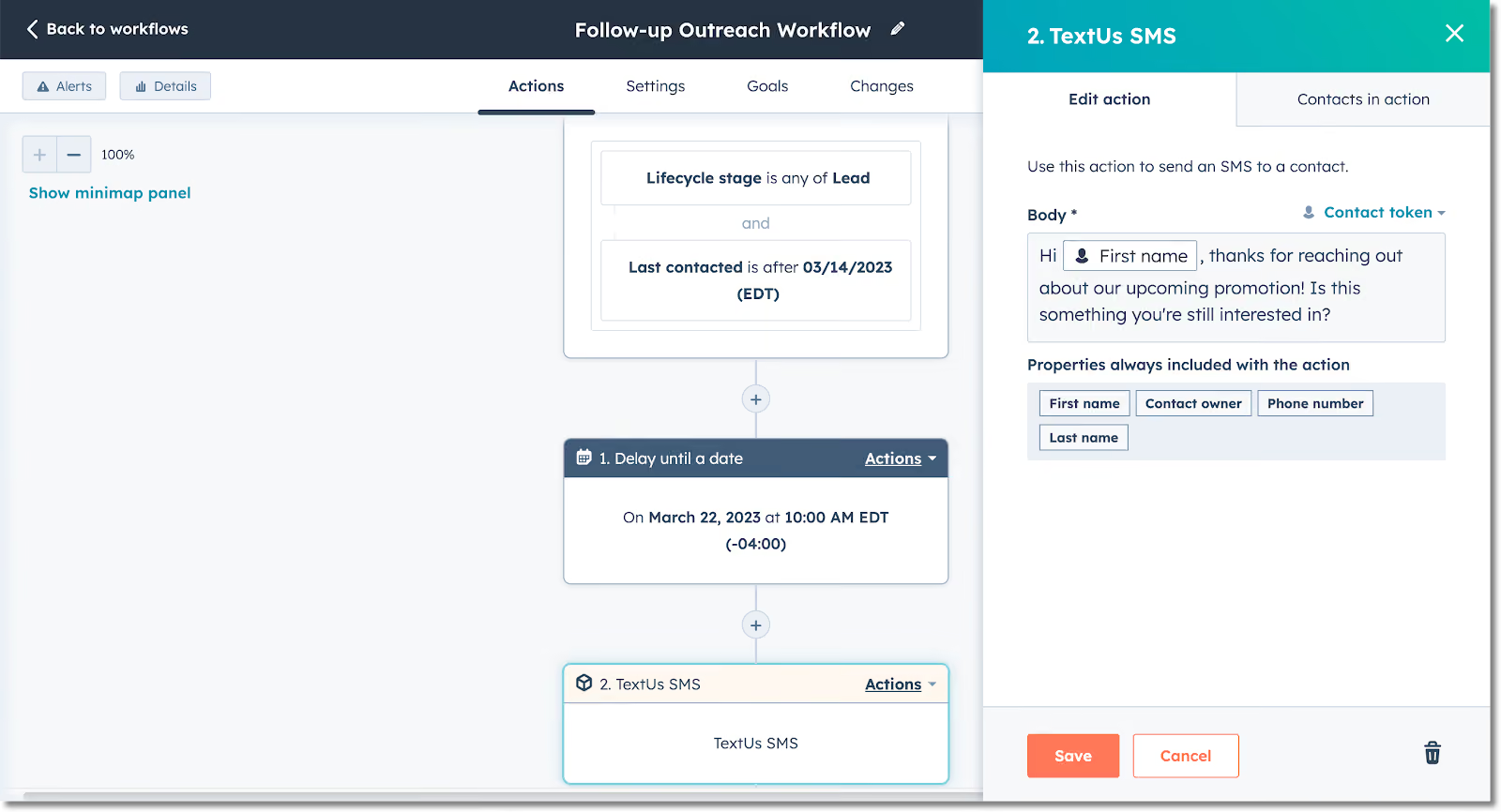
Build Text Messages Into HubSpot Workflows
You can add a personal, more engaging touch to your marketing automation workflows by building in customizable SMS messages. It can send from your TextUs mobile number in response to any trigger within HubSpot.
Think of using this feature when a HubSpot form is completed on your website, after an email is sent or opened, or after a configured amount of time.
Pairing email and SMS with your multi-channel marketing increases your response rates and touchpoints with contacts.
Turn HubSpot into a complete communication hub with TextUs. Book a demo today!
Use Texts as Automation Triggers
You can use inbound text messages as triggers for other HubSpot actions within your automated workflows, giving you more ways to build your pipeline.
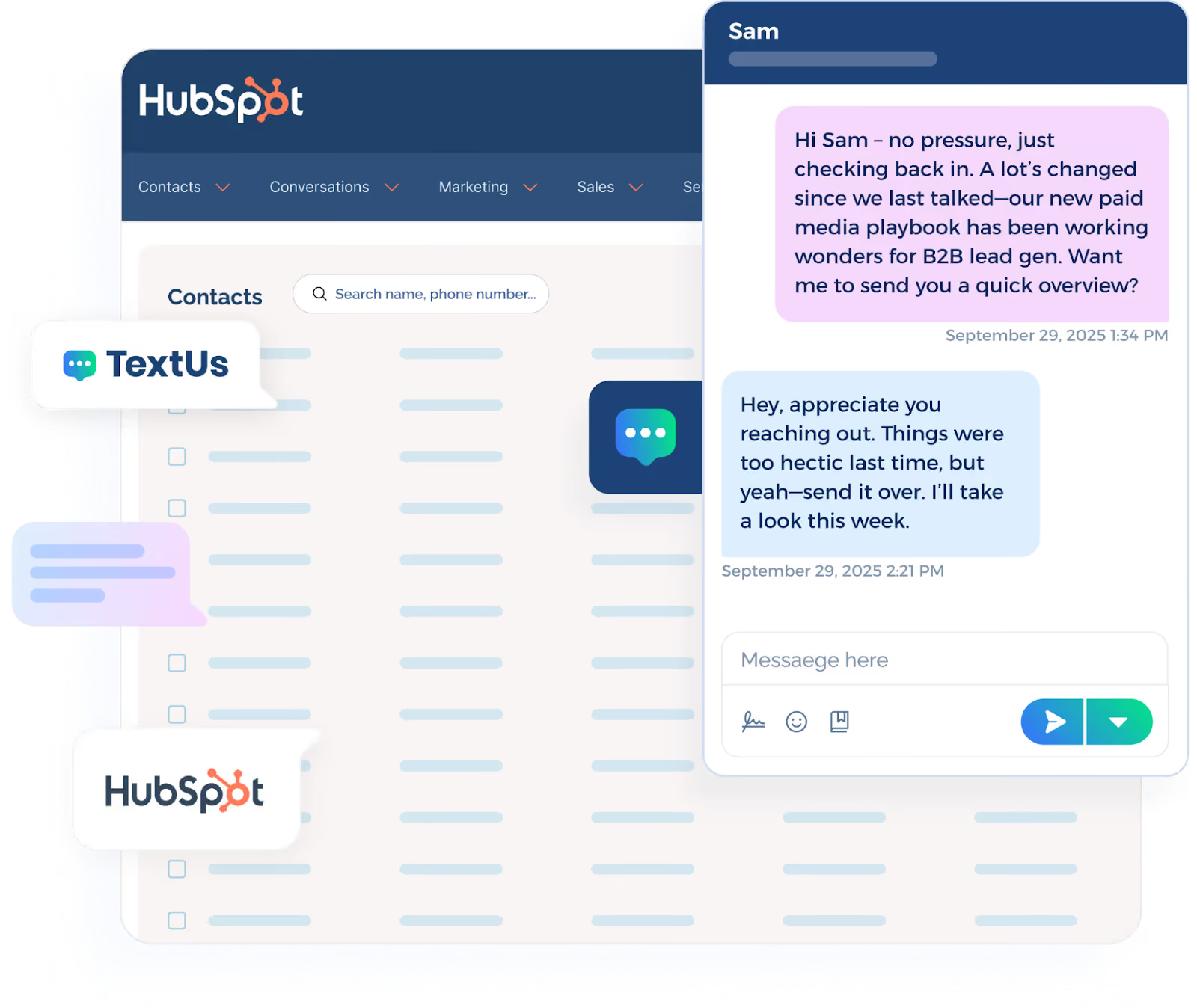
An example of using this feature would be if a text message is received from a contact, you can add that contact to a group or campaign, and put them on part of a targeted messaging journey.
Add Two-Way Texting to HubSpot
You can send SMS messages to prospects and customers from within HubSpot. An embedded texting panel appears in the contact profile. It gives your team full access to features like templates, personalization tools, and saved messages.
The embedded interface works across major browsers, not just Google Chrome. It's easier for your team to communicate with contacts in real time, no matter what device or environment they’re using.
Easily Find Customer Conversations
TextUs automatically imports any HubSpot contact you message so you can easily find and resume any conversation.
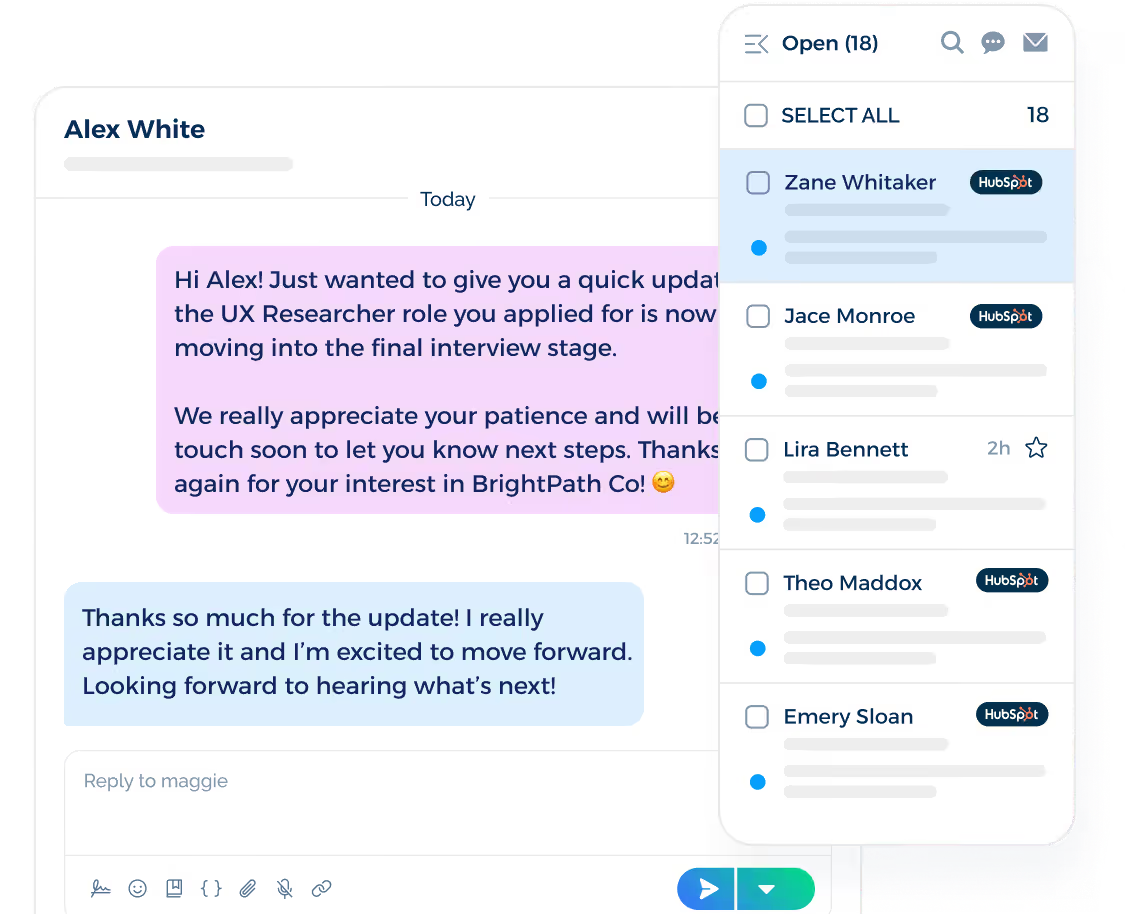
If a text message is sent to a HubSpot contact and they do not exist in your TextUs account, they will automatically be added as a TextUs contact. This ensures the contact is accessible in both TextUs and HubSpot.
Pro Tip: You may use the same first and last name for consistency.
Log Conversations Back to HubSpot
TextUs keeps your team on the same page by auto-logging text communications back into HubSpot for a single system of record.
If a text message is sent from HubSpot, the message will be clearly marked within TextUs as originating from HubSpot.
It keeps teams informed about where a message within a conversation started and helps avoid confusion if a user is unaware that contacts are receiving automated messages.
Messages will log on a contact activity timeline that is assigned to the HubSpot/TextUs user who messaged them. It will also log messages individually to the contact record with the matching phone number.
TextUs for HubSpot message logging creates customization to meet your organization's needs. You will have the option to log as a “Task” or “SMS activity” depending on your organization’s preference.
Tasks have more detailed information and are easier to report. SMS Activities are easy to filter in the conversation timeline if your organization already uses tasks.
HubSpot + TextUs: A Smarter Way to Stay in Touch
TextUs helps you sync HubSpot with a powerful texting solution built for sales and marketing.
You can embed SMS into workflows, automate responses, log conversations, and manage contact records with full visibility.
Create More Impactful Automation Workflows
TextUs adds a new layer of speed and personalization to your HubSpot automation. You can easily send texts or schedule them to go out on a specific date, triggered by contact behavior inside your CRM.
Every SMS campaign can be tailored using templates and dynamic fields to match where the contact is in the buyer journey.
These messages are customizable to provide your team control over tone, timing, and content. You can build templates, insert dynamic fields, and tailor messages to the stage of the buyer journey.
Nurture Leads and Strengthen Pipeline Performance
TextUs turns lead nurturing into a more strategic and responsive process by combining automated SMS workflows with live, two-way messaging.
It's easier to deliver SMS marketing campaigns, adjust messaging mid-journey, and receive text messages from leads and prospects.
You can automate follow-up texts at key moments in the funnel using HubSpot triggers, whether a contact downloads content, opens an email, or completes a form.
At the same time, your team can pivot from automation to direct, personalized conversations when human engagement is needed.
Keep Teams Aligned and Communication Centralized
TextUs automatically logs every message to the corresponding HubSpot contact record for complete visibility into all text activity.
It creates a unified, shared inbox where sales and your support team can easily track conversations and follow up, even when multiple team members engage with the same contact.
With every conversation centralized and visible, your team engages customers faster and stays connected to the customer journey and each other.
How to Set Up TextUs With HubSpot
TextUs and HubSpot integration allows your team to automate text messaging, centralize communication, and engage contacts faster.
Here are the steps to connect your TextUs account with HubSpot:
- Log in to your admin account at next.textus.com
- Click on your user icon and go to Accounts
- Locate your org account at the top of the hierarchy and click View
- Navigate to the Settings tab, then click Account Settings > Integrations
- In the list of available integrations, find HubSpot CRM and click Connect
- Click Authorize to begin the connection process
- In the browser window that opens, select the TextUs account you want to link
- Click Connect app to give TextUs access to your HubSpot instance
- Back in TextUs, click Manage under the HubSpot CRM integration
- Go to the Message Logging tab and choose how messages should be logged, either as Tasks or SMS Activities, based on your team’s reporting preference.
- Click Save to apply your settings
Once enabled, your team can immediately begin building workflows that include SMS touchpoints, send an SMS from contact records, and receive text messages in a centralized view.
Turn HubSpot Into a Two-Way Communication Engine—Integrate With TextUs!
If your marketing and sales teams rely on HubSpot but still struggle to reach contacts, it's time to rethink your communication strategy.
TextUs gives you the power to connect faster, personalize messaging at scale, and turn your CRM into a high-performance engagement engine.
With TextUs, you can embed outbound texts into automated workflows, trigger actions from inbound replies, and have two-way conversations without leaving the HubSpot interface.
All communication is logged back to the contact record, helping your team maintain full visibility and improve campaign performance. Whether you're following up on form submissions or re-engaging cold leads, SMS through TextUs helps you do it smarter.
Ready to activate texting inside your CRM? Book a demo with TextUs today and discover how business texting can transform your pipeline!
FAQs About HubSpot SMS Integration
Does HubSpot offer native SMS capabilities?
While it offers email automation and internal notifications, it cannot send messages or manage two-way SMS without an external solution. This becomes a limitation when you're trying to reach contacts on their mobile phone.
That’s why integrating the best SMS app for business communication fills that gap with robust two-way texting, workflow automation, and full CRM integration.
Are text conversations logged in HubSpot?
All text activity is automatically logged in the contact record timeline. You can choose whether messages are recorded as Tasks or SMS Activities, depending on how your team prefers to report and track engagement.
This is helpful for enterprise teams looking to centralize outreach and avoid fragmented communication caused by switching platforms.
Is TextUs better than using WhatsApp when sending SMS campaigns?
WhatsApp works well for personal use, but for professional, CRM-connected workflows, you need more control. TextUs is built to support structured messaging inside HubSpot.
This SMS platform provides features like automation, logging, reporting, and message templates. It provides a true service built for business communication, without the limitations of consumer apps like WhatsApp.
Continue Reading



Frequently Asked Questions
How does HubSpot SMS integration improve sales and marketing workflows?
HubSpot SMS integration lets teams send, receive, and log text messages directly within HubSpot, eliminating tab-switching and ensuring every conversation is connected to the right contact record. It enables faster follow-up and more consistent engagement.
What can you automate with HubSpot SMS workflows?
HubSpot SMS workflows can automate lead follow-up texts, appointment reminders, deal stage notifications, re-engagement sequences, and renewal alerts — all triggered by HubSpot contact properties, form submissions, or deal changes.
Does HubSpot support two-way SMS messaging?
Yes — with integrations like TextUs, HubSpot supports full two-way SMS messaging where contacts can reply and the conversation continues within the HubSpot interface. Replies are captured in the contact record and can trigger workflow actions.
Business Texting
Built for Results
Create and convert pipeline at scale through industry leading SMS software