
SMS Opt-Out Best Practices for Responsible Text Marketing
Learn why SMS opt-out rules are important for compliant marketing and how to provide a positive customer experience while being compliant.

Written by
Published
March 10, 2026
Promotions, reminders, and updates arrive instantly on mobile devices, which makes SMS a powerful marketing channel.
Even with its convenience, subscribers must always have control over the messages they receive.
When a customer replies with STOP, they're asking you to stop sending text messages. Ignoring that request or waiting too long to act can lead to complaints, blocked numbers, or legal trouble.
In this article, we'll explain how SMS opt-outs work, how they differ from email unsubscribes, and the laws that govern SMS messaging.
We'll also cover best practices for managing opt-out requests and practical ways to reduce opt-out rates while maintaining a healthy SMS contact list.
TL;DR
- SMS opt-outs work through reply keywords like STOP, while email opt-outs rely on unsubscribe links inside the message.
- Texting laws and mobile carrier guidelines set the rules for SMS opt-outs to protect consumers from unwanted messages and calls.
- SMS opt-out practices include simple opt-out instructions, fast processing of requests, confirmation texts, record keeping, removing contacts that opted out, staff awareness, and message preference options.
- You can reduce opt-out rates with better messaging habits, such as personalization, controlled message frequency, and segmenting your contact list.
- TextUs helps you manage opt-outs by detecting keywords automatically and updating contact records so your SMS marketing campaigns stay compliant.
How SMS Opt-Out Works in Business Messaging
An SMS opt-out allows a user to stop receiving marketing text messages from you. It works similarly to an email unsubscribe.
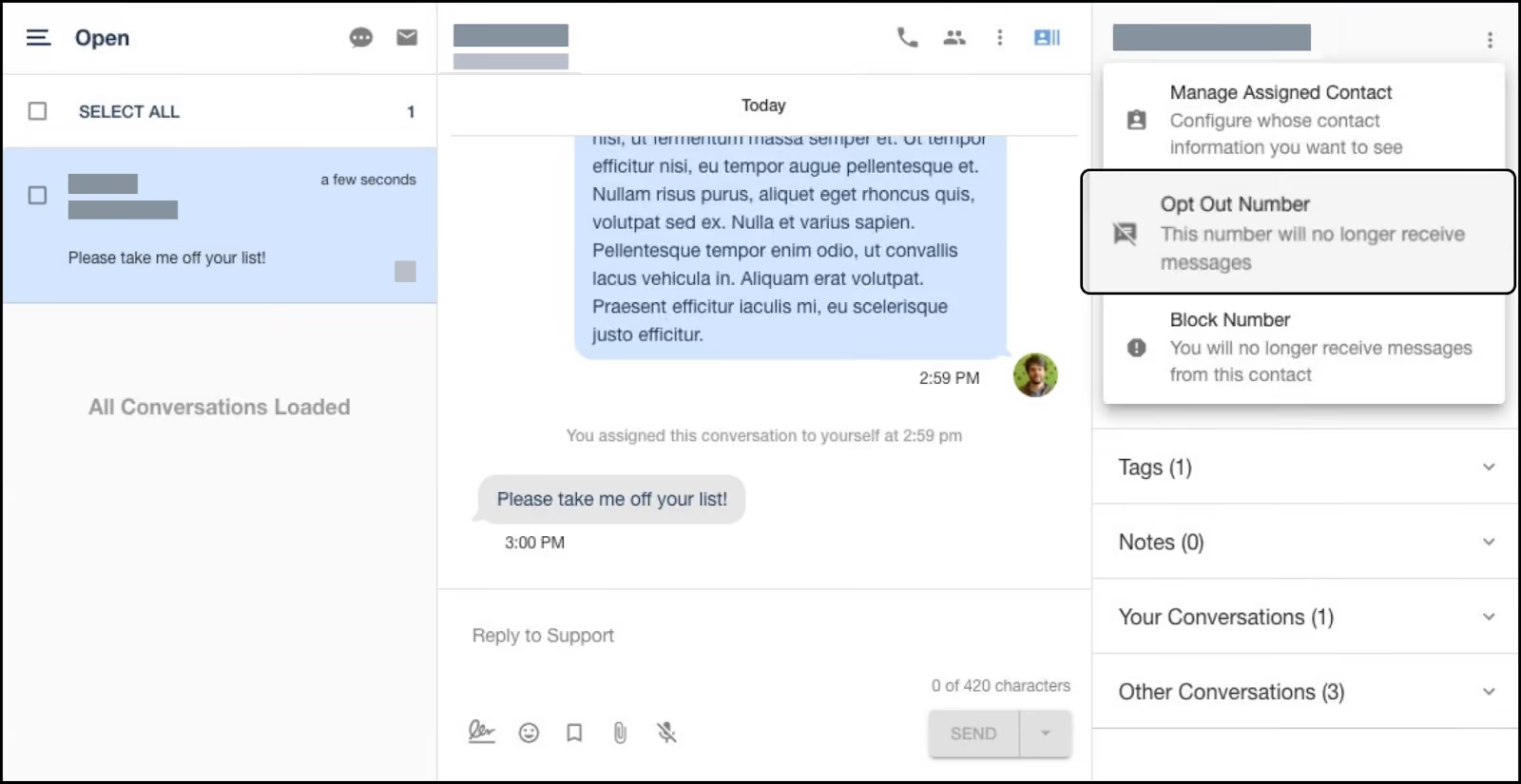
The opt-out applies to promotional messages from your brand. But it doesn't block transactional texts such as support replies, order confirmations, account updates, or service notifications.
An opt-out option supports SMS compliance and promotes a positive customer experience. Marketing messages are often the first interaction a prospect has with your company.
You may worry that offering an opt-out option will shrink your contact list. However, it helps focus your messaging on people who want to hear from your business.
Your contact list also improves when opt-outs are processed right away. The remaining subscribers are people who still want your messages, and that leads to better engagement from your SMS campaigns.
Difference Between Email and SMS Opt-Out
Both email and SMS allow users to stop receiving marketing messages. In SMS marketing, the process is called an opt-out, while email uses the term unsubscribe.
Email unsubscribe practices are also influenced by regulations such as the CAN-SPAM Act. This sets rules for commercial email and requires you to provide a way to stop receiving marketing emails.
A common SMS opt-out method is a message such as “Reply STOP to opt out.” When users send keywords like STOP or UNSUBSCRIBE, the messaging platform removes them from marketing texts.
Many SMS marketing platforms also allow you to upload an existing opt-out list from your database. Importing these contacts keeps your records accurate and supports SMS compliance.
Email unsubscribe requests usually work through a link placed at the bottom of the message.
When a user clicks the link, the system removes their address from future promotional emails. If someone replies to an email instead of using the link, the contact record may need manual updates.
SMS replies may also need review in some cases. A user may send a longer message without using a keyword like STOP.
In that situation, you may need to confirm the request and update the contact status. CRM systems track which campaigns a contact belongs to, which helps manage messaging preferences.
What Laws Govern SMS Opt-Out Requirements?
Several regulations and industry guidelines require businesses to obtain explicit written consent and manage SMS opt-out requests.
One of the main laws is the Telephone Consumer Protection Act (TCPA), passed by Congress in 1991. The law protects consumers from unwanted marketing calls and text messages.
Under TCPA rules, companies must respect a person’s request to stop receiving marketing texts. Messaging systems should record opt-out requests and stop promotional messages once the request is received.
The Federal Communications Commission (FCC) oversees enforcement of these rules and expects businesses to follow proper consent and opt-out procedures.
In addition to the TCPA and FCC, the Cellular Telecommunications Industry Association (CTIA) provides messaging guidelines used by mobile carriers.
While CTIA guidelines are not federal law, carriers expect messaging programs to follow them. These standards outline responsible practices for managing business marketing communications.
CTIA recommendations include:
- Provide clear instructions that explain how users can opt out of text messages
- Send one final confirmation message after the user opts out
- Explain which keywords trigger an opt-out request, such as STOP
- Maintain records of SMS opt-in consent and opt-out activity
- Remove inactive or deactivated phone numbers from messaging lists
These standards support responsible messaging practices and help maintain trust with subscribers.
Best Practices for Managing SMS Opt-Out Requests
Every marketing text program should give users a simple way to stop messages. Here are the best practices you can follow to manage opt-out requests.
Provide a Simple Way to Opt-Out
The opt-out process should appear in your messages so users know how to stop texts at any time.
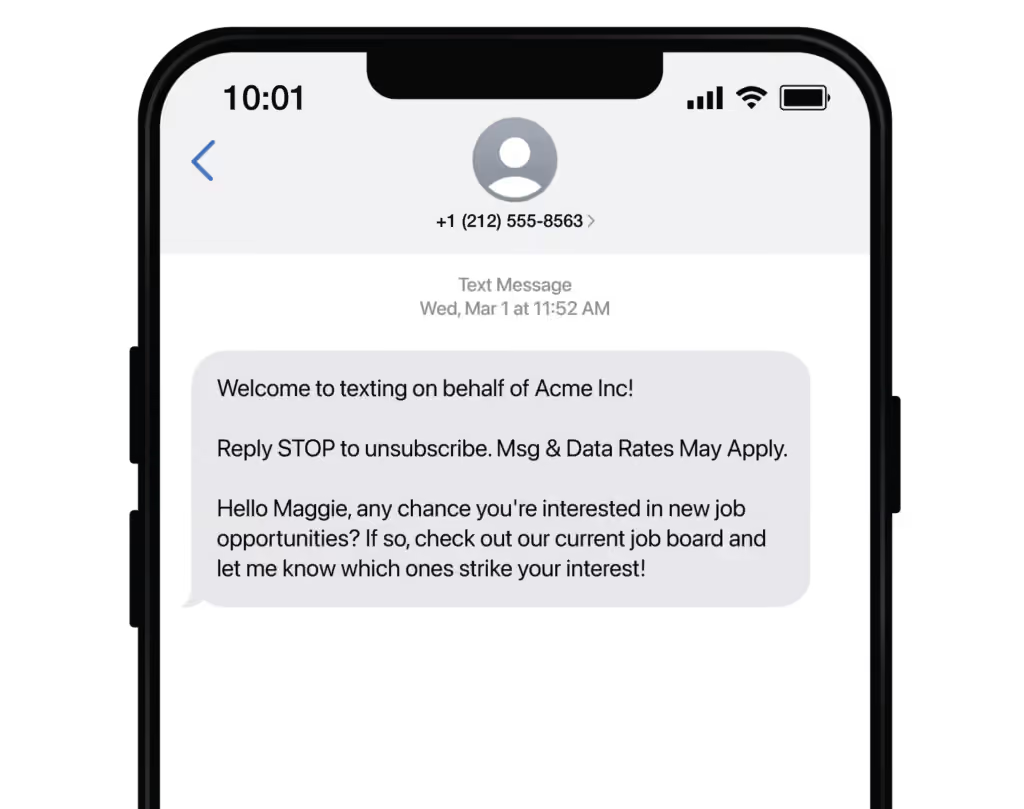
Clear instructions work best when subscribers first join through a proper opt-in process and agree to receive text messages from your program.
A common practice when a customer unsubscribes is to include a short instruction, such as:
Reply STOP to opt out.
TextUs automatically recognizes keywords like STOP, CANCEL, and UNSUBSCRIBE and records the opt-out in your contact list. Once a contact opts out, your team cannot send additional messages to that number.
The placement of your opt-out instructions in marketing messages also supports SMS compliance. Specific opt-out details help ensure compliance and reduce the risk of sending unsolicited text messages.
Book a demo with TextUs to see how simple SMS compliance can be!
Honor Opt-Out Requests Immediately
When a customer replies STOP, messaging systems remove that number from the SMS program tied to that sender ID, such as a short code or phone number used for the campaign.
Any delay in processing that request can create complaints or compliance issues.
If transactional and marketing messages use the same sender ID, those messages may also stop. Transactional messages can continue only if they are sent from a different messaging program or sender.
Send a Final Confirmation Message
After an opt-out request, you should send one final confirmation message. The message confirms that the request was received.
A short confirmation message can look like:
You have opted out and will no longer receive text messages.
After sending the confirmation message, you can't send promotional text messages to that number anymore. The confirmation should be the last message connected to the opt-out request.
Maintain Records of Opt-Out Requests
You must keep records of every SMS opt-out request in your messaging system. Proper records show that you respected the user’s request and stopped marketing messages after the opt-out.
Your SMS platform or customer relationship management (CRM) system should store details such as:
- Opt-in history
- Opt-out messages or keywords sent
- Date and time of the request
- Contact status updates
These records also show that the contact originally provided written consent. This protects your program if questions arise about permission to send messages.
It also prevents mistakes such as sending further messages to someone who has already opted out.
Remove Contacts From All Marketing Lists
When a user sends an SMS opt-out request, their phone number should be removed from all marketing lists connected to your messaging program.
The request should apply to every promotional campaign, not just the message they replied to.
If the contact exists in several marketing groups or campaign lists, their status should update in each one. That prevents accidental messages after the opt-out request.
You may also remove all numbers connected to the same contact record.
For example, if a contact has two or three phone numbers stored in the system, removing the contact from marketing communication linked to those numbers prevents future messaging mistakes.
Train Staff to Respect Opt-Out Requests
Everyone who manages SMS marketing campaigns should understand how opt-out requests work.
Training should cover basic rules such as recognizing opt-out keywords and updating contact records if a request appears in a conversation. Staff should also know how to handle cases where a user asks to stop messages without using a keyword.
System automation can support this process. When messaging platforms and CRMs share contact data, opt-out updates apply to all marketing campaigns connected to that contact.
Offer Options for Message Preferences
Some users do not want to stop messages completely. They may want fewer messages or only certain types of updates.
You can provide simple keyword choices for different message categories. For example:
- STOP A for sales messages
- STOP B for monthly updates
- STOP C for daily alerts
SMS opt-out options help users stay subscribed to the communication they want while avoiding messages that no longer interest them.
This approach also improves the quality of your contact list since subscribers remain connected to the marketing content they value.
How to Reduce Your SMS Opt-Out Rates
It's common that you will receive opt-outs from customers. Even so, you can still take steps to lower the number of people who choose to leave your SMS list.
Here are several ways you can reduce SMS opt-out rates while keeping your subscribers engaged.
Personalize Your Messages
People are more likely to stay subscribed when messages match their interests or past activity.
Personalization helps keep your promotional content relevant for people who have agreed to receive text messages.
You can customize your SMS messages in several ways. Use the customer’s name, mention past purchases, or send updates related to products or services they already use.
Customer data from your CRM can also support message personalization. When your SMS system connects with your contact records, you can send updates that match each subscriber’s interests.
Limit Message Frequency
People sign up for SMS updates to receive useful information, not constant messages. When texts arrive too often, subscribers may easily opt out of receiving future messages.
You need to set a reasonable sending schedule for your SMS campaigns. Decide how many messages you will send each week or month and stay consistent with that plan.
TextUs provides automation tools that allow you to schedule messages, control send frequency, and trigger texts based on customer actions.
Instead of sending too many messages at once, you can automate thoughtful communication that reaches subscribers when it's most useful.
Consistent, meaningful content keeps your SMS program strong and encourages subscribers to remain part of your messaging list.
Segment Your Subscriber List
SMS segmentation allows you to send messages to smaller groups based on their interests or past activity. You can group subscribers based on factors such as purchase history, location, product interest, or subscription type.
Segmentation also prevents sending the same promotion to everyone on your list. Targeted messages help keep your SMS campaigns more meaningful and lower the chance that subscribers will opt out.
Keep Your SMS Campaigns Compliant With TextUs
When subscribers know they can control the messages they receive, trust grows, and your SMS program becomes stronger.
TextUs makes managing SMS opt-outs simple. The platform automatically detects opt-out keywords such as STOP and updates contact records instantly.
Opt-out requests sync with your contact database, so you do not send marketing messages to numbers that have asked to stop communication.
If you want to run compliant SMS campaigns while maintaining a healthy subscriber list, TextUs provides the tools to support responsible messaging.
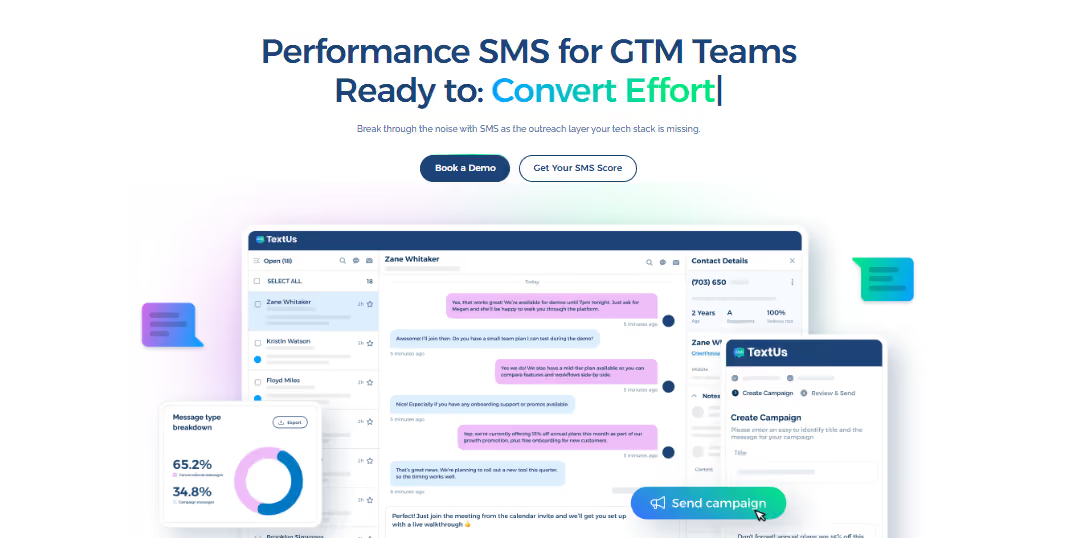
Book a demo with TextUs today to see how it can help you manage SMS communication while respecting customer preferences!
FAQs About SMS Opt-Out
What are common ways customers can opt in to receive SMS messages?
You can collect SMS consent in several ways. These methods help confirm subscriber interest and maintain proper records of consent.
You may allow them to continue receiving your marketing texts through an opt-in text message, a sign-up form with a separate opt-in checkbox, or a double opt-in verification step.
Can customers opt back in after opting out?
Yes, customers can opt back in if they decide they want to receive messages again. However, they must provide explicit consent before marketing texts can be sent.
You may allow users to opt-in again by replying with a keyword query, such as START, or by signing up through a website form.
Once the user confirms their interest, messaging can resume in accordance with the program’s subscription rules.
Do transactional messages require an opt-out option?
Transactional messages do not require an opt-out option. These messages include details like order updates, account alerts, or appointment reminders. They relate to a service the customer already uses.
How quickly must SMS opt-outs be processed?
Best practice is to stop marketing texts immediately after the request. However, regulations allow a short compliance window.
Businesses are expected to process and honor opt-out requests within up to 10 business days. You can send one final confirmation message, but no more promotional texts should follow.
Continue Reading



Frequently Asked Questions
What are best practices for SMS opt-outs?
Always honor opt-out requests immediately, support standard keywords like STOP and UNSUBSCRIBE, include opt-out instructions in initial messages, and keep records of all opt-outs in your system.
How do SMS opt-outs differ from email unsubscribes?
SMS opt-outs are keyword-based and must be processed immediately. Email unsubscribes under CAN-SPAM allow up to 10 business days. SMS compliance requirements are stricter.
Can you re-engage contacts who have opted out of SMS?
Only if they provide new written consent. You cannot re-add opted-out contacts to your SMS list without fresh opt-in consent from the individual.
Business Texting
Built for Results
Create and convert pipeline at scale through industry leading SMS software