
TrueDialog Review: Is It the Right SMS Platform for You?
Explore our TrueDialog review and learn how the platform works. Discover what makes TextUs a superior alternative for text messaging.

Written by
Adam Hamdan
Published
June 24, 2026
SMS campaign management across multiple users often takes more time than expected. These problems don’t show up during the sales demo but can surface early once the platform is in daily use.
TrueDialog is known for serving higher education institutions and large organizations that need two-way texting and mass text messaging.
Still, many businesses run into challenges that slow down their workflow and reduce the value they expected to gain from the platform.
In this TrueDialog review, we’ll take a look at the platform's key features and discover its common pain points. By the end, you'll also find an alternative that fits your need for speed, flexibility, and fewer workarounds.
TL;DR
- TrueDialog is used by larger organizations that need SMS alerts, mass texting, compliance controls, and multi-user access for broad audience outreach.
- Its core features include two-way messaging, campaign tools, contact management, data integration, reporting, automation, collaboration, security, and compliance.
- TrueDialog pricing starts at $119 per month, but annual contracts, message limits, overage fees, and higher-tier features can affect total cost.
- TextUs gives you a stronger option if you want CRM syncing, faster campaign setup, automated follow-ups, shared inboxes, compliance controls, and value beyond message volume.
Who Is TrueDialog Best For?
TrueDialog is used by larger organizations that need to manage SMS texting for alerts, reminders, service updates, push notifications, and broad audience outreach.
This can include teams in higher education, healthcare, nonprofits, and other industries with frequent messaging needs.
The platform is built around mass messaging, contact management, compliance controls, and multi-user access. Its fit depends on your emerging needs, message volume, and how much setup your team can handle internally.
Some organizations may find TrueDialog useful when they already have the resources to manage campaigns, contacts, and configurations.
If you want to perform configurations efficiently, it's important to review the level of vendor support available during setup.
Overview of TrueDialog Features
TrueDialog offers unique features designed to support mass texting and broader customer communication needs.
Below, we break down each key feature area of TrueDialog and some common user feedback.
Two-Way Messaging
TrueDialog supports peer-to-peer communication through two-way texting. It has a centralized inbox for managing thousands of contacts in real time and supports team interactions.
Teams can send and receive SMS or MMS across end-user devices, use templates for faster replies, and use a custom AI Assistant for suggested responses.
However, some teams report that TrueDialog’s conversation threads can become cluttered and hard to track when handling many simultaneous chats.
This can affect thread visibility and keeping track when several users need to review the same exchange.
Many businesses need complete conversation tracking to follow replies, assign ownership, and reduce missed responses. Without a true shared inbox view, important messages can be harder to manage when teams need to follow up or route replies.
Mass Texting and Campaign Tools
TrueDialog includes a bulk campaign module designed for campaign management. You can create static or dynamic contact lists, apply message templates and link shorteners, and schedule campaign sends.
It also offers TrueDelivery, which acts as an AI content checker to help optimize campaigns and avoid carrier spam filters for long-term deliverability.
These tools aim to support customer engagement efforts and improve SMS performance. Teams relying on long codes for conversational outreach will also find TrueDialog’s support for this use case built in.
Despite these capabilities, several issues with TrueDialog’s campaign process have been noted. Teams often describe the multi-step campaign setup as clunky or time-consuming.
Others have observed that delivery timing can lag, where bulk SMS messages may go out more slowly or with inconsistent throughput. This makes it harder to maintain consistent customer communication.
Data Integration and Reporting
TrueDialog supports data integration through CRM connections, API access, and contact imports.
These tools can support functional and data integration when your team needs texting activity connected to customer records and campaign workflows.
Teams can use segmented data to organize contacts based on lists, fields, or campaign needs. The platform also allows users to assign attributes to contacts.
Data workflows may also involve data ingestion from CRMs, forms, or other business systems. If you're managing replies at high volume, some SMS conversations may include unstructured data that's harder to review without strong reporting tools.
TrueDialog also includes historical reporting for tracking campaign activity and message performance. This can give teams a record of past sends, replies, and engagement trends when reviewing SMS results.
Contact Management
Organizing contacts is crucial for scalable messaging solutions, and TrueDialog provides standard contact management features. You can import contact lists and create dynamic segments to target specific groups.
TrueDialog also offers useful tools like carrier lookup and built-in tracking of opt-in/opt-out status to maintain compliance.
You can define custom contact attributes and sync data through SMS integration with CRMs like Salesforce, HubSpot, and Microsoft Dynamics.
However, the reliance on manual CSV uploads and navigating a clunky import interface can slow down onboarding new contact lists.
The platform does not come with fully automated, pre-built features for data segmentation, which limits overall performance.
Segmentation is limited to the dynamic list tool. It can be less intuitive for an organization that depends on faster workflows across departments.
Follow-Up and Automation
TrueDialog supports scheduled messaging, triggers, and keyword-based auto-responses. You can use these tools to send single messages, alerts, or simple follow-ups based on timing or contact actions.
It’s also possible to trigger texts through CRM events, workflows, or SMS APIs. However, if you need to perform a diverse series of follow-ups, you have to review how those workflows can be built and managed inside their setup.
For a broader SMS strategy, automation depth matters as much as message delivery.
When handling repeated messaging, you may need more than one-off scheduling for prospects that require several touchpoints.
Team Collaboration
TrueDialog’s platform supports multiple users through role-based access, subaccount management, and admin controls.
These tools can help larger teams manage permissions and match the platform to their internal capabilities.
Team members can use message forwarding to pass incoming texts to another person, team, or inbox. This can support routing when one agent receives a message that another department should answer.
TrueDialog also promotes team conversation tools, including unified inbox access and collaboration on customer text threads.
Despite this, the platform does not have a true shared inbox. You still need to check their thread archiving capabilities and shared visibility before relying on it for daily workflows.
If multiple agents need to work together on one texting thread, evaluate how easy it is to see the complete conversation and avoid duplicate replies.
Security and Compliance
TrueDialog supports opt-in/opt-out management, including immediate opt-out processing and double opt-in options. These features help teams manage contact consent and reduce unwanted outreach.
It also guides users through 10DLC registration and short-code provisioning to meet carrier requirements.
On the security side, TrueDialog has enterprise controls such as SOC 2 Type II, TX-RAMP, SSO, MFA, and data hosting through certified systems.
TrueDialog also includes audit trails, access controls, and TrueDelivery for message review and deliverability support.
These features can support internal reviews and recordkeeping for SMS compliance purposes. You still need its own consent process, message policies, and legal review where needed.
TrueDialog Pricing: What Should You Know?
TrueDialog pricing is built around annual contracts. Plans combine a platform fee with a contracted monthly message volume.
The Small Business plan starts at $119 per month and includes up to 5,000 messages per month. Additional messages cost $0.024 per message.
The Business Pro plan costs $425 per month and includes up to 25,000 messages per month. Overage messages are billed at $0.018 per message.
The Enterprise plan costs $900 per month and includes up to 60,000 messages per month. Overage messages are billed at $0.015 per message.
The Complete Plans is suitable for organizations with higher messaging needs and starts at $1,000 per month.
Only the vendor can confirm the final quote for your use case, especially if you need custom terms or a configurable number setup.
All plans include unlimited users and access to the core platform. Higher-tier plans add features such as CRM integrations, TrueDelivery, dedicated account management, AI Assistant access, RCS support, and SSO options.
Why Choose TextUs Over TrueDialog
According to Gartner Inc., 40% of enterprise applications will include task-specific AI agents by the end of 2026. That is up from less than 5% in 2025.
This data expresses user satisfaction with a product’s breadth of features when it supports communication, automation, reporting, and day-to-day workflows.
Also, when selecting an SMS marketing software, ease of use and strong team adoption commonly play a bigger role in long-term success than technical details alone.
TextUs checks both boxes and delivers an SMS platform built for AI-driven business texting. It brings more value to every message your team sends. Your employees work faster and stay focused on conversations that improve the customer experience.
Faster Contact Imports and CRM Sync
TextUs makes importing contacts and syncing with CRMs seamless. It offers bi-directional integration with popular CRMs so that contacts flow in and out automatically.
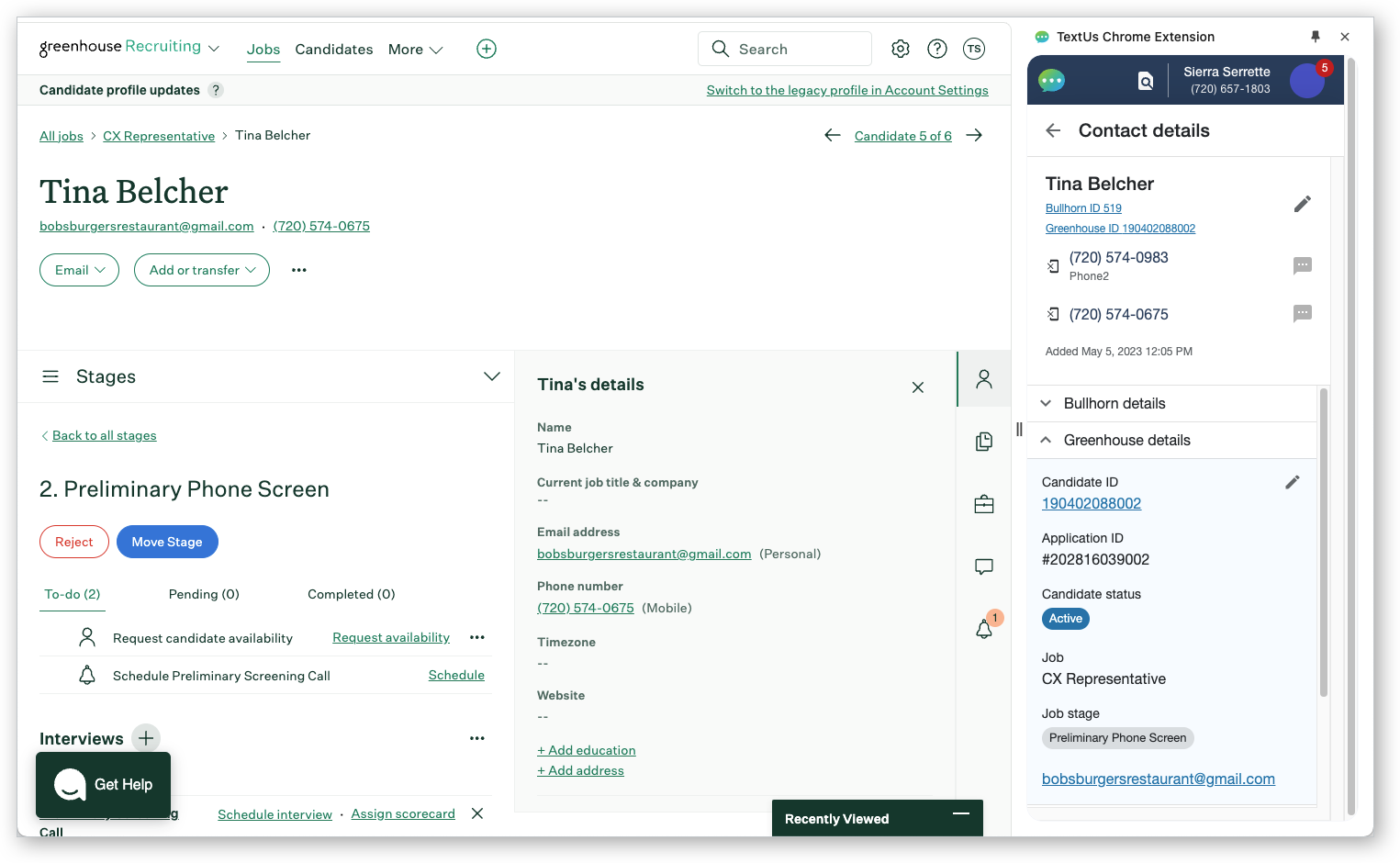
You don't need heavy CSV file juggling. Your texting lists stay up to date with your CRM data in real time. Teams can also spend more time texting and less time fussing with spreadsheets.
This feature-rich software for texting supports advanced segmentation and tagging. These tools filter and organize large contact databases.
The ease of contact syncing and list management in TextUs is a major productivity gain over TrueDialog’s more manual process. This is valuable for an organization depending on CRM data to move business forward.
Quicker Campaign Launches
Speed matters when you’re running promotions or alerts. TextUs simplifies mass SMS marketing so teams can launch SMS marketing campaigns in minutes, not hours.

Its user-friendly interface simplifies audience selection and scheduling, avoiding the drawn-out, step-by-step process from TrueDialog.
If you're switching to TextUs, you'll find it much easier to send campaigns as it emphasizes quick setup and real-time sends.
Marketing and sales teams can send texts at the speed of your business goals. There is less worry about potential subscribers slipping away or messages queuing slowly.
Automated Follow-Up Sequences
Rather than relying on reps to remember every follow-up, TextUs offers SMS drip campaigns to automate that outreach.
You can enroll a contact into a predefined sequence of texts, and the system will send each message at the scheduled time without any additional intervention.
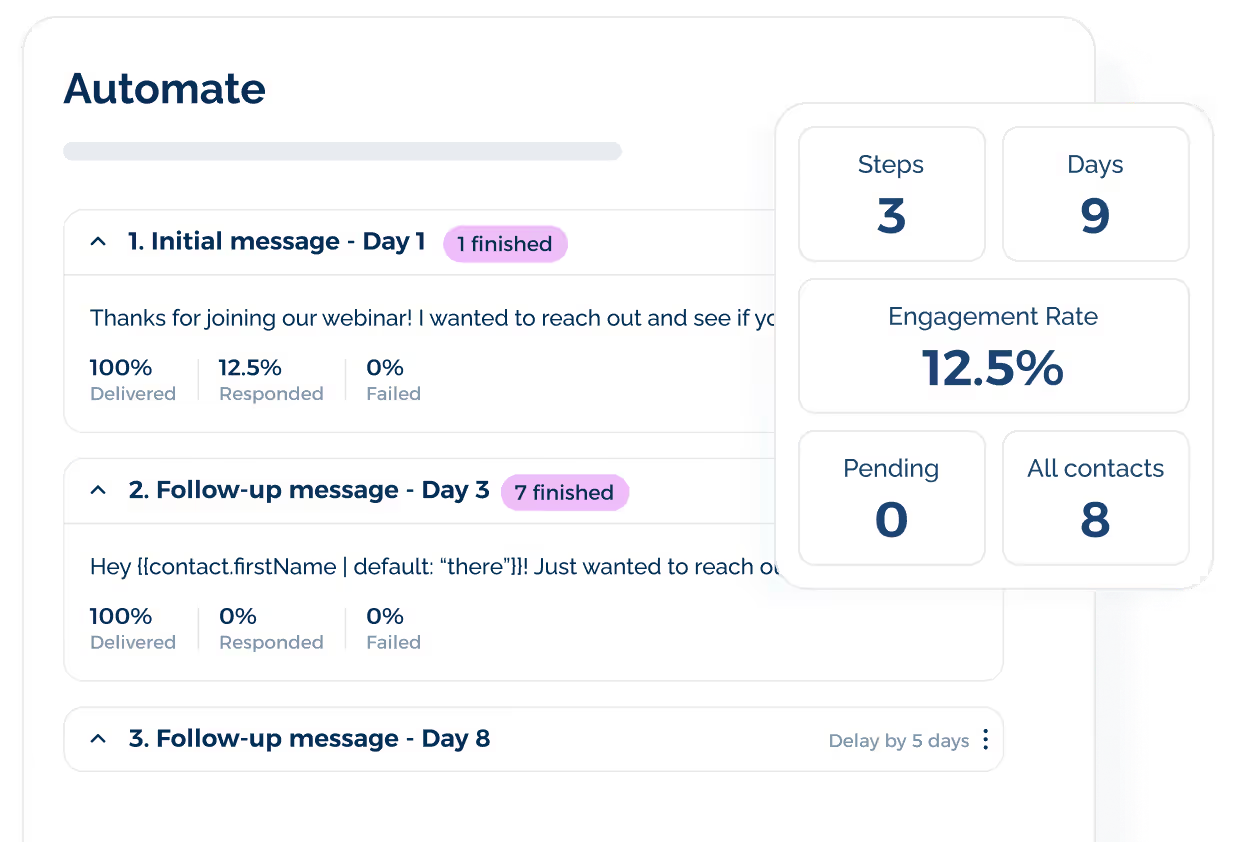
With TextUs Sequences, reps don’t have to handle every conversation thread manually. The platform keeps outreach on track, which is valuable if you're juggling a high volume of prospects.
Better Team Inbox Experience
TextUs is built for team texting and shared collaboration. Its shared SMS inbox lets multiple users work from the same conversation list.
Teams can see each other’s interactions in one view. This makes replies easier to manage and keeps context from getting lost.
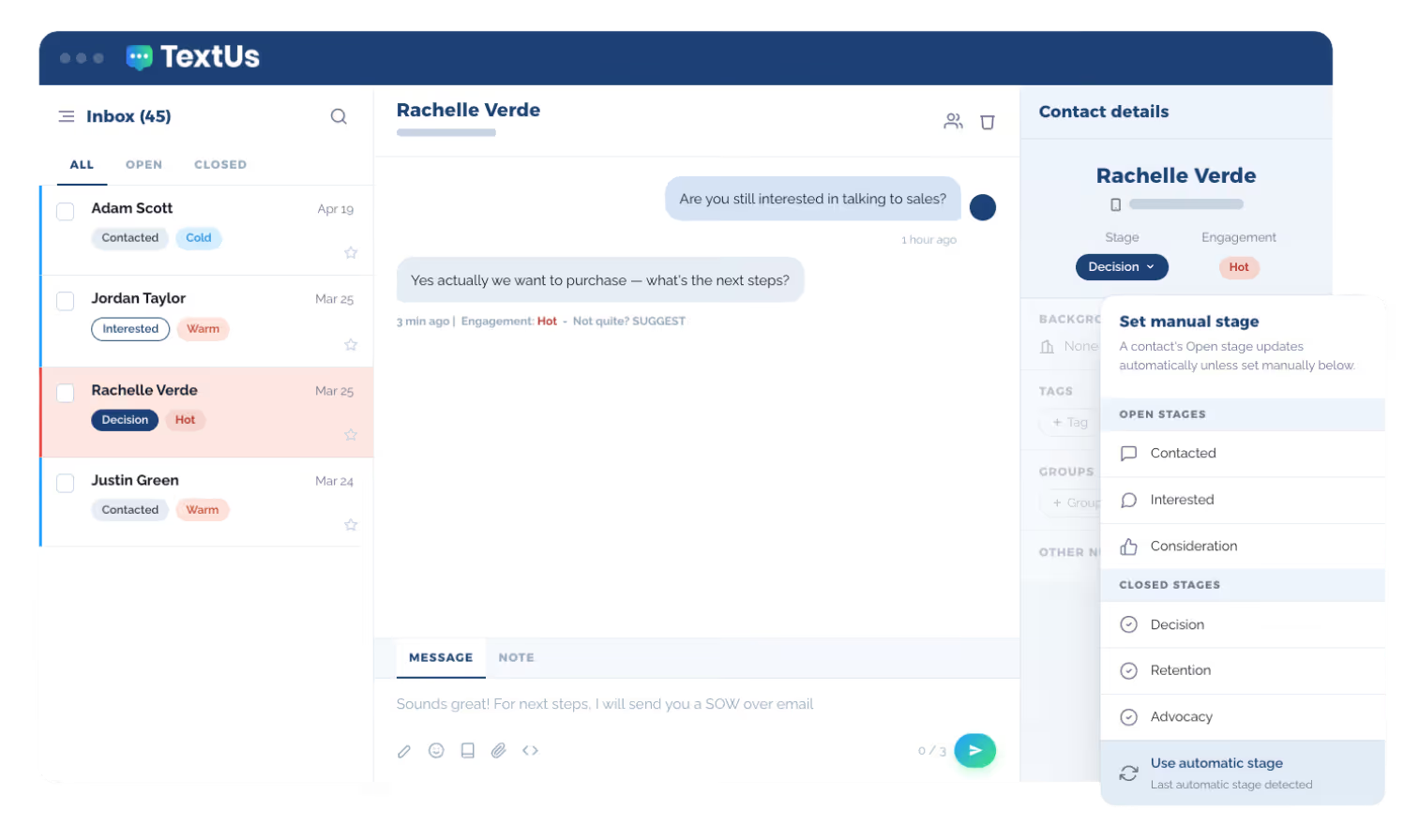
TextUs also brings Contact Intelligence into the inbox. It shows each contact’s Lifecycle Stage and Engagement Score, so reps can see who is Cold, Warm, or Hot.
Each conversation can also be assigned to a specific rep or agent. Team members can add internal notes to keep important context attached to the thread.
Compliance and Message Control
TextUs includes built-in tools that support compliant business SMS. Teams can manage outreach, replies, and campaign activity with more control.
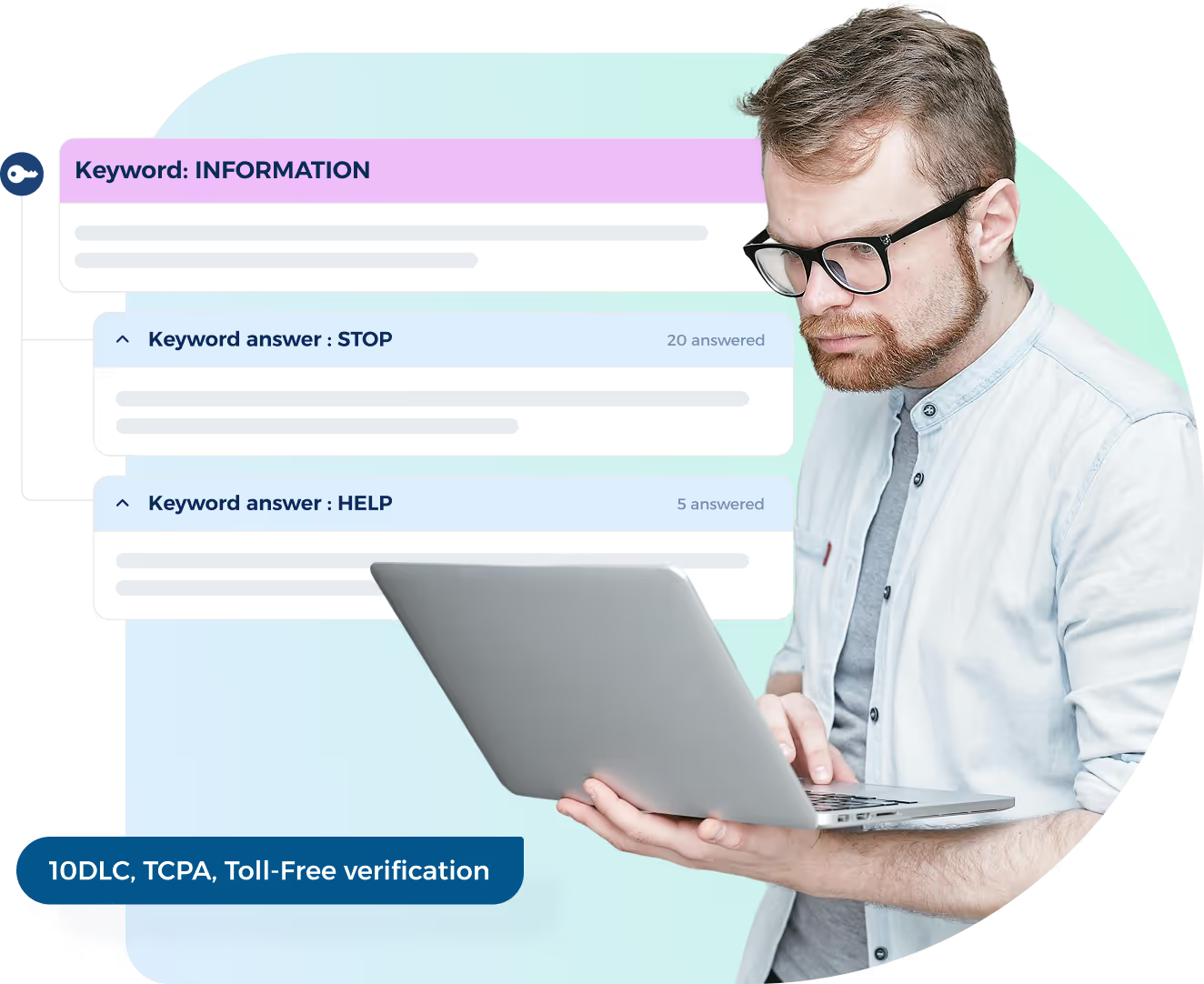
It supports 10DLC registration through its interface. This helps messages move through approved A2P channels for stronger deliverability and carrier compliance.
TextUs also manages SMS opt-out preferences and honors unsubscribe requests. It keeps consent handling connected to daily texting.
Smart Delivery includes opt-out risk tracking that monitors opt-out thresholds in real time and can automatically pause high-risk campaigns.
This added control helps you spot risk before carrier blocking becomes a problem. It also protects deliverability during high-volume outreach.
Better Value Than Volume-Based Pricing
TrueDialog’s lower plans are tied to monthly message limits and overage fees.
TextUs takes a more workflow-focused approach, with plans that reflect your users, integrations, automations, and campaign needs.
TextUs starts at $299 per month for Pro, which includes 5,000 messages and 5 phone numbers.
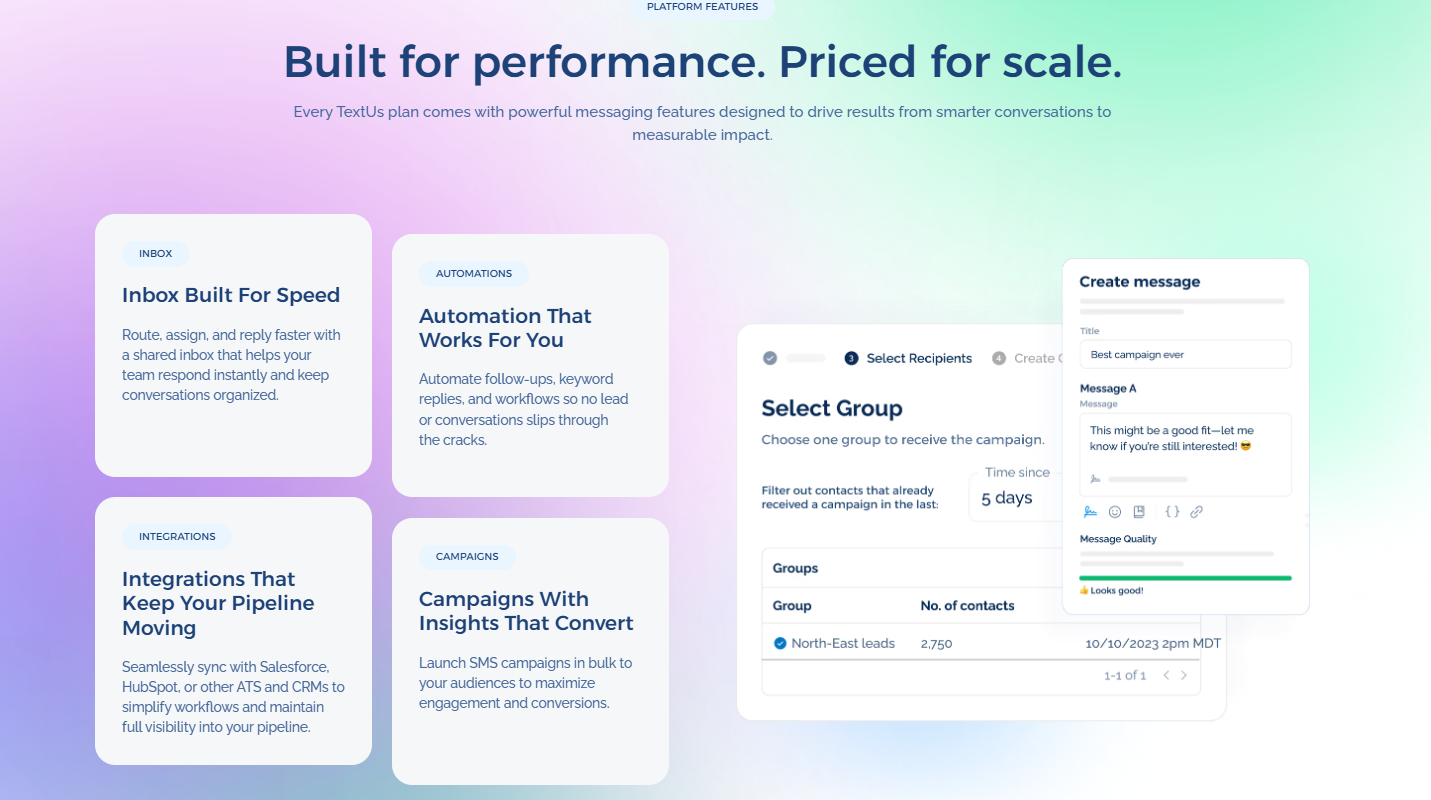
Pro includes two-way SMS and MMS messaging, SMS campaigns, shared inboxes, analytics, automation, integrations, and a dedicated business number.
That gives you more built-in value from the start. Instead of paying mainly for message volume, you get tools that support faster outreach, cleaner follow-up, and stronger visibility.
If you need more, you can step up to Enterprise, which is custom priced and adds a dedicated, named Customer Success Manager, short-code eligibility, and RCS Branded Sender eligibility.
For small businesses and growing organizations, TextUs is a better investment. Plans can align with your structure, messaging volume, integrations, and campaign goals.
TextUs Offers Faster Messaging and Better Customer Engagement
Many teams start with TrueDialog expecting a smooth communication workflow, only to face slowdowns once operations scale.
TextUs connects with your CRM to keep contacts synced in real time. Its real-time analytics also give your team visibility into campaign performance.
With a shared inbox and structured message assignments, teams can avoid reply overlap. They can also stay organized across every thread.
TextUs focuses on empowering businesses with tools that scale outreach, improve message personalization, and help teams resolve issues before they escalate.
The SMS platform also provides better customer support, with fast response times and live chat assistance that many teams find more accessible than email-based ticket systems.
This texting model differentiates TrueDialog from TextUs when you compare day-to-day service and responsiveness.
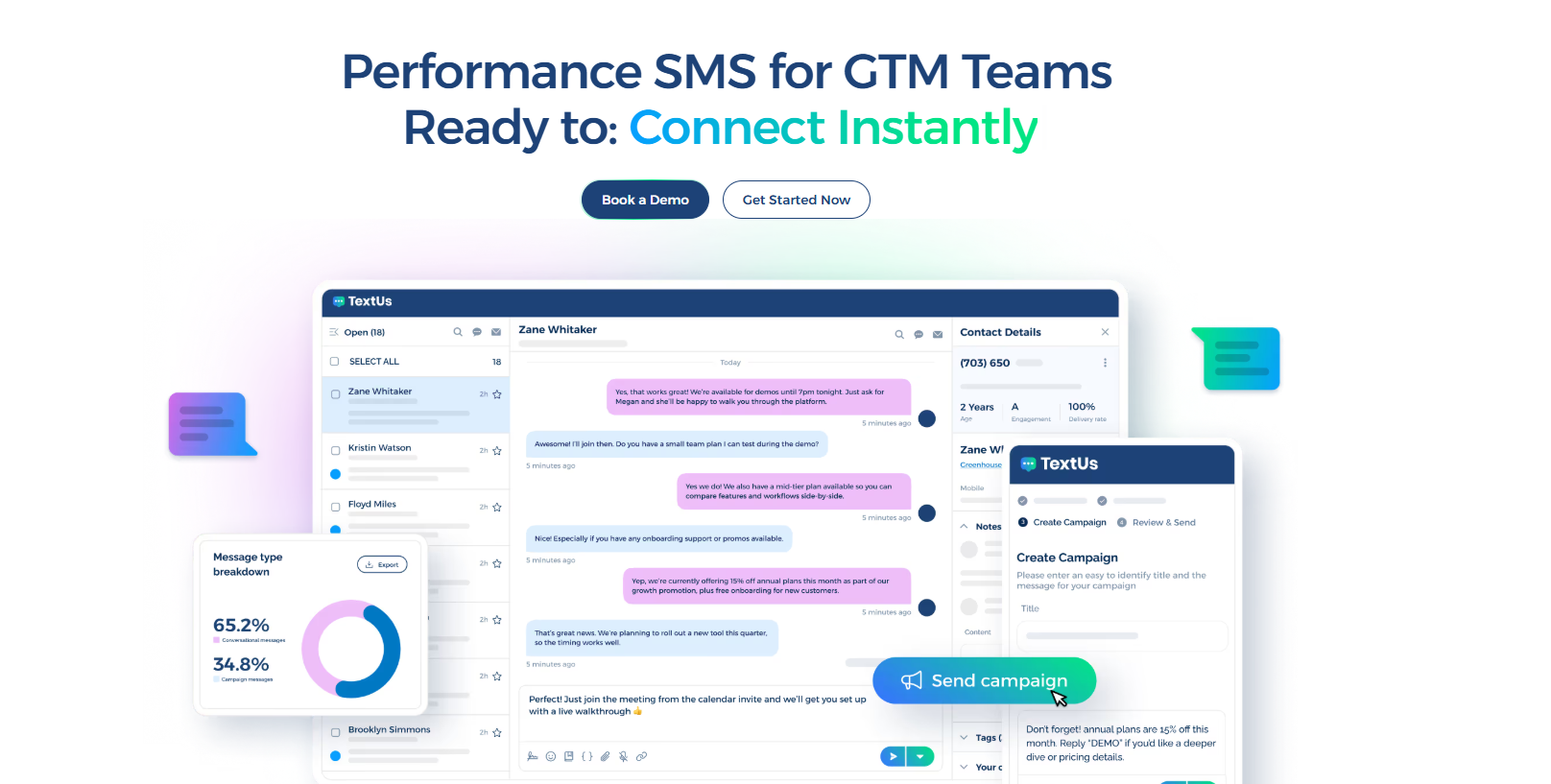
Book a demo with TextUs today to see how it keeps conversations moving and helps you reach contacts with less effort!
Continue Reading



Frequently Asked Questions
How does TrueDialog support SMS marketing?
Users love TrueDialog for its SMS marketing tools, including bulk text sending, message templates, and contact list segmentation.
However, some users have noted that setup takes more steps than expected, and delivery timing can vary depending on volume and carrier filtering.
What are the most popular TrueDialog alternatives?
The most popular TrueDialog alternatives include TextUs, EZ Texting, SlickText, SimpleTexting, Twilio, and Attentive.
TextUs is the top alternative to compare if your team needs CRM-connected texting, shared inboxes, and automated follow-up workflows. Other platforms may focus more on general SMS marketing, developer tools, or ecommerce messaging.
Is there a mobile app for TrueDialog?
Yes. TrueDialog offers a mobile app for iOS and Android devices that allows users to send and receive messages, view threads, and manage contacts on the go.
The mobile app covers core messaging functions but may not include all the advanced tools available in the desktop version, such as full campaign setup or reporting.
Business Texting
Built for Results
Create and convert pipeline at scale through industry leading SMS software