
Candidate Communication Platform: A Guide for Recruiting Teams
Compare candidate communication platform features and learn how TextUs keeps recruiter outreach, replies, and follow-ups connected.

Written by
Adam Hamdan
Published
November 13, 2026

Candidates expect quick updates, but recruiter conversations often spread between texts, emails, calls, internal notes, and personal inboxes.
As hiring volume picks up, it becomes easier to miss a reply, repeat information, or leave someone waiting too long.
A candidate communication platform brings outreach, responses, reminders, and hiring updates into a more organized flow.
You can see previous exchanges, pick up where the last conversation ended, and stay on top of upcoming follow-ups.
In this article, you’ll see where these platforms fit into day-to-day recruiting, which capabilities are worth comparing, and what to consider before choosing one for your recruitment agency.
TL;DR
- Candidate communication platforms keep outreach, screening, interviews, updates, offers, and re-engagement connected so candidates stay informed throughout hiring.
- Key candidate communication platform features include multi-channel messaging, automated follow-ups, shared access, integrations, scheduling, AI matching, resume parsing, analytics, surveys, and compliance controls.
- Choose a candidate communication platform based on your goals, recruiter usability, system compatibility, hiring volume, pricing, scalability, onboarding, and vendor support.
- TextUs brings recruiter texting into your existing workflow, which makes candidate follow-up faster, more personal, and easier to manage from first contact through hire.
How Communication Platforms Support Hiring
According to PeopleScout, 64% of candidates received no response from more than half of the employers they applied to. Nine out of 10 also experienced ghosting during their job search.
Poor communication leaves candidates unsure about their status and weakens the candidate experience.
The problem isn't always a lack of effort. Conversations can remain split between email, SMS, interview schedules, and separate systems, which makes consistent follow-up harder as candidate volume grows.
A candidate communication platform brings those conversations into a more connected workflow. Here are the main ways this tool supports your entire hiring process:
Reach Prospective Candidates
A candidate communication platform lets you contact qualified candidates found through sourcing, employee referrals, or earlier applications, including passive candidates whose experience matches your job openings.
Acknowledge New Applications
Applicants want to know their application didn't disappear into a system. A quick confirmation sets expectations for the next step and keeps candidates engaged while you review submissions.
Screen and Qualify Candidates
Simple screening questions help you learn about availability, experience, location, and work preferences before booking a call. Their answers stay tied to candidate profiles, which gives you more detail when you review candidates.
Schedule Interviews
Interview scheduling gets frustrating fast when candidates, recruiters, and hiring managers go back and forth over availability. A communication platform makes the interview process easier to manage by keeping confirmations, changes, and meeting details together.
Send Interview Reminders
A quick interview reminder helps candidates remember the time, location, video link, and anything they need to prepare. Automated notifications make interview management less tedious when your calendar is packed.
Provide Hiring Status Updates
Silence between stages leaves applicants wondering whether they're still being considered. Short company updates help you share delays, decision timelines, or next steps before candidates feel the need to chase you.
Answer Candidate Questions
Candidates will have questions about schedules, role details, documents, offers, and start dates throughout hiring. They may also ask about company culture, workplace expectations, or what the team is like before deciding whether to continue.
A shared communication tool supports better team coordination because you see what has already been discussed before replying.
Communicate Offers and Preboarding Updates
An accepted offer doesn't mean communication is finished. Messages about paperwork, background checks, orientation, and start dates help new hires know what to expect before their first day.
Maintain Candidate Relationships
Previous applicants and top candidates are worth revisiting when future roles match their backgrounds. Staying in touch supports a stronger recruitment strategy and makes later outreach feel warmer than a cold introduction.
Key Features to Look for in a Candidate Communication Platform
A candidate communication platform needs to support the conversations and handoffs your recruiters manage from first contact through preboarding.
Here are the essential features to compare before you choose a platform.
Multi-Channel Candidate Messaging
Candidates respond differently depending on the channel. Your platform should support more than one way to reach them.
Email marketing, SMS, WhatsApp, chat, and LinkedIn messaging each have a place in the recruitment journey, from detailed role information to quick interview updates.
For time-sensitive communication, SMS puts recruiting text messages in front of candidates without relying on another email open.
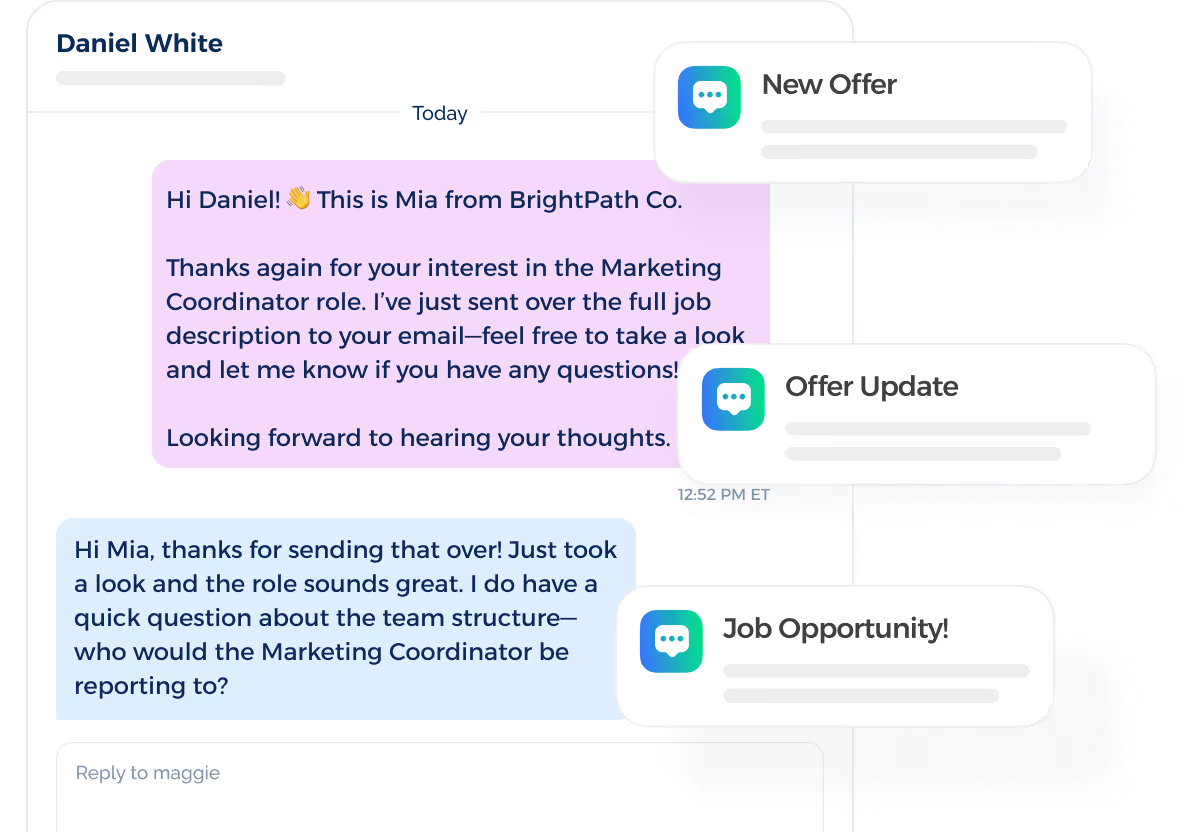
TextUs is built for staffing agencies that want faster candidate responses, shorter time-to-fill, and more placements through high-response, conversational SMS messaging.
Book a demo with TextUs today and start texting!
Automated Follow-Ups
Effective and custom workflow automation lets you handle reminders, follow-ups, and scheduled messages based on where each candidate sits in the hiring journey.
Routine tasks run in the background and reduce manual work while you focus on conversations that need a personal response.
Shared Inbox and Team Access
A shared inbox gives recruiters and managers visibility into active conversations without relying on forwarded messages or separate notes.
Shared access supports collaborative hiring by making ownership and candidate handoffs clear.
ATS Integrations
Integration with your applicant tracking system (ATS) connects messages with the records your recruiters already use. Candidate replies, activity, and history stay tied to the same profile.
An ATS remains responsible for managing applications and distributing each job posting to paid job boards, free job boards, and social channels. The communication platform should connect with that activity so recruiters can contact candidates without rebuilding records.
Scheduling Integrations
Scheduling integrations connect candidate communication with your calendar and interview tools. You can coordinate availability, send confirmations, share meeting details, and manage rescheduling.
Other platforms can also trigger reminders around upcoming interviews or schedule changes. It keeps candidates informed while reducing the back-and-forth that slows interview coordination.
AI Matching and Candidate Recommendations
AI in recruitment compares candidate skills, experience, location, and other profile details against open roles to surface stronger potential fits. You spend less time digging through large databases. Candidate enrichment can supplement those records with updated professional or contact information.
Candidate recommendations support re-engagement by surfacing people already in your database who match a new opportunity. Recruiter judgment still matters, especially when experience, career goals, and role fit need a closer look.
Resume Parsing and Job Board Integrations
Resume parsing and job board integrations usually sit within an ATS or broader recruiting suite. When those systems connect with your communication platform, candidate information from multiple job boards can support timely follow-up without rebuilding records.
Candidate Management and Conversation History
Candidate management brings current status, recent activity, and conversation history into one view.
Recruiters can see what was already discussed, avoid repeated questions, and continue conversations with the context they need.
Reporting and Analytics
Advanced reporting shows how candidate communication performs beyond basic send volume. It helps you review response rates, reply times, campaign activity, and communication trends over time.
These platforms use advanced analytics to compare trends by roles, campaigns, or hiring stages. Those insights make it easier to refine messaging and spot communication patterns worth repeating.
Candidate Feedback and Surveys
Candidate feedback tools show how people experience your hiring communication. Short surveys after interviews or major hiring stages surface issues around recruiter communication and expectations.
Those responses reveal patterns that internal data alone might miss. Your team can then adjust messaging, timing, and communication practices based on what candidates experience.
Compliance Controls
Compliance controls protect candidate communication from preventable mistakes around consent, opt-outs, and data handling. Look for features such as suppression lists, permission settings, message records, and automatic opt-out handling.
The platform should also support the legal requirements that apply to business messaging and candidate data in your market. Strong controls reduce the risk of contacting people after they withdraw consent.
How to Choose the Right Candidate Communication Platform
The right platform should match your recruiters, systems, and hiring needs. Here are the main factors to compare before you choose.
Define Your Candidate Communication Goals
Start by identifying where communication breaks down in your hiring strategy. Look for recurring issues such as slow replies, missed follow-ups, interview no-shows, or candidates dropping off between stages.
Next, you need to decide what better communication should change. You might want faster response times, stronger interview attendance, or a shorter time to hire.
Then, connect those goals to the hiring metrics your team already tracks. That makes platform comparisons more practical because you are judging each option against specific outcomes.
Assess Ease of Recruiter Use
You already have enough tabs, tools, and admin tasks to deal with. If a platform is clunky from day one, people will avoid it no matter how impressive the feature list looks.
Pay attention to everyday actions like opening a conversation, replying to a candidate, finding past messages, and checking updates.
A simple interface matters during onboarding. Too many menus, settings, or overwhelming features could slow recruiters down before they get value from the platform.
Review Compatibility With Existing Systems
A new platform should fit into the tools you already rely on. Start with your CRM, ATS, scheduling tools, sourcing software, and any other collaboration tools tied to candidate activity.
In case your team uses Recruit CRM, ask the vendor which candidate information, messages, and activities the connection can exchange.
If your sourcing mix includes paid and free job boards, check how those applicants enter your ATS and communication workflow.
Teams using multiple job boards benefit most when candidate records arrive in a consistent format, and recruiters don't need to rebuild profiles by hand.
The same applies to connected HR tools and payroll systems. Better compatibility reduces duplicate data entry and keeps you from switching between platforms.
Ask vendors to walk through the systems your team uses during a demo. A real workflow test will show whether the connection is seamless or still leaves extra work for your recruiters.
Match Features to Hiring Volume and Growth
Small businesses with a handful of active roles do not need the same capacity as teams managing hundreds of candidate conversations.
Compare your recruiter headcount, message volume, active roles, and the size of your talent pool. These numbers show which features and limits fit your current hiring needs.
Growing companies should consider how their hiring plans may add recruiters, candidates, locations, or departments. As recruitment demands increase, review user limits, message capacity, permissions, integrations, reporting, and support for more complex workflows.
Compare Pricing Against Actual Usage
A cheaper plan isn’t necessarily a better deal, especially if it limits the features you use every day. You have to look at what you're paying for and how much of it supports real recruiting work.
You can compare user fees, message volume, setup costs, support, integrations, and any charges tied to advanced features. Some platforms look affordable at first but become expensive once your team needs more seats or higher usage.
It helps to separate must-have features from nice-to-have extras. Paying for tools that sit unused will not give you the most value from your budget.
Evaluate Onboarding and Vendor Support
Even a good platform becomes frustrating when setup is confusing, or support disappears after the sale.
Training should cover the key information your recruiters need for everyday tasks rather than bury them in product details they will never use. Short guides, live sessions, and accessible support make adoption feel more manageable.
Look closely at what happens after launch. Check response times, support channels, account assistance, and whether help comes from people who understand recruiting workflows.
Strong onboarding sets the tone for a more straightforward recruitment setup. Your team should know where to go when questions come up.
TextUs Strengthens Your Candidate Messaging Strategy
When responses take too long, a promising conversation can lose steam before the next hiring step even happens. Text marketing closes that gap by providing a faster, more familiar way to reach candidates.
TextUs brings SMS into your recruitment process, so you can reach candidates without relying on email or unanswered calls alone.
Here's how TextUs supports faster, more responsive candidate communication:
Keep Candidate Texting Conversational
TextUs supports real-time, two-way SMS for conversations that need a recruiter involved.
You can confirm interest, answer questions, share interview details, discuss availability, or reconnect with someone who has stopped responding.
Once a candidate replies, the conversation shifts from automated outreach to direct recruiter contact.
Segment Candidate Groups
TextUs lets you organize candidates into groups based on details such as role, location, availability, hiring stage, or previous engagement.
SMS segmentation makes it easy to send recruiting campaigns to people who match the opportunity instead of broadcasting the same message to everyone.
This helps your hiring teams tailor job posting alerts, shift updates, hiring event messages, and re-engagement campaigns.
Build Follow-Ups With Sequences
Sequences handle multi-step follow-up over a set period. Each message goes out at the interval you choose, and you can configure the sequence to stop after a reply so a recruiter takes over.
That structure fits different points in the hiring cycle, such as first contact, interview reminders, unanswered messages, and re-engagement. You stay consistent without turning every follow-up into a separate task.
Route Candidate Replies to Recruiters
Replies flow into the TextUs shared inbox, where recruiters and coordinators see active conversations and assign ownership. This shared view supports team collaboration when several people work with the same candidate group.
Conversation history also stays searchable. A recruiter who steps into a thread sees what has already been discussed before responding.
Keep Recruiter Messages Consistent
TextUs templates save common replies for conversations your recruiters handle every day. Shared templates help standardize interview instructions, job details, availability questions, and follow-ups.
Personalization fields, links, attachments, and signatures still leave room to adapt the message. You get a reliable starting point without making every text sound identical.
Connect With Your Applicant Tracking Systems
TextUs integrates with recruiting systems such as Bullhorn, Greenhouse, Workday, Oracle, JobDiva, LaborEdge, and SAP SuccessFactors.
Depending on the integration, you can send texts from your existing system, sync candidate details, and log conversations back to the candidate record. This setup puts texting closer to the rest of your recruiting workflow.
Use Keywords to Capture Candidate Intent
TextUs offers SMS keywords that can trigger a prewritten response when someone replies with a selected word. A keyword such as APPLY, YES, or HELP directs an interested candidate toward the right next step.
Respondents may also join a subscriber group, which provides you with another way to organize people based on expressed interest.
Track Candidate Messaging Performance
TextUs reporting helps you track candidate responses, recruiter activity, and communication trends over time. Advanced analytics show which roles, campaigns, or job messages generate stronger engagement.
Those insights help you spot what gets candidates to respond, reduce communication gaps, and support faster placements.
You also get a better view of which messaging strategies are worth repeating as you build and maintain your pipeline.
Bring Two-Way Texting Into Your Recruiting Process With TextUs
As candidate volume grows, follow-ups get easier to miss and conversations spread across different tools.
But the real value comes from improving communication at every stage without making candidates feel like they're talking to a bot.
TextUs brings SMS into one platform with targeted campaigns, automated sequences, shared inboxes, and message templates that still leave room for personalization.
Dynamic fields let you automatically insert details such as a candidate’s name, role, or other record information. That way, even high-volume texts feel more specific to the person receiving them.
Its web, mobile, and Chrome apps connect texting with supported ATS workflows for contact management and note logging. This makes TextUs feel like a natural extension of your existing recruiting process.
Faster follow-up, better visibility, and more consistent messaging keep you closer to the top talent you want to hire.
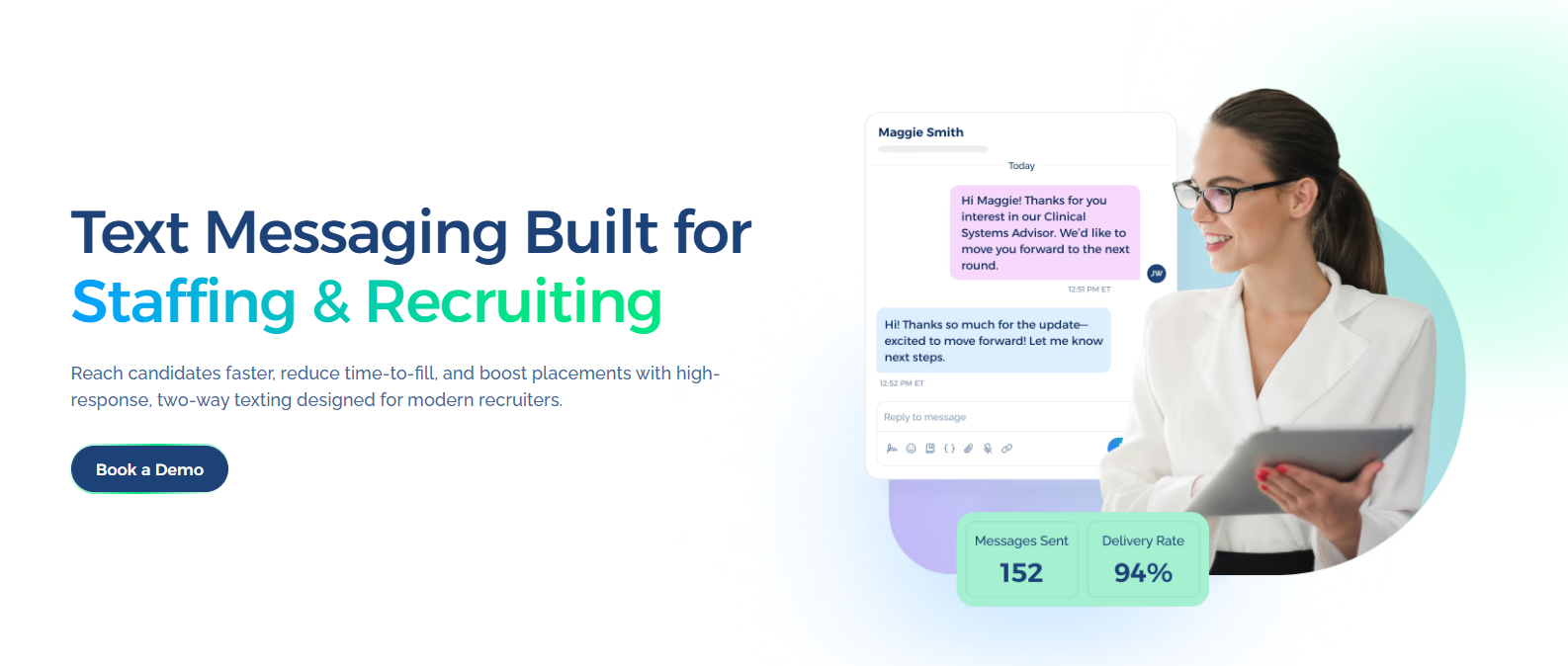
Book a demo with TextUs today to see how texting reduces response gaps and keeps conversations active!
FAQs About Candidate Communication Platforms
What are the top 5 ATS systems?
The right ATS depends on hiring volume, team size, integrations, and workflow needs. Five platforms worth comparing are Greenhouse, Lever, iCIMS, SmartRecruiters, and Zoho Recruit.
Greenhouse structures interviews around scorecards and standardized evaluation. Zoho Recruit is another option worth comparing if features such as Google Calendar sync and interview feedback fit your workflow.
What is an ATS vs CRM?
An ATS focuses on active applicants who are already being considered for an open role. It tracks applications, hiring stages, interviews, evaluations, and hiring decisions from application through offer.
A CRM focuses on relationships before and between active applications. You can use it to organize prospects, nurture talent pools, reconnect with previous candidates, and build relationships for future openings.
What is candidate communication?
Candidate communication covers the conversations between your recruiting team and candidates throughout hiring, from first contact to interviews, offers, and preboarding.
It includes the messages candidates receive, how quickly recruiters respond, and how well each person understands the next step.
What are the best candidate sourcing platforms?
LinkedIn Recruiter, SeekOut, hireEZ, and Gem are current sourcing platforms worth comparing.
LinkedIn Recruiter combines advanced candidate search, InMail outreach, pipeline management, and ATS integrations. SeekOut, hireEZ, and Gem also support AI-powered sourcing, talent rediscovery, personalized outreach, and connected recruiting workflows.
Continue Reading



Frequently Asked Questions
Business Texting
Built for Results
Create and convert pipeline at scale through industry leading SMS software