
Customer Journey Map: B2B Strategy for a Better Buyer Path
Explore our detailed guide to building a customer journey map B2B strategy and find 10 simple steps you can follow.

Written by
Adam Hamdan
Published
May 4, 2026

Many businesses lose leads because the buying path is not easy to follow. A prospect may fill out a form, book a demo, and then stop replying when the next step is unclear or too slow.
A customer journey map plan helps you guide prospects with more purpose from first interest to purchase. It shows what buyers need at each stage, which contact points influence their choice, and where your process needs more support.
In this step-by-step guide, we will explain why a B2B customer journey map supports better buyer planning and how to create one that fits your goals.
We will also show how to improve your B2B customer path so you can turn more leads into long-term customers.
TL;DR
- To create a customer journey map, B2B companies should set one goal, define the ICP, review customer data, map contact points, add buyer questions, find gaps, match content to each stage, assign ownership, track metrics, and update the map over time.
- Better buyer paths come from faster answers, stronger follow-up, smoother handoffs, personal touchpoints, and onboarding that keeps customers active after purchase.
- TextUs helps manage buyer conversations at key contact points with two-way texting, automated campaigns, shared inboxes, segmentation, and CRM-connected follow-up.
How B2B Customer Mapping Guides Better Decisions
Multiple decision-makers need more than one touchpoint before they choose a vendor.
They compare options, review costs, speak with staff, and look for signs that your offer can solve a real business problem.
A customer journey map shows what buyers need at each stage. It points out where prospects lose interest, where sales talks slow down, and where your content fails to answer key questions.
A mapped buyer path keeps marketing, sales, and support groups working from one plan. Each group can see what the buyer needs, which message fits the stage, and what action should happen next.
With a good B2B customer path map, you can plan each touchpoint and meet customer needs throughout the entire process.
It also lets you answer buyer questions sooner, guide leads with more purpose, and build a better experience that supports long-term account growth and customer loyalty.
5 Key Stages of a B2B Customer Journey
Since B2B purchases involve several business customers, longer review cycles, and more approval steps, each stage should guide buyers with the answers, proof, and support they need.
- Awareness: Buyers first recognize a problem, goal, or gap and start looking for information that explains what they are facing
- Consideration: Buyers compare possible solutions, review vendors, ask questions, and look for proof that a product or service can meet their needs
- Decision: Buyers review pricing, contracts, demos, security, approvals, and final details before choosing a vendor
- Retention: Customers use the product or service, receive support, review value, and decide if they should continue the relationship
- Advocacy: Satisfied customers share feedback, refer others, leave reviews, join case studies, or support expansion within their company
When you map these stages, you can improve content, sales follow-up, onboarding, support, and retention with a more holistic view of the customer path.
How to Create a B2B Customer Journey Map
A strong customer journey mapping process starts with buyer data. Here are the key steps you can follow to create a practical map for your business.
Step #1: Set Your Main Goal
A map can cover many parts of the sales and customer process. But it works best when your business knows what it wants to improve first.
Here are a few goal examples:
- Increase demo bookings from qualified leads
- Improve sales close rates
- Find gaps in the decision-making process
- Create better content for each buyer stage
- Improve onboarding after purchase
- Increase product use after signup
- Grow renewal rates
- Find more chances for account growth
Each goal will lead to a different type of map. It also helps you set a clear understanding of which particular stages need more attention.
If your goal is to increase demo bookings, B2B SMS marketing can support fast follow-ups after a form fill. It can also improve conversion rates by reminding prospects about demos, pricing talks, or proposal reviews during the buying process.
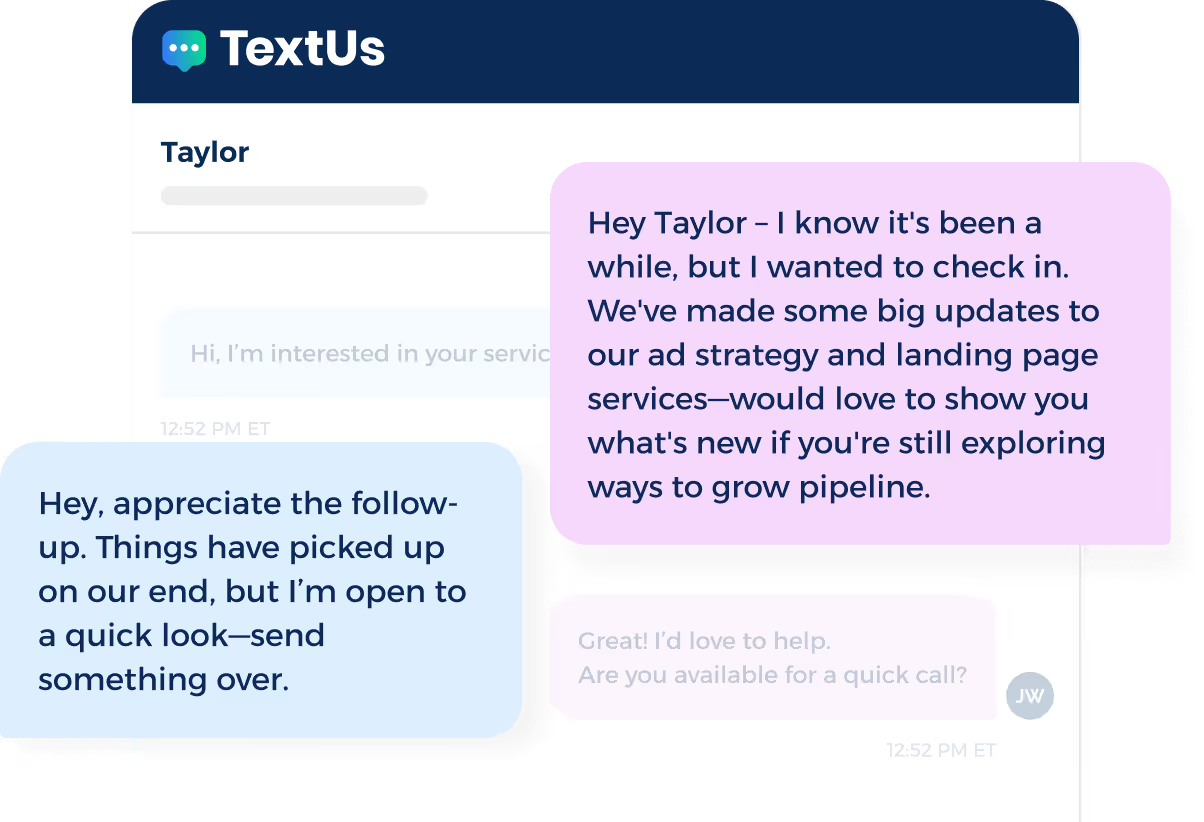
For example, a prospect may download a guide, book a demo, or request pricing, then miss an email. A personalized text can keep the next step easy to see and act on after the initial contact.
If you want to add texting to your lead follow-up, sales outreach, onboarding, or renewal plans, TextUs can support those multiple touchpoints.
Book a demo with TextUs to see how business texting can fit into your B2B marketing strategy!
Step #2: Define Your Ideal Customer Profile (ICP)
An ICP describes the accounts that are most likely to need your offer, buy from you, and grow over time. It helps you focus on the target audience most likely to match your business needs.
Your ICP should focus on company-level traits. In B2B sales, the buyer is usually a group of people inside one account, which can include multiple stakeholders and different decision makers.
For example, a SaaS company may define its ICP as mid-sized B2B service firms with long sales cycles, a sales staff of 10 or more, and a need for better lead follow-up.
Other companies may need to consider a procurement manager, an IT director, and a department lead before the account reaches the purchase stage. For larger deals, some buyers may also expect an in-person meeting before final approval.
You should also create buyer personas based on role, goals, budget needs, and buying concerns. These help you understand key differences between each buyer and how their needs affect the purchasing process.
Step #3: Study Customer Data
Customer data shows how buyers search, what they ask, what slows a deal, and what they need before they say yes.
You have to review places where buyers already share their thoughts so you can better understand customer sentiment.
Sales call notes can show common questions before a demo. CRM records can show why deals close, stall, or get lost. Support chats can show where existing customers need more care after purchase.
You can also leverage data from reviewing website forms, email replies, demo notes, survey answers, product use reports, and renewal notes.
Step #4: Map Your Main Contact Points
Contact points can include your company website, blog posts, ads, emails, demo forms, sales meetings, proposals, pricing pages, support chats, training sessions, and renewal talks.
These are the places where customers interact with your business.
Your map should act as a visual representation of all the touchpoints that guide buyers and customers through the whole journey. It has to show each step from initial awareness to purchase, onboarding, and post-purchase support.
B2B SMS marketing can also be part of your contact point map, mainly when buyers have already shared consent to receive texts.
For example, SMS can support demo reminders, event follow-ups, sales check-ins, onboarding nudges, support updates, and renewal reminders.
You also need to review each stage and ask which contact points already exist. Then, identify improvement areas to see which ones are missing or weak.
Buyers in the research stage may need comparison pages or case studies. Meanwhile, buyers near purchase may need a proposal, contract details, or proof from similar companies.
Step #5: Add Buyer Questions for Each Stage
After you list each buying stage, add the questions buyers ask before they move ahead.
These questions show what potential customers need to know and what proof they expect from your business.
You can collect questions from customer interactions such as sales calls, form replies, support chats, customer surveys, and focus groups. For example, buyers may ask:
- What problem are we trying to solve?
- Which vendor fits our needs?
- How much will it cost?
- How long will setup take?
- Can it connect with our current tools?
- What proof shows it can work for our company?
- What support will we get after purchase?
These questions can guide your content, sales talks, demo flow, follow-up notes, and onboarding plan.
They also show which key touchpoints need more detail. If buyers ask the same question before every demo, you can add that answer to your website, sales deck, or follow-up email.
Step #6: Find Pain Points and Gaps
It's important to look for the places where prospects lose interest or need more support. These gaps show where your customer path needs work.
Common pain points can include slow follow-up, missing pricing details, weak case studies, long approval steps, hard setup, poor training, or low product use after purchase.
You can also use quantitative data from CRM system reports, website activity, and analytics platforms to see where drop-offs happen.
Your map should show the stage where each pain point appears. It should also show what causes it and what can fix it, so you can identify areas that need faster action.
Step #7: Match Content to Each Stage
Instead of adding the same assets to every stage, you need to choose the resource that answers the main question at that point.
For early research, you may use a guide, checklist, or report. For purchase approval, you may use pricing details, ROI proof, security notes, or a proposal summary.
SMS can also support content delivery at particular stages. You can send a case study before a demo, a meeting reminder with a calendar link, or an onboarding checklist after purchase.
After purchase, content should focus on setup, training, product use, and account growth. A welcome email can start onboarding, while a training video can guide new users.
Step #8: Assign Staff Ownership
Without ownership, your map can become a document people review once, then forget.
You have to assign the person or group in charge of each stage, contact point, and follow-up task.
- Marketing may manage blog posts, landing pages, ads, and lead campaigns
- Sales can handle demo calls, pricing talks, follow-ups, and proposals
- Support or success staff may oversee onboarding, training, customer check-ins, renewal talks, and account growth
Using an SMS marketing platform can make ownership easier, especially when multiple people manage buyer or customer replies.
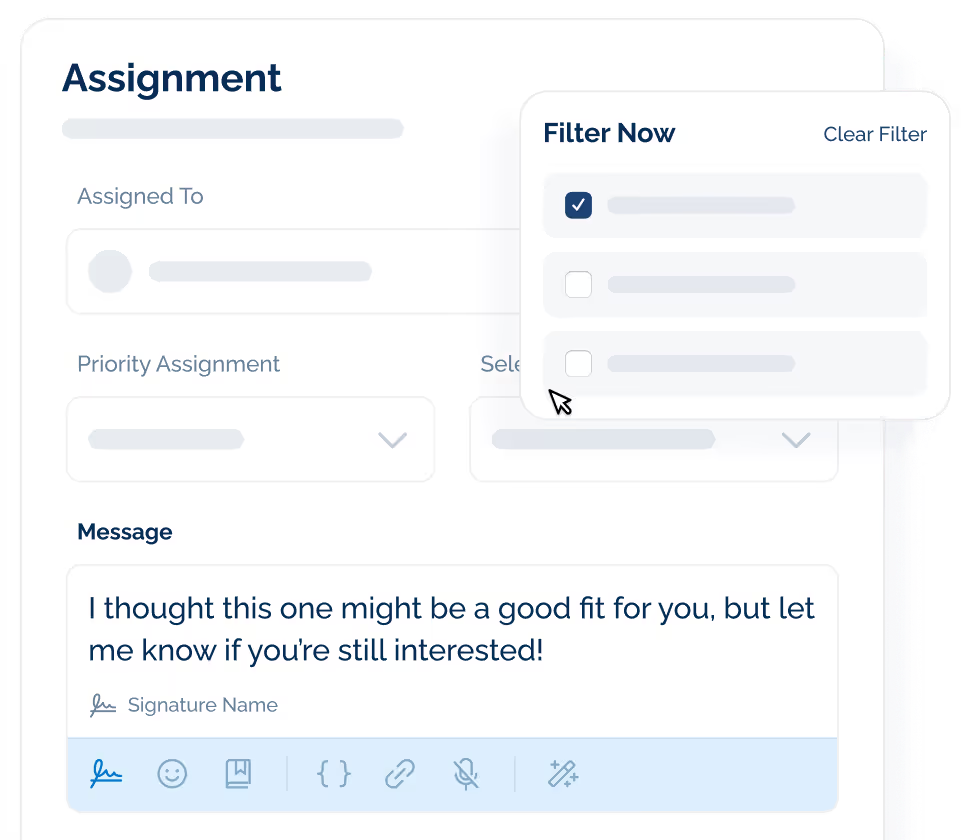
With TextUs, you can assign messages to one person or multiple users, so each conversation has an owner. Tags can sort conversations based on buyer stage, account type, urgency, or follow-up need.
Your sales teams can see who should respond, what stage the buyer is in, and what the next step needs attention.
TextUs also keeps SMS, email follow-up notes, calls, and CRM activity easier to manage as buyers move from first interest to purchase, onboarding, and account growth.
Step #9: Choose Metrics to Track
You need to choose metrics that connect to your main goal, the stages in your map, and the contact points buyers use before and after purchase.
For lead generation, you can track website visits, form fills, demo requests, content downloads, and booked sales calls. These numbers show how many prospects enter your pipeline and which channels bring in strong leads.
For sales, you may review win rate, deal length, proposal response, meeting attendance, and lost deal reasons. These metrics show where deals move forward, where they stall, and what buyers need before they approve a purchase.
For onboarding, you need to track setup completion, training attendance, first product use, and support requests. These numbers show how fast new customers get started and where they need more guidance.
For customer retention and account growth, you have to examine your review renewal rate, churn rate, product use, account health, customer feedback, and expansion revenue. These metrics show if customers keep using your offer and see enough value to stay or grow.
Choose a small set of metrics for each stage and focus on the ones that show buyer movement, customer progress, and revenue impact.
Step #10: Update the Map Over Time
A map that stays the same for too long can miss new questions and the latest ways buyers make purchase choices.
You can set a review schedule so the map stays useful. You can review it after a product launch, pricing change, new campaign, sales process change, or major customer feedback trend.
You may also revisit it each quarter to see if customer behavior has shifted.
During each review, look at the data from your sales calls, CRM notes, website forms, support requests, surveys, and renewal talks.
Also, check which stages still match real buyer actions. Then update the parts that no longer reflect the customer expectations.
Pay close attention to patterns, too. If more buyers ask about cost, you can add better pricing support. If demos lose momentum, it's time to review your follow-up process.
Best Practices to Improve Your B2B Customer Journey
Buyers need the next step to make sense at every stage, from first search to renewal. Here are practical ways to improve your B2B customer path.
Answer Buyer Questions Sooner
If buyers have to wait for basic details about pricing, setup, proof, or product fit, they may pause their search or compare other vendors.
You can make use of the common questions your sales staff encounters. These can include cost, contract terms, setup time, tool fit, security, support, and return on spend.
Then, add those answers to the places buyers already visit, such as product pages, pricing pages, landing pages, FAQs, case studies, and sales emails.
Fast answers build trust because buyers can see that your business understands their concerns. They also give sales staff better conversations, since buyers arrive with fewer basic questions and more interest in the next step.
Improve Follow-Up
Follow-up should feel easy for the buyer to act on. A good follow-up plan can include email reminders, call tasks, sales notes, and short status updates based on the buyer’s stage.
A texting software can support faster follow-up with automation built for business texting.
With TextUs, sales reps can use drip campaigns to send planned follow-up messages and keyword-triggered replies to respond based on buyer action.
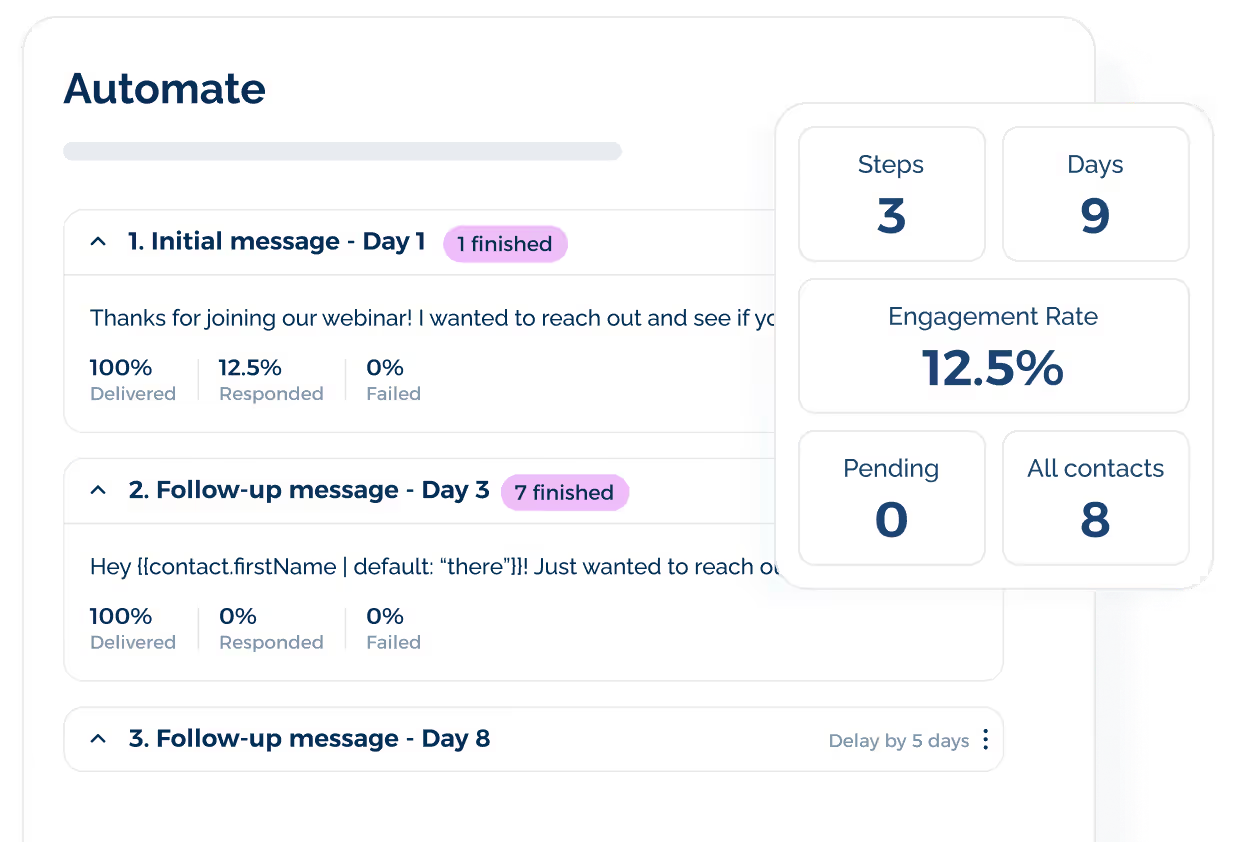
SMS automation also keeps basic outreach moving while your sales staff can focus on higher-value work, such as deal strategy, buyer needs, and next-step planning.
TextUs also keeps replies easier to manage because conversations are visible in a shared space. Sales staff can see who has responded, which leads need action, and which follow-ups are tied to meetings, proposals, or next steps.
With a stronger follow-up process, you avoid losing leads because of slow replies and find actionable insights from each response. Book a demo with TextUs today!
Make Handoffs Smoother
A buyer should not have to repeat the same details each time they move from one person to another.
Good handoffs protect the customer experience. They also keep your marketing and sales team from missing budget notes, decision-maker names, demo requests, contract terms, training needs, or renewal risks.
You can use shared account notes, CRM records, call summaries, and handoff checklists to keep every person informed. A handoff can happen at multiple points, from first sales contact to onboarding, support, renewal, and account growth.
Sales can pass setup goals to the success staff after a deal closes. Support can flag repeat product questions for customer success. Marketing can share lead source data with sales so reps understand what sparked the buyer’s interest.
Personalize Customer Touchpoints
Your emails, calls, demos, landing pages, and sales content should match the buyer’s role, company type, industry, and stage in the process.
This creates a smoother experience because each message connects to what the buyer has already done.
TextUs can further support personalization through SMS segmentation. You can group contacts based on role, industry, buying stage, product interest, account status, or past actions.
For example, prospects who booked a demo can receive meeting reminders, while current customers can receive onboarding prompts or renewal check-ins. The goal is to make sure each customer receives the message that fits their stage, role, and next step.
Merge fields can also make each message more personal without rewriting every message. You can add details such as the buyer’s first name, company name, meeting date, sales rep name, or product interest.
Strengthen Onboarding Process
A sale is not the end of the customer path. New customers need setup guides, training resources, account check-ins, and early success goals.
You can send welcome emails, setup guides, training links, account check-in notes, and product tips based on the customer’s plan, role, and goals.
These early steps should connect to customers' goals so onboarding is tied to what the account wants to achieve.
If customers feel lost after purchase, they may stop using the product before they see results. A simple plan with training, support, and early success goals can keep them moving.
The goal is to make the first few weeks easier. When customers know what to do next, they are more likely to use the product and stay engaged with your business.
Turn Buyer Moments Into Meaningful Conversations With TextUs
A well-built customer journey map B2B plan should not stop at strategy. You also need a reliable way to act on each contact point.
TextUs helps your sales and customer-facing groups turn key moments into real conversations.
With business texting, automation, shared inboxes, sequences, tags, and assignments, your staff can respond faster, route replies to the proper person, and guide each buyer to the next step.
TextUs also integrates with platforms such as Salesforce, HubSpot, Bullhorn, and Greenhouse, which can keep text conversations tied to customer records and sales activity.
If your customer journey map B2B process shows missed form fills, slow demo follow-up, or weak post-sale check-ins, TextUs can help your staff act on those gaps and support customer satisfaction.
Book a demo with TextUs today and see how it can support a better B2B buyer path from first interest to long-term revenue growth!
Continue Reading



Frequently Asked Questions
What data should you use for a customer journey map?
Good sources include CRM notes, sales call summaries, website forms, demo notes, support chats, survey answers, product use reports, renewal notes, and lost deal reasons.
The best data comes from places where buyers already ask questions or show intent. Sales calls can show common objections, while support chats can show where customers need more guidance after purchase.
How often should you update a B2B customer journey map?
It's ideal to review your customer map at least once every quarter. You should also update it after key events such as major product changes, pricing updates, new campaigns, sales process changes, or repeated customer feedback.
Buyer needs can shift over time. A regular review helps your business keep the map useful for sales, marketing, onboarding, renewals, and account growth.
What tools can you use to build a B2B customer journey map?
You can build a B2B customer map with a spreadsheet, whiteboard tool, slide deck, CRM report, or customer mapping software. The best tool is the one your staff can use, update, and share with ease.
For a more complete view, you can leverage technology by connecting your map with CRM data, website analytics, sales notes, support records, and customer feedback tools. That way, your map reflects real buyer behavior from more than one channel.
Business Texting
Built for Results
Create and convert pipeline at scale through industry leading SMS software