
How Mobile Recruiting Improves Recruitment Efficiency
See how mobile recruiting improves applications and hiring efficiency, and find out how TextUs helps recruiters connect via SMS.

Written by
Adam Hamdan
Published
October 14, 2026

Candidates expect to find jobs, read role details, apply, message employers, schedule interviews, and receive updates from their phones without having to switch devices.
The problem is that some job pages look fine on mobile, while the application process remains difficult to complete. Long forms, difficult uploads, and desktop-only tools make candidates leave before they finish.
Mobile recruiting makes the entire hiring process easy to access from a phone. It speeds up communication and keeps candidates engaged from application through hiring.
In this blog post, you'll learn the impact of mobile recruiting, different mobile recruiting tools and technology, and how to build a recruiting strategy that makes each step easier for candidates.
TL;DR
- Mobile recruiting helps candidates find and apply for jobs from their phones while giving recruiters faster ways to communicate and manage hiring activity
- Mobile recruiting tools cover ATS platforms, SMS, job boards, recruiting apps, interview scheduling, video tools, and AI chatbots.
- Build a mobile recruiting strategy by improving the candidate experience with mobile-friendly applications, SMS, social media, QR codes, easier scheduling, and ATS automation.
- TextUs supports two-way SMS, AI automation, campaign scheduling, and ATS integrations, so you spend less time chasing responses and more time connecting with candidates.
The Impact of Mobile Recruiting on Modern Hiring
Mobile recruitment has changed how employers connect with people throughout the hiring process. Here are the main reasons a mobile-first approach matters when you want to compete for stronger candidates.
Reach Candidates Where They Search for Jobs
Many job seekers now discover job opportunities through search engines, career sites, job boards, and social media platforms from their mobile phones.
A mobile-friendly career site makes your open positions easier to find and explore without requiring access to desktop computers.
Make Job Applications Easier to Complete
A simplified mobile application removes unnecessary steps that can discourage candidates from finishing the process.
Short forms, easy document uploads, and fewer required fields can improve application completion rates and make it easier to submit applications from almost anywhere.
Improve Candidate Response Times
Mobile communication gives candidates a faster way to respond to interview requests, screening questions, and hiring updates. SMS and messaging apps can support quick responses when email or phone calls are less convenient.
Create a Better Candidate Experience
A smooth mobile experience reduces unnecessary barriers between discovering a role and completing the next step. Consistent updates and a clear page structure strengthen candidate engagement throughout the recruiting process.
Reach Hourly and Frontline Candidates
Hourly and frontline workers may have limited access to a computer during the day, which makes mobile access especially important.
A mobile-first approach lets these mobile users explore available opportunities and respond when their schedule allows.
Engage Passive Candidates Through Mobile Channels
Passive candidates may not visit career pages or search job boards on a regular basis, but they still interact with content and messages on their phones.
Mobile outreach lets you introduce relevant roles to potential candidates who are not currently conducting an active search.
Give Recruiters More Access Away From Desktop
Recruiters don't always need to be at a desk to review applications, check candidate information, or respond to hiring activity.
Mobile access to recruiting tools makes it easier to stay connected when work takes place outside the office.
Types of Mobile Recruiting Tools and Technology
The right tools can support different parts of your recruitment process, from finding candidates to scheduling interviews and staying in contact.
Here are the main types of mobile technology you can use for your mobile recruitment strategies.
Recruiting and ATS Platforms
Modern applicant tracking systems (ATS) provide you with mobile access to candidate records, hiring stages, and other recruitment activity.
Depending on the platform, you may also manage job postings, review resumes, and easily review candidate information without returning to a desktop computer.
SMS Recruiting Platforms
Recruiting conversations can stall when candidates miss emails or avoid unfamiliar calls.
SMS mobile marketing creates a more immediate connection. This makes it easier to maintain candidate engagement and keep qualified candidates responsive throughout the hiring process.
A text recruiting platform like TextUs serves as a central way to manage two-way conversations, automated follow-ups, shared inboxes, reporting, and ATS integrations.
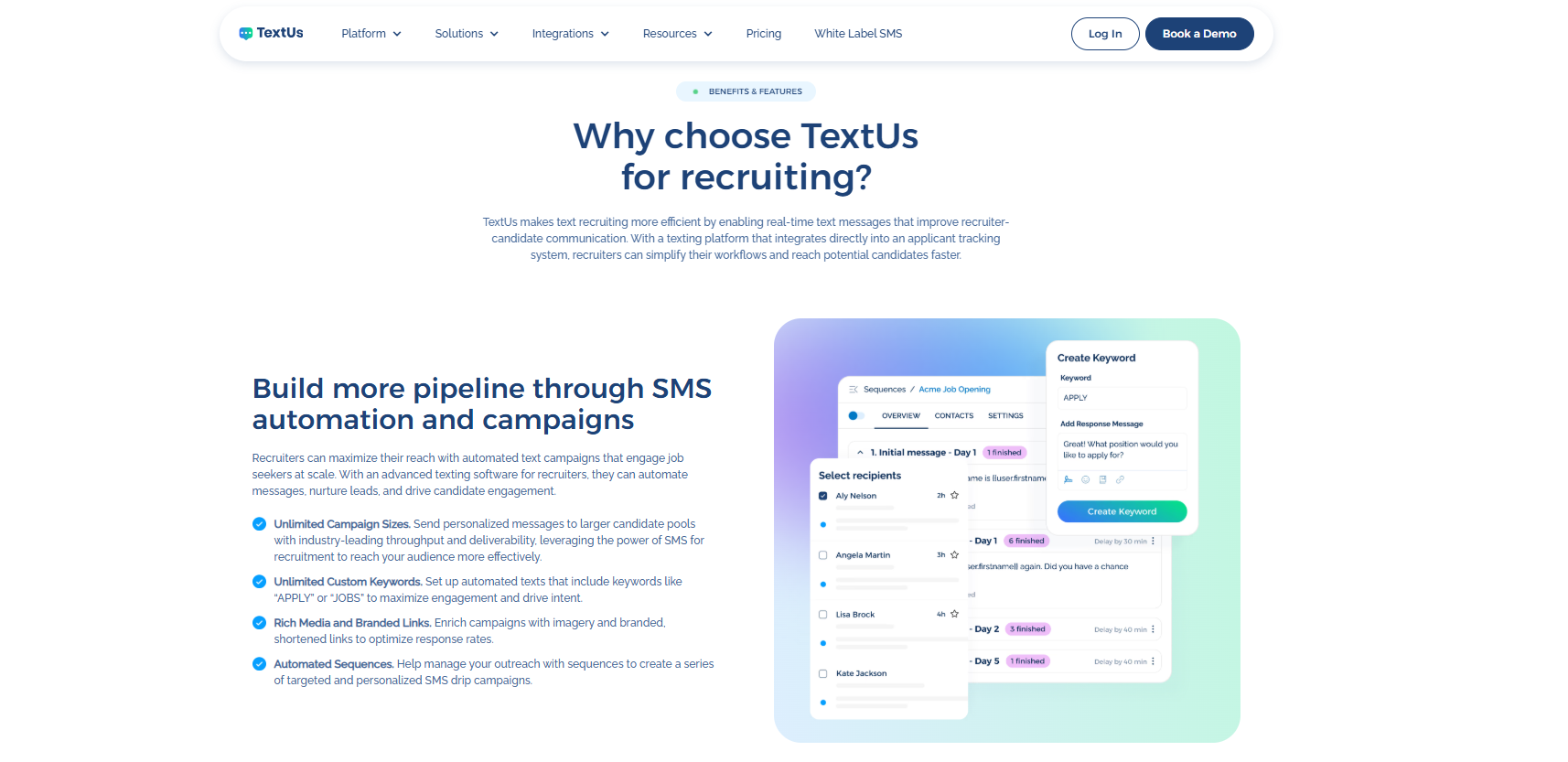
You can use it to re-engage passive candidates, introduce job opportunities, confirm interview details, and follow up after each stage without relying on candidates to check another inbox.
Book a demo with TextUs today and see how it keeps more recruiting conversations moving!
Job Boards and Recruiting Apps
Job boards and mobile apps make it easier for candidates to find roles, save searches, and apply from their phones.
A dedicated mobile recruiting app may also let you post job openings, monitor job postings, and stay connected to candidate activity while away from your desks.
Interview and Scheduling Tools
Scheduling platforms reduce the back-and-forth required to arrange interviews and give candidates more control over available time slots.
Video conferencing tools also support virtual interviews when candidates cannot attend in-person interviews. This makes recruiting more flexible across locations.
AI and Chatbots
AI in recruitment can answer common candidate questions, support screening, recommend roles, and route conversations to recruiters when human involvement is needed.
When connected with your wider talent acquisition system, AI and chatbots reduce repetitive tasks while you focus more attention on evaluating top candidates.
How to Build a Mobile Recruiting Strategy
A strong mobile recruiting strategy makes every candidate touchpoint easier to access from a phone. This is how you can improve the experience from job discovery through final follow-up.
Step #1: Audit Your Current Mobile Recruiting Experience
Start by checking how easy it is to search for a position, read the job description, complete required fields, upload a resume, schedule an interview, and contact a recruiter.
You can review each stage for:
- Load speed
- Navigation
- Job search
- Job descriptions
- Apply buttons
- Required fields
- Resume uploads
- Account creation
- Screening questions
- Confirmation messages
- Scheduling
- Recruiter communication
Pay close attention to steps that force candidates to switch devices, enter the same information twice, or leave the application to complete another task.
Test the complete application process on several common phone sizes and operating systems rather than relying only on a desktop browser’s mobile preview.
Step #2: Optimize Your Career Site for Mobile Devices
A mobile-optimized career website needs to feel natural on a smaller screen rather than look like a reduced version of your desktop site.
This means optimizing page speed, menus, buttons, forms, search filters, and job pages for touch-based browsing.
Readable fonts, large tap targets, short menus, accessible forms, and minimal pop-ups can reduce unnecessary obstacles.
Candidates should be able to find a role and reach the application without zooming, excessive scrolling, or searching for hidden buttons.
Step #3: Write Mobile-Friendly Job Descriptions
Long blocks of text are harder to scan on a small screen. You need to structure each description around the information candidates are most likely to check first.
You can put compensation, location, schedule, responsibilities, requirements, benefits, and the apply CTA in easy-to-scan sections.
Job descriptions can also introduce company culture without overwhelming candidates with generic brand messaging. Clear information about the role and workplace attracts stronger-fit applicants in a competitive job market.
Step #4: Simplify Mobile Job Applications
Autofill, resume parsing, cloud uploads, profile imports, one-page forms, progress indicators, and save-and-return options reduce the effort required to finish.
However, avoid requiring lengthy cover letters or mandatory account creation unless the role requires them.
A shorter application path can make it easier for more candidates to finish rather than abandon the process halfway through.
Step #5: Add SMS to Your Mobile Recruiting Strategy
Texting fits the way many candidates already prefer to handle job-related communication.
89% of candidates prefer texting over phone or email for job-related communications. SMS recruiting removes some of the delays that come with missed calls and overlooked inboxes.
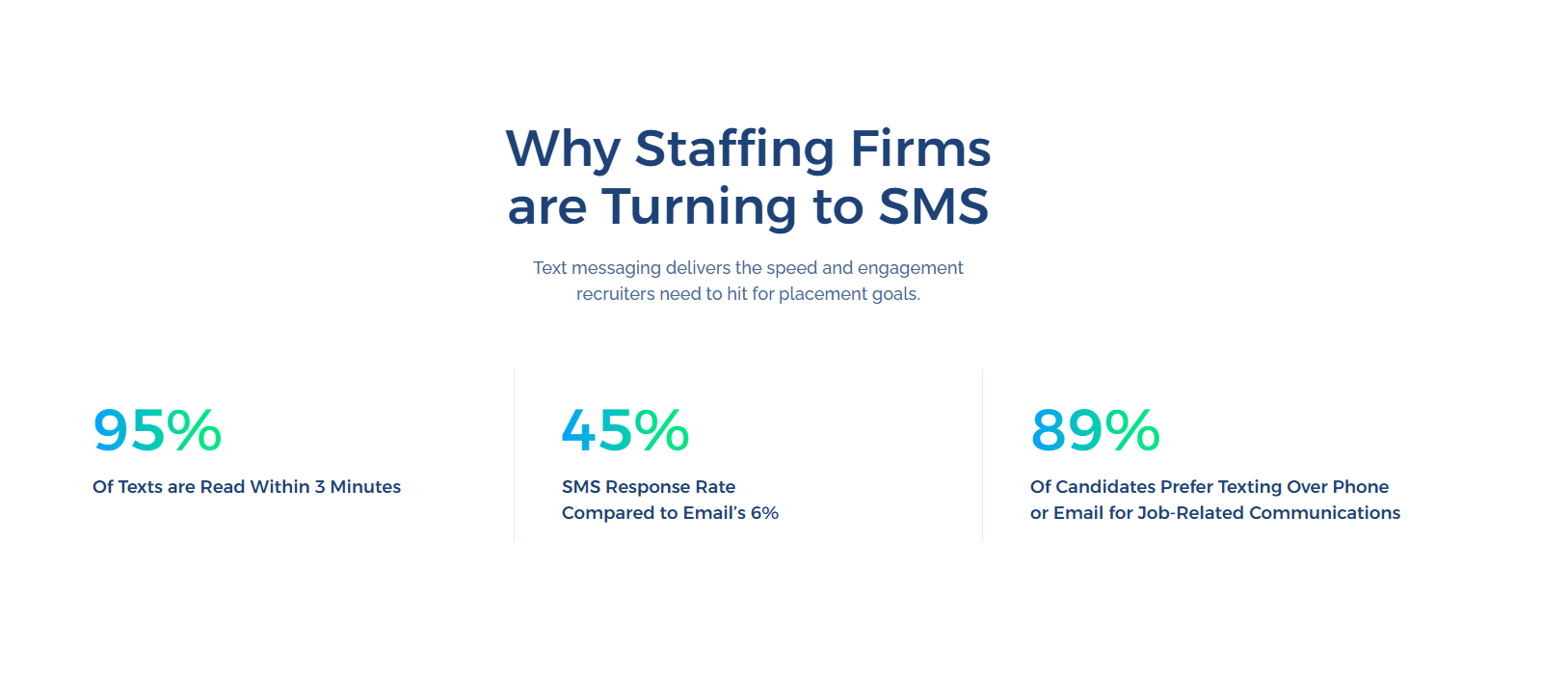
You can use text messages across several stages, including first outreach, job alerts, screening, application follow-up, interview scheduling, reminders, re-engagement, and offer updates.
Conversational texting also keeps the conversation personal. Once a candidate responds, you can answer questions, discuss the role, confirm availability, and communicate next steps.
Want to make candidate communication faster and easier to respond to? Book a demo with TextUs today and see how texting supports your recruitment process!
Step #6: Use Social Media as a Mobile Recruiting Channel
LinkedIn, Instagram, TikTok, and other social channels can introduce roles to people who may not be searching career sites at that moment.
Keep the focus on giving interested candidates a clear path from social content into a simple mobile application or recruiter conversation.
Employer branding and employee content also show what it is like to work for your organization before someone applies.
Use these channels to build awareness, showcase roles, and reach passive prospects without turning every post into a job advertisement.
Step #7: Connect Offline Recruiting With QR Codes
QR codes turn physical recruiting materials into an immediate mobile action.
You can place them on storefront signs, flyers, career fair displays, event materials, referral cards, business cards, or recruitment ads.
One of the strongest uses is pairing QR codes with SMS. Instead of sending candidates to a general careers page, a keyword QR code opens a pre-filled text message tied to a specific recruiting campaign, job category, location, or event.
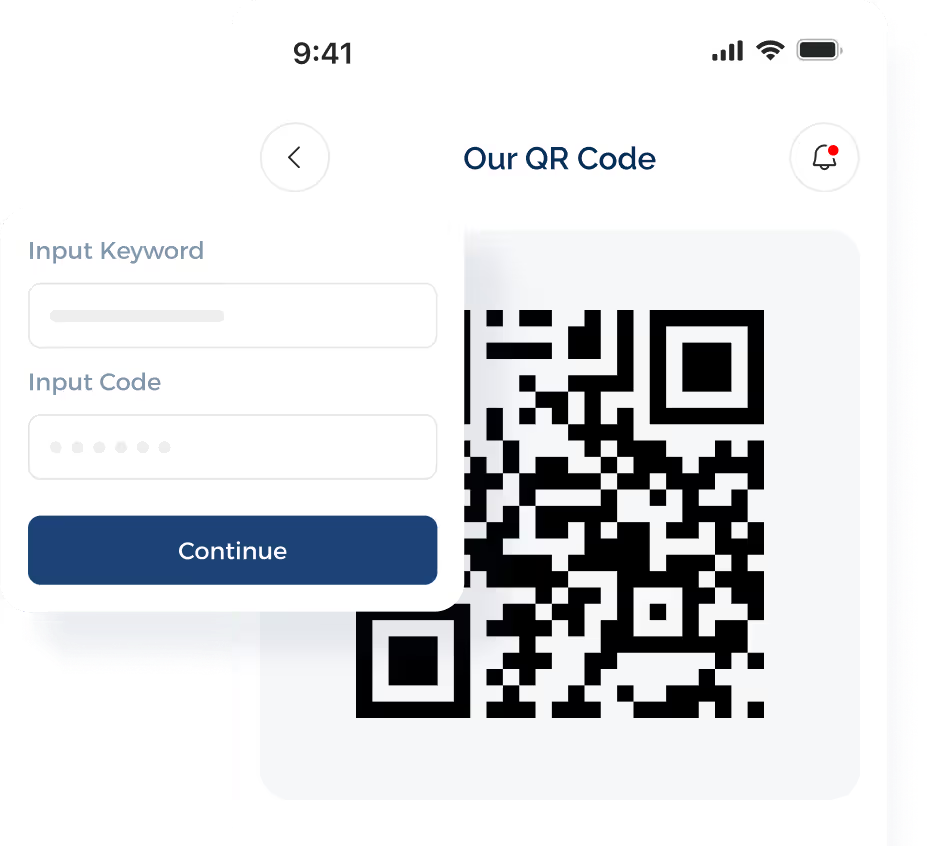
The candidate only needs to scan the code and send the message to opt in, request role information, or start a conversation with a recruiter.
Step #8: Make Interview Scheduling Mobile-Friendly
Candidates should be able to choose, confirm, or change interview times without long email exchanges.
Mobile-friendly scheduling links let candidates view available interview slots, choose a time, reschedule when needed, and add the appointment to their calendar from their phone.
Scheduling tools should also show accurate recruiter availability. This reduces double booking and cuts down on unnecessary follow-ups before an interview takes place.
SMS can make that overall hiring process even faster. Rather than asking candidates to switch between apps, you can send scheduling options by text and let them respond inside the same conversation.
Step #9: Connect Mobile Recruiting Tools With Your ATS
You shouldn't have to copy updates from one system to another every time a candidate responds, schedules an interview, or moves to a new stage.
Strong integrations create greater efficiency by keeping contact details, conversation history, statuses, and scheduling information connected.
TextUs supports deep ATS and CRM integrations to ensure texting fits into the systems you already use.
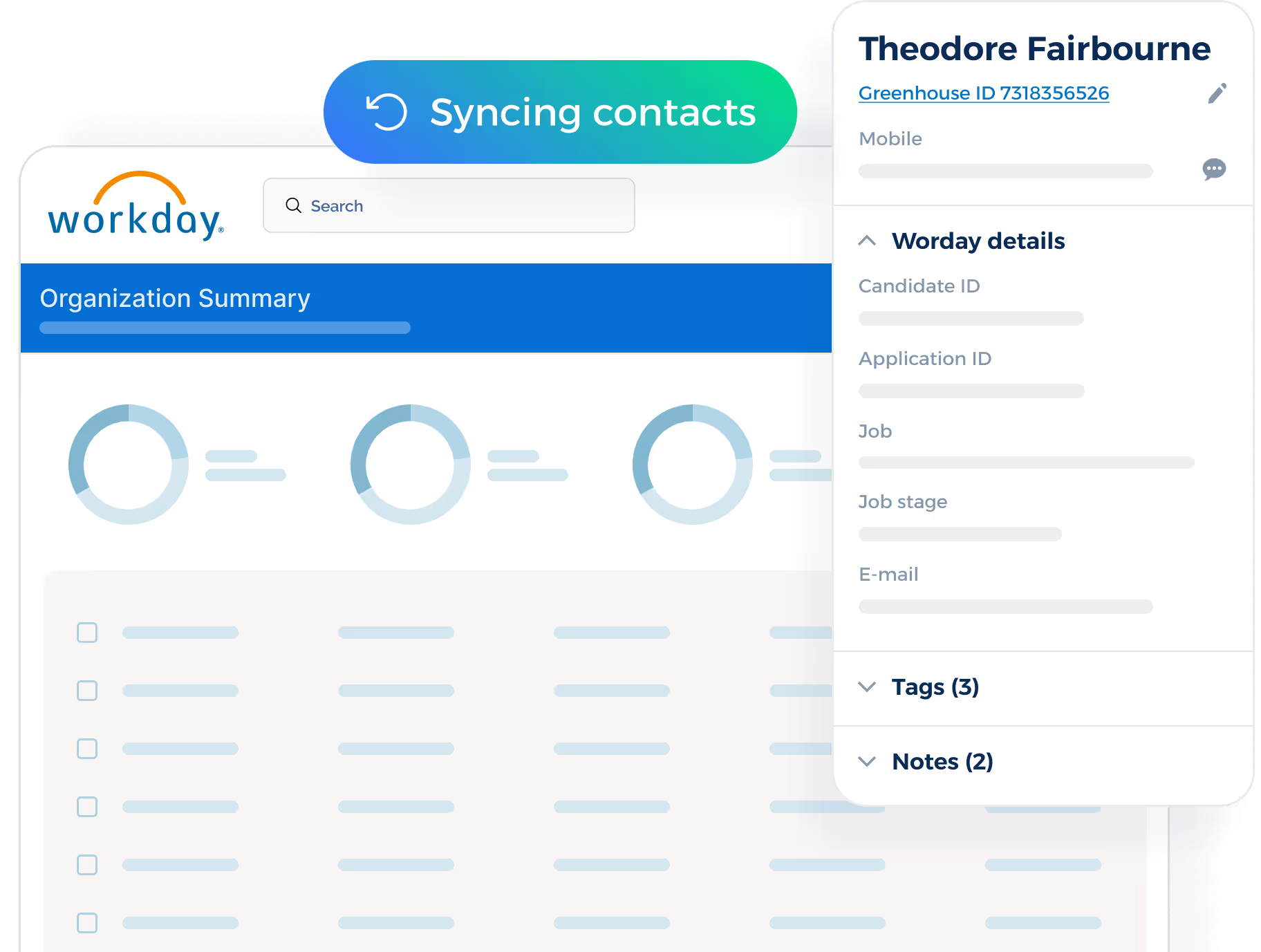
Automatic contact syncing keeps candidate information updated between platforms, which reduces duplicate records and outdated contact details.
It can also auto-log text communications back to the connected ATS or CRM. Recruiters and hiring managers can see what was discussed and where the conversation stands.
Step #10: Add Automation Without Losing the Human Touch
Automation can take repetitive recruiting tasks off your plate without making candidate conversations sound generic.
Application confirmations, interview reminders, follow-up triggers, segmented outreach, and drip sequences run in the background while you focus on conversations that need a personal response.
TextUs extends that approach to initial candidate outreach. You can segment contacts by role, location, hiring stage, or other criteria, then send targeted messages designed to generate interest.
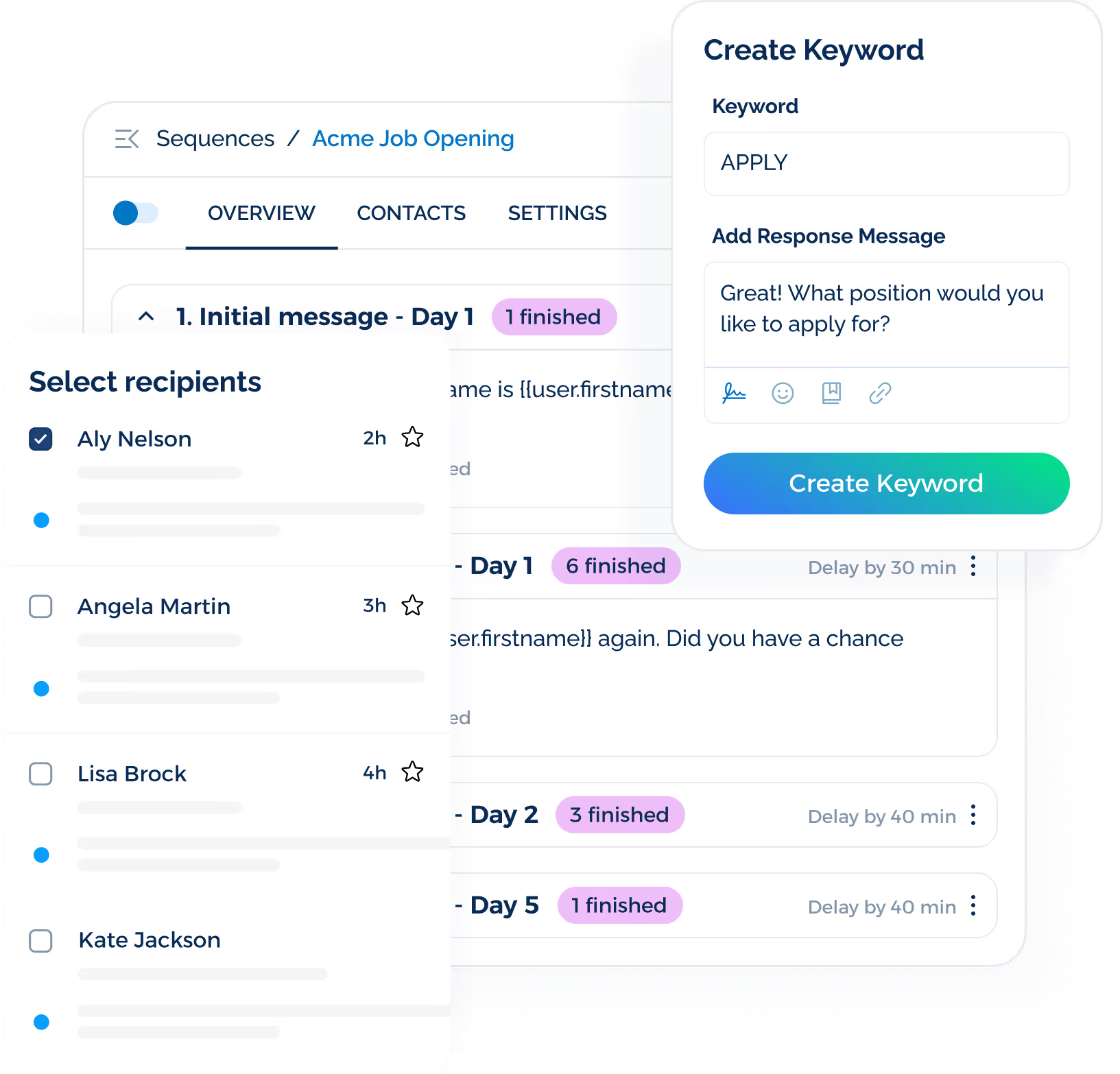
SMS automation also keeps outreach consistent across larger candidate pools. Instead of sending the same message to everyone, each campaign reflects the role, candidate segment, or stage of the recruitment journey.
The human handoff still matters. Once a candidate replies, shows interest in a role, or reaches an important decision point, you can step into the conversation and communicate one-to-one.
Build a Faster Communication Path From Outreach to Hire With TextUs
TextUs keeps conversations active across the entire hiring process. You spend less time repeating cold outreach and more time talking with candidates who have shown interest.
With two-way SMS, campaigns, automation, scheduling, contact segmentation, and deep ATS and CRM integrations, TextUs fits into the systems you already use.
You can communicate with candidates, share openings, confirm interviews, re-engage past applicants, and manage follow-up without adding more manual work to your day.
SMS doesn't replace personal recruiting conversations. It removes repetitive communication tasks and makes it easier to keep candidate conversations active from first contact through placement.
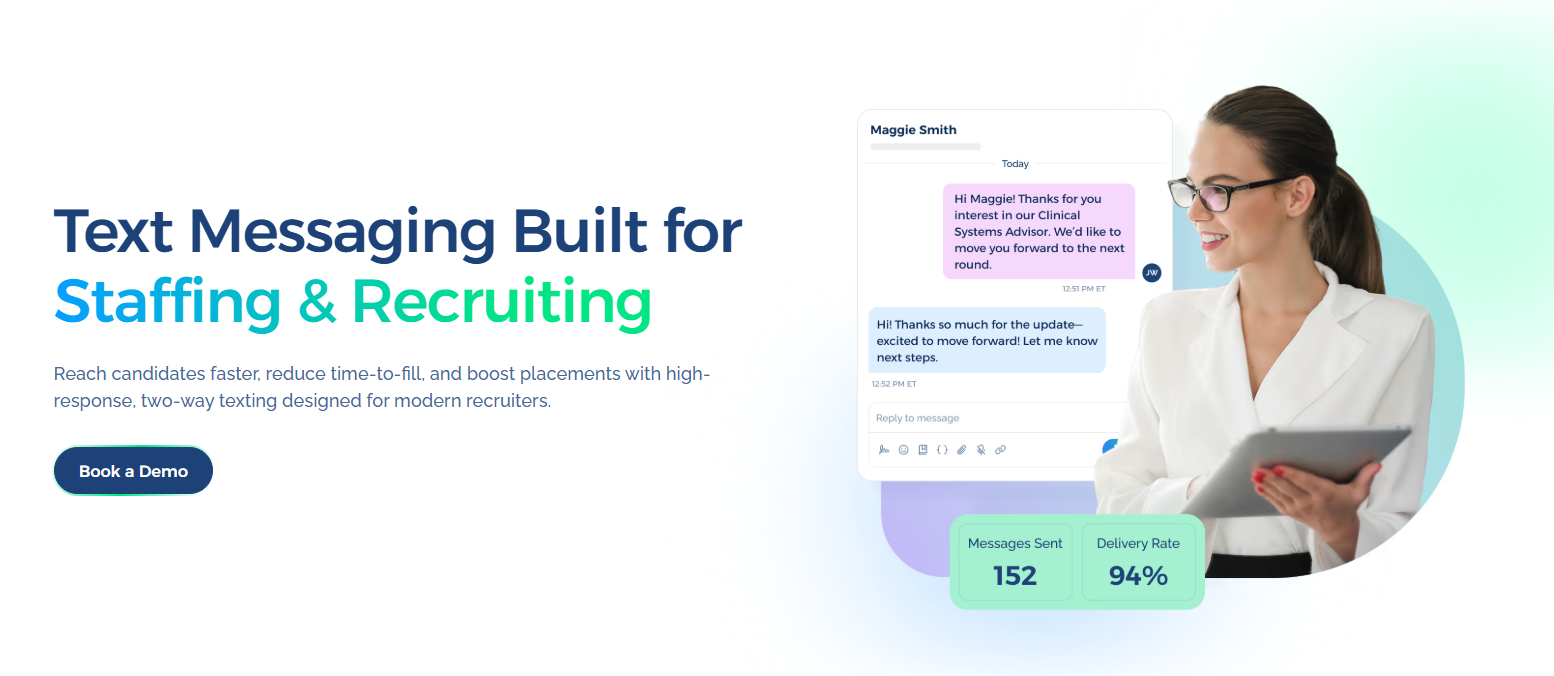
Book a demo with TextUs today and bring candidate conversations into one connected workflow!
FAQs About Mobile Recruiting
What is the best recruiting app?
The best recruiting app depends on how you source candidates, manage communication, schedule interviews, and connect data with your ATS or CRM.
The best option should let you manage candidates remotely, access candidate records from a phone, and keep recruitment activity connected across your existing systems.
What are the challenges of mobile recruiting?
Common challenges include poor mobile design, lengthy applications, device compatibility issues, data security, and recruitment tools that don’t connect.
These barriers can cause candidates to abandon the process and make it harder to compete for top talent.
What is text-to-apply recruiting?
Text-to-apply lets candidates start the application process by sending a keyword to a designated business number or scanning an SMS QR code.
You can place the keyword or QR code on a job ad, career fair sign, flyer, or storefront poster so interested candidates can respond from their phones without searching for an application page.
How do you measure mobile recruiting success?
You may track application completion rate, application drop-off rate, candidate response rate, source-to-hire conversion, time-to-hire, cost-per-hire, and candidate satisfaction.
These metrics show where candidates move forward and where your mobile recruiting experience needs improvement.
Continue Reading



Frequently Asked Questions
Business Texting
Built for Results
Create and convert pipeline at scale through industry leading SMS software