
Solving Customer Pain Points with Mobile
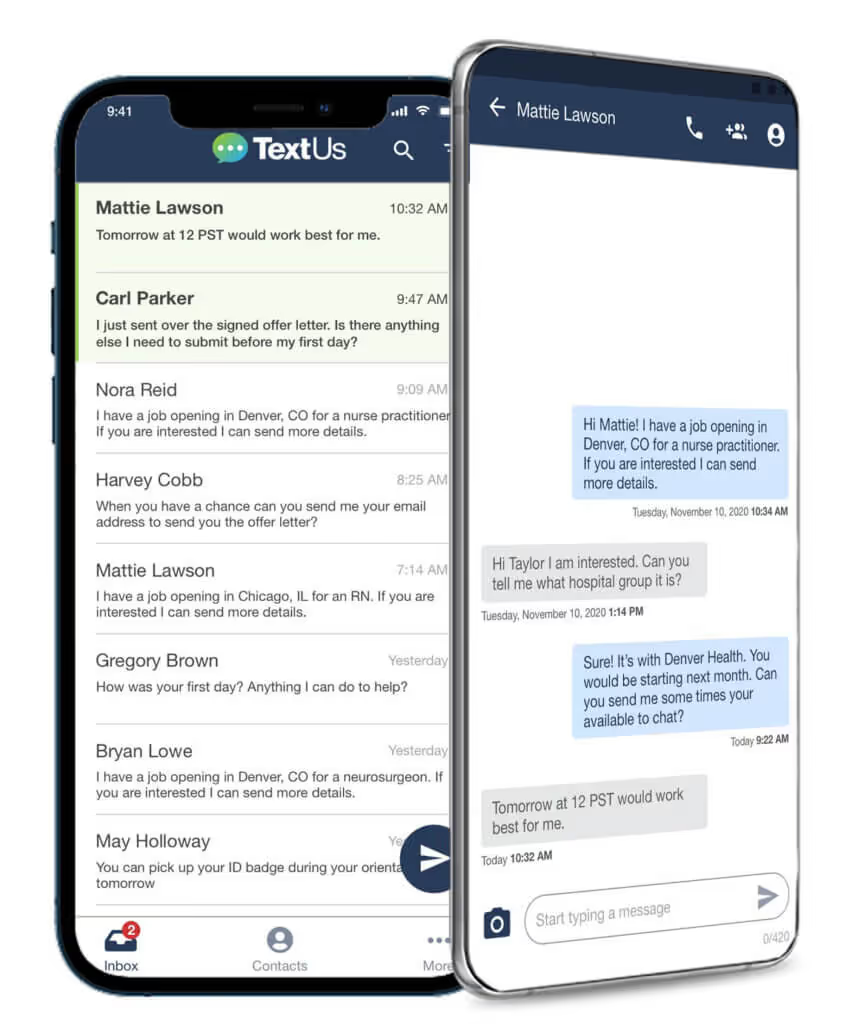
TextUs redesigned our mobile app to better meet our customer needs and provide a better user experience on phones.

Written by
Published
May 12, 2021

We are living in a mobile-first world. Answers to questions, food delivery, and news are at the tip of our fingers. When you think of texting, you think of mobile phones and the convenience of access no matter where you are.While texting may be synonymous with phones, business texting platforms have tended to run on computers where people spend most of their work days. This mobile-first mindset has migrated to work, seeing the typical 9-5 blur.As expectations changed during the pandemic, TextUs redesigned our mobile app to better meet our customer needs and provide a better user experience on phones. Establishing and following a UX process was critical in generating positive outcomes for our customers.
Improving the UX Process
The outcome of the new mobile app reflects how important the entire UX process is. Starting with plenty of research and user interviews, we were able to see what users needed and put the puzzle together. Some companies may find it easier to start building and figure things out as you go, but taking the time to research and interview will save time down the road and improve the user experience.When you build a product, you consider the goals and use. Through our interviews, we discovered that users wanted a mobile experience for when someone is stepping away from their desk or for quick responses after work hours.By actively seeking our customer’s feedback and input, we were able to strip the mobile app to the bare bones. Starting from scratch allowed us to create a lighter and faster app that was a more native experience users are familiar with on their Apple or Android messaging app.
Texting Features and Best Practices
With the lighter app, we were able to focus on features that customers really needed:
- Notifications – learning of new messages in real-time to respond quickly
- Text size – customizing text to user preference for easy viewing on-the-go
- Search functionality – quickly find messages or contacts without scrolling
- Sending photos – staying connected visually (this one even caught Oprah’s attention!)
- Conversation management – assign conversations to team members, start conversations, or reply to a message
- Contact management – add or edit contacts and have it synced with the web app
You can also create templates to easily send messages after work hours or while you’re away from your desk. For example, if you work in recruiting and a candidate messages you at night when they get home from work, you can quickly send them a text with a link to apply.We’ve created a list of texting templates that you can use immediately to connect with your users.
Results with the TextUs Mobile App
By embracing the UX process, the outcome from interviews was validated. We went from a 1-star app to a new app getting great feedback. One of the biggest pain points customers had before our mobile redesign was that the mobile app did not work like they wanted it to.
“Love the new app – it’s great! No freezing like the other app did all the time”
Following the UX process from research to development, we were able to meet customer expectations and build a product to use no matter where they are.Not only did our reviews and stars improve, but so did our NPS score! Listening to customers and collecting user feedback helped us build a mobile app that people wanted to use and recommend to others. If we hadn’t followed the UX process, we could still be iterating to find a solution.Redesigning the mobile app was not on our product roadmap in the immediate future, but we decided to prioritize it based on user feedback of how they needed a better performing mobile app for their workflow. This was a huge win and has increased customer happiness.
Continue Reading



Frequently Asked Questions
How does mobile business texting solve customer pain points?
Business texting resolves the friction of slow, impersonal communication by giving customers a fast, direct channel to get answers and take action. Mobile-first texting meets customers where they already are — on their phones — reducing frustration and increasing satisfaction.
What customer service problems can SMS help solve?
SMS helps solve slow response times, high call center volume, low email engagement, appointment no-shows, and the challenge of reaching customers who don't answer unknown calls. It provides a direct, accessible channel that customers actively monitor.
How does a mobile-first texting platform differ from desktop-only solutions?
Mobile-first texting platforms let customers and reps communicate from their phones as naturally as personal texting, without being tied to a computer. This flexibility increases response speed and allows teams to manage conversations anywhere.
Business Texting
Built for Results
Create and convert pipeline at scale through industry leading SMS software