
How to Make Customer Communication Automation More Personal
Build a customer communication automation strategy that saves time, supports staff, and keeps SMS conversations personal with TextUs.

Written by
Adam Hamdan
Published
August 5, 2026

An inquiry may arrive through email, continue over text, move to a phone call, and end in live chat.
As customer conversations grow across more channels, keeping every response consistent with customer expectations becomes harder.
Automation brings more structure to that process. It uses customer actions, business events, and predefined rules to send, organize, personalize, and route messages automatically.
In this article, we will explain the importance of customer communication automation.
You will learn which workflows are best suited for automation, how SMS marketing strengthens the strategy, and how to save time without losing the human side of communication.
TL;DR
- Automation speeds up responses, reduces missed follow-ups, frees staff for complex work, personalizes messages, keeps conversation history connected, and supports customers after hours.
- Communication workflows can automate lead responses, sales follow-ups, onboarding, appointments, order updates, support, billing, feedback, renewals, recommendations, re-engagement, and urgent alerts.
- Complex complaints, financial disputes, negotiations, emotional concerns, unclear requests, and high-value decisions still need human judgment and personal attention.
- Build a customer communication automation strategy by defining the problem, mapping the customer journey, reviewing current messages, choosing the right channels, and prioritizing workflows based on impact.
- SMS automation lets you send personalized texts, supports two-way replies, reduces manual follow-ups, and keeps customer conversations connected.
- TextUs turns SMS automation into a smarter customer communication system with scheduled messages, AI-powered message guidance, and connected one-on-one conversations.
Why Customer Communication Automation Matters
Here are the key reasons customer communication automation matters:
Faster Customer Response Times
Customers want to know that their message was received. Automated confirmations provide that reassurance and help keep new leads engaged while your team prepares a full response.
Fewer Missed Appointments and Follow-Ups
Appointments, payments, and renewal dates are easy to overlook. Scheduled reminders keep those details visible without adding more manual follow-up for your staff.
Better Use of Staff Time
Routine confirmations and reminders can take up a surprising amount of time.
Automation handles those repeat messages, saving time for customer questions, complaints, and other conversations that need personal attention.
More Relevant Customer Messages
Customer data helps each message match the situation. Order details, appointment information, account status, and buying stage make automated communication more useful and less generic.
Stronger Conversation Tracking
Customers should not have to repeat the same information each time they speak with someone new.
When your customer communication tools are integrated, they message, replies, assignments, and outcomes together. This gives employees the context they need to continue the conversation.
Better Customer Coverage Outside Business Hours
Customer inquiries do not always arrive during regular working hours. After-hours automation can confirm receipt, provide basic information, or explain when someone will respond.
Customer Communication Workflows You Can Automate
Many customer conversations follow a repeatable path, which makes them a strong fit for workflow automation.
Here are common workflows that help reduce manual work while keeping communication organized:
Lead Capture and First Response
New inquiries need a fast response before interest starts to fade.
Automated workflows can confirm form submissions, respond to missed phone calls, assign leads, ask qualification questions, and schedule another message when no reply comes in.
Sales Follow-Up and Lead Nurturing
Most prospects need several touchpoints before they are ready to make a decision.
Automation keeps the sales process moving through post-call summaries, proposal reminders, meeting links, quote follow-ups, and longer nurture sequences.
Customer Welcome and Onboarding
A new customer should not have to guess what happens after signing up or making a purchase.
Onboarding automation can send welcome messages, setup instructions, activation links, training reminders, and document requests at the right stage.
Appointment and Scheduling Communication
Booking an appointment creates several small communication tasks.
Automated reminders help confirm the booking, share preparation details, provide rescheduling links, announce waitlist openings, and follow up after a missed visit.
Transactional Customer Communication
Loyal customers expect clear updates when something changes with a purchase, payment, delivery, or service request.
Transactional automation can share receipts, delivery notices, account changes, and order status updates without waiting for someone to send each message.
Customer Support Automation
Support workflows help organize incoming customer requests and provide faster answers for common concerns.
A searchable knowledge base may handle repetitive questions, while ticket rules send more complex issues to the right employees.
Billing and Payment Communication
Billing workflows can deliver invoices, upcoming payment notices, failed payment alerts, overdue reminders, and payment confirmations.
This form of direct communication keeps customers informed and gives them a clear action to take.
Customer Feedback and Review Requests
Feedback requests work best when they arrive soon after a purchase, appointment, or completed service.
Automated surveys make it easier to collect feedback while the experience is still fresh.
Low scores can also trigger an internal alert before a public review appears. This gives you a chance to understand customer sentiment and respond to concerns with more context.
Retention and Renewal Communication
Retention workflows help customers stay aware of renewals, account milestones, product usage, and approaching expiration dates.
These personalized messages support ongoing customer engagement and brand loyalty without relying on last-minute outreach. Regular check-ins also help build relationships beyond the first purchase.
Cross-Sell and Upsell Communication
Purchase history, account activity, and service use can identify when another offer may be helpful.
Recommendations should connect to a known need rather than interrupt the customer experience with unrelated promotions.
Re-engagement and Win-Back Campaigns
Inactive leads and former customers may still have interest, even if the timing was not right before.
Re-engagement workflows can send abandoned cart reminders, preference checks, return offers, and updates based on past activity.
Service Disruptions and Proactive Alerts
Delays, outages, policy changes, recalls, and schedule disruptions require fast communication. Proactive workflows help share the update before customers need to contact your business for answers.
The message should explain what happened, who is affected, and what comes next. Follow-up notices can provide updates as the situation changes and reduce unnecessary support volume.
What Customer Communication Should Not Be Fully Automated?
Not every conversation benefits from automation, especially when the situation calls for judgment, context, or a stronger personal touch.
Here are the types of customer communication that should remain fully or partly handled by a person.
Complex Customer Complaints
A serious complaint often involves several events, employees, or service failures. Customers need someone who can review the full situation, ask the right questions, and explain what happens next.
Automation may collect account information or route the case. But support teams should take over when the customer needs more detail or a solution outside the standard process.
Sensitive Financial or Account Issues
Payment disagreements, refund requests, fraud concerns, and unexpected account charges require careful review.
A standard response may overlook important details or make the customer feel dismissed.
A person should confirm the facts, explain the available options, and resolve issues based on the customer’s account history.
Negotiations and Custom Agreements
Pricing discussions, contract terms, service changes, and custom proposals depend on needs that differ from one customer to another.
Prewritten messages may help start the conversation, but they should not make the final decision.
Human involvement allows your business to personalize responses and consider details that do not fit within a preset workflow.
Emotional Customer Conversations
Service failures, cancellations, safety concerns, and personal hardships call for care. Customers may expect more than a fast answer when the situation affects their finances, health, security, or trust.
These moments require high-touch service that acknowledges the customer’s concern and protects the relationship.
Requests the System Does Not Understand
Automation works best when the customer’s request matches a known question or action.
Unusual wording, missing context, or several concerns in one message may lead to an incorrect response.
Tools that use artificial intelligence and Natural Language Processing (NLP) can help identify intent. But low-confidence cases still need human review before a message goes out.
High-Value Customer Decisions
Renewals, cancellations, major account concerns, and repeated service problems may influence whether a customer stays.
A generic reply can weaken customer relationships when the customer expects direct attention.
Personal outreach gives you a better chance to understand the concern, protect customer satisfaction, and find a solution that supports both sides.
How to Build a Customer Communication Automation Strategy
A strong communication strategy gives automation a purpose instead of turning it into a collection of disconnected messages.
Below are the key steps for building an automation plan that supports both your goals and the customer journey.
Define the Communication Problem
Start with one specific issue rather than trying to automate every conversation at once.
Slow lead responses, a missed follow-up email, repeated support questions, poor appointment confirmations, and low renewal responses all point to different workflow needs.
A focused problem also makes it easier to measure whether automation improves operational efficiency or simply adds another process.
Without a defined goal and measurable outcome, an automated workflow can become another cost center rather than reduce staff work.
For example, an appointment workflow should reduce no-shows, while a lead-response workflow should shorten the time between an inquiry and the first reply.
Map the Customer Journey
A full view of the customer journey makes communication gaps easier to spot and helps you craft more personalized interactions.
Every stage, from the first inquiry to purchase, onboarding, support, and renewal, should show where customers wait, repeat information, miss updates, or stop responding.
These moments reveal where automation can create a more predictable experience. A journey map also helps prevent unrelated messages from reaching customers at the wrong stage.
Audit Existing Customer Messages
Your current messages provide a useful starting point before new workflows are added.
The review should cover the message type, sender, frequency, trigger, response time, expected action, and purpose across various channels.
The audit should also identify which email platforms send each message and whether existing email templates reflect current policies, timing, and brand language.
Outdated automated email sequences, duplicate updates, and manual steps may already be spread across inboxes, spreadsheets, or other existing systems.
These gaps can make communication time-consuming and error-prone for both staff and customers.
Choose the Best Channel for Each Message
Email marketing works for detailed instructions, documents, and information customers may need to review later.
Phone calls remain useful for sensitive concerns or conversations that require more context and personal attention.
But SMS marketing fills an important gap between those options.
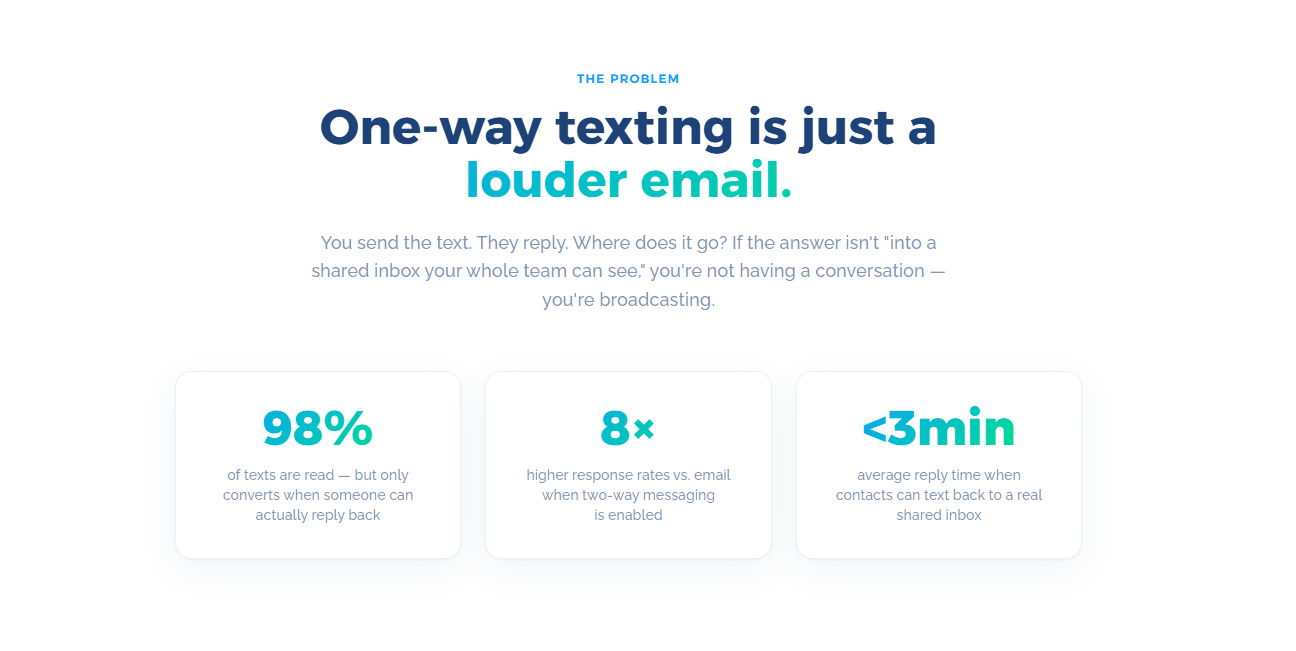
Texting supports timely communication, boosts engagement, and gives customers an easy way to reply from their mobile phones.
Customer preferences still matter. Therefore, your multi-channel support should reflect their preferred communication channels.
Rank Automation Opportunities
Message volume, staff effort, customer impact, data quality, risk, setup work, and revenue potential can determine which opportunities deserve priority.
Relevant key performance indicators should also be defined before launch.
Response time, appointment attendance, conversion rate, reply rate, and staff hours saved can provide valuable insights into which workflows deserve further investment.
How SMS Automation Improves Customer Communication
Customers may overlook an email or miss a phone call during a busy day. Texting works well for short text messages that need attention, action, or a timely reply.
SMS automation uses triggers, customer data, and scheduled workflows. Instead of writing every text by hand, the texting software handles routine updates and follow-ups based on a customer action or set schedule.
This approach also makes two-way communication easier. Customers can confirm an appointment, ask a question, request another time, or continue the conversation from their phones.
Automation also reduces the repetitive tasks involved in sending reminders and confirmations one at a time.
Staff can focus on sales conversations, complaints, and support cases that need more attention, while replies and message history stay connected across ongoing customer interactions.
Key features to look for include scheduled messages, two-way replies, reusable templates, automated sequences, keyword responses, reporting, and system integration.
TextUs is a two-way texting platform built to bring these workflows into one system without requiring extensive technical expertise.

Its automation features include scheduled and recurring texts, drip campaigns, keyword-triggered responses, and system integrations that pull data from connected platforms.
TextUs also offers Message Quality Indicator scoring and AI-supported suggestions. These tools review message content for risky wording, formatting, and other patterns that may affect SMS delivery or compliance.
Automate Customer Service While Keeping the Human Touch With TextUs
Automation should make personal service easier rather than replacing it.
TextUs helps turn new opt-ins into active conversations through QR codes, SMS keywords, automated responses, and structured follow-up paths.
Keyword QR codes make it easier for contacts to join your list or request information, while keyword auto-responses provide an instant reply and guide the contact toward the next step.
TextUs also supports custom SMS sequences and scheduled messages that keep outreach moving after the first interaction.
You can build a series of conversational texts that nurture interest over time, plan future messages, and create a more consistent path from initial contact to conversion.
AI-powered Smart Messaging flags high-risk content and suggests rewrites that reduce compliance concerns without losing your brand voice.
Smart Delivery also tracks opt-out thresholds in real time and can pause campaigns before they increase the risk of carrier blocking.

Book a demo with TextUs today to see how automated texting can support every stage of your outreach!
Continue Reading



Frequently Asked Questions
What's the difference between CCM and CRM?
Customer communication management (CCM) coordinates how your company creates, delivers, stores, and manages messages across channels.
Customer Relationship Management (CRM) software stores customer data and tracks sales, service, and relationship activity. CCM uses that information to shape the communications customers receive.
What is an example of automation in communication?
An appointment reminder is a simple example of automated customer communication.
A booking triggers a confirmation text, followed by a reminder before the appointment. Conditional logic determines what happens next if the customer confirms, cancels, or requests a new time.
What is the best CX software?
The best CX software for you depends on the experience you need to manage.
For example, Zendesk focuses on customer service, while Qualtrics specializes in feedback and experience insights.
Business Texting
Built for Results
Create and convert pipeline at scale through industry leading SMS software