
Enterprise SMS Gateway: The Tool Behind Reliable Messaging
Learn how an enterprise SMS gateway works and how you can set one up. Discover how TextUs can help you with real-time enterprise texting.

Written by
Adam Hamdan
Published
June 22, 2026

Many teams reach a point where emails feel slow, calls take too much time, and customer updates need to be addressed right away.
As your customer base grows, so does the need for consistent outreach. You may need higher message limits or smoother ways to support large teams.
The right gateway can act as a growth engine to help your team stay ahead without adding more steps to an already packed workday.
In this article, we will explore how an enterprise short message service (SMS) gateway works and how you can set one up for your business. You'll also learn how an enterprise texting solution provides your team with a fast and dependable way to communicate.
TL;DR
- An enterprise SMS gateway is a high-volume texting system that enables businesses to send fast, reliable messages across teams, customers, and platforms.
- It provides stable delivery for alerts, reminders, login codes, SMS marketing messages, and two-way conversations, even during peak traffic.
- Gateways work by routing messages from your software to carriers through APIs, allowing seamless integration with other enterprise automation tools.
- Setting up a gateway involves choosing a provider, securing a sender ID, integrating via API or built-in connections, testing deliverability, and monitoring performance.
- TextUs is an SMS solution that simplifies high-volume texting with shared inboxes, automation, CRM integrations, and strong delivery performance for large teams.
What Is Enterprise SMS?
Enterprise SMS is a large-scale texting system that supports message delivery across multiple teams, tools, and customer groups within an organization.
This setup supports both inbound and outbound traffic, allows your teams to handle replies in real time, and maintains stable message flow even during peak hours.
How an Enterprise SMS Gateway Works
If your business depends on high-volume messaging, reminders, one-time codes, or customer updates, an SMS gateway keeps your enterprise communication steady.
It follows a direct chain. This makes it easy for you to integrate texting into your existing systems. Here's a quick breakdown of how it works:
- Your system sends message data into the gateway through an API
- The gateway checks the format, sender ID, and routing path
- Carriers send SMS messages through the mobile network
- Phones receive messages within moments
Most companies choose between two common methods: REST API and the Short Message Peer-to-Peer (SMPP) protocol. Both routes let you add texting into your existing tech stack.
REST API is the method most businesses choose because it is easy to work with and does not require heavy tech work. Your developers can set it up fast since the structure uses simple web requests.
SMPP is a stronger, faster method that supports extremely high message speeds. If you send large volumes of traffic, it can push thousands of messages per second.
However, your developers may need more time to set it up because it uses a long-standing telecom protocol.
Use Cases of SMS Gateway in an Enterprise Environment
An enterprise SMS gateway supports many daily tasks inside a large organization. Below are the main use cases of the SMS gateway in business applications.
Internal Team Communication
Large companies run teams across many sites, so internal communication needs to be fast. Email can be slow for urgent updates, especially when staff depend on mobile devices during busy workdays.
An enterprise marketing text lets you reach staff instantly for shift changes, schedule notes, safety updates, short reminders, or HR messages. This is useful for modern enterprises with a geographically dispersed audience that needs fast updates.
Customer Alerts and Service Updates
When you need to send messages daily, SMS offers one of the most reliable methods.
You can use an SMS gateway to send alerts, payment reminders, policy notes, or outage messages. It lets you connect to your CRM, billing system, support platform, or internal tools.
These updates support stronger engagement because they keep people informed during key moments in the customer journey.
Login Codes and Security Messages
Many businesses use text-based codes to protect customer accounts. A secure enterprise messaging gateway provides the speed needed for this application-to-person (A2P) flow.
One-time codes and security alerts arrive almost at once, even when traffic increases.
Slow delivery can frustrate mobile users during login. A gateway keeps the process smooth so your customers can complete secure actions and ensure compliance with texting laws.
Appointment Scheduling and Reminders
Companies that run on bookings lose time and money when customers miss appointments. An enterprise SMS gateway lets you send appointment reminders, confirmations, and follow-up notes.
Since scheduled messages reach people sooner than email, your customers stay informed about upcoming visits.
It also cuts down on manual tasks for your staff who would otherwise place calls or send emails one by one.
Order Tracking and Delivery Information
If you work in online retail or shipping, you know customers check order status often. SMS text messages provide quick answers, so you do not need to call your dedicated support line.
You can send personalized communication about alerts, order confirmations, shipping updates, or pickup codes through your SMS gateway.
This improves the customer experience and keeps your operation in sync during busy seasons.
Sales and Support Messaging
Sales and support teams depend on fast contact. Sales messages can reach leads and customers on a mobile phone when calls or emails go unanswered.
With an enterprise SMS gateway, your teams can send meeting confirmations, follow-up notes, service updates, or quick replies during support cases.
Emergency Notifications
Time-sensitive messages call for instant outreach. When your business faces a safety issue, outage, or urgent change, you need to reach people fast.
An enterprise SMS gateway sends mass alerts that warn staff, customers, or partners when time-sensitive problems appear.
Marketing Campaigns
Marketing teams gain a strong edge when using SMS marketing for outreach. You can run product marketing messages, limited-time offers, and seasonal marketing campaigns through your gateway.
Since delivery is fast, you can track responses within minutes, review detailed analytics, and adjust your approach in real time.
How to Set Up an Enterprise Messaging Gateway
Below is a quick walkthrough to help you set up the gateway for long-term use.
Step #1: Choose Your SMS Gateway Provider
If you need to send high volumes of messages, the provider you choose should offer more than basic API access.
A basic gateway may send messages. But an enterprise-ready provider should also support team collaboration, contact management, campaign control, and reporting.
TextUs is the best enterprise messaging platform that gives you gateway power without the heavy setup.
It combines high message capacity with key features for sending bulk notifications, appointment reminders, or marketing campaigns.
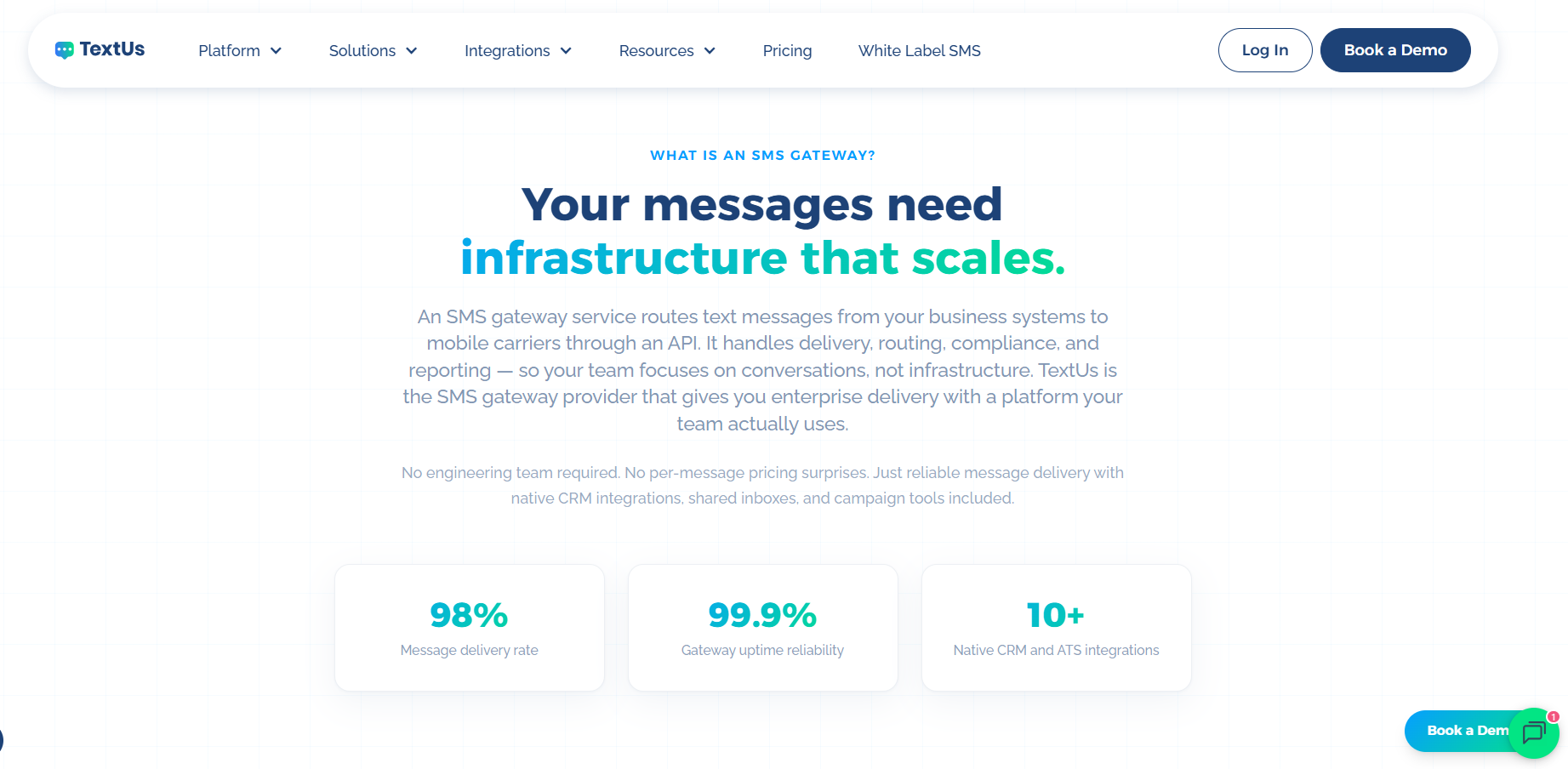
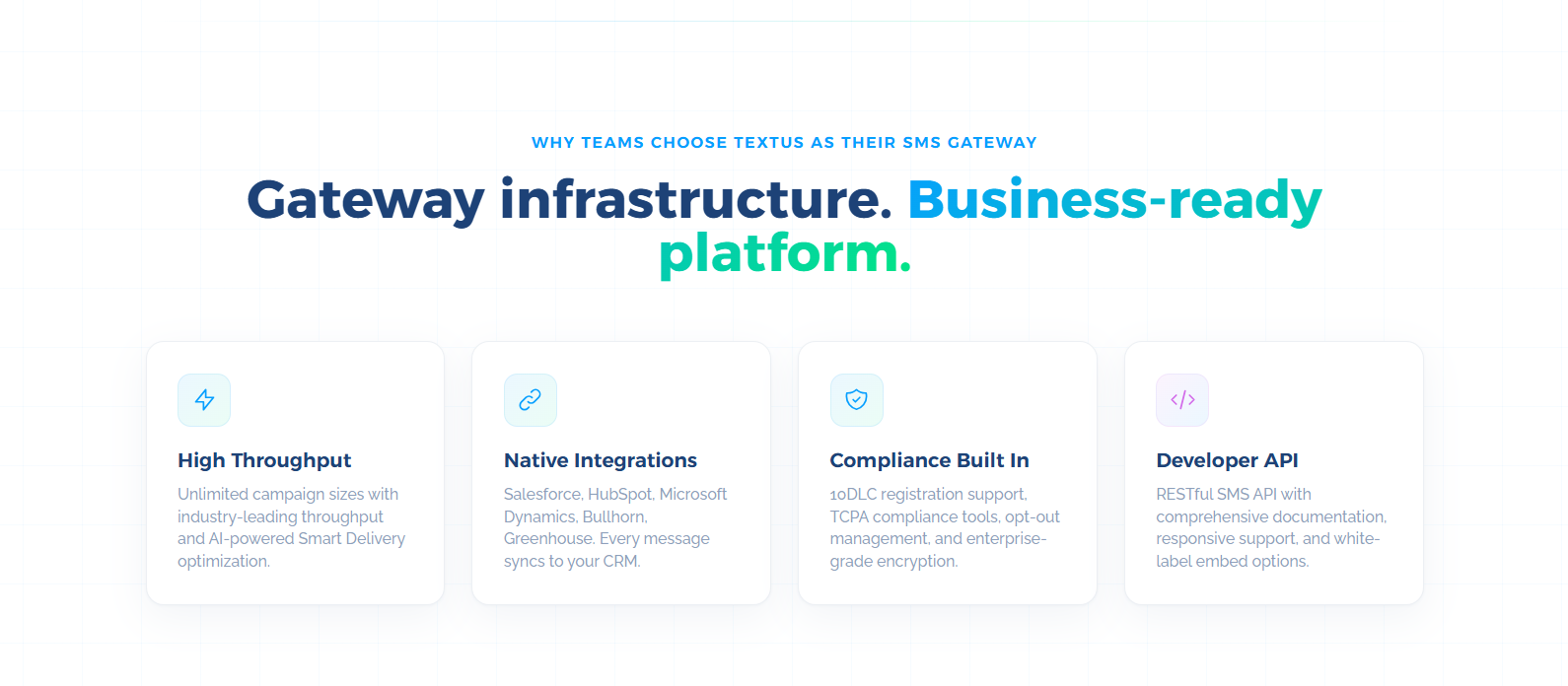
Developers get a RESTful SMS API with complete documentation and support. Teams also get shared inboxes, campaign tools, automation, analytics, and CRM or ATS integrations.
This SMS service supports bulk SMS campaigns and MMS messages while also giving you a shared inbox that your teams can use together.
Native CRM and ATS integrations also reduce platform switching. Teams can keep two-way SMS communication tied to existing customer, candidate, or contact records.
TextUs also includes 10DLC registration support, TCPA compliance tools, role-based access, audit trails, and enterprise-grade SMS encryption.
Book a demo with TextUs today and see how simple high-volume texting can be for your business!
Step #2: Get Your Sender ID
Your sender ID is the number or name your customers see when they receive text messages.
There are three common types of sender IDs you can choose from. Each one fits a different use case, message volume, and type of customer engagement.
- Long-code numbers: A ten-digit long code (10DLC) works well for two-way messaging with customers and gives your outreach a more personal look.
- Toll-free numbers: Ideal for service-based communication. If your company runs a support center, a call line, or a team that handles frequent inbound questions, it can help customers feel more comfortable.
- Short codes: A five- or six-digit number used when you need to send large message blasts in a short time frame. They are also known for reliable delivery and high message limits, which makes them a top choice for alerts, login codes, and major announcements.
TextUs guides you through the steps needed to request and activate the number type you pick. Their team helps you understand the registration process, carrier rules, and any approval steps linked to that sender ID.
Step #3: Connect Your System Using APIs or Integrations
An enterprise SMS gateway should connect with the business systems your team already uses.
TextUs integrates with Salesforce, HubSpot, Microsoft Dynamics, and other CRM, ATS, and HRIS platforms.
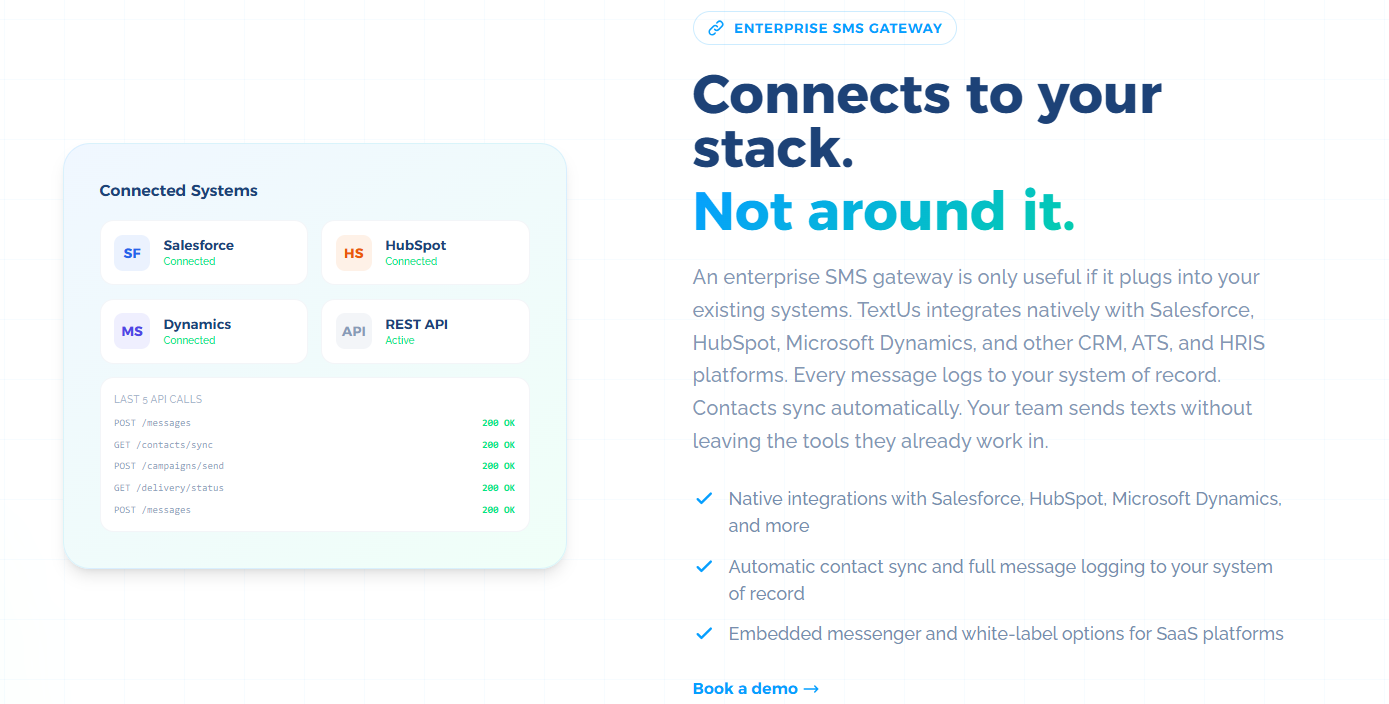
Once connected, contacts can sync between communication platforms. Every message can also log back to your system of record, so conversations stay tied to each contact, lead, candidate, or customer profile.
Your team can send texts without leaving the tools they use each day. That makes it easier to manage follow-ups, replies, and campaign activity without a full custom build.
TextUs also offers SMS API access, embedded messenger options, and white-label support for SaaS platforms. You can use native integrations for faster setup or APIs for more control.
Step #4: Test Deliverability and Throughput
Start by sending test messages to numbers on different carriers and in different regions.
This helps you see how your messages move across your customer base and how your setup handles global SMS traffic.
TextUs routes messages through direct carrier connections and uses Smart Delivery to support high-throughput sending.
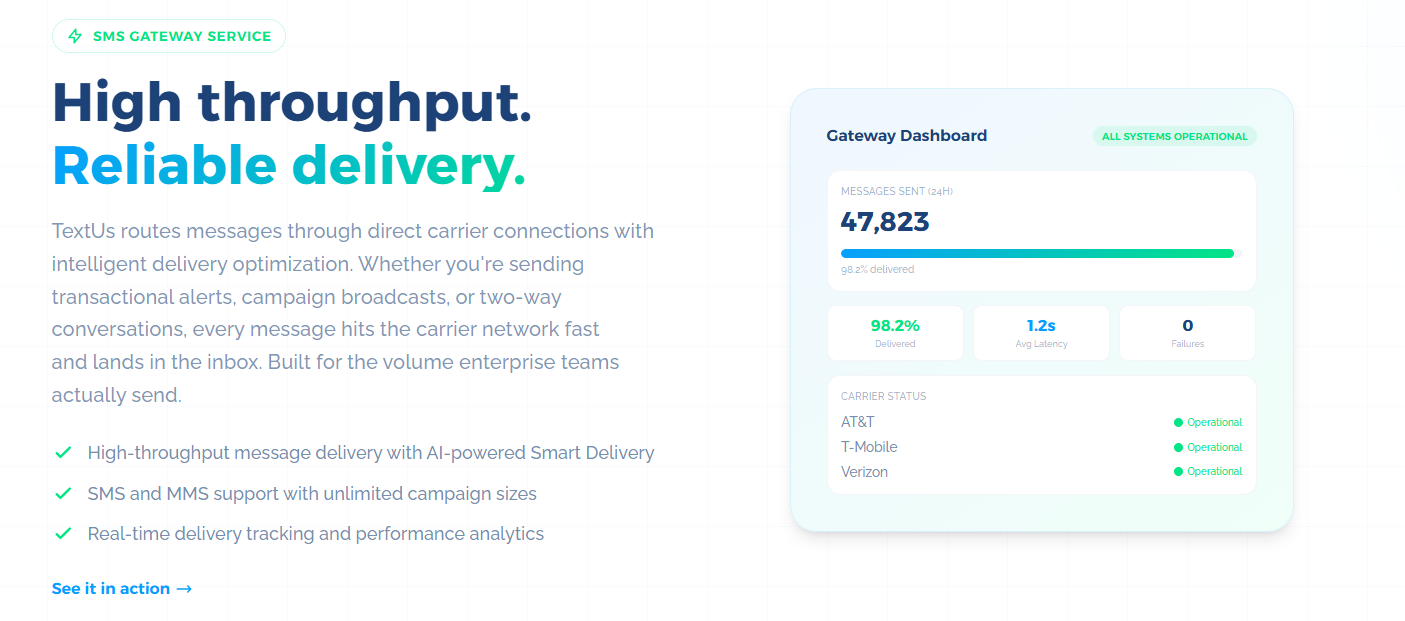
During this stage, watch for message arrival time and track delivery status or formatting issues. If a carrier shows slow results, you can adjust your routing or message style before launch.
Throughput testing also shows how many messages your gateway can send in a short time. Begin with small batches and increase the volume until it matches what your business sends during busy hours.
You want to observe the speed at which large batches move, how the queue reacts as traffic increases, and how your system handles short periods of heavy load.
Step #5: Monitor Reports and Optimize
Once your SMS gateway is live, you need to watch real-time analytics. This step helps you see what needs adjustment and how your message flow behaves over time.
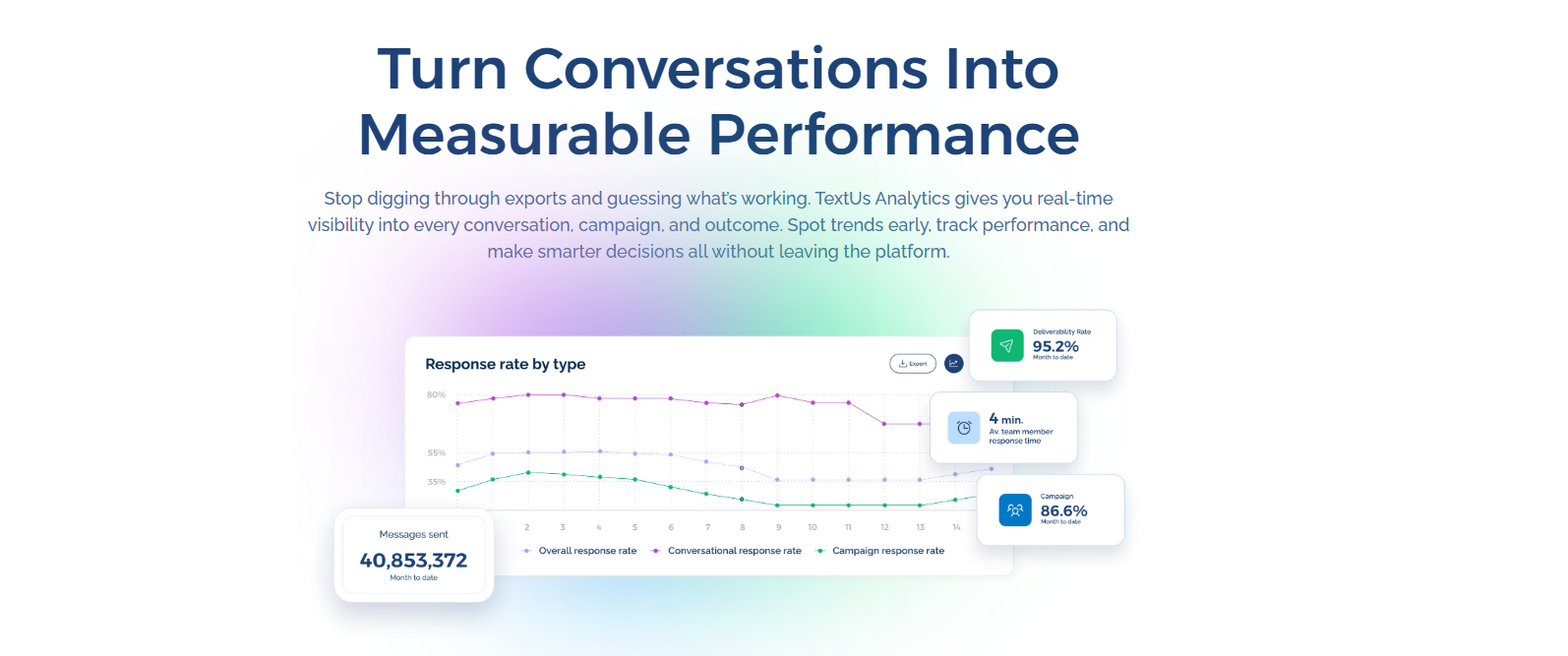
Your delivery reports show how many messages reached phone numbers, how many failed, and how long each path took.
When you review them regularly, you can identify patterns such as slow routes, blocked content, or timing issues. If your messages invite replies or clicks, your gateway data can show how customers respond.
You can track message success rates, link clicks, delivery rates, and follow-up patterns while using customer data to adjust templates with dynamic variables.
Explore the Power of Real-Time Enterprise Texting With TextUs
TextUs offers a user-friendly interface and powerful SMS features, making it a gateway platform without the stress of a complex setup.
You get business messaging tools that match the real pace of your day and help your staff reach customers at the right moment.
With TextUs, you get stable delivery, security controls, opt-out management, reporting, and workflows that make texting easy for non-technical users.
Sales, support, and service groups can send and receive SMS messages programmatically. It's easier to track replies, use shared inboxes, and follow simple templates that keep your outreach organized.
With advanced reporting, message logs, consent management, and seamless integrations, you gain a business texting setup that enables direct, immediate communication.
Book a demo with TextUs today and see how it can reshape the way your teams handle modern business communication!
Continue Reading



Frequently Asked Questions
What is an SMS gateway?
An SMS gateway connects business systems to carrier networks so texts can reach customers' mobile devices. It supports alerts, reminders, campaigns, incoming messages, and message tracking.
What can you do with an enterprise text messaging platform?
Enterprise messaging apps can support sales outreach, support replies, appointment reminders, alerts, campaigns, and customer feedback requests. It provides a structured way to manage SMS without losing track of replies.
How much does an SMS gateway cost?
SMS gateway pricing depends on message volume, sender ID type, carrier fees, features, support needs, and whether you need international messaging.
Costs may also change when messages are sent around the world, since country and carrier rules can vary.
Business Texting
Built for Results
Create and convert pipeline at scale through industry leading SMS software