
How to Improve Engagement With SMS Keywords
Learn how SMS keywords work, see 40 examples, and use TextUs to build multi-step opt-in flows that turn inbound interest into conversations.

Written by
Adam Hamdan
Published
October 30, 2026

When interest is high, a long form or extra click can slow the conversation down. SMS keywords shorten that path by letting customers respond with a simple word tied to a specific action.
The right SMS keyword helps route each response toward the information, offer, or workflow that matches the person’s intent.
In this guide, you’ll learn how SMS keywords work, common use cases, and how they fit into different campaign workflows.
You’ll also find best practices and ways to build a keyword automation flow that supports faster responses and better customer engagement.
TL;DR
- SMS keywords trigger predefined actions from a simple text response, which makes it easier to identify intent and move contacts into the right follow-up flow.
- SMS keywords support subscriber growth, customer service, promotions, polls, events, alerts, and appointment communication.
- The 40 SMS keyword examples below cover text-to-join, lead generation, recruiting, promotions, event registration, customer service, appointment scheduling, and surveys or preference collection.
- An SMS keyword automation flow starts with a trigger, collects key details, routes responses, updates contact records, adds human support when needed, and tracks completions.
- Effective SMS keywords use simple wording, avoid typing issues, support a clear response flow, and promote with proper consent details.
- TextUs supports multi-step keyword flows, QR code opt-ins, segmentation, and follow-up workflows that turn keyword responses into organized conversations.
What Is an SMS Keyword?
An SMS keyword is a word or short phrase that customers text to a business number to trigger a preset action. Common examples include JOIN, JOBS, DEMO, INFO, and HOURS.
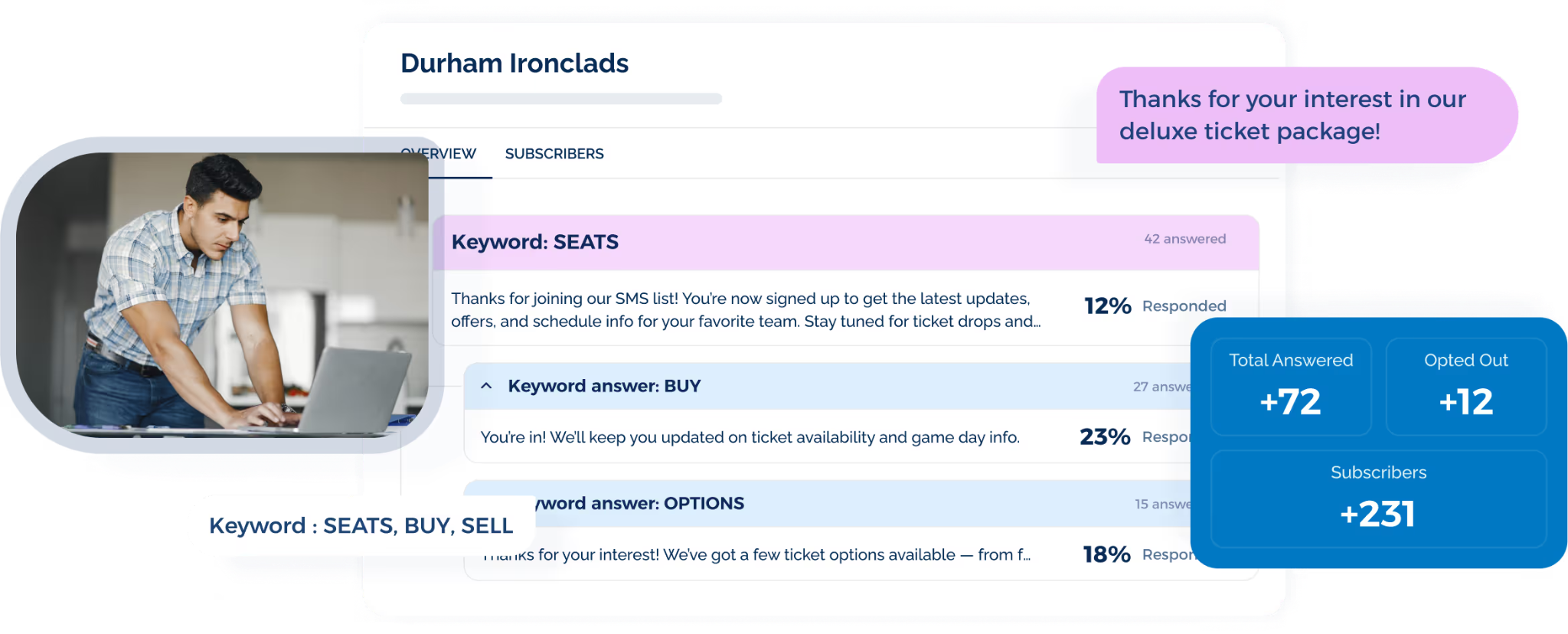
When a customer sends the specific word in an SMS campaign, the texting platform recognizes it and starts the assigned workflow.
That may include an automated message, a link, a sign-up confirmation, or the next question in a conversation.
The benefits of using SMS keywords include faster engagement, better insight into customer intent, and more organized follow-up.
Depending on your texting software and setup, keywords may work with short codes, toll-free numbers, or long codes.
Use Cases of SMS Keywords
SMS keywords can support different campaigns by connecting each inbound response with a specific action or information flow. Here are several common ways you can use them to boost engagement:
- Grow an SMS subscriber list: Newsletter signups, contact list growth, and future text updates
- Answer common inquiries: Business hours, locations, policies, service details, and repeated inquiries
- Promote offers and upcoming events: Discounts, product launches, loyalty offers, and event promotions
- Create polls and gauge customer interest: Quick surveys, preference checks, and customer feedback
- Support event registration and donations: Signups, ticket details, schedules, venue information, and fundraising
- Send alerts and notifications: Service changes, product availability, company news, and time-sensitive updates
- Manage appointment communication: Reminders, confirmations, rescheduling, and fewer missed appointments
40 SMS Keyword Examples You Can Use
The best keyword depends on what you want someone to do after they text your phone number. Here are the following examples of SMS keywords based on real-world use cases.
Text-to-Join Keywords
Text-to-join campaigns allow people to subscribe to an SMS program by sending a simple word.
These opt-in keywords start the signup process. A confirmation then explains which text messages subscribers will receive, how often they will receive updates, and how to opt out.
- JOIN
- START
- SUBSCRIBE
- UPDATES
- ALERTS
Lead Generation and Sales Keywords
Sales teams use SMS keywords to capture interest from prospects who want pricing, product details, or a conversation with a representative.
- DEMO
- INFO
- PRICE
- QUOTE
- CONSULT
Recruiting and Staffing Keywords
Recruiting and staffing agencies use SMS keywords to capture candidate interest, share job information, and guide applicants toward relevant opportunities.
- JOBS
- APPLY
- WORK
- SHIFTS
- NURSE
Marketing and Promotion Keywords
Many businesses use keywords in their SMS marketing campaigns, such as promotions, product launches, limited-time offers, and other announcements.
- DEAL
- SALE
- SAVE
- OFFER
- VIP
Event and Registration Keywords
Event-focused SMS keywords allow attendees to access registration details, schedules, ticket information, and venue updates.
- EVENT
- RSVP
- WEBINAR
- EXPO
- SEATS
Customer Service and Information Keywords
Customer service keywords help people find support, business details, or account information without waiting for a representative.
- HELP
- HOURS
- STATUS
- SUPPORT
- DETAILS
Appointment and Scheduling Keywords
Appointment keywords support booking, rescheduling, and appointment reminders through text. It also reduces no-shows by making it easier for customers to respond before a scheduled visit.
- BOOK
- APPT
- CONFIRM
- RESCHEDULE
- REMIND
Surveys, Polls, and Preference Keywords
Survey and preference keywords collect quick opinions, interests, or choices. A text survey can capture simple responses without sending customers to a separate form.
- YES
- NO
- VOTE
- RATE
- FEEDBACK
How to Build an SMS Keyword Automation Flow
An SMS keyword automation flow shapes what happens after the first inbound text.
Here are the key steps for building a sequence that keeps responses organized and improves your marketing strategy:
Define the Starting Trigger
The starting trigger is the action that launches the automation. In most cases, it begins when a contact sends the right keyword to your business number.
That first message should connect to a defined workflow, such as adding the contact to a segment, sending information, or routing the conversation to the appropriate team.
Decide What Information to Collect
Each step should capture only the details needed to move the conversation forward. Depending on the workflow, that may include location, service interest, role preference, availability, or purchase intent.
A shorter exchange keeps the process focused and prevents the user from answering unnecessary questions.
Create Branches Based on Responses
Different answers can send contacts into separate paths based on interest, location, role, or another selection. Specific keywords help each branch match the response someone provides.
For example, a recruiting flow might separate candidates by department, while a sales flow routes prospects by product interest.
Connect Opt-in Keywords to Contact Records
Keyword responses are more valuable when the information stays attached to the contact record. Details such as interests, preferences, and conversation history support future follow-up.
Automation reduces manual responses, while connected records help sales, recruiting, and customer support teams understand the context before joining the conversation.
Set Rules for Human Handoffs
SMS automation should handle routine steps, while complex or high-intent conversations move to a person.
Common escalation points include detailed questions, qualified leads, scheduling issues, and customer support requests.
Specific handoff rules also prevent contacts from getting stuck in a flow that no longer matches what they need.
Add Exit and Fallback Paths
Not every contact will follow the expected sequence. Exit rules allow people to leave the flow when their intent changes, while fallback paths handle unrecognized replies or incomplete responses.
A fallback can offer a simple correction, repeat the available options, or route the conversation to a person when automation no longer fits.
Track How Contacts Move Through the Flow
You need to review where contacts continue, drop off, or complete the intended action. These patterns show which parts of the automation keep people engaged and where the sequence needs adjustment.
Completion rates, response activity, and conversions also reveal how different paths perform with your audience.
Best Practices for Creating SMS Keywords
SMS keyword campaigns should be easy to understand and remember. Here are some best practices to follow when setting up keywords for business texting.
Keep Your Keyword Simple
A short, familiar keyword is easier to type and promote. One word usually works better than a longer word or phrase because there is less room for confusion.
Simple wording also lowers the chance of spelling mistakes when someone sees the keyword in an ad, sign, or message and types it later.
Avoid Special Characters
Symbols such as &, $, and * make SMS keywords more difficult to recall and type correctly. Simple letter-based terms reduce input mistakes and feel more natural on mobile devices.
Plain wording also keeps the keyword easy to read on ads, signage, landing pages, and email campaigns.
Make Your Keyword Memorable
A recognizable keyword can prompt more people to text it. You can tie the keyword to your brand, campaign, or use common terms.
For example, JOIN suits subscriber signups, while REWARDS fits a loyalty program. Familiar wording also supports a more tailored experience by setting a clear expectation for what comes next.
Plan for Autocorrect and Mistypes
As with all forms of customer communication, people may mistype a keyword or have it changed by autocorrect.
To avoid losing a potential subscriber, test your keyword on multiple mobile devices and create additional keywords for any potential autocorrects or mistypes.
Determine Your Automation Flow
Multiple keywords support longer conversations when you need to collect more information or separate contacts by interest.
Automated replies can introduce the next question, provide information, or direct someone toward another action.
- Initial response: Thanks for your interest. Reply DEMO to schedule a live demo.
- Potential multi-step flow: INFO → DEMO → SCHEDULE
Each response message should make the next action easy to understand. Similar flows may also support use cases such as lead qualification, event signups, or appointment confirmations.
Promote Your Keywords
Wider exposure allows more people to see and use your keyword. Suitable placements include digital and print ads, website landing pages, signage, social media posts, and other marketing materials.
You also need accurate consent language and opt-out information where required to help you stay compliant with SMS marketing rules.
TextUs Turns SMS Keywords Into Smarter Conversations
Keywords can do much more than capture an initial response. They can help you understand intent, collect useful details, and guide each contact toward the right follow-up.
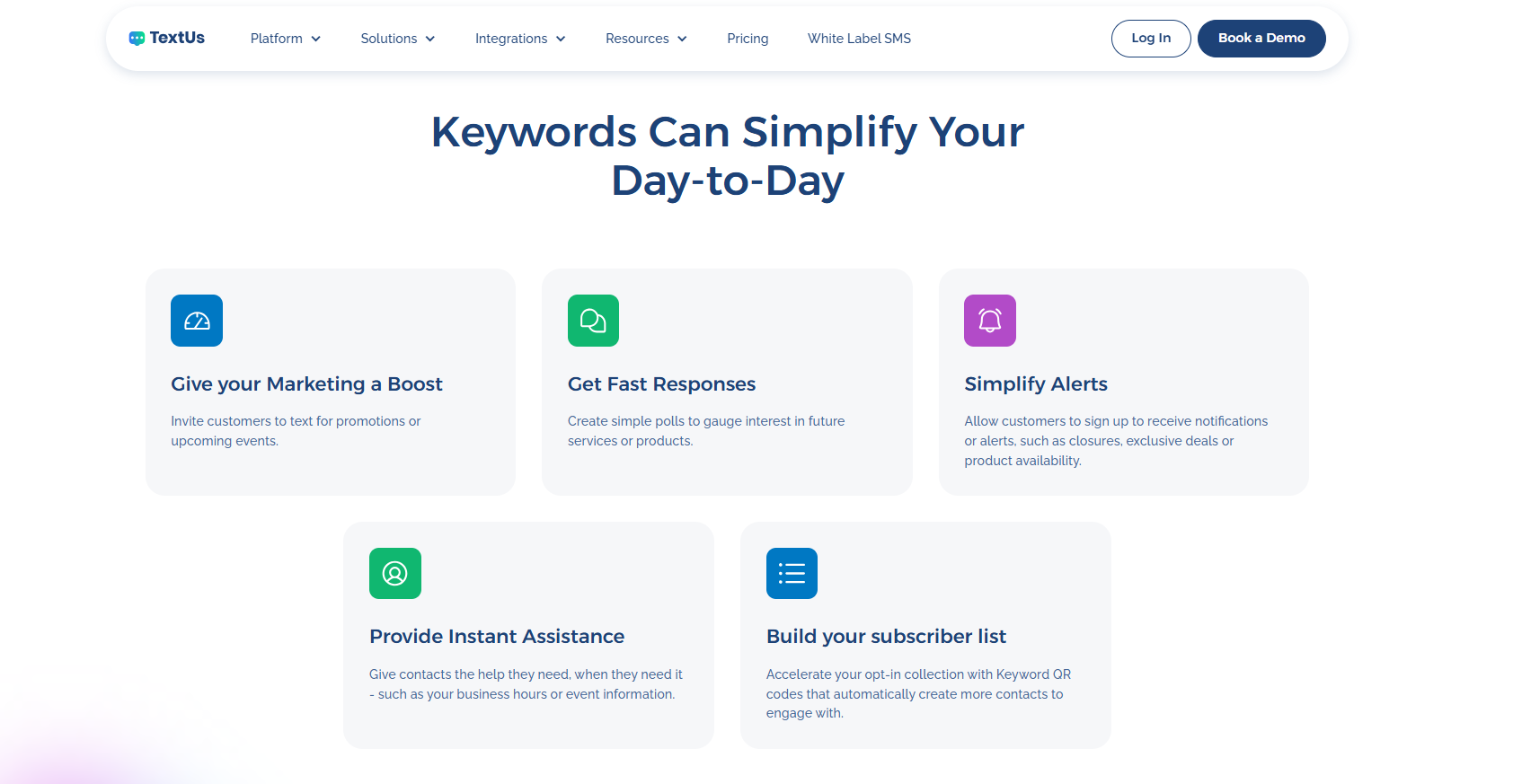
TextUs supports multi-step flows that change based on what each contact sends back. Unique keywords can separate interests, qualify leads, collect preferences, or move people into different opt-in flows.
Each response adds more context, so future SMS messages reflect what the contact already shared instead of sending everyone through the same sequence.
TextUs also offers keyword QR codes that help cut down the steps between interest and subscription. A quick scan opens a pre-filled text, so the contact only needs to send it.
You can place them on flyers, posters, landing pages, event signage, and other campaign materials to bring more people into your SMS audience.
See How TextUs Helps You Leverage SMS Keywords
When someone texts a keyword, they are already showing intent. The real opportunity starts with how your team responds to that interest.
TextUs keeps keyword conversations organized and visible, so teams can act while the contact is still engaged.
Shared inboxes, assignments, segmentation, campaigns, and CRM or ATS integrations connect keyword activity with your broader marketing efforts.
Reporting also shows which conversations generate responses, appointments, applications, or other meaningful outcomes.
TextUs turns business texting into a repeatable communication channel for sales, recruiting, staffing, and customer-facing teams.
Book a demo with TextUs today to see how it drives engagement and supports faster action from every keyword response!
FAQs About SMS Keywords
What are the different types of SMS codes?
Common SMS codes include short codes, long codes, and toll-free numbers. You can choose among them based on your message volume, use case, location, and carrier requirements.
What are keywords in a text?
SMS keywords are predefined words that trigger a certain action when someone sends them to a business number.
They may start automatic replies, subscribe someone to updates, launch a workflow, or route the conversation based on intent.
What are the four types of keywords?
Four common SMS keyword categories include opt-in, promotional, informational, and action-based keywords. They can grow an opt-in list, promote offers, answer common inquiries, or request donations.
How to search for keywords in SMS?
SMS marketing platforms with keyword reporting allow you to review which terms people send and how each one performs.
Tracking keyword performance reveals response volume, conversions, drop-off points, and other common pitfalls that affect campaign results.
Continue Reading



Frequently Asked Questions
Business Texting
Built for Results
Create and convert pipeline at scale through industry leading SMS software