
Sending Mass Text Messages: How to Reach Thousands at Once
Explore the steps for sending mass text messages and mass text messaging use cases. Discover how TextUs can help you send in bulk.

Written by
Adam Hamdan
Published
November 20, 2026

When you need to share important updates, promote offers, or follow up with contacts, sending individual texts isn't practical.
Sending mass text messages allows you to reach large contact lists through a single campaign using short message service (SMS).
However, mass texting involves more than selecting contacts and pressing send. You need recipient consent, suitable messaging tools, and a plan to manage responses and follow-ups.
In this article, you'll learn how to send mass text messages, explore common business use cases, and discover best practices for improving your campaigns.
TL;DR
- To send mass text messages, you need to choose a business texting platform, register your number, build a consent-based contact list, personalize your messages, and schedule or launch your campaign.
- Mass text messaging supports promotional offers, lead follow-ups, appointment reminders, recruitment, event updates, customer notifications, employee communication, feedback surveys, and re-engagement campaigns.
- For better mass texting results, choose appropriate sending times, include a clear CTA, limit follow-ups, avoid spam triggers, test messages before launch, and review campaign performance.
- TextUs is the best bulk SMS service if you need personalized mass texting, automated campaigns, two-way conversations, and CRM integrations.
How to Send Mass Text Messages in 5 Ways
Bulk text messaging requires proper setup to reach your contacts and manage responses. Here are the steps to launch your first mass texting campaign.
Step #1: Choose the Right Mass Texting Service
A personal messaging app may be enough for a few contacts, but larger campaigns require more control.
Dedicated bulk SMS software offers the key features that standard texting apps lack. This includes contact segmentation, automated follow-ups, two-way communication, and campaign reporting.
TextUs takes bulk SMS beyond sending the same text to hundreds of people. Its campaign features let you reach large contact lists while keeping each conversation personalized and one-on-one.
Here's what you get with this SMS platform:
- Bulk SMS and MMS messages: Reach hundreds or thousands of contacts through a single campaign, with each recipient receiving a separate message
- Targeted contact groups: Organize contacts into groups and send campaigns based on their interests, qualifications, or previous interactions
- Personalized messages: Add recipient names and other contact details through merge fields to make mass texts feel more personal
- Scheduled and automated campaigns: Plan one-time or recurring campaigns and use automated Sequences to follow up with contacts
- Two-way conversations: Receive replies in a shared inbox, assign conversations to team members, and respond to interested contacts
- Campaign analytics: Track delivery and response rates, with A/B testing and additional performance insights available through Campaigns Pro
TextUs also integrates with CRM and ATS platforms, so your existing contact information supports targeted campaigns without constant data transfers.
From the initial text to the follow-up conversation, TextUs provides the tools to reach more contacts and turn their responses into meaningful business opportunities.
Book a demo with TextUs today to explore its bulk messaging capabilities!
Step #2: Set Up and Register Your Texting Number
The number type you choose affects your sending capacity, registration requirements, and message delivery. There are three common options:
- Local ten-digit numbers: Standard phone numbers with local area codes, suitable for recruiting, sales, and customer communication
- Toll-free numbers: Numbers with prefixes such as 800 or 888, suitable for businesses that communicate with customers nationwide
- Short codes: Five- or six-digit numbers designed for high-volume SMS marketing campaigns
However, local numbers require A2P 10DLC registration, toll-free numbers require verification, and short codes need carrier approval. Without proper registration, your messages risk being filtered or blocked.
While most mass texting platforms offer business texting numbers, not all provide hands-on registration assistance.
TextUs makes this process less complicated. Rather than leaving you to navigate carrier requirements on your own, it guides you through registration.
The platform submits your 10DLC application to The Campaign Registry and follows up if additional information is needed.
Approval timelines and sending limits vary by number type, carrier, and provider. With TextUs, you'll receive updates on your registration status and know when your number is ready for business texting.
Step #3: Build and Upload Your Contact List
Your mass texting list needs to include contacts who have agreed to receive messages from your business. Phone numbers can come from website signup forms, event registrations, or existing customer and candidate records with valid consent.
Once your list is ready, contacts can be uploaded through CSV files or synced from your customer relationship management (CRM) system.
Before launching a campaign, duplicate numbers, invalid contacts, and previous opt-outs need to be removed to avoid sending unwanted messages.
Contact segmentation also allows you to organize recipients by location, interests, customer status, or candidate qualifications. This way, each group receives messages that match their needs instead of sending the same information to everyone.
Consent records are just as important. Each contact's record needs to include when and how permission was obtained, along with the types of messages they agreed to receive.
Step #4: Write and Personalize Your Mass Text Message
Whether you're announcing an offer or sharing a job opportunity, recipients need to understand the purpose and what to do next.
Merge fields allow you to create personalized SMS campaigns by inserting recipient names, company details, or other contact information. This adds a personal touch without the need to write separate messages for every contact.
A standard SMS supports up to 160 characters, while emojis and certain special characters reduce that limit to 70. Longer texts are split into multiple segments, with each segment containing up to 153 standard characters or 67 Unicode characters.
Because SMS charges often depend on segments, longer messages may increase your costs. TextUs includes a message segment counter that displays the number of segments as you compose your text.
If your provider offers MMS support, images are another option for promotions. Clickable SMS URLs can also direct recipients to websites or registration forms.
Step #5: Schedule or Send Your Mass Text Campaign
Once your message is ready, a mass text messaging service like TextUs allows you to launch it immediately or schedule messages for a future send time.
With an app for mass texting, you can select your recipients, review the content, and set a specific date and time for delivery.
Scheduled campaigns are suitable for planned announcements, while recurring campaigns distribute the same message at set intervals, such as weekly updates or monthly notices.
For campaigns that require different follow-up messages, TextUs supports automated texts sent on specific dates or at set intervals. This allows you to plan a series of communications beyond the initial campaign.
Use Cases for Mass Text Messaging
Mass SMS marketing allows you to reach large groups of people with important updates, event reminders, and product announcements. Here are some common ways you can use mass text messages.
Promotional Offers and Sales Announcements
You can use SMS marketing to announce discounts, limited-time offers, and new product launches. These messages let you reach customers who opted in to receive promotional texts and encourage them to take advantage of your offers.
For example, you might send a discount code to customers who signed up for promotional messages.
Example: "Hi Sarah! Enjoy 20% off your next purchase this weekend. Use code SAVE20 at checkout: [link]. Reply STOP to opt out."
Lead Follow-Ups
After a prospect expresses interest in your products or services, bulk text messages provide a way to continue the conversation. Share additional information, answer questions, or invite prospects to schedule a consultation.
For example, prospects who attended your webinar can receive a follow-up text about the topic discussed or an invitation to book a demo.
Example: "Hi James, thanks for attending our demo! Do you have any questions about our services? Reply here, and we'd be happy to discuss them."
Appointment Reminders and Confirmations
Missed appointments affect schedules and leave valuable time slots unused. With message scheduling, reminders can reach your customers before their visits, complete with appointment dates and confirmation instructions.
Recipients can confirm their attendance or request another time without making phone calls.
Example: "Hi Maria, your appointment is scheduled for October 22 at 2 PM. Reply YES to confirm or RESCHEDULE if you need another time."
Recruiting and Job Opportunities
Recruiters and staffing agencies need to contact candidates about job openings, hiring events, and available shifts. Mass texting allows you to send one message to candidates who match your hiring requirements.
For urgent vacancies, a recruiting text message can notify qualified candidates in your database and invite them to express interest.
Example: "Hi Alex! We have warehouse positions available in Dallas starting next week. Interested in learning more? Reply YES for details."
Event Invitations and Updates
Whether you're hosting a webinar, conference, or recruitment event, mass SMS allows you to share invitations and event details with registered attendees.
Last-minute changes are another practical use. A mass text for a sports event notifies attendees of game delays, venue changes, weather cancellations, or updated match times.
Example: "Hi Chris! Tomorrow's basketball game has been moved to 4 PM at City Sports Arena. Check the updated schedule here: [link]. See you there!"
Customer Service Notifications
Order confirmations, shipping updates, and service notifications keep customers informed about their purchases and appointments. Through SMS messages, important details reach recipients without requiring them to check their email.
If your business supports two-way texting, customers can also reply to ask about deliveries, appointments, or other concerns.
Example: "Hi Taylor, your order #12345 is out for delivery today. Track your package here: [link]. Reply if you have any questions."
Employee and Workforce Communication
Workplace announcements need to reach employees wherever they work. Bulk texting provides a direct communication channel for shift changes, schedule updates, and important notices.
For urgent situations, emergency alerts can notify your workforce about office closures, severe weather, or workplace disruptions.
Example: "Team update: Due to severe weather, our office will be closed tomorrow. Please check your email for further instructions."
Customer Feedback and Surveys
Customer surveys provide insight into service quality and overall satisfaction. After a purchase, appointment, or service interaction, a short text can invite customers to rate their experience or complete a feedback form.
The responses can reveal areas where your business meets customer expectations and where improvements are needed.
Example: "Hi Jamie, thanks for choosing us! How was your recent experience? Rate your visit from 1 to 5, or share your feedback here: [link]."
Customer Re-Engagement Campaigns
Past customers who haven't purchased or booked an appointment for some time may still be interested in your offers. Bulk texts allow you to reconnect with opted-in contacts through product updates, special promotions, or invitations.
For example, a fitness studio might send monthly messages to opted-in inactive members about new classes or upcoming sessions.
Example: "Hi Sam! It's been a while since your last class. We'd love to see you again! Check out our upcoming sessions here: [link]."
Is Mass Texting Legal?
Yes. Mass texting is legal in the United States, provided your business follows applicable SMS compliance requirements and obtains the necessary consent.
The Telephone Consumer Protection Act (TCPA) regulates certain automated calls and texts, including promotional messages sent to consumers.
Before you send bulk text messages, it's important to understand that consent requirements depend on the purpose of your communication.
Covered automated marketing texts generally require prior express written consent, while informational or transactional messages may have different requirements.
Here are the main compliance rules to consider:
- Recipient consent: Appropriate permission for each message type, with records of when and how consent was obtained
- Opt-out management: Simple unsubscribe options, prompt processing of requests, and suppression of opted-out contacts
- Business identification: Recognizable sender information and required disclosures for promotional messages
- Contact restrictions: Compliance with applicable contact hours, do-not-call rules, and state regulations
A mass texting solution with consent tracking, opt-out management, and contact suppression features can support your compliance efforts. However, your business remains responsible for following the regulations that apply to its messaging activities.
Best Practices for Sending Mass Text Messages
Successful mass texting requires more than sending bulk messages to your contact list. Here are some best practices to improve your campaigns and encourage better engagement from recipients.
Send Bulk SMS Messages at the Right Time
The best time to send messages depends on your recipients' time zones, availability, and communication preferences.
Messages sent during business hours may get more attention than those delivered early in the morning or late at night.
Different sending times are also worth testing to identify when your audience is most responsive.
Include a Clear Call to Action (CTA)
A mass text needs a specific next step, whether that's confirming an appointment, visiting a link, or requesting more information.
SMS keywords allow recipients to respond with simple terms like "JOBS" for available positions or "DEMO" to request a consultation.
With TextUs, these responses can trigger automated replies or follow-up sequences. Customer support or sales staff can also address incoming messages from interested recipients.
Avoid Sending Too Many Messages
Too many promotional texts or reminders may frustrate recipients, even when they've agreed to receive updates.
SMS sequences and campaign scheduling allow you to space out follow-ups and maintain a consistent communication schedule. Messaging volume also affects campaign costs, especially under usage-based pricing models.
Customers' previous interactions and preferences also need consideration. Automated rules can stop additional messages when someone responds or opts out, which can reduce unnecessary follow-ups.
Check for Spam Triggers and Suspicious Links
Recipients need to recognize who's contacting them, so your business name should appear in the bulk SMS message.
Excessive capitalization, misleading offers, and repetitive promotional language also make texts look suspicious.
Recognizable website domains or branded short links are preferable to unfamiliar link shorteners. Suspicious URLs can reduce recipient trust and increase the risk of carrier filtering.
Test Your Mass Texts Before Launch
A test campaign sent to multiple contacts on different mobile devices allows you to review formatting, special characters, clickable links, and readability.
Merge fields also need careful review to confirm that names and other contact details appear as intended when you personalize messages.
TextUs offers a Message Quality Indicator (MQI) that flags spam-like language, profanity, and restricted content as you compose messages. This feature allows you to identify potential delivery issues and make adjustments before launching your campaign.
Review Your Campaign Performance Regularly
Campaign reports provide insight into delivery rates, response rates, conversions, and opt-out rates. These metrics reveal which messages encourage engagement and which lead recipients to unsubscribe.
If you use other marketing tools, comparing SMS results with your other channels can reveal which approaches generate more responses or conversions. These findings can guide adjustments to your future campaigns.
Send Personalized Mass Text Messages With TextUs
Reaching hundreds or thousands of contacts is one thing, but keeping conversations personal is another.
Without a dedicated mass text service, your team may struggle to organize replies, follow up with interested contacts, and manage multiple conversations at once.
Important responses may get overlooked, along with opportunities to connect with potential customers or candidates.
TextUs is the best mass texting service that makes texting more manageable. You can send marketing campaigns that reach targeted contact groups and merge fields that personalize each message.
Automated sequences handle follow-ups, while shared inboxes allow your team to manage responses and continue individual conversations. Its intuitive interface and integrations with Salesforce, HubSpot, and Bullhorn also support outreach through existing systems.
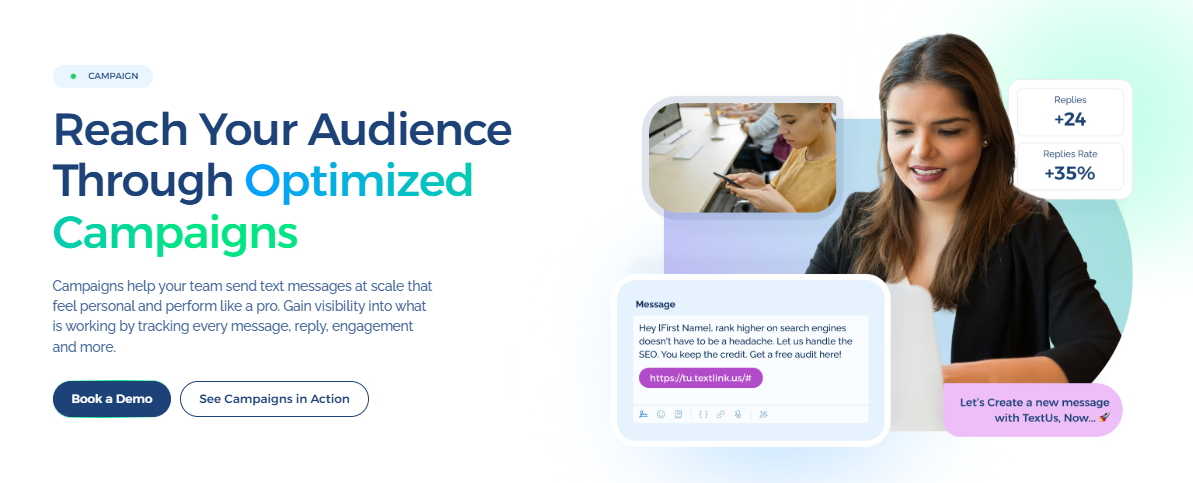
Whether you're recruiting, staffing, or driving sales, book a demo with TextUs today to see how its features can support your communication goals!
FAQs About Sending Mass Text Messages
How can I send 1,000 text messages at once?
A business mass texting platform allows you to upload 1,000 opted-in contacts and send individual texts through a single campaign. Actual delivery speed depends on your provider, sender type, and carrier limits.
How do I send text to more than 20 people?
A bulk SMS platform allows you to send messages to more than 20 recipients without relying on group texting. Each contact receives a separate message, which protects recipient privacy and supports individual conversations.
Is there a free app that can send mass texts?
Some mass texting services offer free trials or limited credits, but large-scale business messaging generally requires payment.
A dedicated SMS platform like TextUs offers more features for customer engagement, including automation, reporting, and opt-out management for future messages.
Is there a way to send a mass text on iMessage?
Apple's Messages app supports group messages, but it isn't designed for business mass texting. Group iMessage participants can see each other's replies, while bulk SMS software sends private messages to individual recipients.
Continue Reading



Frequently Asked Questions
Business Texting
Built for Results
Create and convert pipeline at scale through industry leading SMS software