
How a Clickable SMS URL Improves Text Message Performance
Learn how a clickable SMS URL can improve your text message performance. Discover how TextUs can help you send clickable URLs with your texts.

Written by
Adam Hamdan
Published
March 9, 2026

One simple link inside a business text message can turn a few words into real business action.
An SMS URL takes a short message and connects it to a product page, booking form, payment portal, or registration page.
Since text marketing is known for high open rates and fast responses, that single tap can move someone from interest to action in seconds.
In this article, we'll explain what an SMS URL is, how you can use it to generate revenue, and learn to optimize each link for higher engagement.
TL;DR
- An SMS URL is a clickable link sent inside a text message that directs recipients to a specific landing page, product page, booking form, payment portal, or registration page.
- You can use SMS URLs to promote sales, recover abandoned carts, book appointments, collect payments, launch products, generate leads, upsell customers, and fill event registrations.
- Shortened SMS URLs keep messages compact, improve readability, and create a faster path from text to action.
- A platform-based shortener provides branded links, built-in tracking, better message delivery, faster campaign setup, and centralized control over link performance.
- TextUs includes a native SMS URL shortener that lets your organization create branded, trackable links inside conversations, SMS campaigns, and templates.
What Is an SMS URL?
A regular HTML link is any webpage address, like:
https://yourcompany.com/sale
An SMS URL is a website link that you send inside a text message. When the user clicks the link on their mobile phone, it automatically opens in their default browser.
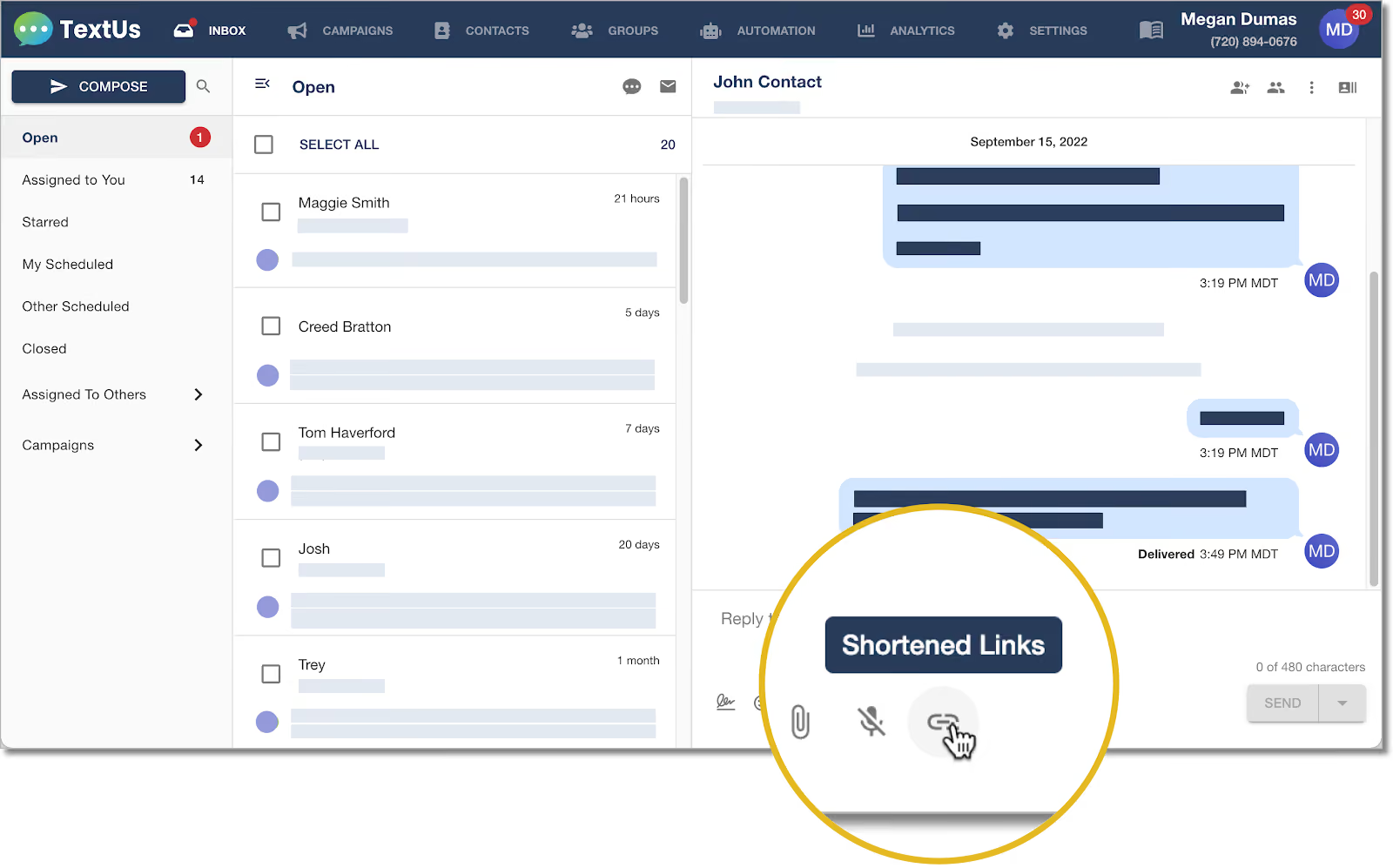
Many businesses shorten the link before sending it. A shorter link saves space in the message and looks cleaner, like:
yourco.link/sale
Many businesses also convert long links into a short URL before sending. Short HTML SMS links are easier to read and take up fewer characters in SMS.
How Businesses Use SMS URLs to Drive Revenue
An SMS URL turns a simple text message into a sales channel. Instead of sending plain text, you send a clickable path that leads straight to a buying action.
Here are the main ways businesses use SMS URLs to generate more sales.
Promote Limited Time Offers
Retail brands send a short message with a link to a sale page. The SMS URL takes the reader straight to the product or discount page.
Since sales text messages are opened quickly, the offer reaches customers fast. The shorter path from message to checkout increases the chance of purchase.
Example:
“Flash Sale: 20% off ends tonight. Shop here: yourco.link/sale.”
The link sends traffic to the sale collection page.
Recover Abandoned Carts
Many ecommerce stores send follow-up texts to customers who left items in their cart. The SMS URL brings them back to their saved cart page.
The message can include a reminder or small incentive. The shorter path back to checkout removes obstacles and improves conversion rate.
Example:
“You left items in your cart. Complete your order here: yourco.link/cart.”
Drive Appointment Bookings
Service-based businesses use SMS URLs to send booking links. Instead of calling, customers tap the link and choose a time slot.
Clinics, salons, real estate agents, and consultants rely on booking links to fill calendars.
Example:
“Schedule your consultation here: yourco.link/book.”
The link connects to the booking form.
Collect Payments Faster
SMS URLs are also used for payment reminders. A short text with a payment link allows customers to pay from their phone in seconds.
Utility providers, medical offices, and subscription services use payment links for secure messaging and to speed up collections.
Example:
“Your invoice is ready. Pay securely here: yourco.link/pay.”
A direct link to the payment page shortens the path between reminder and transaction.
Launch New Products
Product launches perform well with SMS because of high open rates. You can send a short message with a link to the new product page.
The SMS URL directs traffic to a landing page built for conversion, which can include product details, pricing, and a purchase button.
Example:
“Our new collection is live. Shop now: yourco.link/new.”
Generate Leads for B2B Sales
B2B companies send SMS URLs to webinar pages, demo booking forms, or lead capture pages.
A B2B SMS campaign combined with a focused landing page drives qualified prospects to take action.
Example:
“See how our software works. Book a demo: yourco.link/demo.”
The link leads straight to a scheduling page.
Upsell Existing Customers
After a purchase, you can send follow-up texts with related offers. The SMS URL leads to an upsell page or bundle offer.
Since the customer already trusts the brand, conversion rates are often higher.
Example:
“Complete your set with matching accessories: yourco.link/addon.”
Promote Events and Registrations
Event organizers use SMS URLs to drive sign-ups for webinars, in-store events, or conferences.
The message remains short, and the link directs users to a registration form.
Example:
“Reserve your seat for our live workshop: yourco.link/register.”
Why You Should Use a URL Shortener for Your Text Messages
A built-in URL shortener turns a simple SMS link into a branded, trackable, and controlled asset that supports better campaign performance. Here's why you should implement an SMS URL shortener:
Consistent Branded Links
When you send a new SMS message to a customer’s phone number, the link inside it represents your brand.
A built-in shortener allows you to use the same branded domain every time, which builds recognition and trust.
A consistent link structure also prevents random domains from appearing in your message content. That consistency reassures recipients before they choose to visit your site.
Saves Character Space
SMS messages have strict character limits. Long URLs that contain tracking code, extra parameters, or unnecessary special characters quickly consume space.
A shortened link keeps your message content focused on one clear call to action (CTA). Keeping your SMS text messages concise improves readability and keeps attention on the action you want users to take.
Built-In Click Tracking
A shortener allows you to track clicks within your platform. You can measure which campaign, keyword, or audience segment drove engagement.
Since all tracking stays in one system, reporting is easier to review. You gain better visibility into campaign performance.
Better Deliverability
Spammers sometimes abuse public short domains. Messages that include those domains face a higher blocking risk.
A shortener managed within your SMS marketing platform lowers that exposure. Your messages have a stronger chance of reaching the inbox.
Faster Campaign Setup
When shortening is part of your SMS platform, it's easy to paste a full URL and generate a short version in seconds. You can insert it into a pre-written message, automated flow, or campaign without switching tools.
How to Set Up Custom HTML SMS Links With TextUs
TextUs allows you to create a branded short link so your SMS messages include a recognizable URL. Follow these steps to create your custom shortened link:
- Log in to your TextUs account
- Go to Settings
- Select Organization Settings
- Click Brand
- Open the Shortened Links page
- In the Custom Branded Base URL field, enter a short version of your company name, ideally six characters or fewer.
- Save your changes
If you need to update your registered short link later, you may submit a ticket to the TextUs Support team.
Create Trackable SMS URLs in Seconds With TextUs
Text messages have a character limit, and long website links take up valuable space. A built-in URL shortener inside your SMS platform makes sending links simpler and more reliable.
With TextUs, you get branded SMS URLs, native link shortening, real-time click tracking, and stronger message delivery. Rather than juggling separate tools, your organization manages conversations, campaigns, templates, and link performance from a single system.
Adding shortened links takes seconds. You can share calendar scheduling pages, job applications, event registrations, surveys, or payment links in any message.
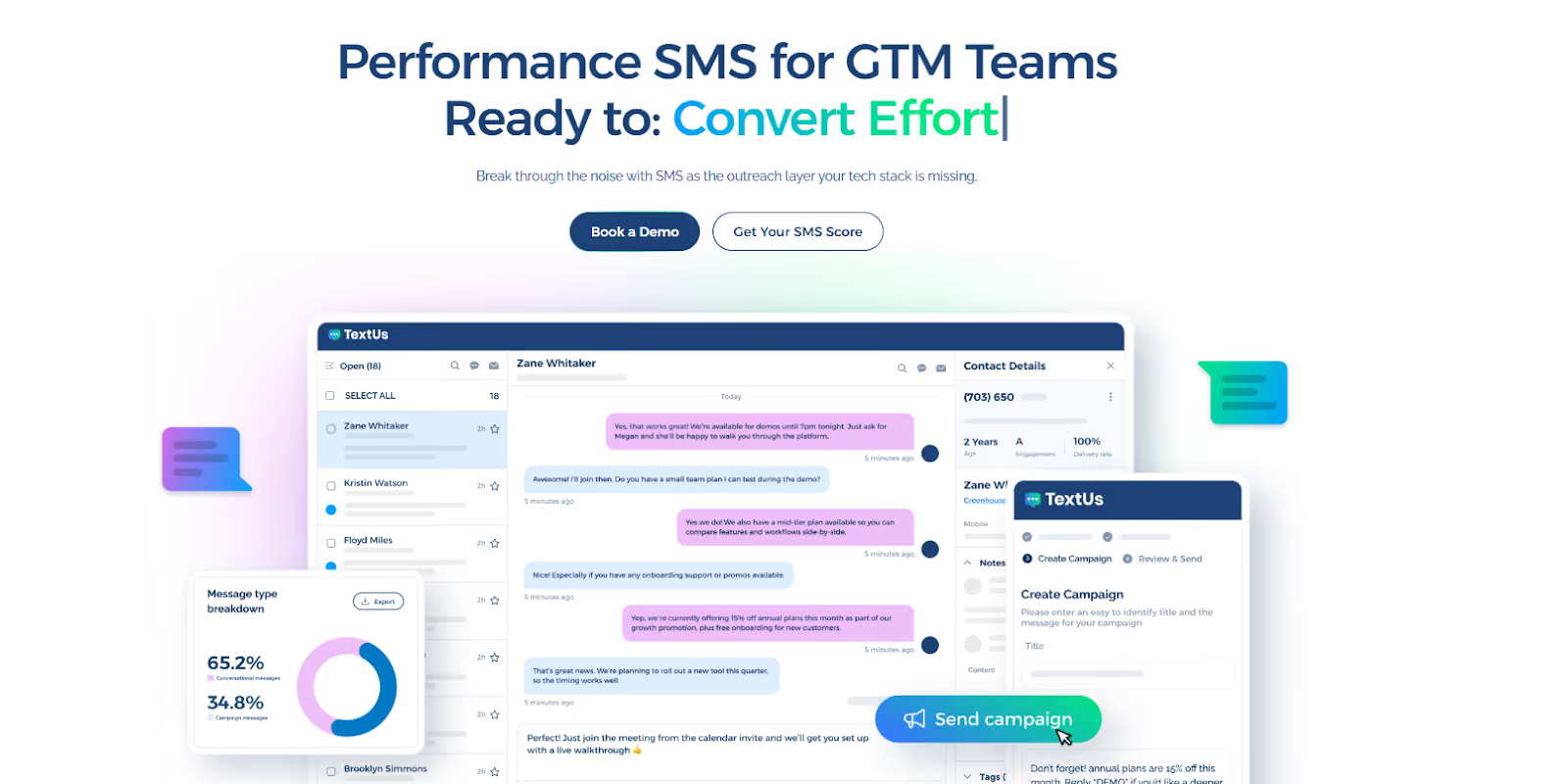
Book a demo with TextUs today to see how it helps you drive higher clicks and better conversions!
FAQs About SMS URL
Can you track an SMS URL?
Yes, you can track an SMS URL when tracking is enabled inside your SMS platform. Most systems record click data and connect it to a specific campaign, contact, or message.
You can also add tracking tags to measure performance inside analytics tools. This allows you to see how many users clicked, what pages they chose to browse, and what actions they completed.
If you use dynamic links, you can track different user paths based on device type or whether the link opened inside a mobile app. Link tracking can make all the difference when optimizing campaigns.
Why is my SMS URL not clickable?
An SMS URL may not appear clickable if it is formatted incorrectly. Missing https, broken characters, or extra symbols can prevent the phone from recognizing it as a link.
Link wrapping can also break the URL if the message splits into segments. You need to test the message before sending it to confirm that the link displays properly on different devices.
When using href=" sms:" links, include the full international phone number with the country code. Incorrect formatting can prevent the messaging app from opening properly on some devices.
How do I add UTM parameters to an SMS URL?
Start with your full website link. After the main URL, add a question mark, then include your tracking tags. For example:
https://yourcompany.com/sale?utm_source=sms&utm_campaign=spring_sale
An ampersand symbol separates each tracking tag. After you create the full link, test it in your browser to make sure it works, then shorten it before adding it to your SMS message.
What are the most common mistakes with sms URLs?
The most common mistakes include sending untested links, using long URLs with broken formatting, or adding incorrect characters that cause an error when someone clicks.
Missing https, expired pages, or a bad redirect can also trigger an error and stop users from reaching your site.
To avoid these mistakes, always test your SMS URL before sending your campaign. Open the link on your phone, confirm it loads correctly, and make sure it directs users to the intended page.
Continue Reading



Frequently Asked Questions
How does a clickable SMS URL improve text message performance?
Including a short, clickable URL in a text message connects recipients to a landing page, form, or resource with a single tap, dramatically increasing the conversion rate from message read to desired action.
What is the best way to include a URL in a text message?
Use a branded short URL that is recognizable and trustworthy. Place it near the end of the message after the value or ask, and make sure the destination page is mobile-optimized.
Does including a URL in a text message affect deliverability?
Links from reputable, branded domains generally do not hurt deliverability. Generic shorteners or links to suspicious domains can trigger carrier spam filters, so use branded links and register your messaging under 10DLC.
Business Texting
Built for Results
Create and convert pipeline at scale through industry leading SMS software