
How Secure Enterprise Messaging Reduces Organizational Risk
Learn how secure enterprise messaging works and explore common security risks. Discover how TextUs can help you keep your business texting secure.

Written by
Adam Hamdan
Published
September 24, 2026

As messaging tools become widely adopted, companies face growing pressure to prioritize security without compromising internal communications.
Secure enterprise messaging addresses that challenge by providing a controlled communication tool for business conversations.
Teams can collaborate in real time while maintaining oversight, auditability, and protection against evolving threats.
In this article, we'll break down what enterprise messaging means, its common security risks, and the steps required for a successful implementation.
You'll gain a better understanding of how to protect sensitive communication while supporting productivity and long-term operational control.
TL;DR
- Secure enterprise SMS messaging protects sensitive business conversations through encryption, access controls, audit logs, and administrative oversight.
- Unmanaged messaging creates serious risks, including shadow IT, weak permissions, phishing attacks, file leaks, lack of encryption, poor mobile security, and insider threats.
- Regulated industries such as healthcare, finance, government, legal, and enterprise sales depend on secure messaging to protect confidential data and meet compliance standards.
- Successful implementation requires assessing current risks, defining compliance needs, choosing the right enterprise platform, rolling out in phases, and training employees consistently.
- TextUs delivers secure enterprise marketing with encryption in transit, role-based permissions, audit visibility, CRM integrations, and mobile access for centralized control.
What Is Secure Enterprise Messaging?
Secure enterprise messaging is a business communication system built to protect sensitive information shared across large enterprises.
Unlike consumer messaging apps, enterprise messaging platforms include advanced security controls and key compliance features built for modern corporate communications.
You get admin controls, user permissions, audit logs, and end-to-end encryption where the communication channel supports it.
Common Security Risks in Enterprise Communication
Enterprise messaging allows fast communication inside and outside your company. But it also creates serious security exposure if controls are weak or missing.
Below are the most common risks in an enterprise environment.
Shadow IT and Unauthorized Apps
Employees sometimes use personal messaging apps or unapproved Google apps for work conversations.
Business data stored in those apps sits outside company control and monitoring. When messages live on personal devices, your company cannot track, archive, or remove them if needed.
That lack of oversight increases the risk of data leaks and loss of sensitive information tied to important communications.
Weak Access Controls
Access problems happen when too many people can view or manage sensitive conversations inside a shared platform.
Shared logins and poor access management make internal misuse easier and weaken oversight. Former employees may still have user access if accounts are not removed quickly.
Without multi-factor login protection, attackers can also gain entry through stolen credentials, which increases the risk of data breaches.
Phishing Attacks Through Messaging Platforms
Cyber attackers now target messaging tools in addition to email. They may send fake login links through direct messages or impersonate managers requesting confidential data in shared threads.
Employees may trust chat messages more than email, which increases the danger of clicking on harmful links. One compromised account can expose group conversations and disrupt employee productivity.
Data Leakage Through File Sharing
Enterprise messaging platforms often allow document sharing between users through built-in collaboration features.
Without strict controls, those files can move outside secure enterprise systems and leave administrators without consistent access, monitoring, or data-retention controls.
Users may forward documents or store them on unsecured devices. Sensitive records such as contracts and customer data can spread beyond company oversight.
Lack of Encryption
Some enterprise automation tools do not encrypt messages at every stage. Data can become exposed during transmission or while stored on servers.
If attackers intercept unprotected communication, they can read or copy sensitive information. Weak encryption also increases damage during a system breach.
Poor Mobile Device Security
Distributed teams often rely on smartphones and tablets for business text messaging. Cross-platform compatibility supports that flexibility, but it also creates more devices and access points that IT must manage.
Lost or stolen devices create an immediate data exposure risk.
If devices lack remote wipe features or strong lock settings, company conversations remain accessible. Mixing personal and business use on the same device adds another layer of risk.
Insider Threats
Security risks do not always come from outside actors. Employees with access to confidential data may misuse it for personal gain.
Without monitoring and logging, unusual behavior can go unnoticed. Downloading client lists or forwarding internal discussions can harm the company in the long term.
Secure Enterprise Messaging Use Cases by Industry
Each sector faces different risks, regulations, and operational demands. Below is how secure enterprise messaging supports regulated industries.
Healthcare Secure Messaging
Healthcare organizations use messaging for appointment reminders, staffing coordination, administrative updates, and other time-sensitive communication.
When a workflow involves electronic protected health information (ePHI), organizations need administrative, physical, and technical safeguards that meet HIPAA requirements.
TextUs is designed for non-PHI communications such as appointment reminders, general notifications, and administrative follow-ups.
Message history, role-based access, consent management, and administrative oversight support healthcare communication and compliance programs.
Financial Institution Messaging Security
Banks, investment firms, and insurance providers process financial records and transaction data. Secure enterprise messaging protects account information and internal trading discussions from exposure.
Financial regulators require message archiving and oversight. A secure messaging platform supports monitoring, retention policies, and compliance tools that align with industry regulatory requirements.
Government and Public Sector
Government organizations handle classified data, citizen records, and internal policy discussions. Secure enterprise messaging protects communication from cyber threats and unauthorized access.
Public sector organizations also face strict data storage and reporting standards.
Messaging platforms with strong encryption and audit logs support national security requirements and long-term data security strategies.
Legal and Professional Services
Law firms and consulting groups exchange contracts, case files, and confidential client information. Secure enterprise messaging protects privileged communication and document sharing.
Client trust depends on privacy and discretion. Messaging systems with controlled access and detailed logs protect legal discussions and sensitive business advice.
Enterprise Sales and Customer Support
Sales and support groups handle customer data, pricing details, and contract negotiations. Secure enterprise messaging protects client conversations from leaks or unauthorized viewing.
Many companies use business texting to connect with prospects and customers. A secure enterprise messaging app keeps message management, history, and administrative controls inside a company-managed platform while supporting communication with external contacts.
How to Implement Secure Enterprise Messaging
A strong plan helps you roll out secure enterprise messaging with less risk and fewer disruptions.
Here’s a step-by-step approach your organization can follow to support enterprise collaboration and structured team communication.
Step #1: Assess Current Communication Risks
Start with a full assessment of the communications stack your employees regularly use.
Identify all channels used for business discussions, including email, SMS, collaboration tools, mobile apps, and other instant messaging platforms.
You need to pay close attention to where sensitive data is shared. Customer records, financial data, internal strategy discussions, and legal documents should never live in systems without oversight.
If business conversations exist on personal devices or consumer apps, your organization faces exposure that must be addressed.
Uncontrolled mobile communications increase risk, particularly when handling regulated or confidential data tied to data sovereignty obligations.
Step #2: Define Security and Compliance Requirements
Before selecting a platform, your organization should define its security, data protection, and compliance requirements.
Industry regulations, internal policies, and contractual obligations all influence these standards, including healthcare rules tied to the Health Insurance Portability and Accountability Act (HIPAA) compliance.
You have to meet with IT, legal, and compliance leaders to document encryption requirements, data retention rules, compliance controls, and audit logging expectations.
It's important to define how your system will ensure compliance while still allowing seamless collaboration between departments. Early alignment supports smoother deployment and reduces risk during rollout.
Step #3: Choose the Right Enterprise Messaging Solution
The right secure messaging app shapes long-term business success. It should support key features such as strong encryption, role-based access control, administrative oversight, and detailed message logs.
If you depend on business texting for recruiting, sales, or customer engagement, TextUs provides a secure enterprise communication infrastructure.
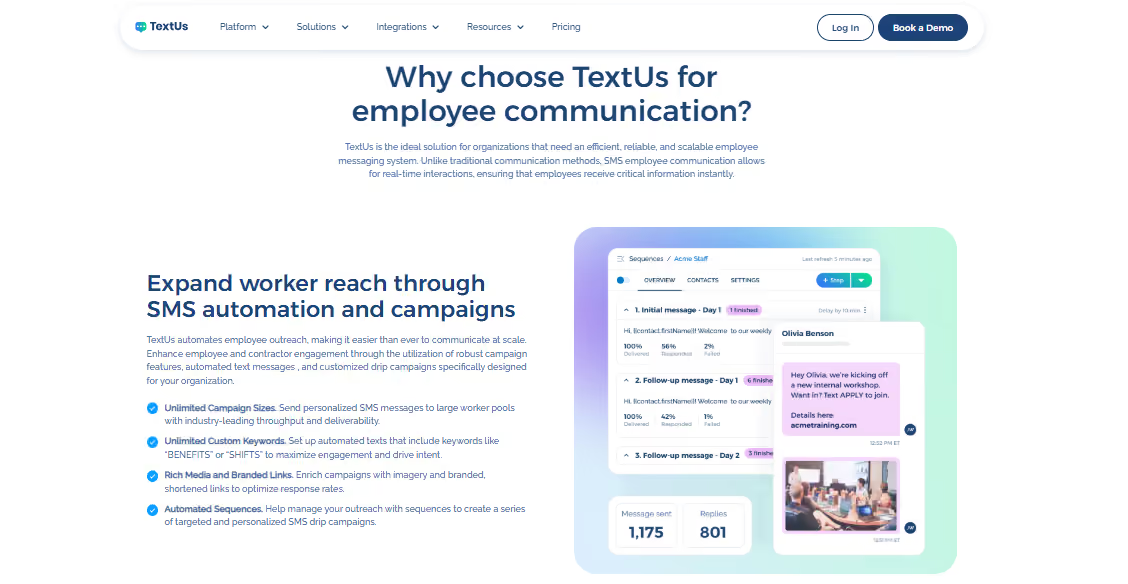
TextUs is a leading solution for enterprise-grade SMS marketing. It supports encrypted messaging in transit and secure data storage, which protects conversations from interception and unauthorized access.
Role-based permissions support centralized administration and user management, including control over who can view, send, and manage messages.
Complete message history and audit trails give administrators visibility into communication activity and support regulatory compliance reviews.
Multi-factor authentication adds another layer of account protection, which lowers the risk of compromised logins.
This enterprise texting solution also offers deep integration with your customer relationship management (CRM) platform, applicant tracking system (ATS), and workflow automation software.
You also get mobile and web access, so staff can send and receive secure messages from anywhere while administrative settings remain under your control.
Security should not slow your staff down. TextUs combines oversight and control with a simple user experience so employees can adopt secure messaging without resistance.
Book a demo with TextUs today and see how its security features work in your enterprise environment!
Step #4: Plan a Phased Rollout
A phased rollout protects your organization from disruption and security gaps. You can test controls, monitor usage, and correct issues before full deployment.
Choose a department that relies heavily on real-time messaging, such as sales, recruiting, or customer support. That group will generate practical insights and highlight workflow gaps that may affect secure collaboration between teams.
During the pilot phase, monitor ongoing administration needs, message logging, and seamless integration with your CRM or other systems. Confirm that encryption settings remain active and that audit logs capture all conversations, including sensitive communications, as required.
You should also collect structured feedback from pilot users and evaluate the desktop app experience. Address technical issues and policy enforcement gaps early so you can optimize workflows before expanding access to other departments.
After refining settings and policies, you can expand rollout in controlled waves. Add departments in stages rather than activating the entire organization at once.
Step #5: Train Teams on Secure Messaging Practices
Technology alone cannot protect your business communication. Employees should understand how to use secure enterprise messaging in a responsible and compliant way.
You can provide training on login protection, password standards, and multi-factor authentication. Explain how to identify phishing attempts and suspicious links sent through messaging platforms.
You should also review company policies on handling sensitive messaging data and document how to manage sensitive communications correctly. Employees need to know what information can be shared through messaging and what requires additional safeguards.
Make sure to reinforce rules around secure file sharing and external communication. Staff have to understand how consent, opt-outs, and record-keeping apply to business texting.
You may also offer refresher sessions throughout the year and provide helpful resources for reference. Ongoing education strengthens secure enterprise messaging practices and lowers the risk of human error.
Keep Your Business Texting Secure With TextUs
Every message your team sends can contain customer data, financial details, or strategic information that deserves protection.
Business texting needs security controls that protect access, preserve communication records, and reduce compliance risk without making everyday conversations harder to manage.
TextUs combines enterprise-grade encryption, secure data storage, role-based user access, message history, and administrative controls for business SMS.
TextUs is also SOC 2 Type II certified and provides TCPA compliance tools for organizations that need more oversight across messaging activity.
This enterprise SMS platform also separates user, admin, and organization admin access. You gain control over who manages users, messaging accounts, organization settings, and other administrative functions.
Your staff can communicate in real time while leadership maintains control over account access, message activity, compliance settings, and the systems connected to TextUs.
These controls make secure business texting easier to manage across larger organizations without sacrificing the speed that makes SMS valuable.
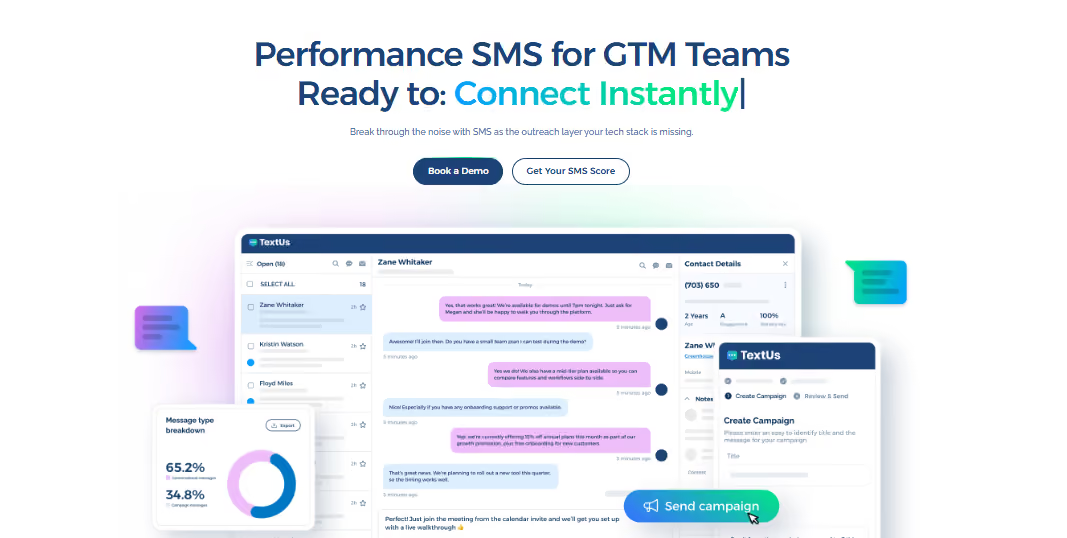
Book a demo with TextUs today and see how this business messaging app supports secure communications within your organization!
FAQs About Secure Enterprise Messaging
What are enterprise messaging services?
Enterprise messaging services are business communication solutions that support secure conversations, file sharing, group chats, and collaboration across an organization.
Platforms such as Microsoft Teams, Slack Enterprise Grid, and Google Workspace combine messaging with administrative controls and other workplace communication features.
What's the most secure messaging service?
The most secure messaging service depends on the type of information you handle and your enterprise compliance requirements.
You have to look for strong security features, encryption, access controls, data protection, audit capabilities, and private cloud deployment when greater infrastructure control is required.
Why would someone use encrypted messaging?
Encrypted messaging protects conversation content from unauthorized access while sensitive information moves between users or systems.
Businesses use encryption to reduce exposure when employees, customers, or partners exchange confidential information.
What apps have secret conversations?
Some consumer messaging apps offer private, encrypted, or disappearing conversation features.
Those options may protect individual conversations. However, business use requires additional administrative controls, retention policies, auditing, and compliance oversight.
Continue Reading



Frequently Asked Questions
Business Texting
Built for Results
Create and convert pipeline at scale through industry leading SMS software