
What Is Enterprise Communications: A Complete Guide for 2026
What is enterprise communications and how do you set it up? Explore our guide and learn how TextUs can help you communicate via texting.

Written by
Adam Hamdan
Published
September 3, 2026

Most enterprises do not have a communication problem because they lack tools. They have one because they use too many.
Sales works out of the CRM, recruiting operates in the ATS, teams chat in one app, and use email in another, and important updates get buried somewhere in between. The result is slow decisions, missed messages, and frustrated customers.
Enterprise communications is the discipline of bringing order to that noise.
In this guide, we cover what enterprise communications means, the channels and features that make up a modern communication system, and the best practices that separate connected organizations from chaotic ones.
TL;DR
- Enterprise communications covers the systems, strategies, and tools an organization uses to share information internally and externally.
- It includes voice, video, email, team chat, and business texting, working together rather than in silos.
- Enterprise-grade systems add integrations, security, compliance, and analytics on top of basic messaging.
- Strong communication practices lead to faster decisions, aligned teams, and better customer experiences.
- Business texting is one of the most effective and most overlooked enterprise channels, and platforms like TextUs make it measurable and compliant at scale.
What Is Enterprise Communications?
Enterprise communications refers to all the systems, processes, and technologies an organization uses to exchange information, internally and with customers, candidates, vendors, partners, and other external audiences.
It covers everyday collaboration between employees as well as conversations with customers, candidates, vendors, and partners.
The term goes beyond any single tool. A phone system alone is not enterprise communications, and neither is email. What defines it is the combination of multiple channels connected into one structure that keeps information moving reliably as the organization grows.
Unlike small-business setups, enterprise communication systems are built for scale. They need to support many teams, locations, and time zones without messages getting lost. That is why integration, security, and measurement matter as much as the channels themselves.
The Role of Communication in Business Performance
Communication affects how quickly teams make decisions, complete tasks, and respond to customers. When employees receive clear information through the right communication channels, they spend less time searching for updates or asking colleagues to repeat details.
Internal communication also affects customer satisfaction. Sales, support, and account teams need current business data to provide consistent answers and manage customer interactions.
This connection between internal coordination and external service makes communication effectiveness an important part of operational efficiency.
Internal vs. External Enterprise Communications
Internal and external communication are the two halves of every enterprise communications strategy, and they fail in different ways.
Internal Communications
Internal communications keep employees informed and aligned. This includes team collaboration in chat apps, video calls between departments, HR announcements, shift updates, and project management threads.
When internal communication works, remote and hybrid teams operate as one unit. When it fails, work gets duplicated, decisions stall, and team productivity drops.
The challenge for enterprise leaders is volume. Large organizations generate constant internal traffic, and without structure, critical communication gets lost in the noise.
That is why mature companies define which channel handles which type of message instead of letting every tool carry everything.
External Communications
External communications cover every exchange with people outside the organization: customer conversations, sales outreach, recruiting messages, vendor coordination, and support.
These interactions shape customer satisfaction directly, because to a customer, the company is only as organized as its communication.
External channels carry higher stakes. A missed internal message wastes time. A missed customer message can cost revenue. Ineffective communication with the outside world is also harder to detect, since the silence of a lost lead never shows up in an inbox.
Key Channels of Enterprise Communication
Modern business communications run on a handful of core communication channels. The strongest setups connect them instead of running each one in isolation.
Voice and Video
Voice remains the backbone for complex conversations, and enterprise phone systems add business voice functionality like advanced call routing capabilities for contact centers and sales teams.
Video conferencing has become standard for remote and hybrid work, with screen sharing turning meetings into working sessions rather than status updates.
Email is still the formal record of business. It handles documentation, external announcements, and anything that needs a paper trail. Its weakness is attention. Inboxes are crowded, and messages that need fast answers often sit unread for days.
Team Chat and Instant Messaging
Instant messaging platforms like Microsoft Teams and Slack carry the quick, informal traffic that email handles poorly. File sharing, quick questions, and group coordination all move faster here.
The risk is sprawl: too many channels and threads can fragment information instead of centralizing it.
Business Texting
Business texting is the channel enterprises most often overlook, and the one their audiences respond to fastest.
Text messages get opened and answered at far higher rates than email or cold calls, which makes SMS a natural fit for sales outreach, recruiting, and time-sensitive customer updates. The catch is that texting only works at enterprise scale with proper tooling.
Key Features of an Enterprise Communication System
What separates an enterprise communication platform from a basic messaging app is not the ability to send messages. It is everything built around that ability.
Integration With Existing Systems
An enterprise communication solution has to connect with the essential business apps a company already runs, including the CRM, ATS, and other enterprise systems.
The best integrated tools pull business data securely into the conversation, so a salesperson sees pipeline and customer data next to the message thread instead of switching between windows.
Security and Compliance
Enterprise-grade security is non-negotiable when conversations carry sensitive data. That means encryption, multi-factor authentication, permission controls, and compliance features built for regulated outreach.
Healthcare providers, staffing firms, and financial teams cannot treat this as optional.
Scalability
Cloud communications removed dependence on on-premises hardware. A modern unified platform should handle ten users or ten thousand without a redesign, which is why most enterprises now favor cloud communications solutions over on-premises systems.
Workflow Automation
Repetitive communication is a prime target for automation. Scheduled sends, auto-responses, and routing rules keep messages moving without manual effort, and AI-powered features increasingly handle drafting and quality checks.
Analytics
Channel reporting helps teams compare delivery, response, and engagement data and identify where communication slows down. It is followed by the creation of actionable dashboards based on that activity, turning raw traffic into actionable insights about communication effectiveness.
Benefits of Strong Enterprise Communications
The key benefits of getting enterprise communications right show up in both daily operations and long-term business performance.
- Faster decisions: When unified systems replace scattered inboxes, information is easier to route to the right people. Teams stop chasing context and start acting on it, which is the foundation of efficient business operations.
- Aligned teams: Consistent team communication keeps departments moving in the same direction. Remote offices, field staff, and headquarters all work from the same information instead of their own version of it.
- Better customer engagement: Organized customer interactions build trust. When every conversation is logged and visible, no customer has to repeat themselves, and no lead goes cold because a reply landed in the wrong inbox.
- Measurable improvement: Unified communications turn conversations into business data. Leadership can see which channels perform, where response times lag, and how communication connects to revenue, instead of guessing.
- Operational efficiency: Fewer tools, less switching, and automated routine messages free up time for work that matters. For enterprise users juggling multiple productivity tools, consolidation alone is often the fastest win available.
Enterprise Communication Examples by Industry
Different industries use enterprise communication systems according to their workforce, customer, and data requirements.
- Healthcare: Healthcare providers use secure messaging for appointment updates, staff coordination, and patient communication involving sensitive data.
- Financial services: Teams need documented customer communications, permission controls, and access to current customer data when handling account or transaction inquiries.
- Retail: Corporate offices, stores, and warehouse teams share staffing updates, inventory information, promotion details, and customer requests.
- Manufacturing and logistics: Enterprise systems support shift changes, maintenance notices, route updates, and communication with mobile or deskless employees.
- Education: Schools and universities use internal communications, email, texting, and online portals for schedule changes, administrative reminders, and safety notices.
Where Business Texting Fits into Enterprise Communications
Most companies overlook enterprise-grade tools for texting because SMS feels personal rather than professional. In practice, it is the opposite.
Texting is where audiences actually respond, and an effective enterprise communications strategy treats it as a core channel, not an afterthought.
The problem is that texting without structure does not scale. Messages sent from personal phones leave no record, no oversight, and no compliance trail. That is the gap a dedicated communications platform like TextUs closes.
TextUs turns texting into an enterprise-grade solution in four ways:
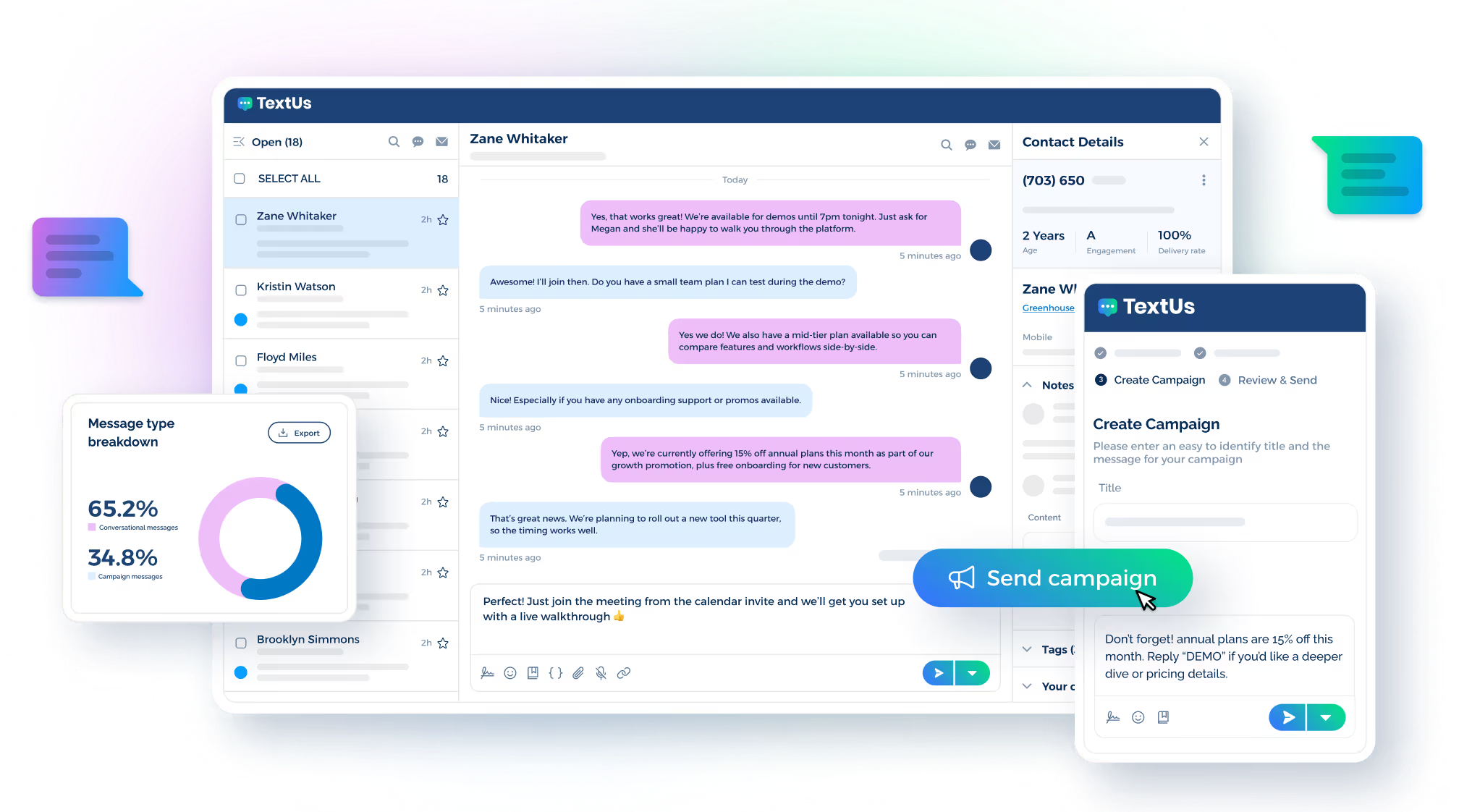
- Shared visibility: A team inbox keeps every conversation searchable and assignable, so customer communications never die in one person's phone. Replies are routed to the right owner, and managers see the full history.
- Scale without spam: Campaigns handle bulk and segmented outreach for sales, recruiting, and HR, while built-in quality checks flag risky language before a message goes out.
- Compliance by default: Opt-out handling and consent tracking run automatically, which matters anywhere regulated outreach and sensitive customer data meet.
- Native integrations: Two-way sync with Salesforce, HubSpot, Bullhorn, and other ATS and HRIS platforms means texting happens inside existing workflows, with customer data staying accurate in both directions.
For internal communications, the same setup handles shift reminders, policy updates, and urgent announcements that email would bury. One channel, measured and compliant, serving both sides of the business.
Enterprise Communication Best Practices
Technology alone does not fix communication. These practices separate companies that benefit from their tools from companies that just pay for them.
Audit Before You Add
Most enterprises already run many communication tools, often with overlapping functions. Map what exists, what each channel is actually used for, and where messages get lost, before buying anything new.
Meet People Where They Respond
Channel choice should follow audience behavior, not internal habit. If candidates ignore email but answer texts, the recruiting team should text. The more critical the communication is, the more it belongs on the channel with the fastest, most reliable response.
Integrate Instead of Stacking
Every disconnected tool adds a silo. When comparing different cloud communications solutions, favor unified communications platforms and service providers that connect to your CRM, ATS, and existing workflows, so critical data flows between systems instead of getting trapped in one.
Choose Providers Deliberately
The right enterprise communications provider should demonstrate security credentials, integration depth, routing capabilities, and analytics, not just a feature list. Ask how their communication services perform at your scale, and ask to see it in a demo rather than a slide.
Measure Everything
Set baselines for response times and engagement, review them regularly, and cut channels that consistently underperform. Communication is a system, and systems improve through feedback.
Stay Compliant From Day One
Consent, opt-outs, and data handling rules apply the moment outreach starts, not after legal notices arrive. Build compliance into the workflow so it runs automatically.
Make Texting Part of Your Enterprise Communications Stack With TextUs
Your teams already have voice, video, email, and chat. What most enterprise stacks are missing is the one channel people reliably open and answer: texting.
And every day it stays missing, leads go cold in unread inboxes, candidates take other offers before your email gets opened, and urgent internal updates sit buried under meeting invites.
TextUs closes that gap without adding another silo. Your reps text from a shared inbox where every conversation is visible, assignable, and searchable, so no deal dies in someone's personal phone.
Campaigns handle bulk outreach for sales, recruiting, and HR with quality checks that protect deliverability. Compliance runs automatically, with opt-out handling and consent tracking built in, so legal never becomes the bottleneck.
And because TextUs connects natively with Salesforce, HubSpot, Bullhorn, and the rest of your stack, texting happens inside the workflows your teams already live in, with every message logged where it belongs.
The result is a communication channel you can actually measure: delivery, response, and engagement, tracked and reported like any other revenue activity.
Book a demo and see how fast enterprise texting can fit into your existing systems.
Continue Reading



Frequently Asked Questions
What are the four types of communication?
The four types are verbal, nonverbal, written, and visual. An enterprise communication system supports them through communication tools such as calls, email, chat, texting, presentations, and screen sharing.
What is the primary purpose of enterprise messaging?
Enterprise messaging moves information between an organization and the people it needs to reach.
Enterprise messaging platforms like TextUs support trackable business communication through shared access, consent tools, and CRM connections.
What does enterprise unified communications add to the platform?
Enterprise unified communications brings voice, video conferencing, instant messaging, and file sharing into one platform.
It also adds centralized administration, security controls, analytics, and connections to existing systems.
Business Texting
Built for Results
Create and convert pipeline at scale through industry leading SMS software