
How to Send Engaging Text Invites for Your Next Event
Explore the benefits of sending text invites, information to include in your messages, and how to launch your first campaign.

Written by
Adam Hamdan
Published
July 22, 2026

Printed invitations take time to prepare, mail, and deliver. Text invites, on the other hand, let you skip the post office, cut printing costs, and reach guests without waiting on paper.
The benefits continue after the first message. Guests can view event details, open an RSVP link, ask questions, and confirm attendance from the same conversation.
In this article, we will explain the benefits of sending text invites, information to include in your messages, and how to launch your first campaign with the best SMS marketing platform.
TL;DR
- Text invites reach guests faster, simplify RSVPs, and keep time-sensitive event updates in one direct conversation.
- A text invitation should include the sender, event purpose, date, time, location or access link, RSVP instructions, one call-to-action, attendance details, and opt-out language.
- Text invites can support conferences, webinars, product launches, hiring events, training sessions, openings, fundraisers, company celebrations, and other events that need RSVPs, reminders, or guest updates.
- To start sending business text invites, you need to use a messaging platform, obtain SMS consent, segment your guest list, write and review the message, schedule follow-ups, and track campaign results.
- TextUs brings text automation, audience segmentation, scheduled follow-ups, and reply management into one platform so that you can turn more invitations into confirmed attendance.
Why Send Invitations Through Text Messages
Around 392.5 billion emails are expected to be sent and received worldwide each day in 2026. This makes it easy for even a well-written invitation to go unnoticed.
SMS marketing creates a more direct path to your audience. It can reach response rates of 45% or more, and many messages are read as soon as they arrive.
That speed is valuable when timing affects attendance. RSVP deadlines, last-minute openings, venue changes, and event reminders reach guests while the information still needs attention.
Text invites also remove additional steps from the response process. Guests can read the event details, open a registration link, ask a question, or confirm attendance from the same message.
What Should a Text Invitation Include?
The best text message invitation should answer the important questions without making people dig for details. Here are the key elements that make your invite easy to act on.
Business or Host Name
Recipients need to know who sent the invitation, especially when the message comes from an unfamiliar number. You need to place your business, organization, or event name near the beginning.
Event Name and Purpose
The message needs to explain what the event is and why it may interest the recipient. A clear purpose gives the invitation more context than a vague request to save the date.
Event Date and Time
You should include the full date, start time, and end time when relevant. A time zone is also important for webinars, virtual events, or audiences in different locations.
Event Location or Access Link
An in-person event needs the venue name and address. Online events need a registration page, meeting link, or access instructions.
RSVP Instructions
Recipients need to know whether to reply, use a keyword, complete a form, or follow a registration link. An RSVP deadline also makes the expected response time clear.
Call-to-Action
The invitation works best with one main next step, such as “Reply YES,” “Register Here,” or “Reserve Your Seat.” Several competing actions can make the message harder to follow.
Important Attendance Details
The message may also need parking instructions, a dress code, ticket requirements, guest limits, fees, or check-in details. These details can reduce last-minute questions.
Opt-out Instructions
Business text invitations may require an unsubscribe option. Language such as “Reply STOP to opt out” can be added when it applies to your audience and message type.
Use Cases of Text Invitations
Text invites fit a wide range of events, from customer-facing campaigns to internal gatherings. These are the most common use cases where businesses use them to reach guests and send updates.
Conferences and Networking Events
Text invites can promote conferences, trade shows, panels, networking sessions, and industry meetups. Built-in RSVP tracking gives your team a clear view of registrations, replies, and attendance interest.
A follow-up campaign can also send venue changes, agenda reminders, or speaker updates without relying on social media or email alone.
Example:
“Join us for the Northstar Leadership Summit on September 18 at 9:00 a.m. Connect with industry leaders and attend expert-led sessions. Reserve your seat here: [link].”
Webinars and Virtual Events
Webinar invitations can include the topic, date, time zone, speaker, and registration link in one message. You may also send reminders, access details, and a recording to download through the same conversation.
Example:
“You’re invited to our live webinar on improving customer response rates with business texting. Join us on August 22 at 1:00 p.m. ET. Register here: [link].”
Product Launches and Customer Events
Text invites create interest around product launches, demonstrations, VIP previews, and customer appreciation events.
Images, GIFs, PDFs, or product photos can create a stunning presentation and make the invite more memorable.
Example:
“Be among the first to see our newest product release. Join the live launch on October 4 at 11:00 a.m. for a demo and Q&A. Save your spot: [link].”
Recruiting and Hiring Events
SMS for recruiting lets you send invites for job fairs, interview days, open houses, campus events, and virtual hiring sessions. Contact segments can be based on location, role, experience, or hiring stage.
Example:
“Hi Jordan, you’re invited to our Dallas hiring event on September 5. Meet the team, explore open roles, and reserve an interview time here: [link].”
Workshops and Training Sessions
Workshops, certification courses, employee training, and customer education sessions can all use text invitations. Recurring campaigns also make it easier to manage monthly or annual events without rebuilding each message.
Example:
“Join our CRM workshop on September 9 at 10:00 a.m. Learn how to organize customer data and improve follow-up workflows. Register here: [link].”
Grand Openings and Open Houses
Grand openings and open houses benefit from location-based invites. The message can include the address, event hours, parking information, offers, and an RSVP link from your address book.
Example:
“We’re opening our new Austin location on September 7. Stop by from 10:00 a.m. to 4:00 p.m. for live demos and opening-day offers. Details: [link].”
Fundraisers and Community Events
Nonprofits, schools, associations, and local organizations can use text invites for fundraisers, volunteer events, community programs, and member gatherings. The same thread can support registration, reminders, and event updates.
Example:
“You’re invited to the HopeWorks annual benefit dinner on November 8. Join us in supporting local youth programs. RSVP here: [link].”
Birthday Parties and Company Celebrations
Text invitations also cover company anniversaries, employee birthdays, holiday parties, client dinners, awards, and employee appreciation events.
Your text invite may include your own photos, party themes, or a downloadable event flyer to impress guests.
Example:
“Join us as we celebrate 10 years of Brightline. The anniversary dinner begins on October 11 at 6:30 p.m. Please confirm your attendance here: [link].”
Weddings, Showers, and Personal Celebrations
Businesses in hospitality, party planning, and venue management may also use text invites for weddings, bridal showers, baby showers, dinner parties, and surprise parties.
A digital invite reflects the occasion and gives guests one place to RSVP.
Example:
“You’re invited to celebrate Emma and Noah’s big day on October 19. View the full schedule, upload photos, and RSVP here: [link].”
How to Start Sending Text Invites for Your Event
Text invites make event outreach easier to manage, especially when your guest list spans customers, prospects, employees, or partners.
Below are the main steps for setting up your campaign and moving from planning to sending.
Step #1: Use a Text Messaging Platform
Text invites should do more than land in someone’s inbox and disappear.
With TextUs, you can send beautiful invite messages with images, PDFs, GIFs, or flyers that give recipients more context without cramming everything into one message.
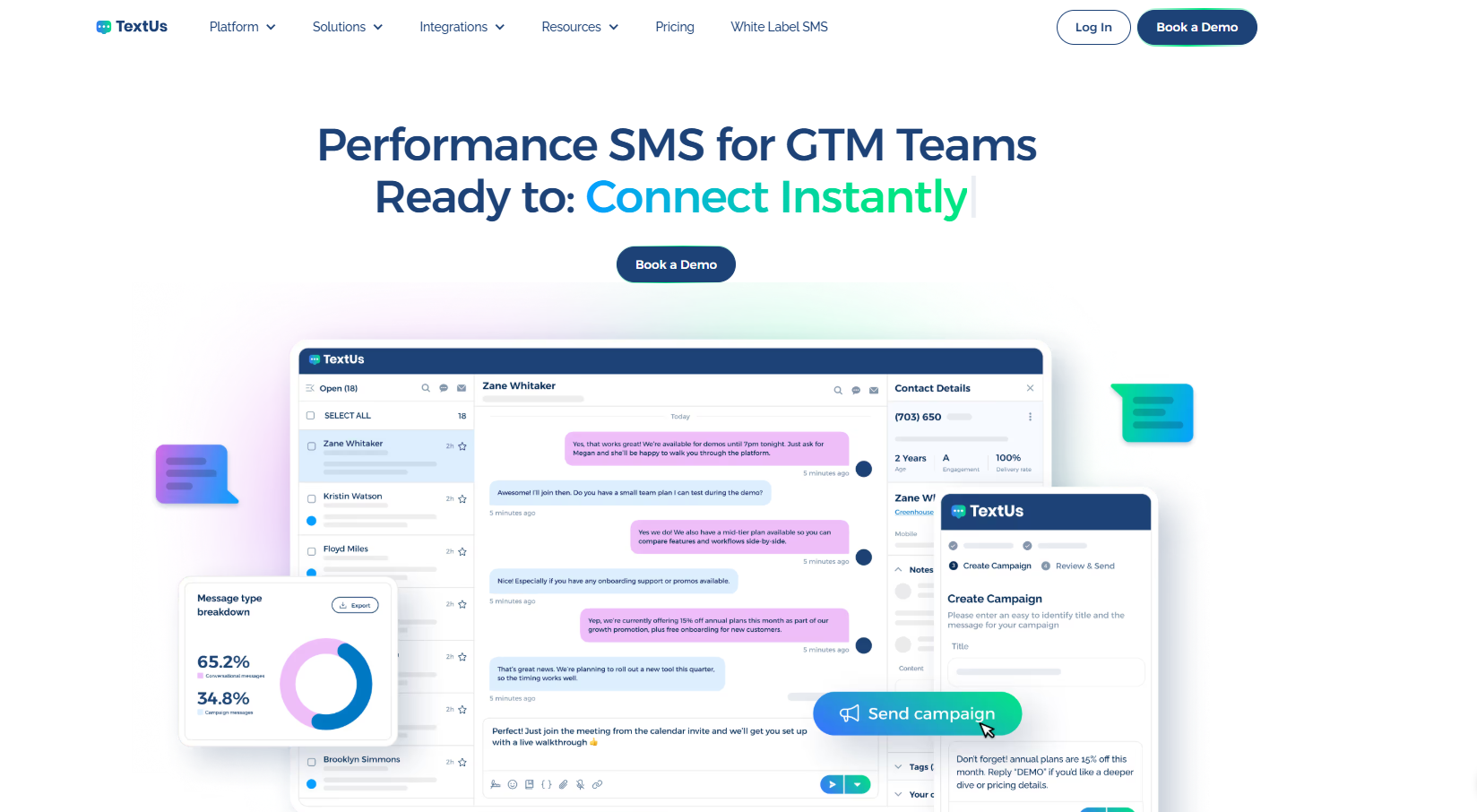
The campaign does not have to stop after the first invite, either. Multiple sends can be scheduled in advance, while recurring campaigns cover events your business hosts on a regular basis.
TextUs also has powerful features that show clicks, replies, and delivery rates, so you can see which invitations caught attention and where your next campaign may need a stronger approach.
Step #2: Obtain SMS Consent
A phone number in your customer database is not automatic permission to send text invites.
You need the appropriate SMS consent before adding someone to an invitation campaign, especially when the event promotes a product, service, offer, or other marketing activity.
Consent may come through an event registration form, website form, QR code, keyword opt-in, account preference, or another clear sign-up method.
The disclosure needs to identify your business and explain the types of messages the person agrees to receive.
Step #3: Segment the Guest List
Once your broader audience is set, smaller segments can make each text invite more relevant.
TextUs lets you organize contacts by location, customer type, interest, department, account stage, or other details tied to the event.
A multi-location event may need separate messages for each venue, while customers and prospects may need different reasons to attend.
Contacts who have already registered, declined, or opted out can also be removed from later invitation and reminder campaigns.
Each group receives an invitation that speaks to the event most relevant to them instead of one generic message sent to your whole guest list. This leads to stronger response rates and fewer opt-outs.
Step #4: Write Engaging Invitation Message
Boring invitations are easy to ignore. A good text message should provide recipients with the event details without sounding stiff or too promotional.
Your business name, event, date, location, and response option need enough space to stand out.
TextUs adds a valuable checkpoint before the invitation goes out. Its Message Quality Indicator scores the message so you can spot wording that may look risky to carriers or fall outside your own spam rules.
A high-risk score does not mean you need to rewrite the entire invitation from scratch. AI-powered Smart Messaging provides immediate rewrite suggestions that reduce risky language while keeping the original tone and intent of your invite.
Step #5: Schedule or Send Invite Messages
A message sent during a busy commute, late at night, or too close to the event may get ignored even when the invitation itself is strong.
TextUs lets you schedule campaigns in advance and build SMS drip campaigns that keep the event on people’s radar without sending every follow-up by hand.
The first message can introduce the event, while later texts can cover the RSVP deadline, speaker details, parking information, or a final reminder.
Each send arrives at the right point in the event timeline, which makes the communication feel planned instead of repetitive.
Step #6: Track RSVPs and Replies
A sent invitation is only the starting point. TextUs shows replies, clicks, delivery rates, and response activity in real time.
The data also reveals more than a simple headcount. You can compare results across audience segments, A/B test invitation copy, and identify which event offers or CTAs earn the most engagement.
Those insights connect campaign activity with event results and ROI. High-performing messages can shape future text invites, while weaker versions point to where the audience, timing, or wording needs another look.
Keep Guests Interested From Invite to Event Day With TextUs
A good event invite should create a little spark, not feel like another task on someone’s list.
TextUs provides the perfect way to invite guests with messages that are timely and easy to answer.
The platform’s helpful features let you customize campaigns for different audiences, follow up based on responses, and keep every conversation in one system. That means less chasing and more people moving from “maybe” to “I’m in.”

The perfect invite should do more than share the date. Book a demo with TextUs today and make your next event easier to fill, manage, and remember!
Continue Reading



Frequently Asked Questions
Is there a way to send invitations via text?
Yes. You can use an SMS marketing software like TextUs to send text invites. You can also personalize messages, manage replies, schedule reminders, and keep guest conversations organized.
What is the best free text invitation app?
Evite is a popular free option for personal events because it offers text and email delivery, digital designs, RSVP tracking, and guest messaging.
Still, free plans may include limited designs or branded content. You will need dedicated texting software for recurring events and larger campaigns.
Which free digital invitation site is best?
Evite is a common choice for businesses that need free online invitations and RSVP management on the same platform. Paperless Post also offers a free trial with access to digital cards, invitations, flyer pages, and greeting cards.
Business Texting
Built for Results
Create and convert pipeline at scale through industry leading SMS software