
How to Automate Text Messages for Higher Conversion Rates
Learn how to automate text messages for higher conversion rates in seven easy steps. Discover how TextUs can help you send automated texts.

Written by
Adam Hamdan
Published
September 28, 2026

Basic phone scheduling can handle simple reminders. But structured automation connects texting to customer activity and performance tracking.
Instead of scrambling to respond manually, you can send automated messages at the appropriate stage of the buying process.
Automation ties your outreach to real customer actions. As timing and follow-ups run automatically, your sales and support staff can concentrate on conversations that close deals.
In this article, we'll walk through how to automate text messages and why a dedicated SMS marketing platform eliminates repetitive manual sending when running a business.
TL;DR
- You can schedule texts on your phone, but business automation with workflows and tracking requires a dedicated SMS platform.
- Setting up SMS automation includes choosing a texting platform, collecting opt-ins, segmenting your contact list, building trigger-based workflows, writing clear messages, scheduling or triggering campaigns, testing your setup, and monitoring results.
- Automated text messaging helps you respond faster, stay consistent, increase customer engagement, and reduce manual work as your contact lists grow.
- Business text messages you can automate include lead response texts, appointment confirmations and reminders, marketing campaigns, follow-ups, transactional messages, shipping updates, payment reminders, review requests, and re-engagement messages.
- TextUs brings these elements together through CRM-triggered workflows, scheduled campaigns, drip sequences, segmentation tools, and two-way texting.
Can You Automate Text Messages on Your Phone?
You can automate text messages on your phone. But the features are limited and vary by device.
Using Google Messages on Android Devices
Many Android phones using Google Messages allow you to schedule a message. Here’s how it works:
- Open the Google Messages app
- Type your message
- Press and hold the send button
- Choose a future date and time
- Confirm the scheduled send
This allows you to send a scheduled message later, but it only supports one-time sends. It doesn't create workflows, auto-replies, or multi-step sequences.
Using the Shortcuts App on iPhone
iPhone users can also automate texts using the Shortcuts app. To set it up:
- Open the Shortcuts app
- Tap Create Personal Automation
- Select a time-based trigger
- Choose the action to send a message
- Disable “Ask Before Running” if you want it to send automatically
This setup uses personal automation rules and can respond to several supported triggers. However, it is not designed for shared inboxes, contact segmentation, campaign reporting, or business conversation management.
Why Built-In Messaging Apps Don’t Scale for Business
While native messaging apps allow you to send and receive texts, they don't support workflow automation, audience segmentation, or campaign tracking.
Business SMS requires more than the capability to send messages. You need automation tied to customer actions, visibility into delivery and response data, and tools to manage opt-ins and compliance.
Without these systems, it can be challenging to expand your outreach, manage incoming messages, or maintain consistent engagement between sales and support efforts.
A dedicated bulk SMS software like TextUs connects text messaging to your CRM and existing workflows.
Its user-friendly interface supports triggered workflows, enables two-way conversations, and provides performance reporting.
Instead of managing messages one by one, you can build communication processes that support lead response, appointment reminders, SMS marketing campaigns, customer support, and internal communication.
How to Automate Text Messages for Your Organization
Automated texting starts with the right system and a campaign plan. Here's how you can set up and schedule a text message for your business.
Step #1: Choose an Automated Texting Service
The right system makes automation simple to build, manage, and improve over time. You can send automated text messages without relying on basic mobile tools.
Basic texting apps aren't built for business automation. You need an automated text message service designed for sales, marketing, and customer communication.
TextUs is built for enterprise-grade SMS marketing. It allows you to create automated workflows that trigger recurring text messages based on real activity.
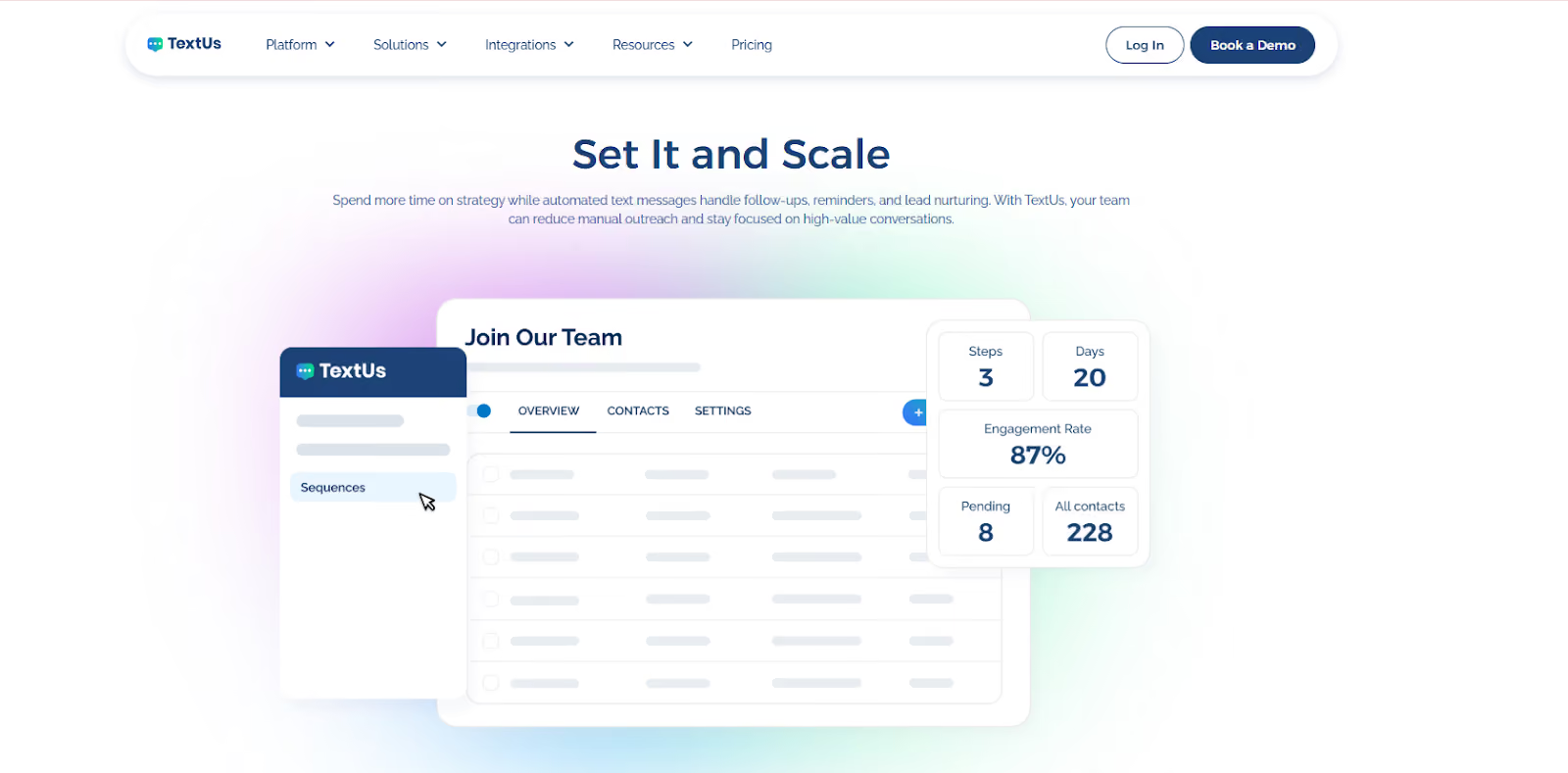
When a prospect submits a form, books a meeting, or enters your CRM as a new lead, a text message can be sent immediately.
That first response reaches the prospect at exactly the right moment without manual intervention. This keeps engagement strong during the early stages of interest.
Text message automation inside TextUs also lets you send appointment reminders, deliver welcome messages, manage sales follow-ups, and provide customer service notifications.
CRM integration strengthens the entire automation strategy. This SMS provider connects with platforms such as Salesforce and HubSpot, which means customer record updates can trigger text messages automatically.
If your goal is to automate messages in a manageable and compliant way, TextUs provides automated texting software that supports that process.
Step #2: Build Your Contact List and Segmentation
SMS automation only works when you have accurate phone numbers and explicit consent from customers.
A quality contact list starts with permission. Under the Telephone Consumer Protection Act (TCPA), businesses are required to obtain permission before sending marketing text messages.
SMS opt-ins can come from website forms, landing pages, event registrations, in-store sign-ups, or during the checkout process. Each opt-in should state that the new subscriber agrees to receive text messages from your business.
Clean data is just as important as list size. Phone numbers should be formatted correctly, and duplicate contacts need to be removed.
You can then start dividing your contact list into groups based on shared traits or behaviors. Common SMS segmentation methods include grouping contacts by:
- Lead status, such as new leads, active prospects, or past customers
- Purchase history
- Service type
- Location
- Appointment status
- Engagement history
Segmentation strengthens SMS automation because it keeps mass texting focused on the intended audience.
When automation and segmentation work together, communication stays purposeful.
Step #3: Create Automated SMS Workflows
A workflow defines which message to send, when to send it, and which keyword triggers or actions start it.
Think of a workflow as a structured message path. A customer action starts the sequence. The system then sends one or more new messages based on timing rules or responses.
A simple workflow is a good starting point before you build more advanced sequences with custom intervals. For example, a basic lead response workflow may look like this:
- A prospect submits a contact form
- An automated text message is sent immediately to confirm the request
- If the prospect replies, a sales representative joins the conversation
- If there is no reply, a follow-up message is sent the next day
Each step connects to a trigger or time delay. The workflow continues until the goal is complete.
You have to keep these workflows focused on one goal at a time. Avoid stacking too many messages into one sequence.
Step #4: Write Personalized Messages
Automation handles message delivery, but quality drives results. Every automated text message should have a purpose and a simple structure.
Start by identifying your business and addressing the customer by name. Details such as appointment time, order number, or service type help you send personalized messages.
Example
"Hi Maria, your consultation with Bright Dental is scheduled for Tuesday at 3 PM. Reply YES to confirm or call 555-123-0000 to reschedule."
Clear calls to action (CTAs) should also be specific. Instead of saying "Contact us for more information," direct the customer toward a next step, such as "Reply YES to confirm" or "Click here to book your appointment."
Texting abbreviations can also shorten your messages, but they should be used with caution.
SMS slang such as “u,” “gr8,” or “thx” appears too casual and can reduce trust, especially in industries like healthcare, finance, or legal services where full words are more appropriate.
Some abbreviations are widely accepted and professional, such as AM or PM for time, RSVP for event confirmation, and ETA for delivery updates.
Clarity should always come first. If there is any chance a customer could misunderstand the message, you should spell out the word instead.
Step #5: Schedule or Trigger Automated Messages
There are a few options to send automatic text messages: through scheduled timing or action-based triggers.
Scheduled campaigns are sent on a specific date and at a desired time. Trigger-based messages are sent after a specific customer action, such as after a form submission or a purchase confirmation.
Choosing between scheduling and triggers depends on your goal and the custom solutions needed for each workflow.
Basic scheduling works for planned communication such as sales announcements, event reminders, or recurring updates. Sales and service conversations rely on specific triggers connected to customer behavior.
SMS drip campaigns combine scheduling and triggers into a structured message sequence. Instead of sending a single message, a sequence of texts is sent over a defined period.
The goal of a drip sequence is to guide the customer step by step instead of overwhelming them with one long message. Timing between messages should be connected to the customer’s stage in the buying process.
Step #6: Test Your SMS Automation Workflow
Before you hit send to actual customers, testing is necessary. A small mistake can repeat many times if not caught early.
Start by running the workflow with internal phone numbers. Submit a test form, create a sample appointment, or trigger the action that starts the sequence.
You need to review personalization fields carefully. Names, dates, times, and links should populate correctly. A broken merge field, such as “Hi {{FirstName}}” instead of the actual name, can weaken professionalism.
You should also check if you're sending marketing campaigns at the best time and not interrupting your audience outside business hours.
Confirm that follow-up messages are sent according to the planned delay. A reminder meant for 24 hours before an appointment should not be sent two days early or after the appointment has passed.
Finally, review your opt-out language for marketing messages. Check if “Reply STOP to unsubscribe” works properly and removes the contact from future campaigns.
Step #7: Monitor Performance and Optimize Campaigns
Ongoing monitoring keeps your SMS strategy strong and aligned with business goals.
Detailed analytics show how customers respond and where adjustments may improve results.
Start by reviewing delivery rates. A low delivery rate may point to outdated numbers or formatting issues in your contact list.
Next, examine your response rates and engagement. High replies to lead response messages indicate strong interest.
Low engagement with promotional texts may suggest the offer, timing, or wording needs adjustment.
Click rates also provide insight for messages that include links. If customers receive the message but do not click, the CTA may need to be more specific or compelling.
Conversion tracking is another important measure. For example, how many recipients booked an appointment after receiving a reminder? How many leads scheduled a demo after a drip campaign?
These numbers connect SMS automation to actual revenue outcomes.
Key Reasons to Use Automated Text Messaging
Manual texting can work for small message volumes. But as your contact lists grow, sending each message one at a time becomes difficult to manage.
Here are several reasons why you should start automating your business text messages.
Faster Lead Response
Speed has a strong impact on lead engagement. A trigger-based text after a form submission or inquiry can confirm the request immediately and begin the conversation.
Automated lead response messages are sent immediately after a form submission or service request through automation features. An instant reply confirms that the request has been received and begins the conversation.
Potential customers remain engaged during the early stage of the inquiry instead of waiting for a manual response.
Consistent Customer Communication
Automated messaging maintains consistent communication with customers. Every message follows the same structure and wording, which protects brand voice and prevents communication mistakes.
Consistency is important for reminders, confirmations, service notifications, and recurring messages. Customers receive the same message experience during every interaction with your business.
Higher Customer Engagement
Text messaging has strong open and reply rates. Customers frequently check their phones and respond to incoming text messages within a short timeframe.
Automated texting supports ongoing communication. Regular interaction strengthens relationships and keeps your business present in the customer’s communication flow.
Less Manual Work
Manual texting requires staff to send each message individually. Automated workflows remove many repetitive communication tasks.
SMS messages are sent automatically once the automation system is configured. Staff attention shifts toward meaningful customer conversations instead of routine messaging tasks.
Business Text Messages You Can Automate
Now that you know how to automate texts, it's important to identify which types of broadcast text messages should be part of your automation plan.
Automated SMS marketing supports many areas of business communication. Here are some of the most common types you can include in your workflow.
Lead Response Messages
Lead response messages are sent right after someone submits a contact form, requests a quote, or signs up for more information.
Example
"Hi Alex, thanks for contacting Green Lawn Care. A specialist will contact you shortly. Reply here if you have questions."
Unlike manual texting, which requires a hands-on approach, automation keeps potential customers engaged while interest is still high.
Appointment Confirmation and Reminder Messages
Confirmation messages notify customers that an appointment has been scheduled. Reminder texts notify them before the appointment date.
Example
"Reminder: Your appointment with Green Lawn Care is scheduled for [Date and Time]. Reply YES to confirm or call 555-234-0001 to reschedule."
Reminder messages support better schedule management and lower missed appointments.
Marketing Campaign Messages
Scheduled and triggered SMS messages are sent to customers who have opted in to receive updates. These promotional campaigns also announce new services, product launches, seasonal offers, and events.
Example
"Spring lawn treatment special now available. Schedule service today and receive 20 percent off."
Follow-Up Messages
These messages reconnect with customers after a purchase, service visit, or support inquiry. They help maintain ongoing communication and encourage repeat business.
Example
"Thanks for choosing Green Lawn Care for your service today. Reply if you have questions about your treatment."
Order and Service Confirmation Messages
Order confirmation texts notify customers that a purchase or booking has been received. These messages provide reassurance and reduce uncertainty after a transaction.
Example
"Your service appointment has been confirmed for Friday at 10 AM. We look forward to assisting you."
Shipping and Delivery Updates
Shipping updates notify customers when an order ships and provide tracking information.
Example
"Your order has shipped. Track your package here: trackinglink.com"
Payment Reminder Messages
Payment reminder texts notify customers about upcoming or overdue invoices. These reminders encourage prompt payment and maintain consistent billing communication.
Example
"Reminder: Your invoice of $120 is due tomorrow. Pay here: paymentlink.com"
Customer Feedback and Review Requests
Review request messages ask customers to share feedback after a purchase or completed service. Customer reviews support business reputation and future customer decisions.
Example
"Thank you for choosing Green Lawn Care. Please share your experience here: reviewlink.com"
Re-engagement Messages
Re-engagement messages reconnect with past customers who have not interacted with the business for some time. These messages often include promotions or service reminders.
Example
"We have not seen you in a while. Schedule your next lawn treatment and receive 15% off."
Turn Manual Texting Into Smart Automation With TextUs
If your staff still sends follow-ups one by one, response time can slow down, and opportunities get missed.
With a powerful automation tool like TextUs, you get advanced SMS features that help you spend less time sending repeat messages and more time having meaningful conversations with qualified prospects.
TextUs automation workflows trigger messages based on real customer actions, such as form submissions, CRM updates, or appointment bookings.
Lead response texts are sent instantly, reminder sequences run on schedule, and drip campaigns guide prospects through your sales process. All communication stays connected to your CRM, while built-in compliance tools support responsible messaging.
If your goal is to build a repeatable texting strategy that supports growth, TextUs provides the automation tools to make that happen.
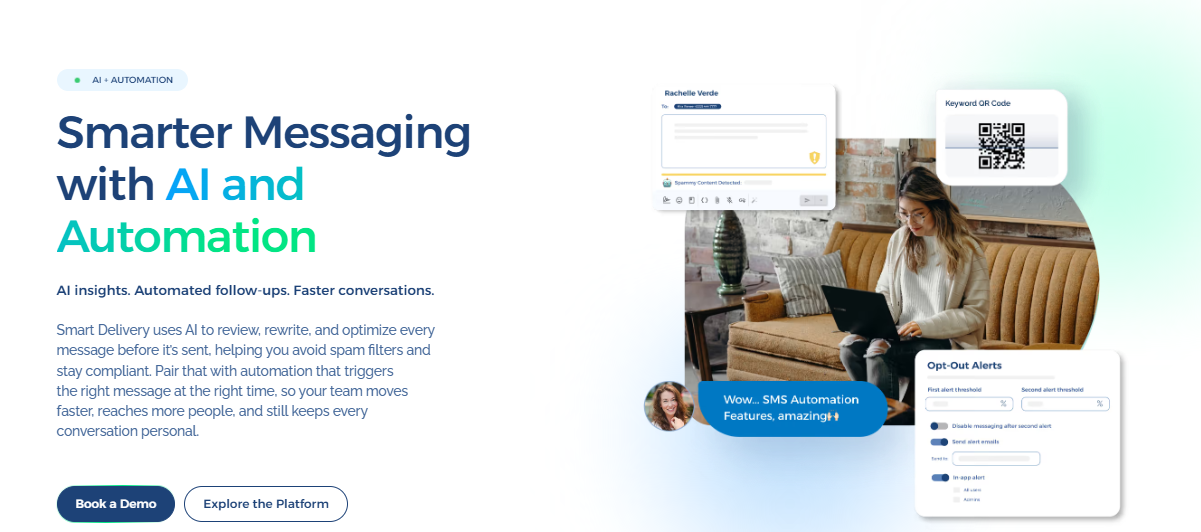
Book a demo with TextUs today to explore how automated text messaging can support your business communication goals!
FAQs About How to Automate Text Messages
Can I set up automatic text messages on my iPhone?
Yes. The Shortcuts app on iPhone can automate personal text messages based on a time, event, or other trigger.
However, text automation software offers more control for business texting. It also streamlines communication across sales, service, and marketing conversations.
How do I turn on automatic text messages?
You send automated texts through SMS software. First, create your message template. Then set a trigger, such as a form submission or appointment booking, or schedule it for a specific time.
Once the trigger happens or the scheduled time arrives, it can automatically send the message. When customers text your number, built-in auto-responders reply instantly based on predefined rules.
Can you automate SMS without coding?
Yes. Most business texting platforms, including TextUs, provide simple dashboards where you build workflows without writing code. You select triggers, write messages, and set timing through built-in automation tools.
Is SMS automation legal?
Yes, SMS automation is legal if you follow the rules. Customers must agree to receive text messages before you send them. Texts should also include an easy opt-out option, such as replying STOP.
Keeping records of customer consent is also important. SMS compliance means avoiding sending messages without permission or a clear business context.
How much does SMS automation cost?
SMS marketing pricing depends on the platform and how many messages you send.
Most providers charge a monthly fee plus a cost per message. Plans may vary based on advanced features such as CRM integration, automation tools, and reporting.
Continue Reading



Frequently Asked Questions
Business Texting
Built for Results
Create and convert pipeline at scale through industry leading SMS software