
How an Event Text Messaging Service Improves Event Operations
Discover the benefits of using an event text messaging service, which features to look for, and which SMS marketing platform stands out.

Written by
Adam Hamdan
Published
July 22, 2026

A full registration list does not mean every person will show up. Attendance comes down to whether people receive the right reminder, update, or access detail before it's too late.
An event text messaging service puts those messages in front of attendees faster than email, social media, or app notifications.
From schedule changes to check-in instructions, SMS event marketing allows you to keep registrants informed and move them closer to attendance.
In this article, we will explain the benefits of using an event text messaging service, which features to look for, and which SMS marketing platform stands out for event communication.
TL;DR
- An event text messaging service gets important updates seen faster, encourages attendee responses, improves registration turnout, reduces missed sessions, and keeps staff and volunteers aligned when plans change.
- Core features to look for in a text messaging service include mass messaging, two-way conversations, scheduled texts, automated sequences, contact segmentation, shared inboxes, keywords, templates, integrations, analytics, and mobile or desktop access.
- TextUs brings broadcasts, automation, keyword replies, CRM syncing, and team messaging into one platform for attendee outreach and staff coordination.
Why Use an Event Text Messaging Service
Things change fast during an event, and attendees need updates they will actually see.
Here are the reasons an event SMS messaging service can make mass communication easier before, during, and after the event.
Faster Event Communication
Events do not leave much room for slow communication. A gate change, delayed speaker, or new check-in point needs to reach people now, not after they finally open an email.
An event text messaging service puts updates straight on attendees’ cell phones and lets your staff reach the full list in one send. That means fewer phone calls, fewer repeated questions, and less scrambling behind the scenes.
Higher Message Visibility
Inbox overload is real. Event emails can disappear between work updates, travel confirmations, and promotional messages before anyone notices them.
Not everyone reads emails or posts, but text messages are much harder to miss. Important details such as parking instructions, venue changes, access links, and start times have a better chance of being seen.
Stronger Attendee Participation
People are more likely to join in when participation feels simple. A quick reply, short link, or SMS keyword takes far less effort than opening another app or tracking down a survey page.
You can use SMS marketing campaigns to confirm attendance, respond to live questions, and gather feedback. That small layer of interaction can make the event feel more active instead of one-sided.
Better Registration Turnout
A filled registration form does not guarantee someone will show up. Plans change, reminders get buried, and event details are easy to forget.
A few well-timed texts can keep the event on their radar. The final reminder can include everything they need, from the exact start time to parking details or the virtual access link.
Fewer Missed Sessions
Attendees have a lot to keep track of, especially at conferences with several rooms, speakers, and overlapping sessions. Even interested guests can miss a session because they lost track of time.
A short reminder before the session starts can create a seamless experience. Updates can also go out fast when a room changes or a speaker runs behind schedule.
Better Staff and Volunteer Coordination
Staff and volunteers need instant updates just as fast as attendees do. Shift changes, meeting points, room assignments, and urgent requests can all change during the day.
Group texts keep those instructions clear and separate from guest communication. Your coordinators spend less time chasing people down, while everyone knows where they need to be.
Key Features of an Event Text Messaging Service
The right SMS marketing platform should do more than send a basic text blast. These are the advanced features that make event mass text messaging far less chaotic for event marketers.
Mass Messaging
A mass texting service lets you send one message to your full attendee list without contacting people one by one.
This is valuable for event reminders, venue changes, weather alerts, and other announcements that affect everyone.
The mass SMS platform should also handle large contact lists without slowing down when message volume increases.
Two-Way Conversations
Event communication should not stop after you press send. Conversational texting lets attendees reply with questions about check-in, parking info, session times, or access links.
Replies stay inside the mass texting platform, so your staff does not need to manage conversations from personal phones.
Scheduled Event Messages
Some event messages need to arrive at a specific time. SMS campaign scheduling lets you prepare reminders and set them to go out before registration closes, a session begins, or the event starts.
This takes one more task off your team’s plate during the busiest parts of the event.
Automated Text Sequences
SMS automation handles messages that follow a clear timeline. A registrant might receive a confirmation, a reminder, a check-in message, and a follow-up without your staff sending each one by hand.
A good event text messaging service should let you build drip campaigns around dates, actions, or attendee groups.
Contact Segmentation
No one wants to receive five messages that have nothing to do with their ticket or schedule. SMS segmentation lets you send the update to the right group.
Messages reflect ticket type, event name, selected session, arrival time, location, or access level. Personal details such as names or assigned rooms also make the message sound less like a mass blast.
Shared Team Inbox
A shared inbox gives authorized staff one place to view, assign, and answer incoming messages.
Everyone can see what has already been discussed, which reduces repeated replies and missed questions. This is useful when several people handle attendee support during the same event.
SMS and MMS Support
SMS covers standard text updates, while MMS allows you to include images, files, graphics, or other media.
Event organizers may use MMS messages for venue maps, QR codes, sponsor graphics, or visual instructions. The platform should also make both formats easy to send from the same dashboard.
Custom Keywords and Auto-Replies
Keywords provide attendees a simple way to request information or join a list. Someone might text “PARKING” or “CHECKIN” and receive an automated message with the right details.
It reduces repeated questions and gives attendees fast answers without waiting for a staff response.
Message Templates
Templates save time when your team sends the same types of updates across different events.
Registration confirmations, session reminders, schedule changes, and post-event surveys can all be stored and reused. Approved templates also keep the tone and information consistent across your team.
CRM Integrations
Integrations connect event texting with other tools you already use. A platform may link with your CRM, ticketing software, registration system, calendar, or marketing tools.
These connections reduce manual data entry and keep attendee records up to date across different platforms.
Analytics and Reporting
Reporting tools show what happened after each message was sent. Useful metrics for tracking performance may include response rates, delivery rates, link clicks, opt-outs, and campaign engagement.
These results help you see which messages caught attention and where your communication needs improvement.
Mobile and Desktop Access
Event and support teams are rarely tied to one desk. Mobile and desktop access lets staff monitor replies, send bulk SMS updates, and check conversations from the office, venue floor, or registration area.
TextUs Is the Best Mass Texting Service for Events
Events depend on fast communication, clear coordination, and timely follow-up.
TextUs brings those needs into one platform with an intuitive interface. You can manage attendee outreach, staff updates, reminders, and messages without relying on scattered tools.
Create More Efficient Event Workflows
TextUs’ automation reduces the amount of manual work behind event communication.
Scheduled texts, sequences, and keyword responses are sent automatically for routine updates like before, during, and after the event.
Registration reminders, check-in instructions, session alerts, parking details, and post-event surveys can all follow a planned timeline. Your staff spends less time sending repetitive messages and more time managing the actual event.
Turn Interest Into Registrations
Group broadcast messages let you reach large groups of lists with registration announcements, deadline reminders, ticket updates, and last-minute availability.
When you send messages at the best time, it brings interested contacts back to the registration page or reminds confirmed attendees to show up.
TextUs also allows you to include clickable URLs, so the next step is easy to find.
Give Attendees Instant Answers
Attendees often ask the same questions about parking, schedules, dress codes, venue access, check-in, and event policies. Custom keywords let them request the information they need through a simple text.
TextUs sends the matching response automatically, which gives attendees faster answers and reduces repetitive support requests.
Keep Every Team Aligned
Event communication does not stop with attendees. TextUs can also organize updates for volunteers, coordinators, speakers, vendors, and on-site staff.
Group broadcasts can cover call times, room assignments, shift changes, meeting points, and urgent requests. Separate contact groups keep operational messages away from attendee campaigns.
Connect Event Texting With Your CRM
TextUs can sync with popular CRM platforms, which keeps event conversations connected to existing contact records. Staff review prior messages, update outreach, and manage follow-ups without losing context.
This is ideal for sponsor outreach, lead follow-up, attendee relationship management, and future event promotion. Event communication becomes part of the broader customer record instead of an isolated campaign.
Keep Your Event Running Smoothly With TextUs
Whether you're hosting a small business event or managing a large conference, TextUs makes it incredibly easy to reach attendees.
TextUs provides SMS messaging capabilities and automation features to keep every attendee, volunteer, and staff member in the loop.
You can schedule reminders, organize replies, segment contacts, automate follow-ups, and boost engagement without making event communication harder to manage.
Consent tools and opt-out controls also help you stay compliant as your message volume grows.
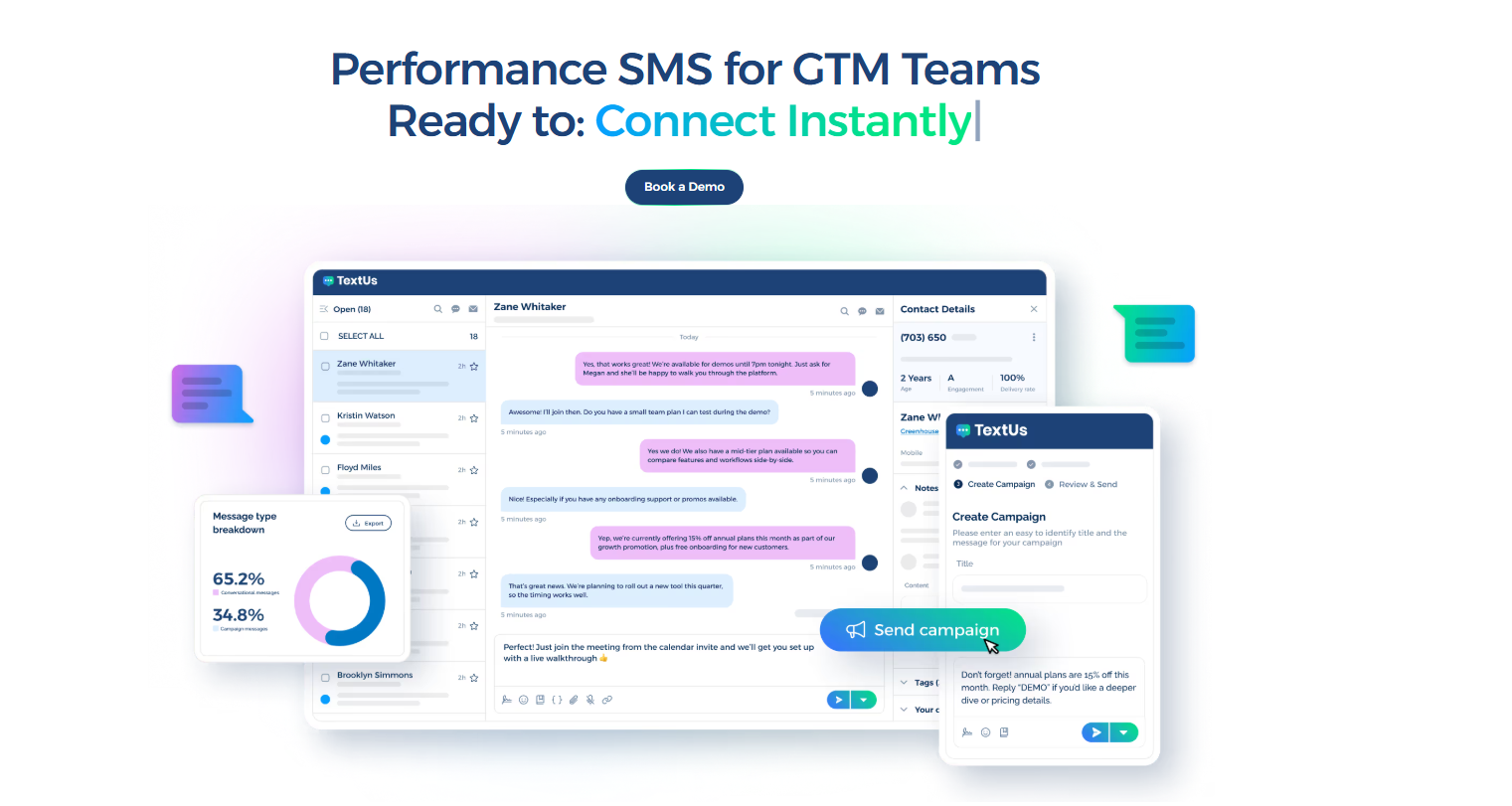
Book a demo with TextUs today and see how the right text messaging service keeps your event moving!
Continue Reading



Frequently Asked Questions
Do attendees need to opt in?
Yes. Attendees should give explicit consent before receiving event texts, and every message program should provide a simple way to opt out.
Marketing texts may require prior express written consent under the Telephone Consumer Protection Act (TCPA), while informational messages still need proper permission and opt-out controls.
What is the best phone number type for event texting?
A registered 10DLC number suits most local events and two-way attendee conversations.
Toll-free numbers may fit broader outreach across several regions.
Can attendees reply to event texts?
Yes, as long as the platform supports two-way messaging. Attendees can answer questions, confirm attendance, request details, or ask for support through a dedicated phone number.
A shared inbox lets your team manage replies, assign conversations, and add more seats when several staff members need access.
Business Texting
Built for Results
Create and convert pipeline at scale through industry leading SMS software