
How to Choose a Scalable Mass Texting Service for Business
Learn how to choose a scalable mass texting service for business. Discover what makes TextUs stand out as the best solution available.

Written by
Adam Hamdan
Published
July 3, 2026

Every business needs a reliable way to reach people without adding more work to the team.
But customer updates, lead follow-ups, and internal alerts can pile up fast when they are handled using different tools.
The best app for mass texting brings those messages into one organized system. You can send bulk text messages, group contacts, schedule texts, and see which messages get responses.
In this article, we will walk through the importance of using a mass texting service for business, which features are worth comparing, and how to set it up.
TL;DR
- A mass texting service provides a faster, more organized way to send updates, reminders, offers, follow-ups, alerts, and time-sensitive messages.
- Businesses use mass texting to reach customers sooner, improve team follow-up, reduce missed appointments, promote relevant offers, manage two-way conversations, improve communication, and track campaign performance.
- The right mass text service should include bulk SMS campaigns, two-way texting, shared inboxes, segmentation, personalization, scheduling, automation, SMS sequences, keywords, MMS, link tracking, analytics, CRM integrations, compliance tools, deliverability support, and onboarding.
- Setting up a mass texting service involves choosing the right platform, selecting a business number, registering your use case, importing contacts, segmenting your audience, testing your first message, and monitoring replies and results.
- TextUs brings SMS and MMS campaigns, real-time CRM syncing, two-way texting, shared inboxes, analytics, and AI-powered message-quality tools into a single platform.
How Mass Texting Services Support Better Business Messaging
Customer communication moves fast. Emails can sit unopened, phone calls can go unanswered, and social media posts may never reach the right audience.
A platform built for bulk texting makes text message marketing easier. You can send mass text messages, organize contacts, manage replies, handle opt-outs, and track results.
Here are the main reasons why you should use mass text messaging services:
Faster Customer Reach
When you need someone to see a message soon, SMS works better than channels that depend on crowded inboxes or missed calls.
You can use mass texting to send appointment reminders, limited-time offers, event updates, order notices, payment reminders, or emergency alerts.
Better Follow-Up
A business mass texting service keeps follow-ups from getting scattered on personal phones, email threads, or separate tools.
You can send messages from a shared platform and keep the conversation history in one place.
This is valuable for sales teams following up with leads, recruiters checking in with candidates, service teams answering customer questions, and front desk teams confirming appointments.
Stronger Appointment and Event Attendance
A short reminder provides customers with the date, time, location, and next step without making them search through email.
Clinics, salons, staffing agencies, real estate teams, schools, gyms, and service businesses can use SMS reminders to keep schedules full.
Event teams can also send parking details, check-in instructions, last-minute changes, and day-of reminders.
More Direct Promotions and Offers
With SMS, you can send flash sales, seasonal promos, loyalty rewards, product launches, back-in-stock alerts, and VIP updates through a text blast service for business.
The key is relevance. The best mass texting platform should let you segment contacts so customers receive offers that match their interests, location, purchase history, or stage in the customer journey.
Easier Customer Engagement
Mass texting is not only for one-way announcements. Many businesses use two-way texting so customers can reply, ask questions, confirm details, or request next steps.
This makes SMS useful for conversations that need a quick answer. A customer can confirm an appointment, ask about availability, reply to a quote, or respond to a sales follow-up.
Better Campaign Tracking
A bulk texting service allows you to see visibility into campaign performance.
These insights help improve future campaigns. You can see which offers drive action, which segments respond, which messages create opt-outs, and which follow-ups lead to bookings or conversations.
More Organized Business Communication
As your contact list grows, texting from a personal phone becomes harder to manage.
A business SMS platform gives you contact lists, templates, automations, team inboxes, assignments, and reporting.
This structure matters when more than one person handles customer communication. Your team can see who replied, who needs follow-up, and which SMS messages have already been sent.
Better Support for Time-Sensitive Messages
Mass texting services are best for schedule changes, weather closures, staffing updates, service delays, safety notices, delivery updates, and payment deadlines.
A short text keeps people informed when plans change. This makes SMS valuable for both customer-facing and internal communication.
Key Features to Look for in a Mass Text Service
The right mass texting service should make business texting easier to manage, not just faster to send. These are the main features to look for before choosing an SMS service.
Bulk Text Campaigns
Bulk SMS marketing campaigns are the core feature of any mass texting app for business.
This lets you send one message to a large group of contacts without exposing recipient numbers or creating a messy group chat.
You need to look for marketing tools that let you select a contact segment, personalize campaigns, schedule messages, and review messages before launch.
Two-Way Texting
Customers, leads, candidates, and clients may reply with questions, confirmations, objections, or requests for more information.
Conversational texting allows you to continue those conversations on the same platform. This is important if SMS plays a role in sales follow-ups, appointment confirmations, or customer support.
Shared Team Inbox
A shared inbox keeps SMS conversations in one place, so replies do not get lost in personal phones or separate mobile apps.
You should be able to view conversation history, assign messages, filter replies, and see which conversations still need attention.
Contact Segmentation
SMS segmentation lets you send the message to the right group instead of texting your entire list every time. This is one of the most important features for better campaign relevance.
You might segment contacts by location, lead source, purchase history, appointment type, job interest, lifecycle stage, account owner, or engagement level.
Better segments can reduce SMS opt-outs because people receive messages that match their needs.
Personalization Fields
Personalization makes a mass text feel more relevant without requiring your team to write each message from scratch.
A platform may let you add fields such as first name, appointment date, company name, location, product name, or assigned rep.
Scheduled Texts
Campaign scheduling allows your team to plan campaigns in advance rather than sending everything on the spot.
This is ideal for promotions, event reminders, appointment follow-ups, renewal notices, and re-engagement campaigns.
Timing matters in SMS. You need to look for scheduling tools that account for time zones, send windows, and campaign timing so your messages reach people when they are more likely to act.
Automated Messaging
Automated text messaging helps you send follow-ups based on specific triggers.
For example, a lead can receive a text after submitting a form, or a customer can receive a reminder before an appointment. Automation removes repetitive tasks from your team while maintaining consistent communication.
Drip Campaigns and SMS Sequences
Drip campaigns let you send a planned series of texts over time. It works for lead nurturing, candidate follow-up, onboarding, event reminders, win-back campaigns, and customer education.
A good sequence should also stop or change when someone replies, books, buys, opts out, or completes the next step.
Keywords and Opt-In Tools
SMS keywords make it easier to grow your mass texting list. A customer can text a word like JOIN, VIP, DEALS, HIRING, DEMO, or EVENTS to opt in.
It's best when you run upcoming events, stores, ads, social campaigns, job fairs, mailers, and in-person promotions.
The mass texting service lets you tie each keyword to the right auto-response, list, or campaign so new contacts instantly enter the automated workflow.
MMS Messaging
MMS lets you send SMS messages with images, flyers, coupons, product photos, event graphics, or other visual content.
Many businesses use it for retail offers, restaurant promos, real estate updates, event announcements, and product launches.
Before relying on MMS, check the SMS marketing service's pricing models and limits. Picture messages cost more than plain SMS, and not every campaign needs a visual to perform well.
Link Tracking
Link tracking shows which contacts clicked your links and which campaigns drove action. This turns SMS from a simple send tool into a measurable channel.
You have to use trackable and clickable URLs for booking pages, payment links, product pages, event registration, feedback requests, application forms, and demo scheduling.
Click data can show what your audience cares about and which messages need improvement.
Analytics and Reporting
The best mass texting service should show more than how many messages were sent. Your team needs clear reporting on delivery, replies, clicks, opt-outs, conversions, and campaign performance.
Data insights also help you spot problems. High opt-outs may signal weak targeting, or low clicks may point to an unclear offer. Slow replies could also show that your team needs a better inbox process.
CRM Integrations
A mass SMS platform becomes more useful when it connects with the tools your team already uses.
Customer relationship management (CRM) and business tool integrations keep customer data, message history, and follow-up activity in sync.
You have to check for SMS integrations with systems such as your CRM, ATS, ecommerce platform, booking tool, payment system, or automation software.
Compliance and Opt-Out Management
SMS compliance features are not optional for business text marketing. Your platform should help manage consent, opt-outs, message records, and required unsubscribe actions.
The service should process STOP requests and prevent opted-out contacts from receiving future campaigns. It should also make it easier to keep message history and consent records organized.
Message Deliverability Tools
Sending a message does not always mean the message reaches the recipient.
Carrier filtering, poor registration, risky wording, high opt-out rates, and low-quality contact lists can affect message delivery.
Your chosen mass texting solution should provide registration support, message quality guidance, opt-out monitoring, and clear delivery reporting. These features matter more as your message volume grows.
Customer Support and Onboarding
Setup can involve number registration, contact imports, opt-in workflows, integrations, templates, and team training. Strong onboarding makes the first campaigns easier to launch.
Your SMS provider has to offer support during setup and when issues come up. This matters most if your team is new to business texting or plans to use SMS across several departments.
How to Set Up a Mass Texting Service for Your Business
Setting up a mass texting service for business takes more than choosing a platform and sending your first campaign. Here are the essential steps to help you launch with the right setup.
Step #1: Choose the Best Mass Texting Platform
Some SMS apps focus on simple text blasts. Others provide stronger tools for one-on-one conversations, campaigns, automation, contact management, and reporting.
TextUs is bulk SMS software built for recruiting, sales, marketing, customer success, and other teams that need to text large contact lists.
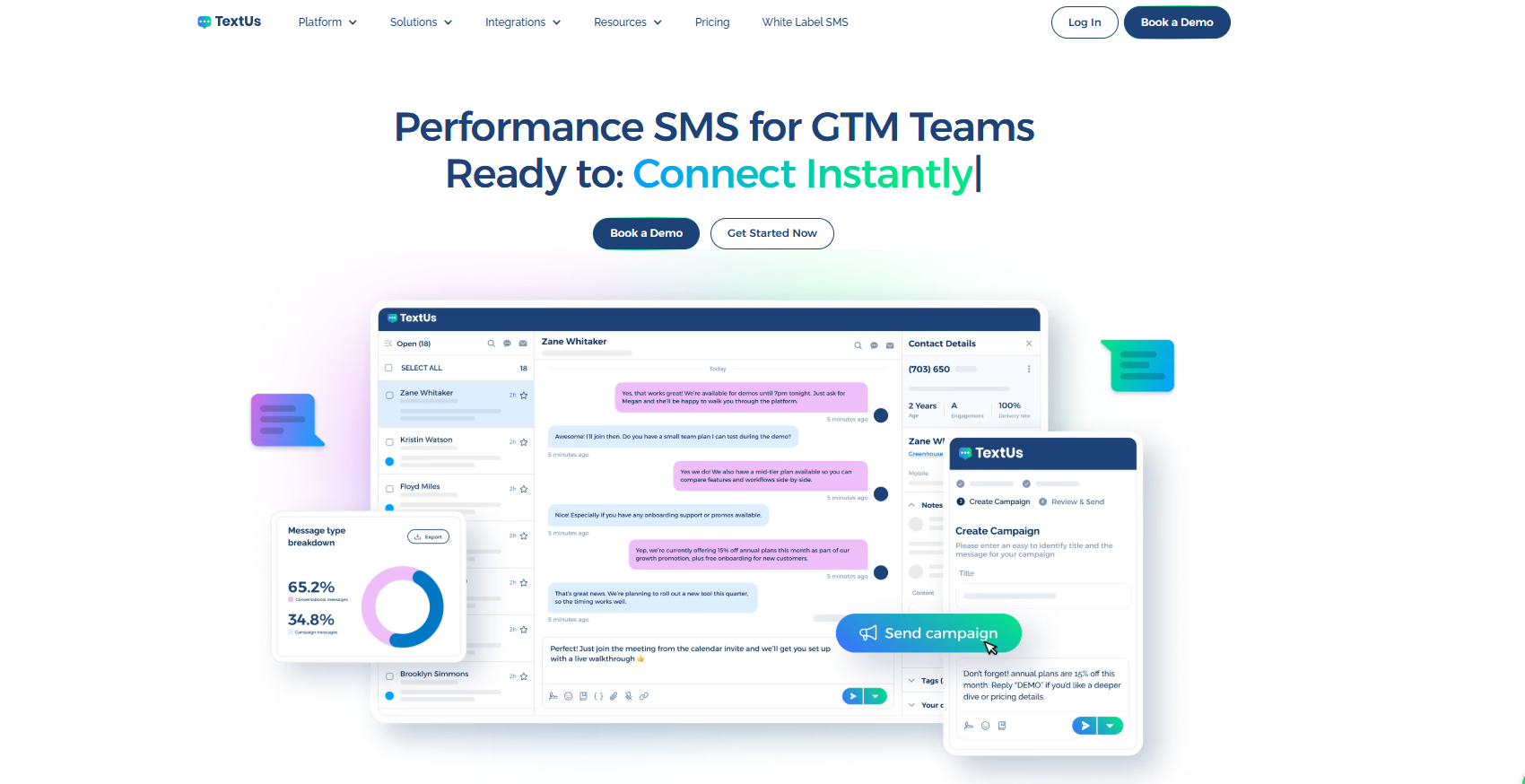
With TextUs, you can send SMS and MMS campaigns, manage two-way conversations, schedule texts, use customizable templates, sync contacts, and track campaign performance.
TextUs also supports unlimited custom keywords and unlimited contacts. It can sync with popular CRMs in real time, so SMS conversations are logged with your customer records.
This makes it easier to connect mass texting with the business tools your team already uses. This makes it beneficial if you want SMS activity tied to CRM, ATS, or workforce data.
Book a demo with TextUs today and start building stronger business text campaigns!
Step #2: Pick Your Business Texting Number
Your business text number may be a local number, toll-free number, short code, or an existing number that can be text-enabled.
The number should match how customers already recognize your business. If customers already call your main line, text-enabling that same number can make communication familiar.
Step #3: Register Your Messaging Use Case
You have to register your messaging use case so carriers know who is sending texts and why.
This may apply when your business sends SMS through local numbers, toll-free numbers, or other approved business messaging routes.
Your provider may ask for your business details, message purpose, opt-in method, sample messages, and expected message type.
Step #4: Import or Sync Contacts
You have to add your contacts to the mass texting service through a spreadsheet upload, CRM sync, ATS integration, ecommerce platform, booking system, or another connected tool.
Make sure each record includes the right mobile phone number, name, contact source, and any details your team needs for segmentation.
You should also clean your list before sending your first campaign. Remove duplicates, fix incorrect numbers, review consent status, and organize contacts into useful groups.
Step #5: Segment Your Contacts
You can group your contacts based on shared details, such as customer type, location, interest, lead source, purchase history, appointment type, role, or stage in the customer journey.
This makes your SMS campaigns more relevant and easier to manage. A new lead may need a follow-up message, while a past customer may need a re-engagement offer, reminder, or service update.
Step #6: Write and Test Your First Message
A good business text message should include the sender, the purpose, and the next step. Readers should be able to know who the message is from, why they are receiving it, and what action to take.
TextUs makes this step easier with AI-powered smart messaging. Instead of guessing which words may trigger carrier filters or create compliance risk, you get immediate rewrite suggestions for high-risk messages while keeping your brand voice intact.
Test the message before sending it to a larger group. Check the spelling, personalization fields, opt-out language, and reply flow so your campaign looks correct.
Step #7: Monitor Replies and Results
After the campaign goes out, you should watch both customer replies and performance data.
A mass texting service is most valuable when it shows what happens after the message is sent, not just how many contacts received it.
Replies should be reviewed as soon as possible so customers, leads, candidates, or clients get the next step they need.
Some people may confirm an appointment, ask a question, request more details, or raise a concern that needs a team member’s response.
Make Your Bulk Campaigns Easier to Send and Measure With TextUs
Many mass texting services make it easy to send bulk messages. But not every platform makes those campaigns feel personal or easy to measure.
TextUs is SMS marketing software built for personalized campaigns and delivers better performance.
With this easy-to-use platform, you can quickly launch mass texts, manage replies, segment contacts, schedule campaigns, and keep conversations organized from one shared inbox.
TextUs also provides strong SMS capabilities for SMS and MMS campaigns, automations, CRM integrations, keywords, QR codes, analytics, and AI-powered message quality checks.
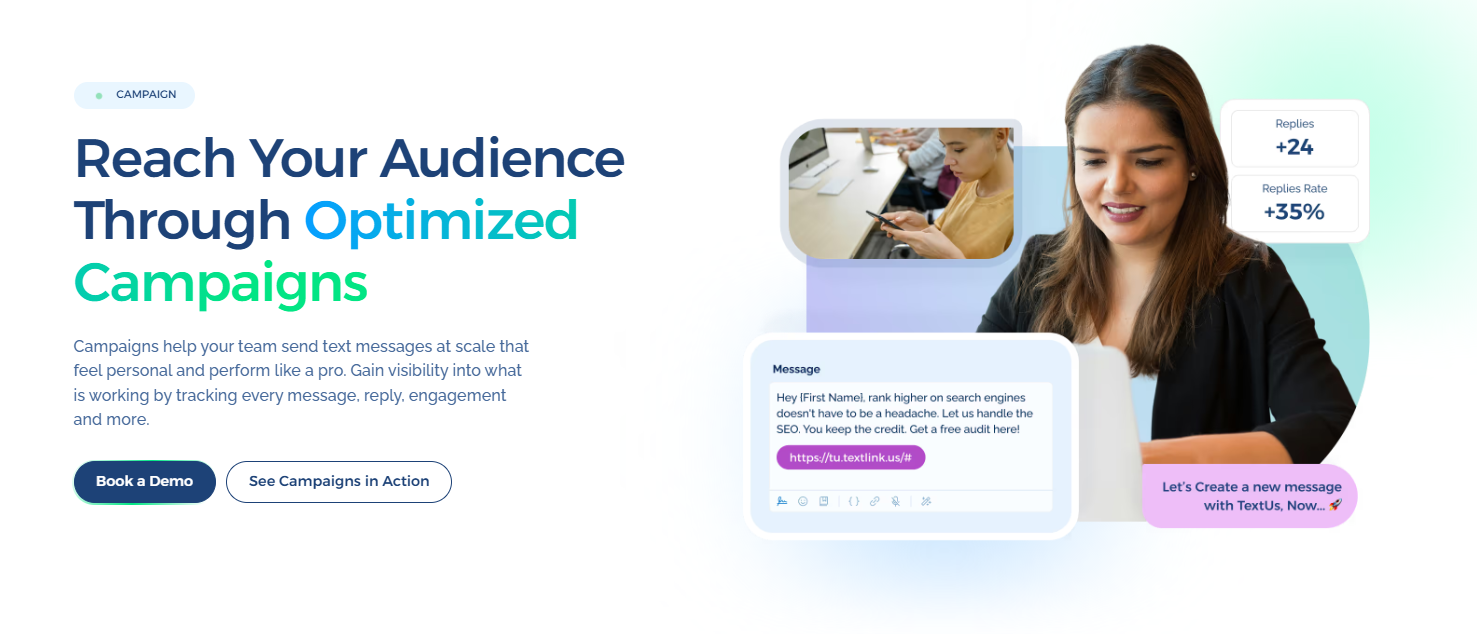
Book a demo with TextUs today to explore its bulk SMS features and see how it allows you to send smarter text campaigns!
Continue Reading



Frequently Asked Questions
Is mass texting legal?
Yes, mass texting is legal when you follow the consent, opt-out, and SMS marketing rules that apply to your location, industry, and message type.
An explicit opt-in process should explain what people are signing up for, how often they may receive messages, and how they can opt out of your messaging program.
What is the difference between mass texting and group texting?
Mass texting sends one message to many contacts without showing everyone’s phone numbers.
Group messaging creates a shared thread where recipients can see or reply to one another on mobile devices, which is not ideal for business campaigns.
Can customers reply to mass texts?
Yes, many business mass texting platforms support two-way replies. This lets customers confirm appointments, ask questions, respond to offers, request more details, or continue the conversation with your team.
Business Texting
Built for Results
Create and convert pipeline at scale through industry leading SMS software