
60 Recruiting SMS Templates for Every Candidate Touchpoint
Explore 60 recruiting SMS templates for outreach, interviews, offers, and onboarding, and see how TextUs supports hiring teams.

Written by
Adam Hamdan
Published
September 29, 2026

Candidates don't always see an email in time. Phone calls can also go unanswered while hiring decisions continue on schedule.
SMS recruiting puts interview updates, reminders, and other time-sensitive conversations in a channel candidates can check and respond to with less effort.
However, most recruiters already juggle outreach, screening, interviews, and other hiring tasks. Writing each message from scratch takes time away from more important candidate conversations.
In this article, you will find customizable recruiting SMS templates for every stage of hiring. You'll also find practical tips for writing messages that encourage more candidates to reply.
TL;DR
- SMS templates help you keep candidate communication consistent and timely while still leaving room to personalize each message.
- This guide includes 60 templates covering outreach, applications, screening, interviews, offers, rejections, events, onboarding, and feedback.
- Effective candidate outreach starts with context, feels personal, is easy to read, gives a clear action, matches the candidate's situation, and uses SMS for quick hiring updates.
- TextUs turns texting into a more organized hiring channel with reusable templates, smart automation, SMS campaigns, shared inboxes, and flexible CRM and ATS integrations.
How SMS Templates Help You Stay Consistent
Hiring involves the same types of candidate communication at different stages, from interview confirmations and reminders to application updates and follow-ups.
SMS templates let you handle those recurring messages without starting from a blank screen each time, while still leaving room to personalize the wording for each candidate.
That consistency matters because candidate communication can influence how people view an employer.
According to Indeed, 77% of job seekers said not hearing back after applying would hurt their perception of a company. That makes timely communication an important part of the recruitment process.
Text templates give you a ready starting point for common recruiting messages, so you can respond faster without sending the same text to everyone.
60 Text Message Templates for Every Stage of the Hiring Process
Before using these text message templates, confirm that the candidate agreed to receive SMS from the named employer or agency.
Identify the sender, explain why you are contacting the candidate, respect appropriate sending hours, and provide the required opt-out method. Compliance templates can help standardize approved language, but they do not replace legal review.
The right message depends on where a candidate is in the hiring process and what you need from them next. Here are text message examples you can adapt for your recruiting workflow:
Initial Outreach
Initial outreach gives candidates enough context to understand why your hiring team contacted them without overwhelming the first message.
Examples
- Hi [First Name], this is [Recruiter Name] from [Company]. Thanks for applying for our [Role] position. I reviewed your application and would like to talk about the next step. Are you available for a short call on [Day]?
- Hi [First Name], I’m [Recruiter Name] with [Company]. You previously agreed to receive job opportunities from us, and your experience in [Skill/Field] may be relevant to a new role. Are you interested in a quick chat on [Day]?
- Hi [First Name], this is [Recruiter Name] from [Company]. [Referrer Name] recommended that I reach out to you about a [Role] opportunity. I’d love to tell you more if you’re open to a conversation this week.
Job Opportunity
Job opportunity outreach introduces a specific opening to candidates who previously agreed to receive role updates. Include your name, company name, job title, and one reason the position may be relevant.
Examples
- Hi [First Name], I’m [Recruiter Name] from [Company]. We’re hiring for a [Role], and your background in [Skill/Industry] looks relevant to what we need. Would you be open to hearing more about the position?
- Hi [First Name], [Recruiter Name] here with [Company]. I came across your profile and noticed your experience with [Specific Skill]. We have a [Role] opportunity that may match your background. Would you have 10 minutes to talk this week?
- Hi [First Name], I’m recruiting for a [Role] at [Company] and noticed your experience with [Specialized Skill]. We’re looking for someone with that background for an upcoming hire. Would you be open to a short conversation about the position?
Job Application Confirmation
Confirmations reassure candidates that their submission reached the right place. They also set expectations about what happens next instead of leaving applicants unsure about their status.
Examples
- Hi [First Name], thanks for applying for the [Role] position at [Company]. Our hiring team received your application and expects to complete the initial review by [Date]. We’ll send you an update after the review.
- Hi [First Name], this is [Recruiter Name] from [Company]. Your resume for the [Role] position has been received. We’ll review your background and contact you about next steps once the review is complete.
- Hi [First Name], thanks for your application to [Company]. We expect to finish our initial review by [Date]. You can expect an update from us after that, even if we decide not to move forward.
Incomplete Application Follow-Up
Incomplete applications need a short prompt rather than another long email. A direct text can remind candidates what remains and provide an easy path back to the application.
Examples
- Hi [First Name], this is [Recruiter Name] from [Company]. It looks like your application for the [Role] position is not complete yet. You can finish it here: [Link]. Let me know if you have trouble accessing the form.
- Hi [First Name], we received your application for [Role], but we still need [Required Item] before we can review it. Please update your application here when you have a chance: [Link].
- Hi [First Name], your application for [Role] is still open and needs to be completed by [Date]. Here is the application link again: [Link]. Please reply if you need help accessing it.
Candidate Screening
SMS works well for basic screening questions, such as availability, work location, shift preference, or start date. Good screening questions also help you narrow the pool to qualified candidates.
Examples
- Hi [First Name], thanks for your interest in the [Role] position. Are you available to work [Schedule/Shift]? Reply YES or NO, and I can share the next step.
- Hi [First Name], I’m following up about the [Role] position at [Company]. This role is [On-Site/Hybrid/Remote] and requires [Location Requirement]. Would that work for you?
- Hi [First Name], your background looks promising for our [Role] position. I’d like to set up a 15-minute phone screen to learn more about your experience. Are you available on [Day] at [Time] or [Alternative Time]?
Resume, Document, and Certification Request
You can request routine hiring documents by text. But avoid asking candidates to send identification numbers, banking information, or other private records.
Examples
- Hi [First Name], this is [Recruiter Name] from [Company]. Could you send an updated resume for the [Role] position? You can upload it here: [Secure Link]. Please let me know once it has been submitted.
- Hi [First Name], we’re moving forward with your application for [Role]. Before the next stage, please upload your current [Certification/License/Reference Information] here: [Secure Link].
- Hi [First Name], your [Assessment Name] for the [Role] position is still pending. Please complete it by [Date] through this link: [Link]. Reply if you have trouble opening it.
Interview Invitation
Interview invitations need to make the format and next steps easy to understand. Separate messages can work for phone, video, second-round, or in-person interviews.
Examples
- Hi [First Name], we’d like to invite you to a phone interview for the [Role] position at [Company]. Would [Day] at [Time] work for you? The call will take about [Duration].
- Hi [First Name], we’d like to move you forward to a video interview for [Role]. We have availability on [Day] at [Time]. Please reply YES if that works, and I’ll send the meeting link.
- Hi [First Name], we’d like to invite you to the next in-person interview for the [Role] position. It will take place at [Location] on [Day] at [Time]. Please reply to confirm or let me know if another time works better.
Interview Scheduling
A candidate is more likely to respond when the message asks for a simple choice instead of an open-ended exchange. You can offer two times, request availability, or share a booking link to schedule an interview.
Examples
- Hi [First Name], we’d like to set up an interview for the [Role] position. What times are you available on [Day] or [Day]? Send me a few options, and I’ll confirm what works.
- Hi [First Name], we have interview times available at [Time A] or [Time B] on [Day]. Which works better for you? Reply A or B, and I’ll confirm your slot.
- Hi [First Name], you’ve been selected for the next stage of the [Role] hiring process. Choose an interview time that works for you here: [Scheduling Link]. Please reply once you’ve booked.
Interview Confirmation and Reminder
An interview reminder confirms the date, time, interview format, interviewer, location or meeting link, and what the candidate needs to do if plans change.
An in-person message can also include the street address, parking instructions, or where to check in.
Examples
- Hi [First Name], your interview for [Role] is confirmed for [Date] at [Time]. You’ll meet with [Interviewer Name] via [Phone/Video/In Person]. Reply CONFIRM so I know you received this.
- Hi [First Name], just a reminder that your interview for [Role] is tomorrow at [Time]. Here is your meeting link: [Link]. Please reply if you need to reschedule.
- Hi [First Name], this is your day-of-interview reminder for the [Role] position at [Time] today. Please be there [Number] minutes before your scheduled time or use this link to connect: [Link].
Interview Rescheduling
Schedule changes happen on both sides, so the message needs to acknowledge the inconvenience and offer the next option without creating more back-and-forth.
Examples
- Hi [First Name], I’m sorry, but we need to move your [Role] interview scheduled for [Original Date/Time]. Would [New Time A] or [New Time B] work for you instead?
- Hi [First Name], thanks for letting me know. We can move your interview to [New Date] at [Time]. Please reply YES to confirm, or send another time that works better.
- Hi [First Name], your rescheduled interview for [Role] is confirmed for [Date] at [Time]. Your meeting link is [Link]. Please reply if anything changes before then.
Missed Call and Voicemail Follow-Up
You'll move between calls and texts throughout the day. A short follow-up helps the candidate understand why you called and makes it easier to reconnect without repeated voicemail attempts.
Examples
- Hi [First Name], this is [Recruiter Name] from [Company]. Sorry I missed your call about the [Role] position. I’m available at [Time] today or [Time] tomorrow if either works for you.
- Hi [First Name], I just tried to reach you about your application for [Role]. No problem if now isn’t a good time. Send me a time that works for a short call, and I’ll reach out then.
- Hi [First Name], I left you a voicemail about the [Role] opportunity at [Company]. I’d like to connect about next steps. Are you available for a short call on [Day]?
Post-Interview Follow-Up
Post-interview texts keep candidates informed as they move through the interview process.
Status updates matter as much as thank-you messages, as candidates want to know when they can expect a decision.
Examples
- Hi [First Name], thanks for taking the time to speak with us today about the [Role] position. We appreciate the conversation and expect to have an update for you by [Date].
- Hi [First Name], thanks again for interviewing for [Role]. We’d like to move you to the next stage. Are you available on [Day] for another conversation with [Interviewer Name]?
- Hi [First Name], I wanted to update you on the [Role] position. Our decision is taking a little longer than expected, but your application is still under consideration. I expect to have another update by [Date].
Candidate Application Status Update
Candidates don't want to wonder whether an application disappeared after an interview or screening call. Short status messages can keep them informed even when there is no final decision yet.
Examples
- Hi [First Name], I'm keeping you updated on the [Role] position. We are still reviewing candidates and expect to make a decision by [Date]. I’ll contact you again once we have an update.
- Hi [First Name], the [Role] position has been placed on hold for now. We appreciate the time you invested in the process and will contact you if hiring resumes.
- Hi [First Name], I’m reaching out with an update on the [Role] position you applied for. Hiring has reopened, and we’d like to continue your application. Are you available this week to reconnect?
Job Offer
SMS is ideal for informing a candidate that an offer is coming or asking them to connect about it. Formal compensation, benefits, legal terms, and offer documents still belong in your approved offer process.
Examples
- Hi [First Name], I have good news regarding the [Role] position at [Company]. We’d like to move forward with an offer. I’ll send the formal offer to your email today.
- Hi [First Name], we have an update on the [Role] position and would like to speak with you about an offer. Are you available for a short call at [Time] today?
- Hi [First Name], I wanted to make sure you received the offer for the [Role] position. Please review it before [Date] and let me know if you have questions or would like to discuss anything by phone.
Rejection Message
SMS is useful for early-stage decisions or short application updates. A candidate who has completed several interviews may have a better experience with a phone call before receiving a written follow-up.
Examples
- Hi [First Name], thank you for applying for the [Role] position at [Company]. We’ve decided to move forward with other applicants at this stage. We appreciate your time and wish you the best in your search.
- Hi [First Name], thank you again for speaking with us about [Role]. We’ve decided to move forward with another candidate. We appreciate the time you spent with us throughout the process.
- Hi [First Name], we won’t be moving forward with your application for [Role], but your background stood out to us. With your permission, we’d like to keep your profile for future roles that may be a great fit.
Candidate Re-engagement
Past applicants and former finalists already know your organization, so a new message can focus on what has changed since the last conversation.
Examples
- Hi [First Name], this is [Recruiter Name] from [Company]. You applied with us before, and we have a new [Role] position that may match your background. Would you be open to hearing more?
- Hi [First Name], I’m reaching out because we have another opportunity at [Company] that may match the experience in your previous application. Would you be open to reconnecting?
- Hi [First Name], I wanted to follow up about the [Role] position. If your job search is still active, I’d be happy to reconnect and answer any questions. If your plans changed, no problem.
Hiring Event and Career Fair
Events give you a chance to connect with many new candidates, but messages still need enough context to feel personal. You can use SMS for invitations, registration confirmations, friendly reminders, and post-event follow-ups.
Examples
- Hi [First Name], [Company] will be at [Career Fair/Event] on [Date]. We’re hiring for roles in [Department/Field] and would love to meet you there. You can register here: [Link].
- Hi [First Name], your registration for [Event Name] is confirmed for [Date] at [Time]. The event will take place at [Location]. We look forward to seeing you there.
- Hi [First Name], thanks for speaking with us at [Event Name]. I’d like to continue the conversation about opportunities at [Company]. Are you available for a call on [Day]?
Employee and Candidate Referral
Referral messages are most effective when you make it easy for the recipient to understand the type of person or experience you need.
Examples
- Hi [First Name], thanks again for speaking with me about the [Role] position. If you know someone with experience in [Skill/Field] who may be open to a new opportunity, feel free to send them my contact information.
- Hi [First Name], we’re hiring for a [Role] at [Company] and looking for people with experience in [Skill]. If someone in your network comes to mind, please send their name through our referral form: [Link].
- Hi [First Name], I’m [Recruiter Name] from [Company]. [Referrer Name] suggested I contact you about our [Role] position. I’d love to tell you more about the opportunity if you’re open to a call this week.
New Hire and Onboarding
Acceptance is not the end of candidate communication. Text reminders help new hires complete paperwork, prepare for their first day, and know where to go before they start.
Examples
- Hi [First Name], welcome to [Company]! We’re excited to have you starting as our new [Role] on [Start Date]. I’ll be your recruiting contact before your first day, so feel free to reach out if anything comes up.
- Hi [First Name], your start date for [Role] is coming up on [Date]. We still need your [Required Form/Task] before then. Please complete it through this secure link: [Link].
- Hi [First Name], we’re looking forward to seeing you tomorrow for your first day at [Company]. Please arrive at [Time] at [Location] and bring [Required Items]. Ask for [Contact Name] when you arrive.
Candidate Feedback
Feedback messages let you understand how candidates experienced recruiting after an interview, rejection, or successful hire.
Examples
- Hi [First Name], thanks for taking part in our hiring process for [Role]. We’d appreciate your feedback on the experience. This short survey takes about two minutes: [Link].
- Hi [First Name], thank you for interviewing with [Company]. We’re working to improve our candidate experience and would value your feedback. You can share it here: [Link].
- Hi [First Name], now that you’ve started your new role at [Company], we’d love your feedback on the recruiting and onboarding experience. Please take this short survey when you have a moment: [Link].
How to Get More Responses From Your Recruiting Messages
You don't need a long pitch to get a response, but your message needs enough context to feel relevant and trustworthy. Here's how you should write messages to make them professional and easy to answer.
Introduce Your Agency and Give Immediate Context
Candidates are more likely to respond when they know who is contacting them and why. Open with your name and agency, mention the role, and make the reason for your message clear from the start.
A strong recruiting text message helps the candidate understand what comes next. It becomes even more important when you contact candidates who have no previous relationship with your agency.
Personalize Your Recruiting Texts
Candidates can quickly spot a copy-and-paste message. You have to include candidate information or relevant experience to show why you chose to contact them.
Candidate outreach templates paired with merge fields make that easier. You can automatically pull details such as a candidate’s first name, recruiter name, or role into the message.
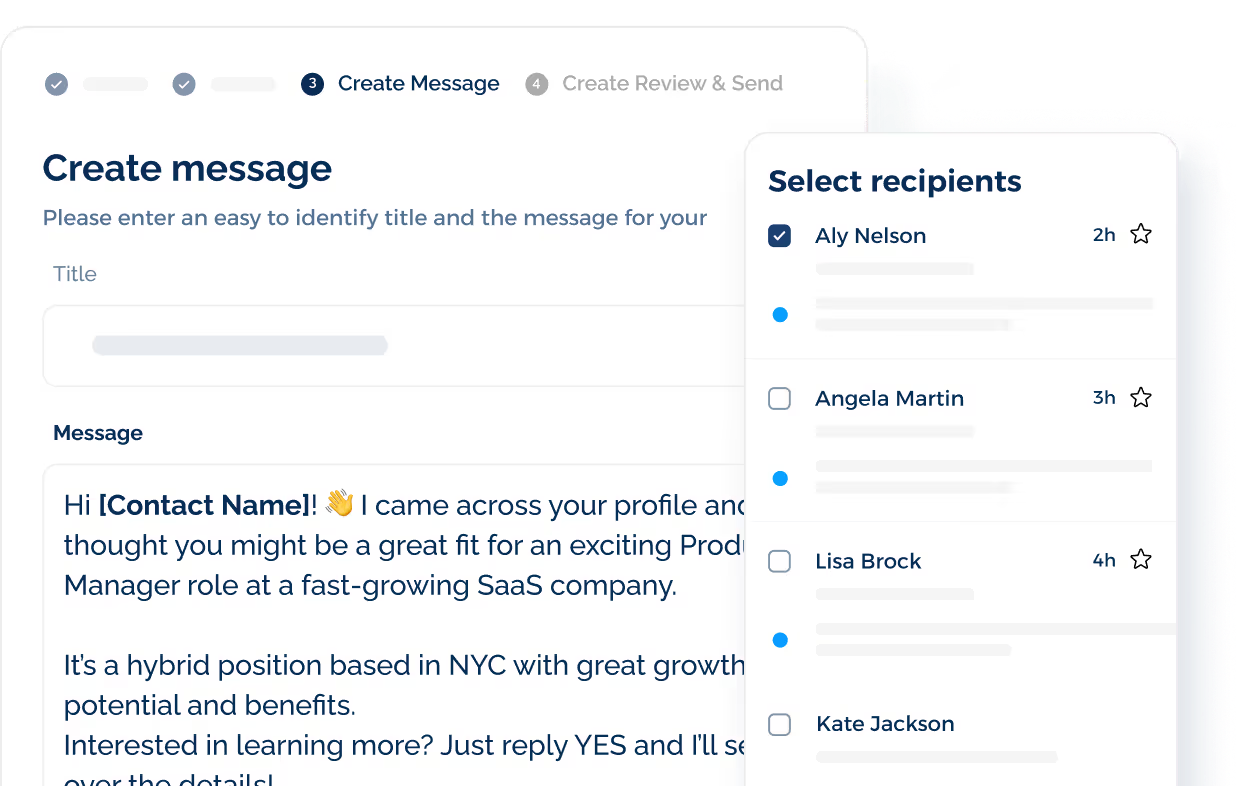
Then, customize the wording based on the candidate’s hiring stage, background, or previous conversation.
Keep Each Message Concise
A text shouldn't feel like an email squeezed onto a phone screen. Keep the text centered on a single task, such as confirming a time, reviewing an update, or replying with availability.
A targeted recruiting message also keeps important information from getting buried.
Longer job descriptions, interview instructions, and formal documents can stay in email or your applicant system, with the text pointing candidates to the right place.
Give Candidates a Clear Next Step
Candidates should know exactly what to do after reading your message. You can ask for a specific action, such as sharing availability, confirming an interview, completing an application, or opening a link.
Simple calls to action (CTAs) can drive action and reduce unnecessary back-and-forth.
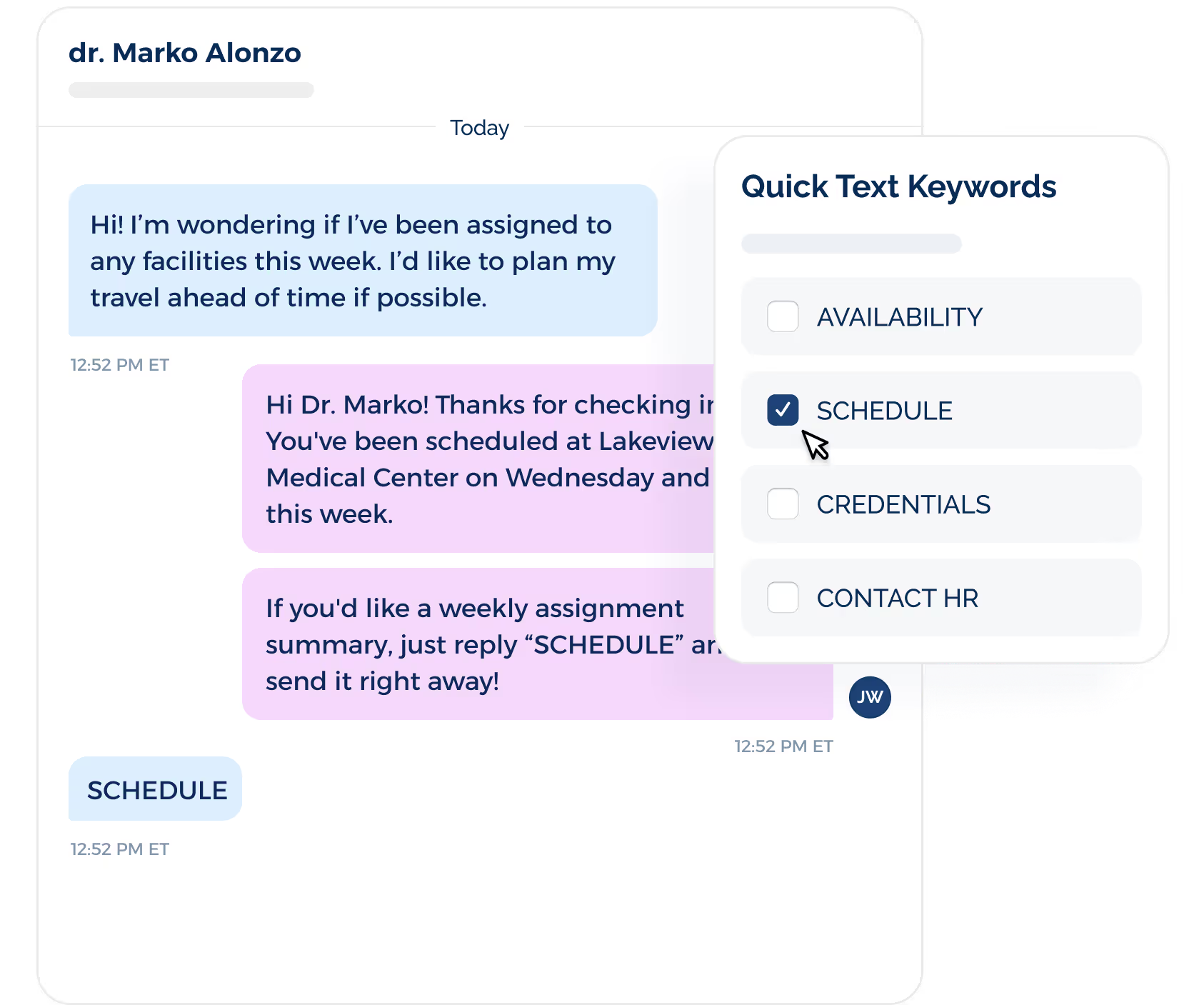
You need to make the response easy for the candidate. A specific request, such as “Send your availability,” “Reply YES to confirm,” or “Choose a time here,” gives them a quick path forward.
Match the Tone to the Candidate and Situation
The right tone depends on how familiar the candidate already is with you and where they are in the hiring process.
SMS segmentation helps you match that tone across different candidate groups instead of sending the same message to everyone.
You can segment contacts by hiring stage, role, location, application status, previous engagement, or source.
For example, passive candidates may need a short introduction and reason for contact, while interview-stage candidates may only need a reminder or next-step update.
Past applicants can receive messages that reference their previous interest, while candidates who stopped responding may need a different approach from people who recently applied.
Choose the Right Channel for the Message
Text recruiting is ideal for scheduling, reminders, confirmations, status updates, and short follow-ups.
Candidates don't need to open an inbox, search for a message, or sit down for a call to confirm a time or send their availability.
That makes text marketing a strong channel when you need to keep the hiring process moving and reduce delays between recruiting stages.
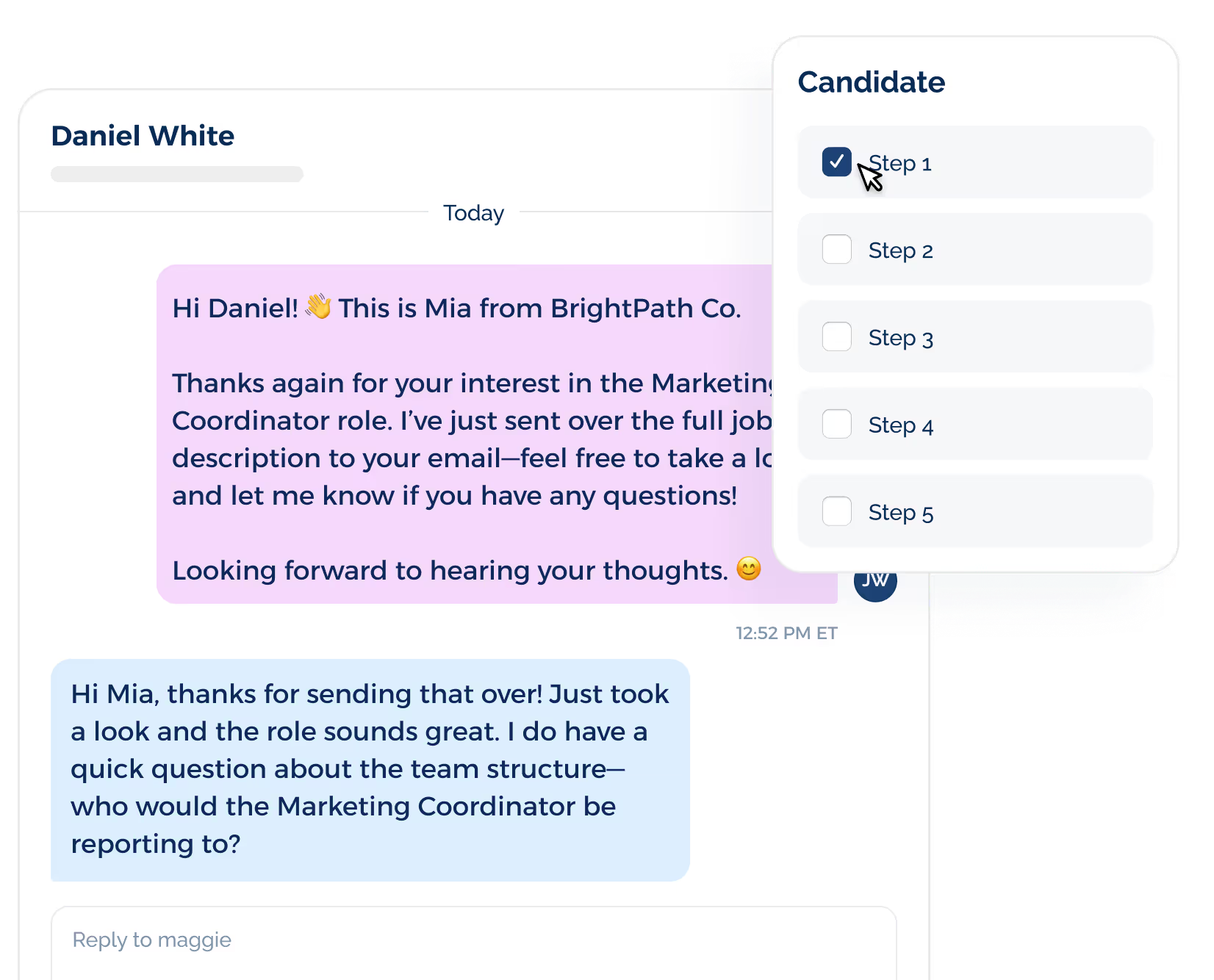
SMS doesn't need to replace your other recruiting channels. Email still suits full job descriptions, attachments, detailed instructions, and formal documents.
At the same time, phone or video calls give more room for compensation discussions, sensitive feedback, and complex decisions.
The value of SMS comes from filling the space between those longer conversations and keeping high-quality candidates engaged.
Make Candidate Outreach Faster and More Personal With TextUs
Your next great hire could be one text away. TextUs is a text recruiting platform that provides a faster, more personal way to connect with candidates.
With TextUs, you can build reusable recruiting text message templates, send targeted campaigns, schedule messages, and manage two-way conversations from a shared inbox.
Automation and ATS integrations help you keep outreach connected to your recruiting workflow without relying on endless individual texts.
Give candidates an easier way to respond while your recruiters spend less time chasing replies across channels.
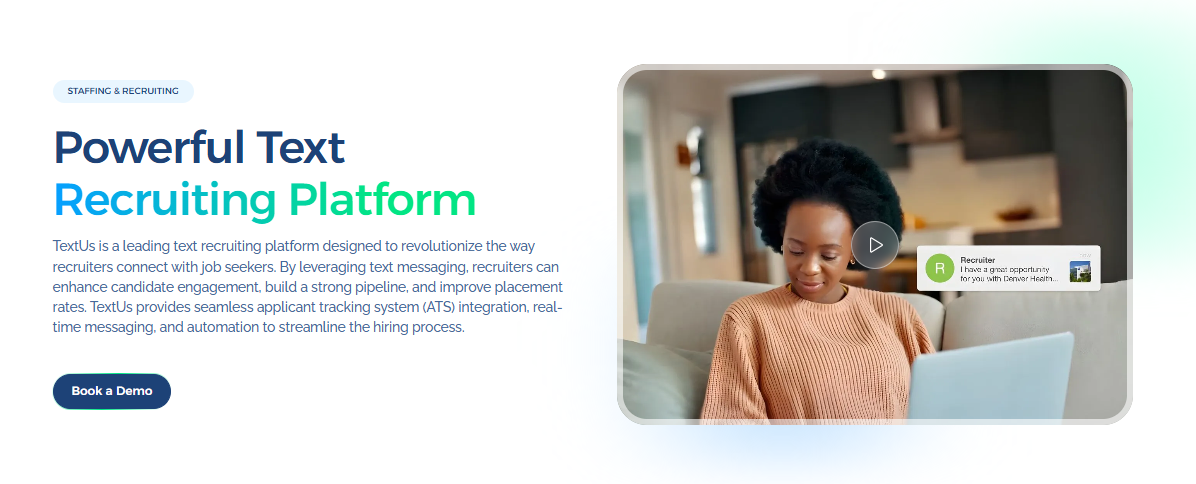
Book a demo with TextUs today and see how SMS recruiting improves your candidate communication process!
FAQs About Recruiting SMS Templates
What is a good message for recruiting?
A good recruiting message introduces who you are, explains why you are reaching out, and ends with a simple next step, such as asking for availability or a quick chat.
Keep the message relevant to the candidate and include enough context for them to respond immediately without needing to ask what the message is about.
How to create an SMS template?
Start with the information that stays consistent, then leave placeholders for details such as the candidate name, role, date, time, and recruiter name.
HR leaders can also create compliance templates for opt-in, opt-out, reminders, and other recurring messages so recruiters do not have to rewrite them each time.
What is the best texting app for recruiting?
The best recruiting texting app supports conversational messaging, automation, and integrations that help you schedule interviews and manage conversations.
TextUs combines SMS with its shared inbox, smart AI automation, campaign scheduling, and CRM and ATS integrations for managing candidate outreach across different use cases.
What is SMS for hiring?
SMS for hiring is the use of business text messaging to contact candidates throughout recruiting, from first outreach and screening to interview reminders, offers, and onboarding.
Candidates can reply, confirm appointments, ask questions, or join the next step in the hiring process from their phones.
Continue Reading



Frequently Asked Questions
Business Texting
Built for Results
Create and convert pipeline at scale through industry leading SMS software