
SMS for Retail Hiring Teams: A Guide to Better Store Staffing
Explore the benefits of SMS for retail hiring teams, practical ways to use it across the recruitment process, and the key practices to follow.

Written by
Adam Hamdan
Published
October 26, 2026

Texting candidates is a direct way to keep hiring conversations moving across screening, scheduling, reminders, status updates, and re-engagement.
SMS also matches the pace of retail, where hiring decisions happen alongside store operations, customer demands, and changing staffing needs.
In this guide, you’ll learn the benefits of SMS for retail hiring teams, practical ways to use it across the recruitment process, and the key practices to follow.
You'll also find how the best text recruiting software reduces missed follow-ups, keeps applicants engaged, and moves more qualified candidates toward interviews and offers.
TL;DR
- SMS helps you reach retail candidates faster, manage high-volume and multi-location hiring, reduce missed interviews, and reconnect with past applicants throughout the hiring cycle.
- SMS supports retail hiring by reaching candidates on mobile, speeding up first contact, handling high-volume and multi-location recruiting, reducing missed interviews, and re-engaging past applicants.
- Retail hiring teams can use SMS for text-to-apply, application confirmations, screening, interview invites and reminders, status updates, offers, preboarding, candidate re-engagement, and seasonal campaigns.
- TextUs helps you speed up candidate communication, keep recruiting activity moving, and improve placement volume through two-way texting.
How SMS Supports Retail Hiring Teams
In a highly competitive job market, qualified applicants often apply to several nearby employers the same day. SMS recruiting lets you reach candidates while interest in the role is still fresh.
Here are the ways texting can strengthen communication across retail hiring:
Reach Hourly and Frontline Candidates
Many retail employees spend their shifts on the sales floor, behind a register, or moving between departments. Regular access to a desktop may be limited during the day.
A mobile device is the most accessible way to check hiring updates. With SMS, you can text candidates with updates about their applications, interviews, or next steps.
Reduce Delays Between Application and First Contact
A long gap after an application gives interested applicants more time to pursue another employer. Fast acknowledgment keeps the opportunity active while the candidate still remembers the role.
You may send an immediate confirmation after someone applies, followed by a message once screening begins. Faster contact also improves the candidate experience since they know their application was received.
Support High-Volume Retail Hiring
Store launches, promotions, holiday demand, and staffing shortages bring multiple candidates into the hiring pipeline at the same time. Manual outreach can be difficult when you need to contact dozens or hundreds of applicants.
Bulk text messaging lets you send multiple application updates, screening questions, interview invitations, and hiring notices to every applicant.
Coordinate Hiring Across Multiple Retail Locations
Large retail organizations involve regional recruiters, store managers, hiring coordinators, and central HR teams. Candidate communication can be disorganized when each location handles outreach in a separate way.
A shared team inbox supports better visibility across locations, while a shared team structure makes handoffs easier when several people take part in hiring.
Location-specific communication also supports candidate routing, regional recruiting, and store-level hiring needs.
Minimize Candidate Ghosting and Missed Interviews
Missed interviews happen because of forgotten appointments, schedule conflicts, or incomplete instructions. SMS allows applicants to confirm attendance or request another option.
Interview confirmations, reminders, location details, and available time slots keep candidates informed before the appointment. Faster follow-up also makes it simpler to schedule interviews when several stores or managers are involved.
Reconnect With Previous Applicants and Seasonal Employees
You don't need to start from zero every time a role opens. A previous candidate pool may include qualified applicants, former seasonal workers, silver-medalist candidates, and past employees eligible for rehire.
SMS provides another way to start conversations with top candidates when similar roles return. Past applicant data also reduces repeated sourcing across recurring hiring periods.
10 Ways to Use SMS Throughout the Retail Hiring Process
Retail hiring involves many small touchpoints where timing and follow-up affect whether an applicant moves forward. Here are 10 ways SMS messaging supports those moments from application through onboarding.
1. Promote Text-to-Apply for Retail Jobs
Text-to-apply offers retail applicants a fast way to show interest without starting with a long application. A candidate texts a keyword to a designated phone number or scans a QR code that opens the next step.
You can place these entry points across store windows, checkout areas, hiring signs, career pages, job postings, and hiring-event materials.
Social recruiting campaigns, employee referrals, email marketing, and job boards can also direct people toward the same text-based path.
TextUs supports unlimited SMS keywords and QR codes, which allow you to organize different stores, roles, and campaigns with separate entry points.
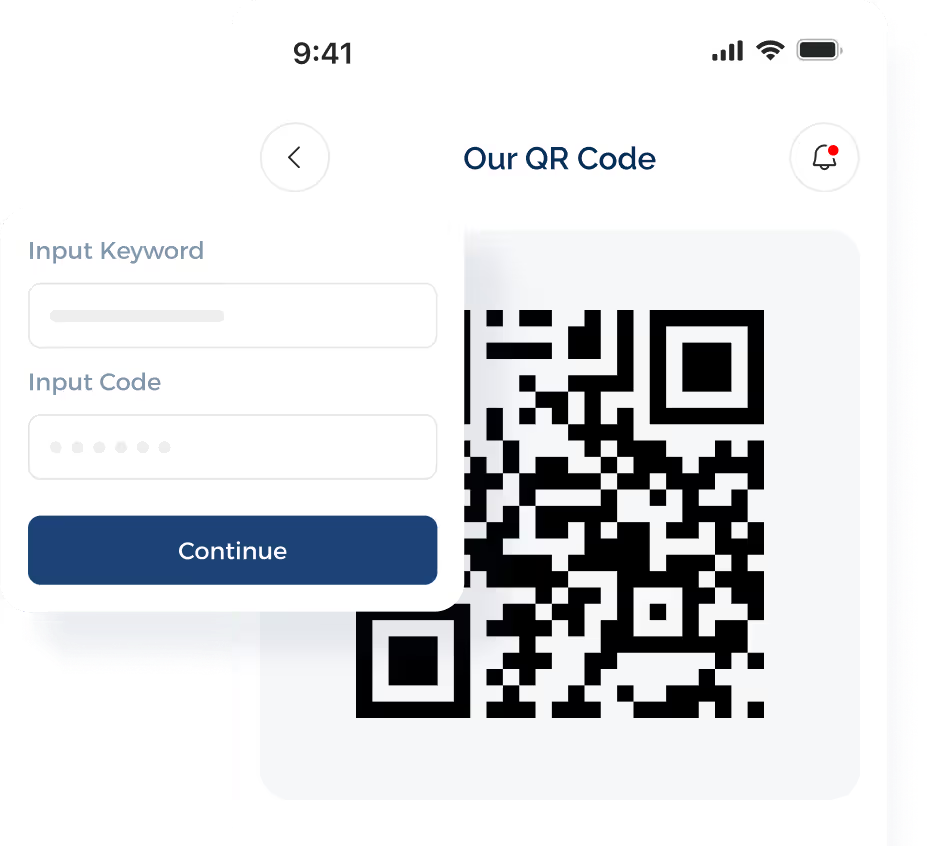
This setup also works well when retailers want to text-enable in-store recruiting materials instead of sending every interested person to the same career page.
2. Confirm Job Applications
An immediate confirmation lets applicants know their submission reached you and sets expectations for what happens next. The message may include the position, store location, and a short note about the next step in your recruitment process.
A prompt acknowledgment also reduces uncertainty after someone applies. Instead of waiting for an email or wondering whether the application went through, the candidate receives a direct update via SMS.
TextUs templates and merge fields support consistent confirmations while still personalizing details such as the candidate name, position, recruiter, or store.
Triggers may also support follow-up based on specific applicant actions, which reduces repetitive manual outreach as application volume increases.
3. Ask Initial Screening Questions
Short screening questions help you narrow the applicant list before an interview. You may ask about shift availability, preferred location, start date, weekend availability, or relevant retail experience.
A structured text exchange also keeps basic candidate data organized early in the process. Consistent questions help you identify better candidates when several applicants show interest in the same role.
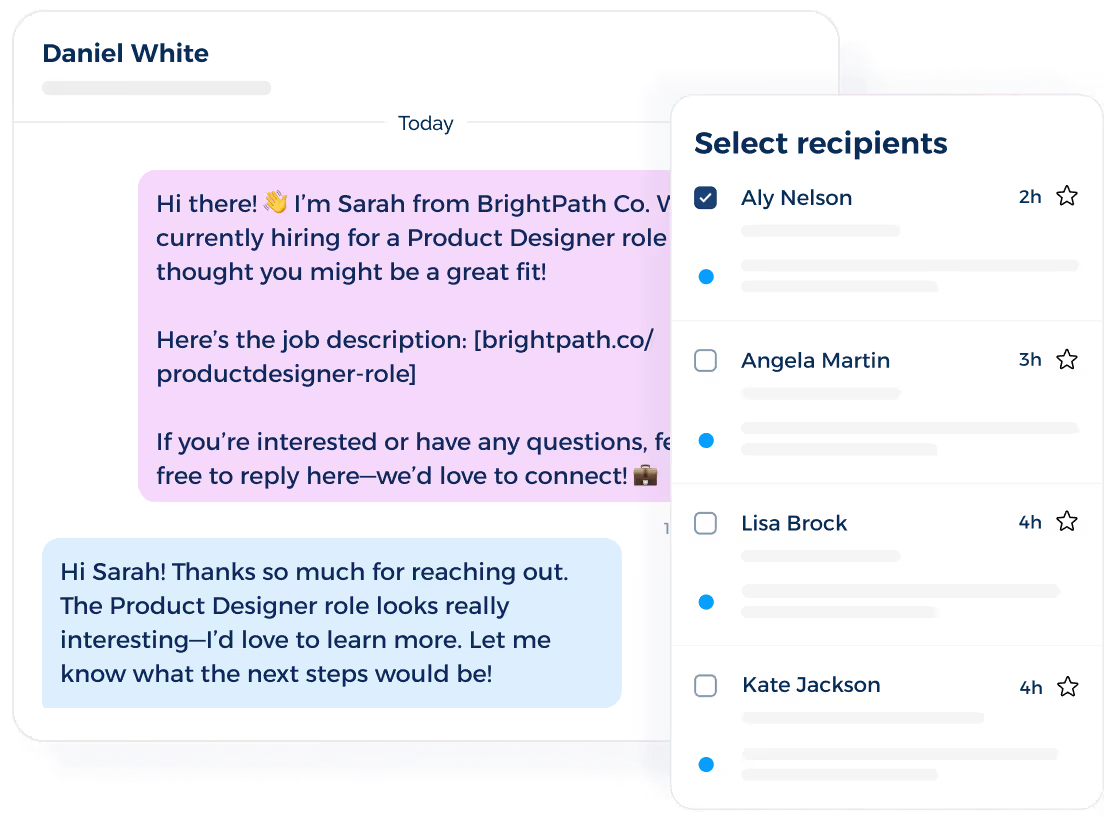
TextUs supports two-way texting, so you may ask simple screening questions and receive candidate replies in the same conversation. This keeps the conversation manageable while reducing phone tag.
4. Invite Qualified Candidates to Interviews
Once a job seeker passes your initial screen, SMS lets you move straight into the interview stage without waiting for a long email exchange.
Your message can include the role, store location, available interview times, and the name of the manager assigned to meet candidates.
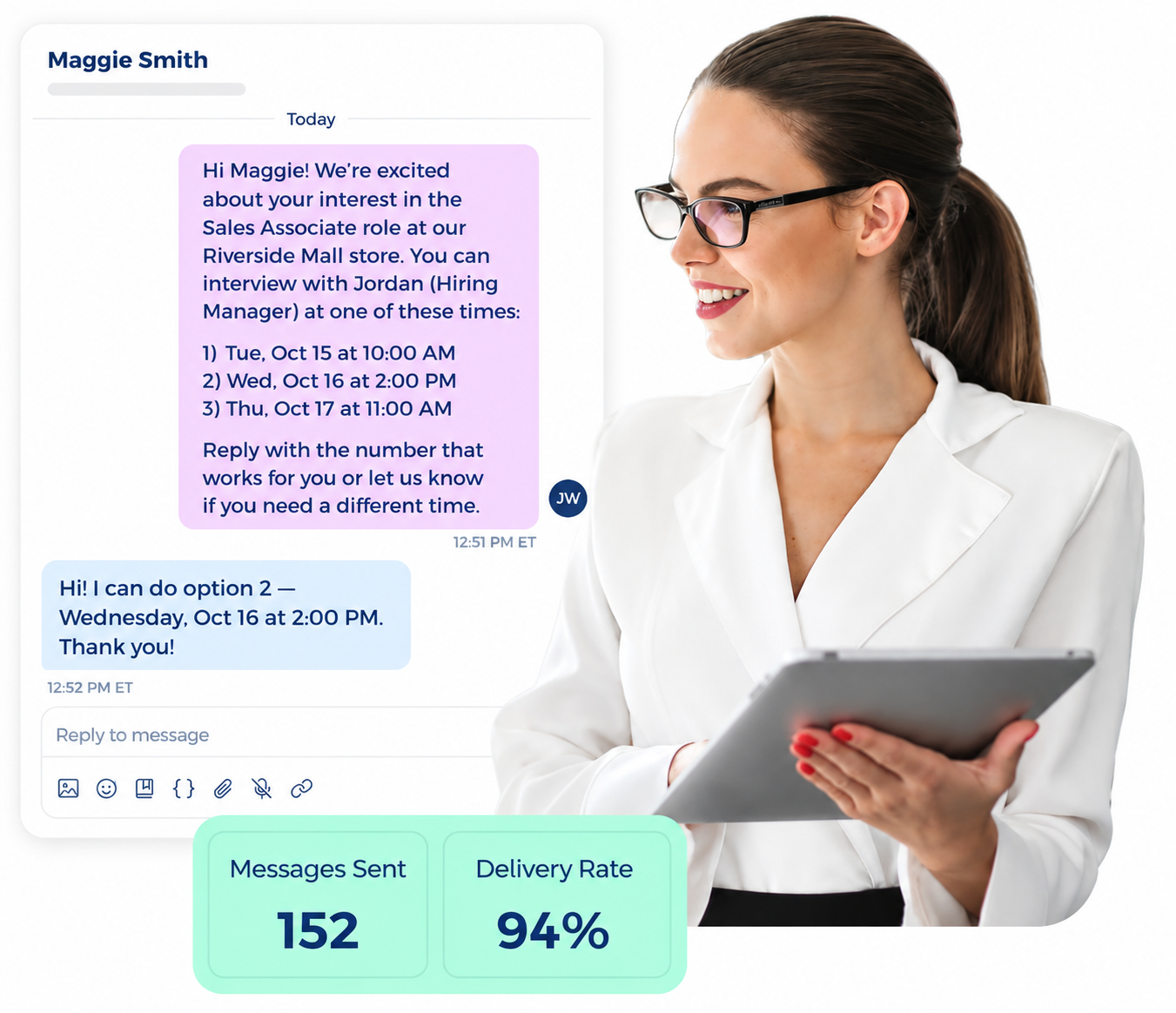
A short reply also makes interview scheduling more direct. Candidates can choose from the options you provide, confirm the appointment, or ask for another date if their schedule changes.
This approach keeps the next step simple for both sides and reduces delays between screening and the interview.
5. Send Interview Confirmations and Reminders
Interview reminders reduce confusion before the appointment and keep important details easy to find. Your first confirmation may include the interview date, time, store address, hiring manager name, and any instructions the candidate needs before arrival.
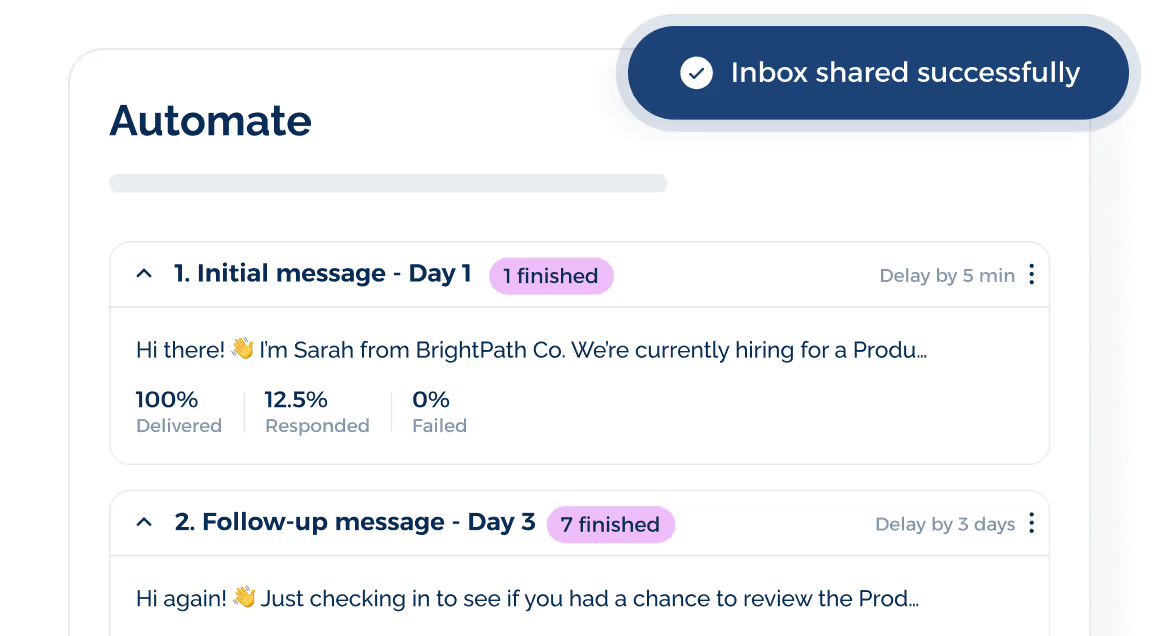
A day-before message gives candidates another chance to confirm attendance, while a same-day reminder keeps the appointment top of mind. A rescheduling option also allows applicants to tell you about a conflict instead of missing the interview.
TextUs supports campaign scheduling and drip campaigns, so you can build this reminder sequence in advance instead of relying on recruiters to remember every follow-up.
One scheduled flow may cover the initial confirmation, the day-before reminder, and the same-day check-in. Automated reminders then keep timing consistent across every candidate in the campaign.
7. Send Hiring Status Updates
Silence after an interview can leave applicants unsure about where they stand. Short updates keep job candidates informed when you are still reviewing applications, waiting on approvals, or preparing the next step.
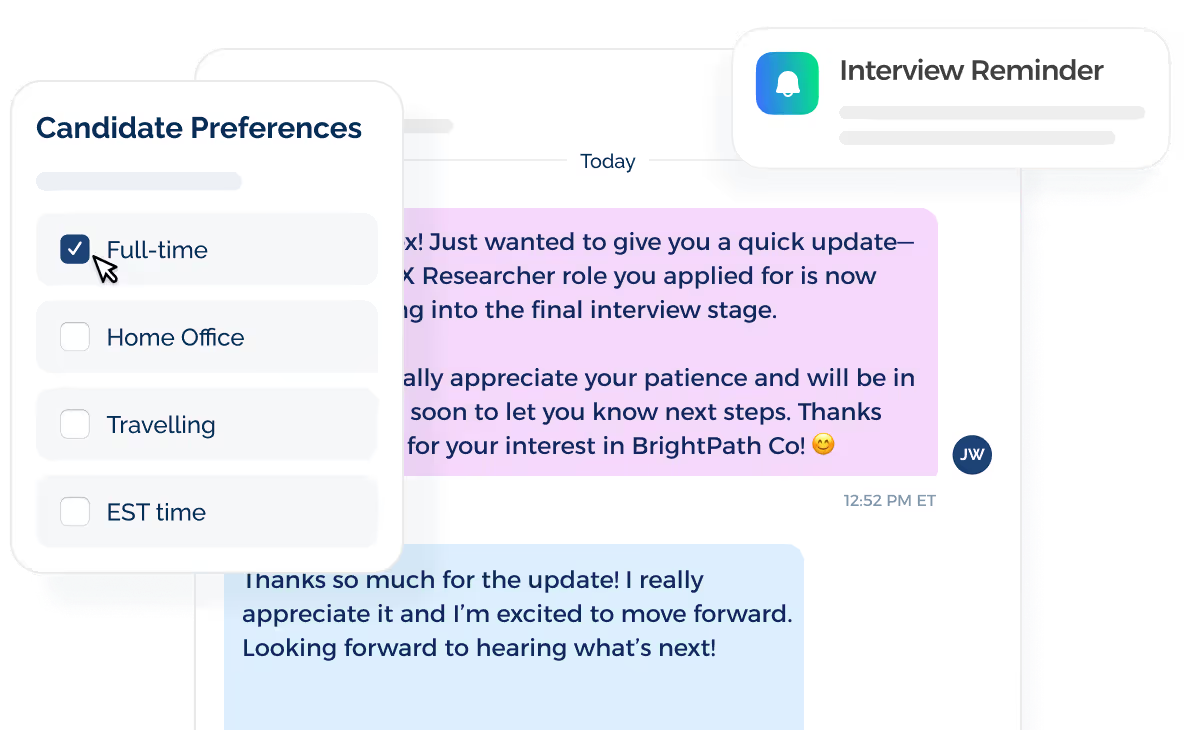
You can send a quick message when someone advances, when a decision takes longer than expected, or when another opening may be a better fit. Regular updates also keep your recruiting process active without requiring a phone call every time the status changes.
A brief update also keeps the conversation warm while your hiring decision is still in progress. That matters when strong applicants are considering several opportunities at the same time.
8. Support Offers and Preboarding
SMS remains useful after you select a candidate. Text messages alert them that an offer is ready, remind them about required documents, or confirm important dates before their first shift.
You may also use texts for background check reminders, orientation details, uniform requirements, store arrival instructions, and first-day schedules.
Formal offer letters and employment documents still belong in the appropriate HR system or email, while SMS keeps smaller preboarding tasks visible.
This stage also supports smoother handoffs from recruiting to store management. Important updates stay close to the candidate as they move from accepted offer to their first day.
9. Re-engage Previous Candidates
Instead of starting your search from zero, you can revisit potential candidates who already showed interest in your brand or reached a later hiring stage.
SMS segmentation keeps your outreach more focused. You can group contacts by store, city, position, availability, previous hiring stage, or past seasonal employment before sending a new opportunity.
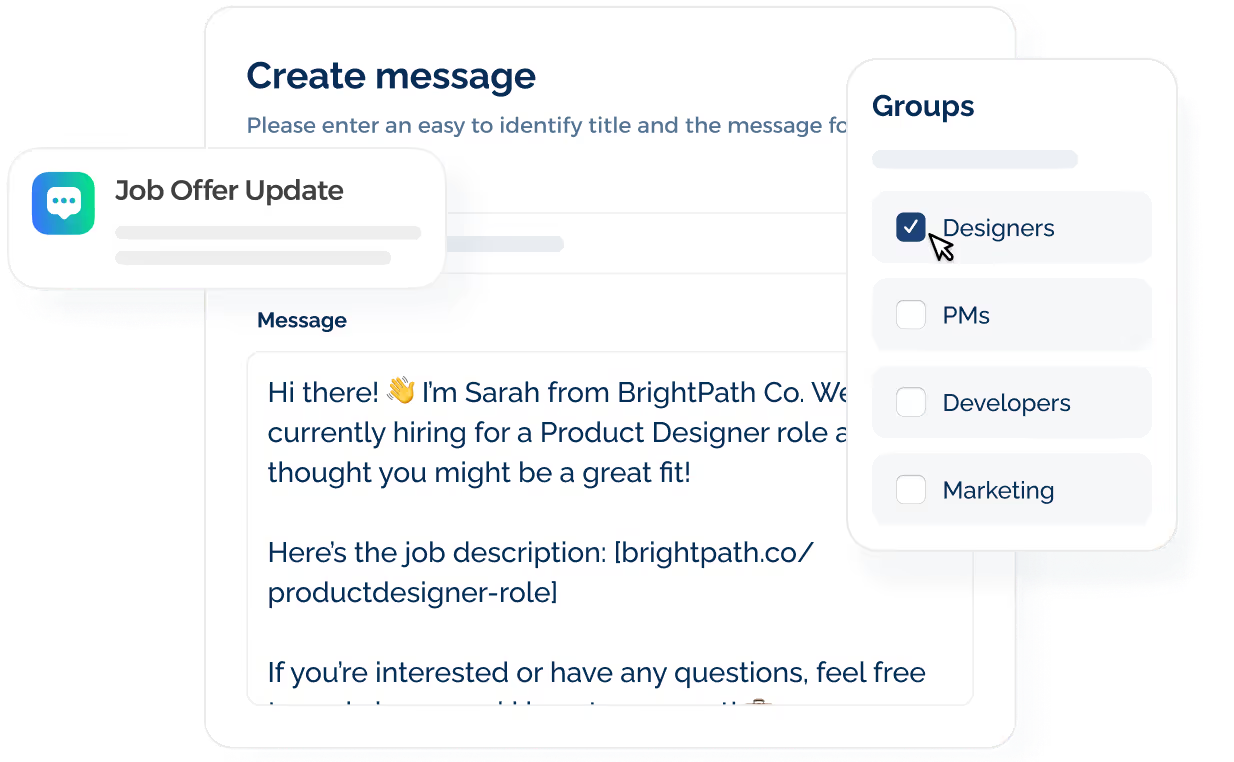
Your message should also briefly explain why you're reaching out, name the open role, and include one simple next step.
For example, ask whether they're still interested, invite them to view the opening, or prompt them to reply if their availability has changed.
10. Run Seasonal Retail Hiring Campaigns
Holiday peaks, back-to-school demand, summer traffic, and major promotions all require faster outreach and tighter coordination.
A seasonal campaign should start with audience segments. Separate contacts by store, city, role, availability, or previous seasonal experience so each message matches the opening.
Next, plan the campaign around key hiring stages. Early outreach announces available roles, while later messages can cover screening, interview availability, reminders, and preboarding details.
Outreach sent during appropriate business hours reduces the risk of contacting applicants at inconvenient times, especially across several regions.
SMS Recruiting Best Practices for Retail Hiring Teams
Recruiting texts need the right balance of speed, relevance, and respect for candidate preferences. Here are the key practices to follow when SMS becomes part of your hiring communication.
Get Candidate Consent Before Sending Texts
Consent can come through an application form, career page, SMS keyword, QR code, hiring event, or another sign-up point where the texting terms are shown.
The Telephone Consumer Protection Act (TCPA) places restrictions on certain automated calls and texts to wireless numbers.
Recruiting messages about employment opportunities are generally treated differently from advertising or telemarketing. But consent requirements still depend on how the message is sent and what it contains.
Candidates also need a reasonable way to withdraw consent. FCC rules recognize methods such as reply texts that clearly communicate an opt-out request.
Use a Dedicated Business Texting Number
Personal phones keep candidate conversations tied to individual devices, which limits visibility when another recruiter or store manager needs to step in.
A business text number keeps hiring communication separate from personal messages and available to the people involved in the process.
This setup also reduces dependence on email or phone for every update. Your recruiters spend less time leaving voicemails and more time handling direct conversations through a business channel.
A dedicated number also needs the right carrier registration before you use it for application-to-person messaging.
TextUs supports 10DLC registration by providing the registration form, submitting your campaign to The Campaign Registry, and working with you if additional information is required.
Identify Your Brand and Reason for Reaching Out
Retail applicants apply to several stores, brands, or locations at the same time.
A candidate who recognizes the sender and understands why you’re reaching out has more context to decide whether to respond. This also supports stronger response rates.
You have to include your company name, the role, and the store location near the beginning of the text. Identification also helps store managers and recruiters avoid confusion when different locations contact the same applicant.
Send Messages at Appropriate Times
Timing affects how your recruiting texts are received. A message sent too early, too late, or during a busy shift may get ignored even when the candidate is interested.
The best time to send SMS messages depends on your candidates, their schedules, and local time zones.
For most retail hiring communication, normal business hours are a practical starting point, especially since many applicants may already work evenings or weekends.
Interview reminders and same-day updates may need different timing from general recruiting outreach. Aim for a window when candidates are more likely to see the message and have enough time to respond.
Make Every Message Easy to Act On
You have to keep the next action simple, whether that means replying YES, confirming interest, choosing an interview time, or completing an opt-in.
The same principle applies at the start of the hiring journey. A text-to-apply keyword or QR code allows interested applicants to apply instantly without searching through several pages.
Each message should move the conversation toward one next stage rather than introduce several tasks at once. Fewer steps between interest, screening, and interviews also support your efforts to hire faster.
Keep Candidate Conversations and Records Connected
The right text recruiting software should connect with your ATS. This ensures candidate records stay tied to the same profile from first contact through later hiring stages.
TextUs integrates with your ATS for contact management and note logging. Your team can review candidate details, track activity, and see the full message history in one platform.
That connection also makes handoffs smoother when recruiters, coordinators, or store managers share responsibility for the same applicant.
Bring Mobile Messaging Into Your Retail Hiring Process With TextUs
Empty shifts don't stay isolated for long. One open role puts more pressure on store managers, affects coverage, and stretches the rest of the staff.
TextUs is a text recruiting platform that brings candidate conversations closer to the people making hiring decisions. You stay connected from first interest through interview, offer, and start date.
Retail hiring also happens far beyond the recruiter’s desk. Store leaders move between the sales floor, back office, interviews, and daily operations.
TextUs connects mobile access, ATS integrations, campaign tools, automation, and team visibility so applicant interactions stay accessible across stores and hiring stages.
Book a demo with TextUs today to see how mobile-first messaging can support faster interviews, stronger attendance, and better staffing coverage across locations!
FAQs About SMS for Retail Hiring Teams
Do job recruiters reach out via text?
Yes. Hiring teams use SMS for recruiting when sending application follow-ups, screening questions, interview invitations, reminders, and job search updates.
What are some catchy phrases for recruitment?
Short phrases such as “Your next retail role starts here,” “Ready for your next shift?” or “Join our store team” work well when paired with a direct action.
But you have to keep the wording relevant to the role rather than relying on a catchy line alone.
What is a good message to send to a recruitment agency?
A useful message introduces you, names the role you want, and briefly summarizes your availability or experience.
For example: “Hi, I’m Alex. I’m looking for a retail sales role and have two years of customer service experience. Are you hiring for any positions right now?”
What is the best texting app for recruiting?
The right platform depends on your hiring volume, integrations, and team structure.
TextUs supports conversational texting, SMS campaigns, shared inboxes, AI automation, ATS integrations, and a mobile app for recruiting on the go.
Continue Reading



Frequently Asked Questions
Business Texting
Built for Results
Create and convert pipeline at scale through industry leading SMS software