
How Texting Candidates Can Improve Recruiting Responsiveness
See best practices for texting candidates, from consent and timing to follow-ups, and how TextUs supports candidate communication throughout hiring.

Written by
Adam Hamdan
Published
September 7, 2026

Recruiters lose good candidates for reasons that have nothing to do with the role itself.
Calls go unanswered, emails get overlooked, and a simple scheduling question can sit unresolved long enough for a candidate to move on.
Texting keeps those conversations active throughout the hiring process. It fills the gaps between emails or phone calls with updates, questions, and follow-ups that are easier to answer.
In this article, we will cover the benefits of texting candidates, how to use it throughout hiring, and the best practices that keep outreach respectful and effective.
You'll also learn how text recruiting software can support candidate communication from first contact through placement and re-engagement.
TL;DR
- Texting supports recruiting by helping candidates respond faster, simplifying follow-ups, and connecting conversations with ATS records.
- SMS supports the full hiring journey, from job outreach to applications, screening, interview scheduling, reminders, confirmations, rescheduling, document collection, post-interview updates, hiring delays, offers, rejections, no-response follow-ups, re-engagement, hiring events, text-to-apply, and onboarding.
- Texting works best with consent, verified sender details, the right channel, shared messaging standards, sensible send times, managed two-way replies, guarded automation, and SMS history connected to candidate records.
- TextUs turns candidate texting into a connected recruiting workflow with SMS campaigns, smart automation, shared inboxes, ATS integrations, analytics, and built-in deliverability controls.
How Texting Supports Your Recruiting Process
SMS recruiting fits into the recruiting process as a fast way to handle short, time-sensitive conversations.
Many job seekers may not check email throughout the day, especially when they're working, commuting, or managing other responsibilities.
Phone calls can also be difficult for candidates to answer during work hours, and unknown numbers are often ignored.
A text message is easier to see and answer from a mobile phone, which can shorten the time between recruiter outreach and a candidate response.

You may use text communication for interview scheduling, application updates, quick screening questions, reminders, and follow-ups when candidates need a simple next step.
Most applicant tracking systems (ATS) also connect candidate records with messaging tools. It keeps conversations tied to the hiring workflow instead of scattered across personal phones.
This setup makes it easier for you to see past messages, respond to candidate questions, and move people through each hiring stage.
Start texting candidates with a platform built for recruiting. Book a demo with TextUs today!
How to Text Candidates Throughout the Hiring Process
Texting can support candidate communication at different stages of the recruitment process. Here are the main ways you can use SMS throughout the hiring journey.
Job Opportunity Outreach
When making initial contact, you should identify the role, company, location, and reason the opportunity fits the candidate. Enough context should make the message feel like it came from a real person rather than a generic job blast.
Application Follow-Ups
A follow-up after a job application confirms receipt or explains the next step. If the application status changes, a quick update keeps candidates from wondering whether the role is still active.
Candidate Screening
Texting fits short questions about availability, location, schedule, certifications, or basic requirements. If you're handling multiple candidates, you can keep each message concise and move detailed screening conversations to a call.
Incomplete Application Reminders
A reminder has to point to the exact step holding up the application process, such as a missing form, assessment, or resume. Generic nudges add little value if candidates still don't know what they need to finish.
Interview Scheduling
SMS reduces the back-and-forth involved in choosing an interview time, especially when texting is among a candidate’s preferred communication methods.
A few available slots or a scheduling link usually works better than a long exchange.
Interview Confirmations
A confirmation needs to include the date, time, time zone, format, location, or meeting link. Clear communication keeps qualified candidates and hiring managers on the same page before the interview.
Interview Reminders
A reminder should surface the details a candidate needs shortly before the meeting rather than repeat the entire confirmation.
Automation can handle routine reminders while recruiters step in when someone asks to reschedule or needs help.
Rescheduling and Cancellations
Candidates may need to change plans because of work, travel, family needs, or other demands on personal time.
Conversational texting gives them a simple route to request another slot before the interview becomes a no-show.
Assessment and Document Reminders
These texts need to name the missing requirement, deadline, and secure place to complete it. Avoid sending sensitive records through SMS and use a secure portal or professional email for protected information.
Post-Interview Follow-Ups
A short text after the interview keeps candidates informed while feedback or next steps are still pending. Even when no decision is ready, you have to communicate when the candidate can expect another update.
Hiring Delay Updates
Internal approvals or scheduling issues can slow the recruitment process, but candidates shouldn't be left guessing. A brief status message keeps interest intact without promising a decision date your company may miss.
Job Offer Notifications
SMS can alert a candidate that an offer is ready, while the full terms stay in the formal offer document. The key is to direct the candidate to the offer and give them a way to ask questions.
Candidate Rejections
Early-stage candidates may receive a respectful rejection by text, while later-stage candidates deserve a more personal channel.
Spelling errors, vague wording, or an abrupt tone can make an already disappointing message sound careless.
No-Response Follow-Ups
One missed reply doesn't always mean a candidate has lost interest. If you text a candidate again, the follow-up should add a deadline, new context, or a next step instead of repeating the first message.
Past Candidate Re-engagement
Past applicants and former placements already have a history with your agency, which makes them valuable for future openings.
Building relationships with this pool makes it easier to reconnect with top talent when a suitable role or assignment opens.
Hiring Event Invitations
A hiring event text can cover the event name, date, location or link, and how to confirm attendance. SMS may suit younger generations, but candidate preference and prior engagement should still guide the channel.
Text-to-Apply Outreach
Text-to-apply allows interested candidates to respond with a keyword or scan a QR code without starting with a long form. Initiating text communication this way suits job ads, career fairs, storefront hiring, and high-volume recruiting.
Preboarding and Onboarding
After an offer is accepted, texting can cover orientation, missing forms, schedules, start dates, and first-day instructions.
A shared message history also helps the recruiting team hand the conversation to onboarding without duplicate or conflicting updates.
Best Practices for Texting Candidates
Text recruiting works best when messages are respectful and easy to act on. Here are the best practices to ensure each text supports the hiring conversation without overwhelming candidates.
Get Permission and Set Expectations
Before contacting potential candidates, make sure your SMS marketing practices align with the consent rules and communication policies that apply to your organization.
Candidates should understand who is contacting them, what kinds of messages they may receive, and how they can opt out. Consent also sets a healthier foundation for future outreach.
Make Recruiting Texts Look Legitimate
Candidates are cautious about unexpected job texts, especially when scams copy recruiter-style outreach.
A legitimate business message should identify the recruiter, company, role, and reason for contacting the candidate without relying on vague claims or suspicious links.
Example
“Hi [Candidate's First Name], this is [Recruiter's First and Last Name] from [Agency Name]. I’m reaching out about the [Job Role] you applied for. If you’d like to hear more about the opportunity, just reply here or call me at this number.”
A consistent business phone number and branded links also help the message feel more credible. A2P 10DLC registration helps connect messaging traffic to a registered brand and approved use case.
SMS marketing platforms such as TextUs support you through the 10DLC registration process. This makes it easier to set up compliant business messaging before outreach begins.
Match the Channel to the Conversation
Texting is most effective when the message needs a fast, simple response. For many job seekers, it is a preferred method for scheduling, confirmations, and short application updates.
Short updates, availability checks, confirmations, and follow-ups are easier for candidates to answer from their phone than through a long email thread or missed call.
Other channels still have a role when the conversation needs more detail or privacy.
Email, phone, video, or a secure portal may be better for formal documents, sensitive topics, or complex discussions.
Set Messaging Standards Across the Team
You need to follow shared rules for personalization, text abbreviations, links, and professional language.
Consistent standards reduce the chance that one recruiter sounds polished while another sends messages that feel rushed or unclear.
Templates can provide a starting point without forcing every conversation into the same way of speaking. You still need room to adjust wording based on the person, role, and existing relationship.
Establish Reasonable Send Windows
The only time your recruiter is free shouldn't determine when a candidate receives a message.
Time zones, work schedules, local business hours, and the urgency of the conversation need to shape your sending window.
The same principle applies to sending reminders. A planned cadence prevents candidates from receiving several nudges in a short period just because different recruiters are following up.
Make Replies Easy to Manage
Good candidate texting depends on two-way communication. Someone should own incoming replies so questions, interest signals, objections, and schedule changes do not sit unanswered.
Fast human responses also help you build rapport after the first message. Candidates shouldn’t feel as though every reply disappears into an automated system.
Use Automation With Guardrails
Intelligent automation, especially with the use of artificial intelligence (AI), can handle repetitive tasks such as scheduled outreach, confirmations, and routine follow-ups.
Human judgment can take over when a candidate asks a detailed question, raises a concern, or needs a response that does not fit the workflow.
Recruiting leaders need to define where automation starts and stops before scaling SMS across a larger operation. That keeps efficiency from replacing the personal side of recruiting.
Keep Texting Connected to Candidate Records
Most ATS need an integration or connected messaging platform to bring SMS history, contact records, and recruiter activity together.
That connection becomes more important as teams reach candidates across several roles, locations, or hiring stages.
Shared visibility reduces duplicate outreach and gives the next recruiter enough context to continue the conversation without starting over.
TextUs Supports Candidate Engagement Through SMS
Candidate texting gets harder once outreach volume grows. TextUs brings campaigns, conversations, automation, analytics, and messaging controls into one platform.
Keep Candidate Outreach Personal
TextUs Campaigns let you contact larger candidate groups while still personalizing messages with details such as role, location, or contact information.
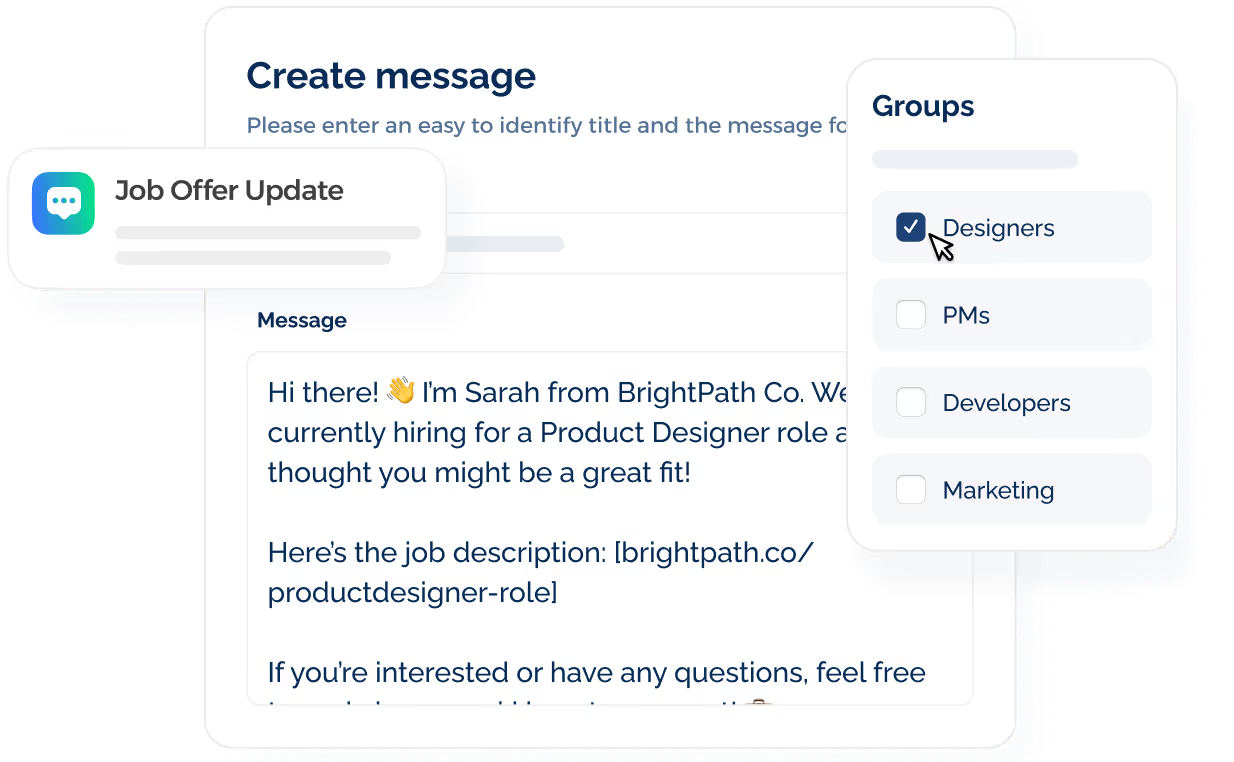
This fits new job openings, healthcare assignments, redeployment, hiring events, and other time-sensitive opportunities.
Sequences take care of planned follow-ups without keeping candidates trapped in an automated flow. Once someone replies, the sequence stops so you can continue the conversation.
Improve Message Quality Before Sending
A message that looks fine at first glance may still contain wording that raises filtering or opt-out risk.
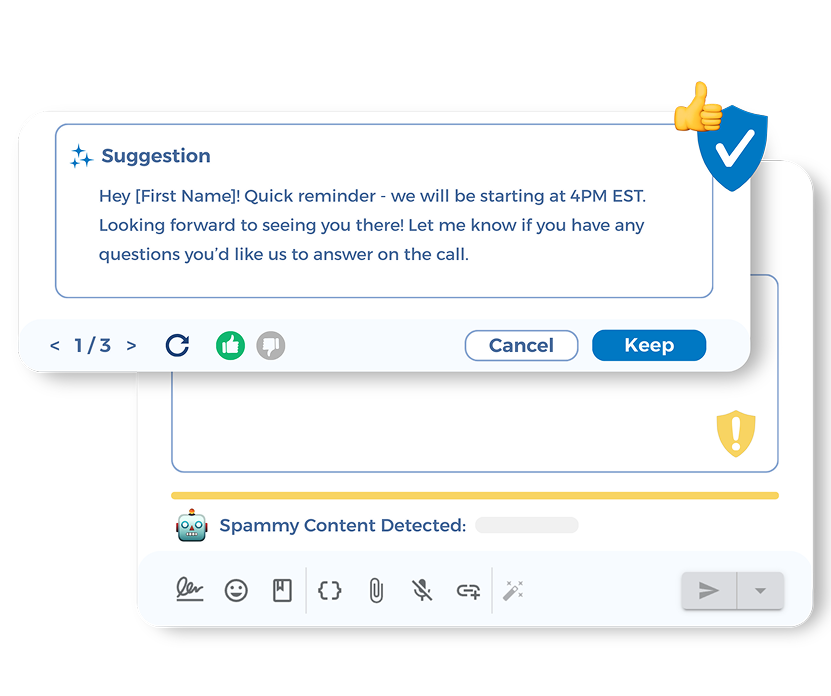
TextUs Smart Delivery reviews outreach before it goes out, while the Message Quality Indicator flags content that may need attention.
Smart AI Rewrite offers another option when a message needs adjustment. You can improve the wording without rebuilding the entire message from scratch.
Spot Candidate Interest Faster
A busy inbox doesn't show which conversations deserve attention first. TextUs engagement scoring classifies candidate conversations as Cold, Warm, or Hot based on message activity.
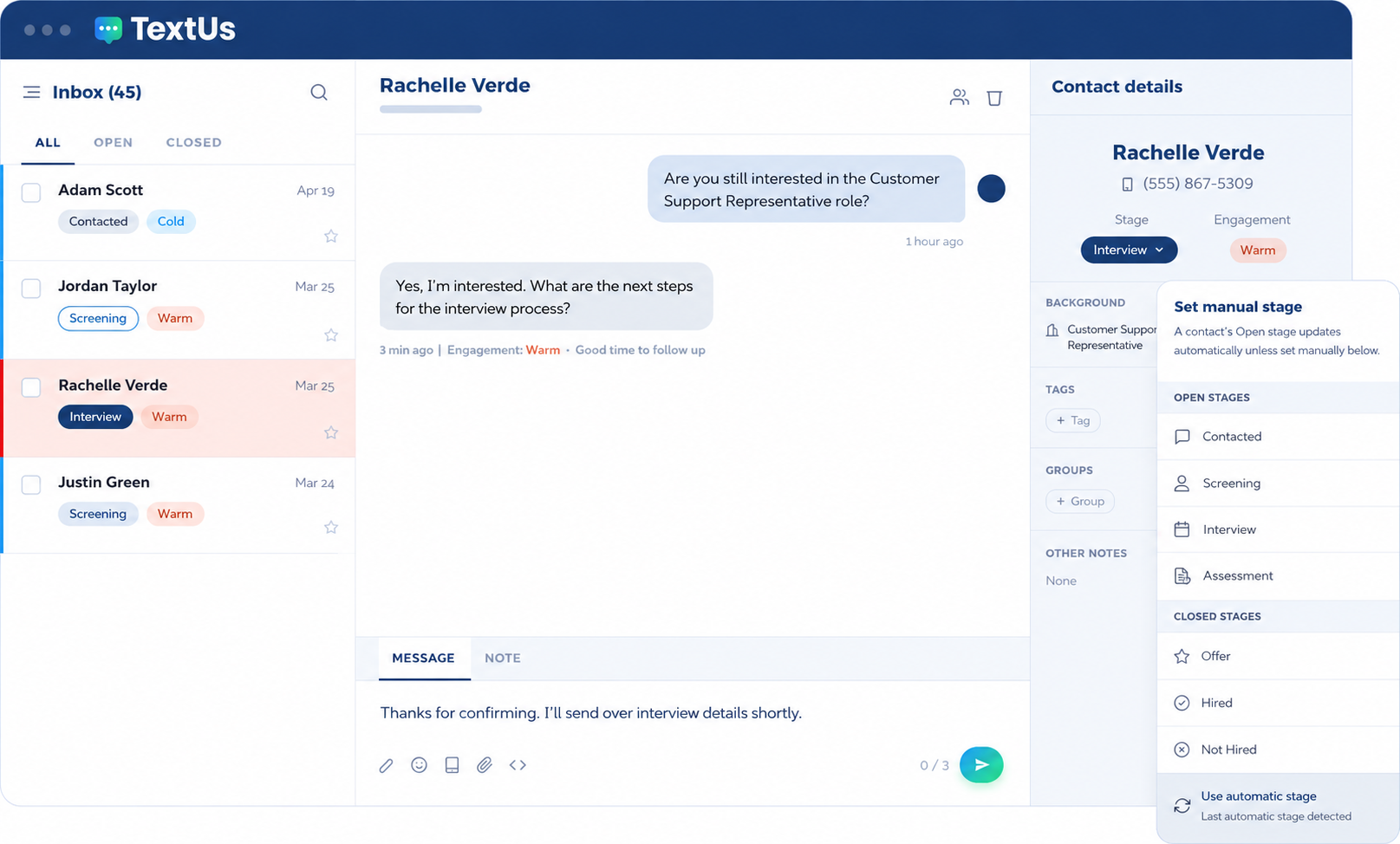
Those signals help you spot candidates who show stronger interest instead of reading every thread in the same order. Lifecycle stages add more context around where each conversation stands.
Connect With Recruiting and Applicant Tracking Systems
TextUs connects with recruiting systems such as JobDiva, LaborEdge, Greenhouse, JobAdder, BlueSky, eRecruit, Workday, Oracle, SAP SuccessFactors, and Symplr CTM.
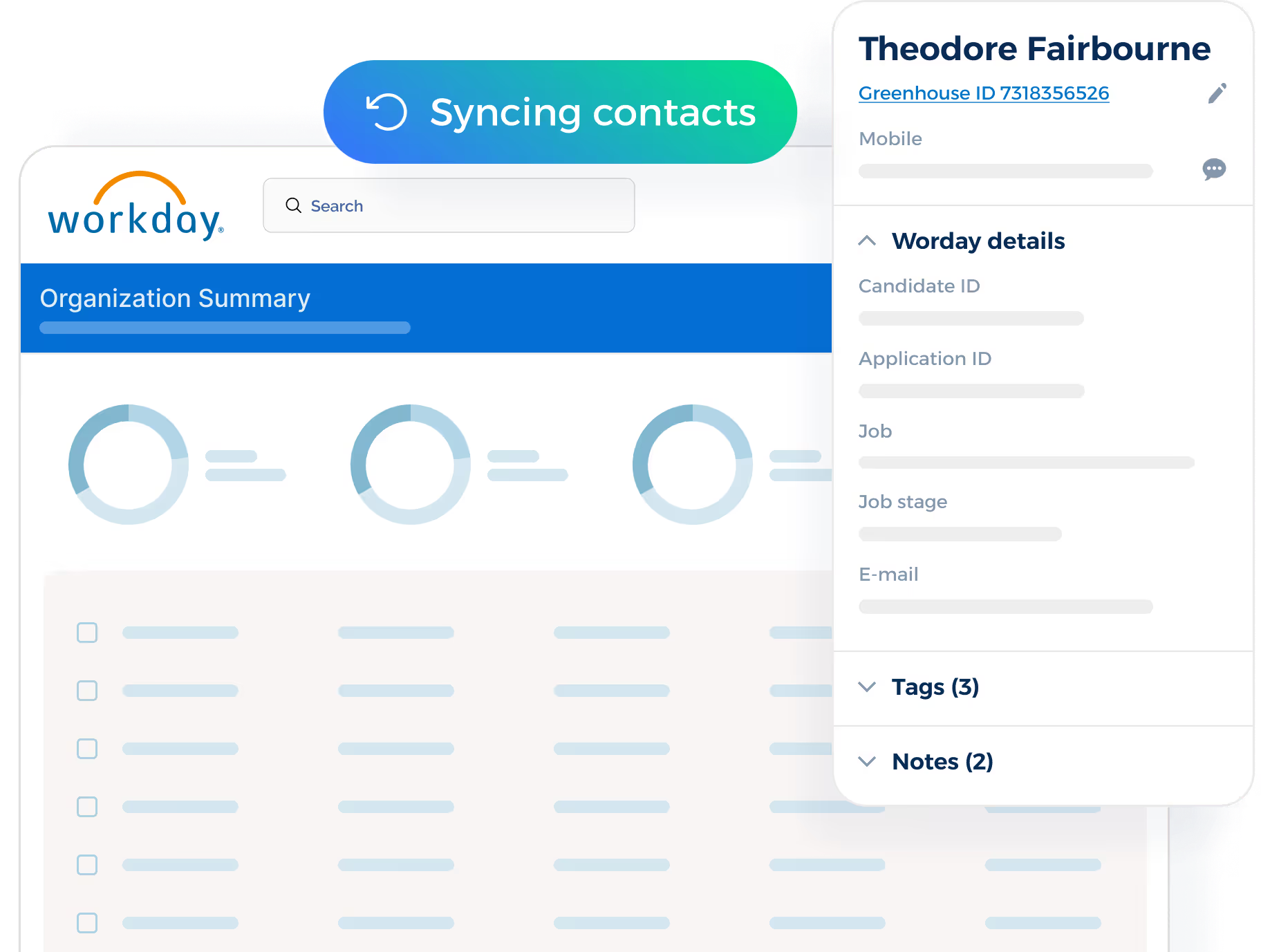
For healthcare staffing, the LaborEdge connection is relevant as recruiters often manage travel nurses, clinicians, assignments, credentials, and redeployment at high volume.
Candidate conversations stay closer to the existing systems instead of becoming another disconnected source of information.
Keep Conversations in One Place
Candidate replies shouldn't disappear into separate phones or individual inboxes. Shared inboxes let you see incoming conversations, assign ownership, and review message history before responding.
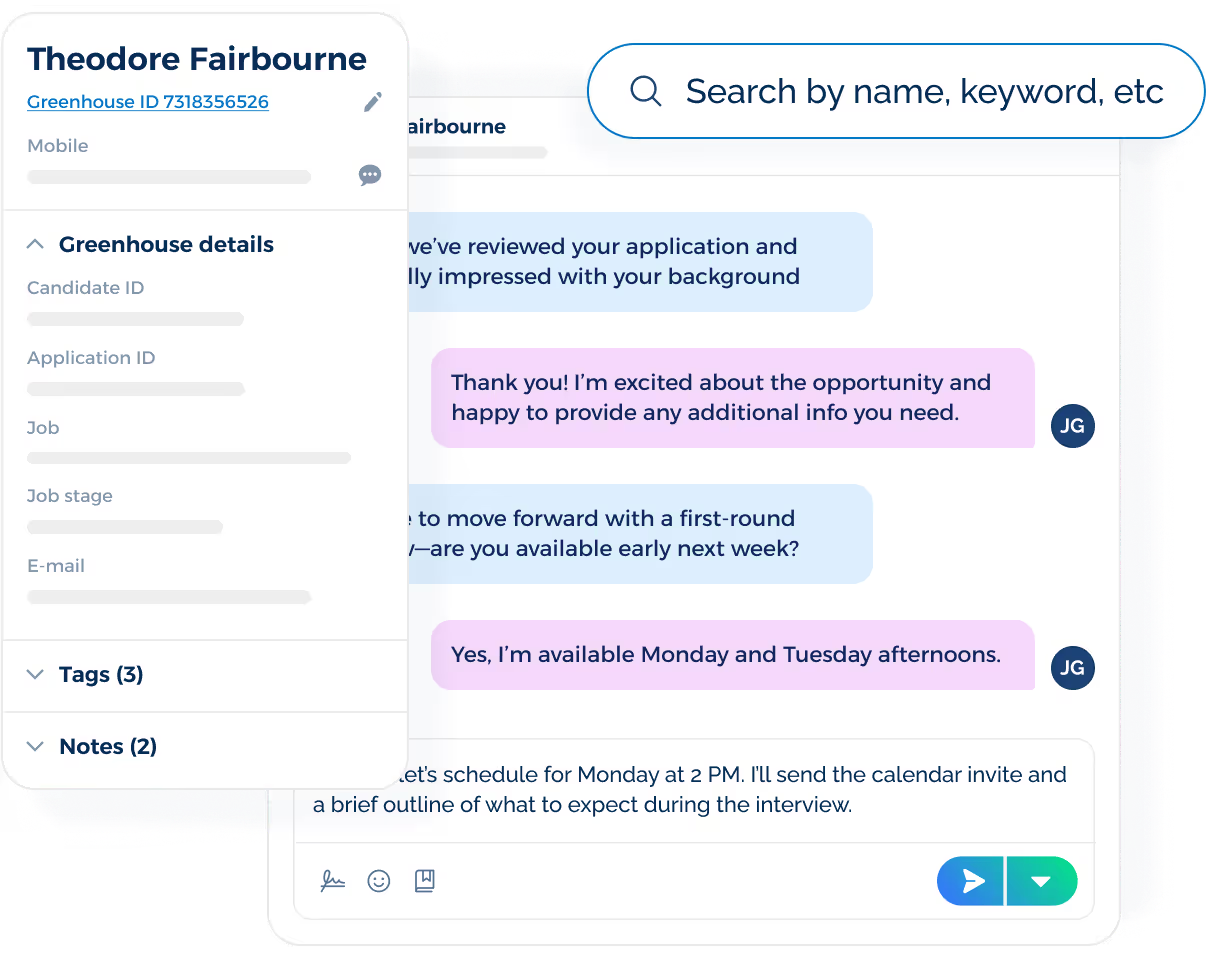
Desktop and mobile access also keep conversations available when your recruiters are away from their desks. Staff can stay responsive without turning personal phones into the main record of candidate communication.
Monitor Performance Insights
TextUs' analytics go beyond counting how many messages were sent.
Delivery, response rates, response times, campaign activity, and engagement data show where outreach is getting attention and where it may need work.
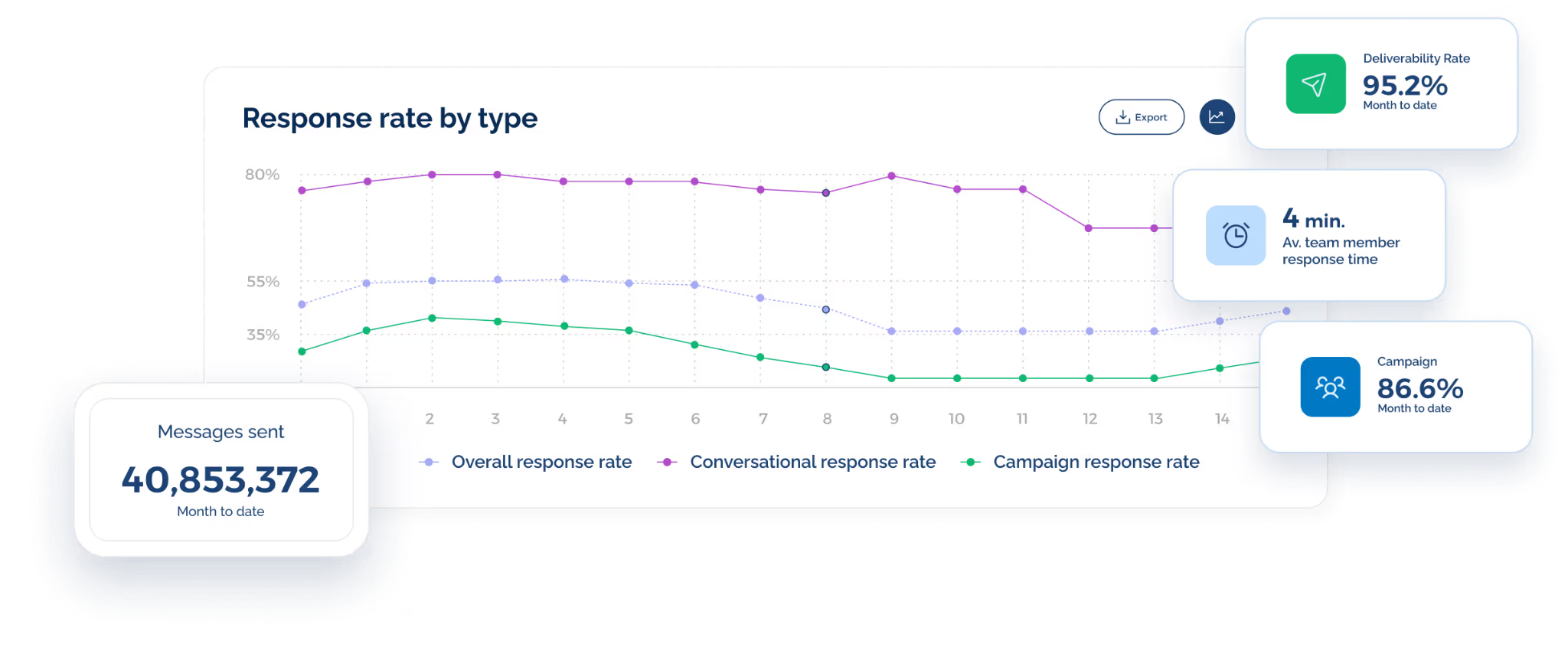
Those numbers become more valuable when compared with recruiting outcomes such as interviews, placements, redeployment, or filled assignments. That makes SMS easier to evaluate as part of the hiring operation.
Add Compliance and Deliverability Controls
Recruiting at higher volumes brings requirements around sender registration, consent, and opt-outs.
TextUs supports 10DLC registration, consent workflows, and opt-out management within the platform.
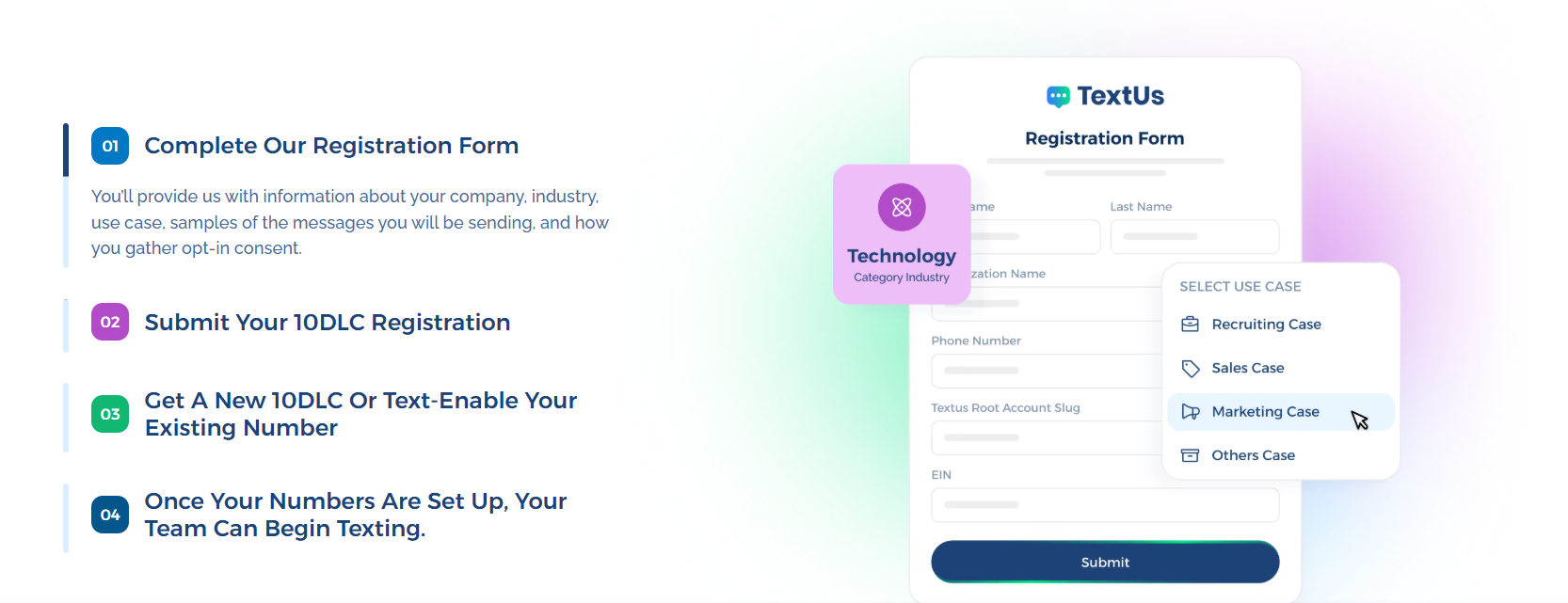
Opted-out contacts are also prevented from receiving future outreach through supported messaging workflows. This reduces the amount of compliance tracking you need to manage by hand as candidate texting expands.
Stay Connected With Candidates From Start to Hire With TextUs
Texting candidates should make recruiting faster and more responsive.
TextUs brings business texting into recruiting workflows so you can reach candidates without relying on scattered messaging tools.
The platform supports one-to-one texting, bulk messaging, scheduled messages, templates, automation, shared inboxes, and recruiting-system integrations.
These SMS features help you stay connected with candidates from first outreach through interviews, placement, and re-engagement.
If texting is already part of how you recruit, TextUs makes those conversations easier to manage across larger candidate pools.
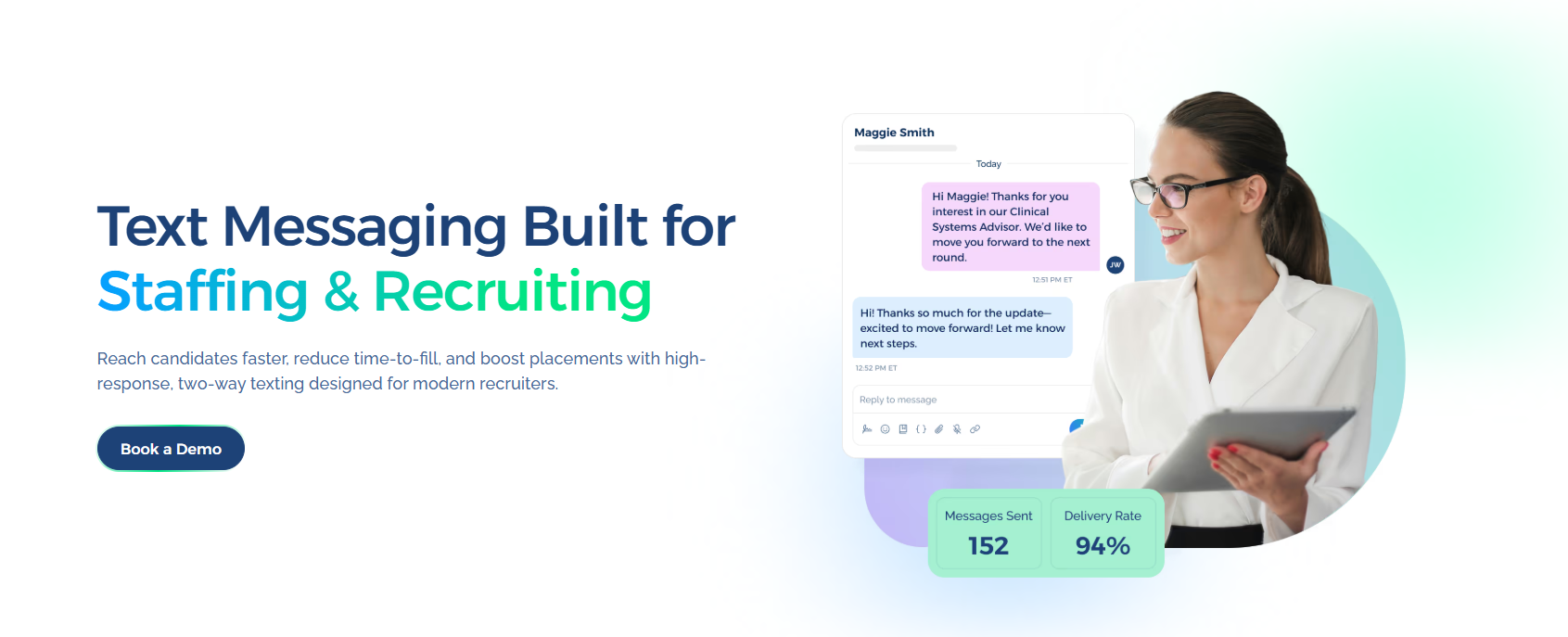
Book a demo with TextUs today to see how it can boost candidate experience across your recruiting operation!
Continue Reading


Frequently Asked Questions
What is the 3-text rule?
There's no universal 3-text rule in recruiting. Some teams use three unanswered messages as an informal follow-up limit.
A practical approach is to stop repeated outreach when a candidate continues to show no interest or asks not to receive texts.
Why am I suddenly getting texts from recruiters?
Recruiters increasingly use texting for job outreach, application updates, interview scheduling, reminders, and other short hiring conversations.
A legitimate recruiting text will identify the sender and company and explain why they’re contacting you. If the message is unexpected, verify the recruiter through the official website or company contact details.
What is the 70/30 rule in hiring?
The “70/30 rule” doesn't have a single accepted definition in hiring.
A common version says employers can consider candidates who meet around 70% of a role’s requirements and view the remaining 30% as skills that may be learned after hiring.
Business Texting
Built for Results
Create and convert pipeline at scale through industry leading SMS software