


SMS that gets replies
Text every candidate, employee or customer at once, then answer each reply one to one. Campaigns and two-way texts share one inbox your whole team works from.
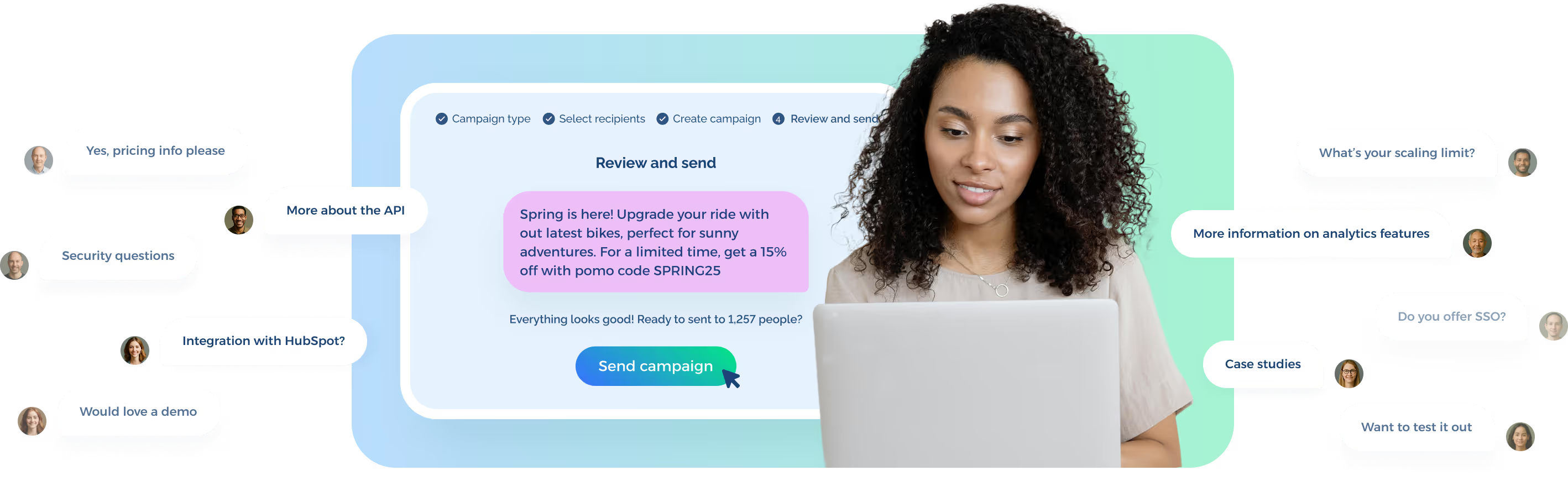









Every feature is there to get a reply
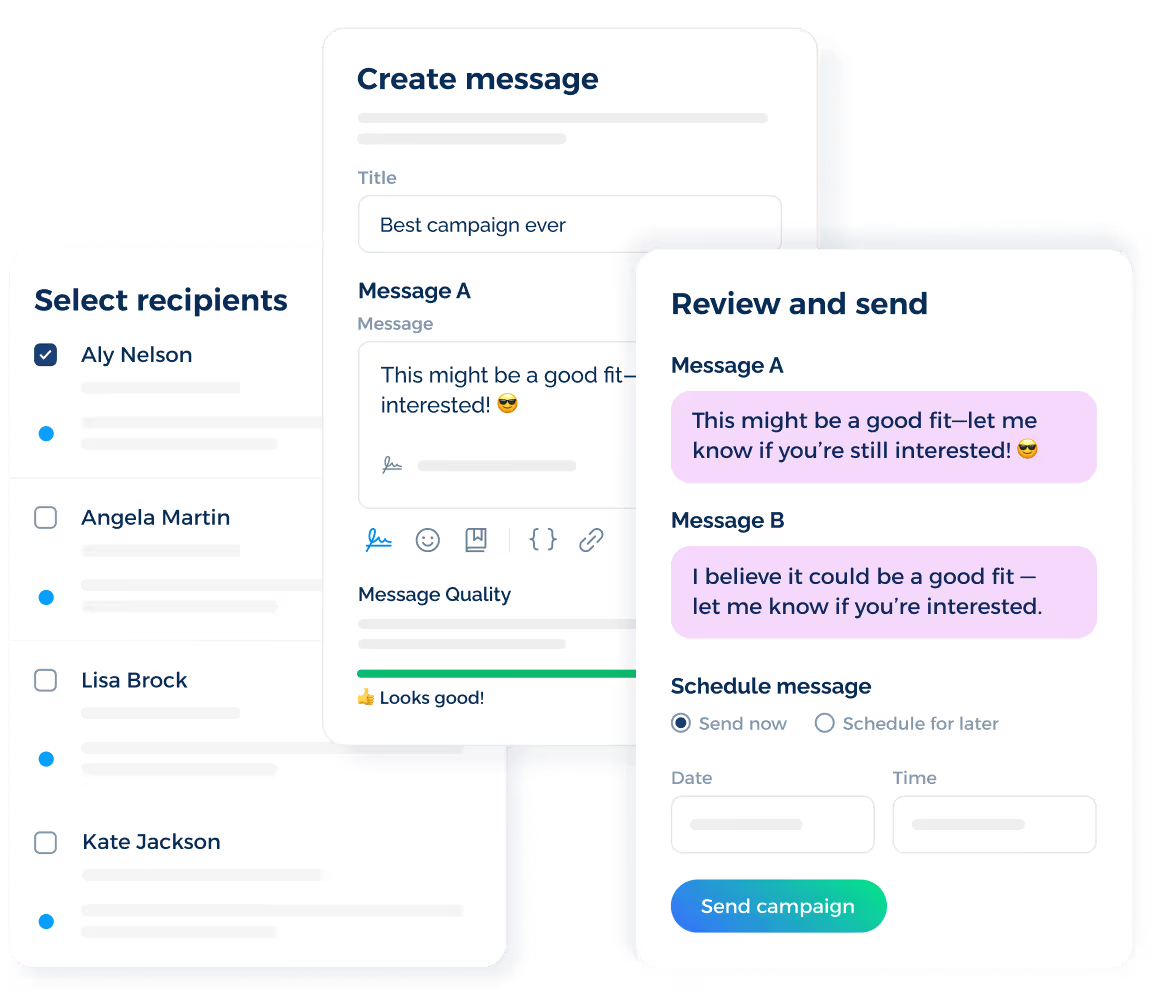


Campaigns
Send texts at scale that still feel personal. Attach images or PDFs like job listings, A/B test your message, and track every reply.
- SMS / MMS. Send high-volume text and multimedia messages at scale
- Personalizations. Customize messages with dynamic fields for a personal touch.
- A/B testing. Experiment with different message variations to see what drives the best results.
- Short links. Shorten links for better deliverability and track clicks to measure engagement.
- Track performance. Track campaign performance and gain insights to optimize future campaigns.
Inbox & Conversations
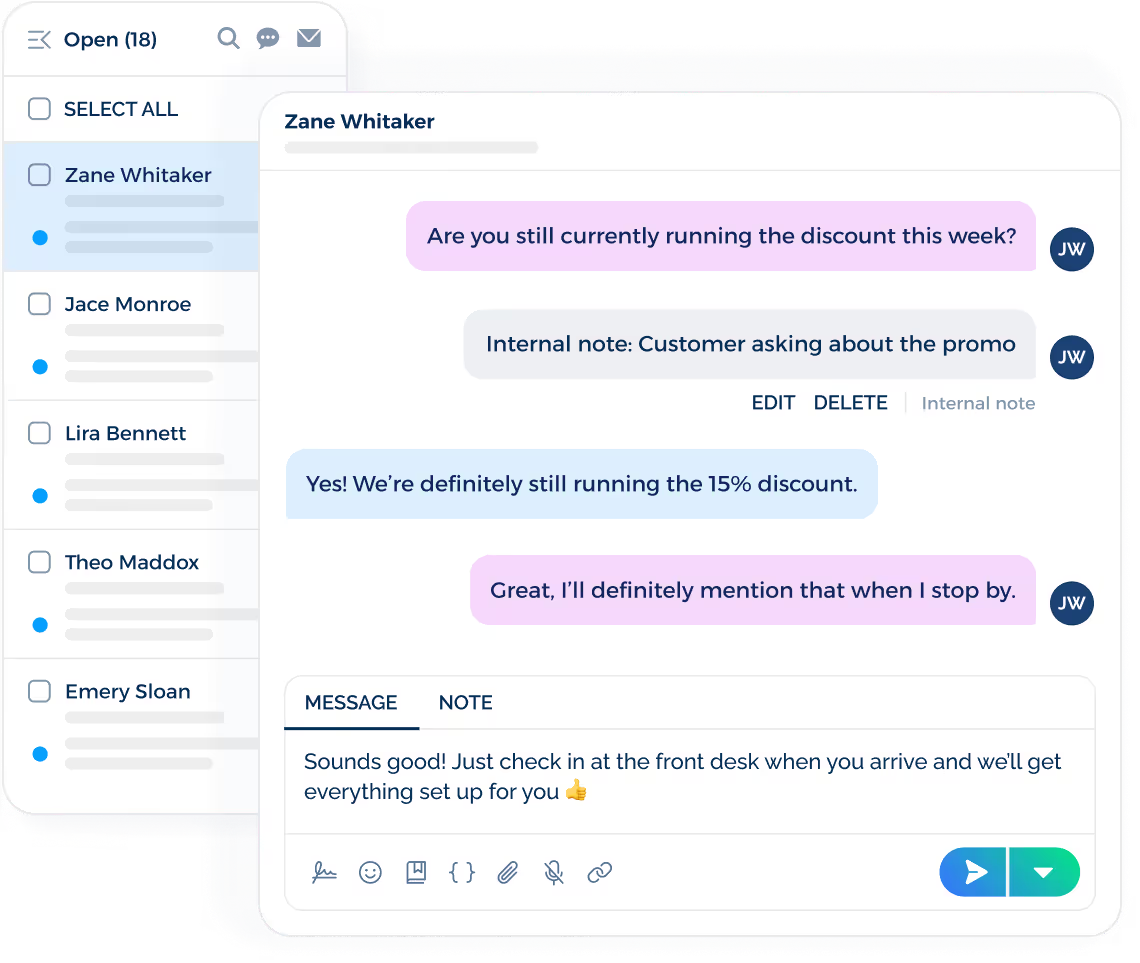
Answer every reply from a shared inbox. Assign conversations, leave internal notes and save templates for the questions you get every day.
- 1-to-1 messaging. Connect with contacts in real time for personalized conversations.
- Inbox management. Organize, filter, and prioritize messages to stay on top of every conversation.
- Text templates. Create pre-written text templates and save time with quick, consistent responses.
- Shared inboxes. Collaborate with your team, assign conversations, and keep track of key details with internal notes.
- Scheduled messages. Plan and send messages at the perfect time, even when you're away.
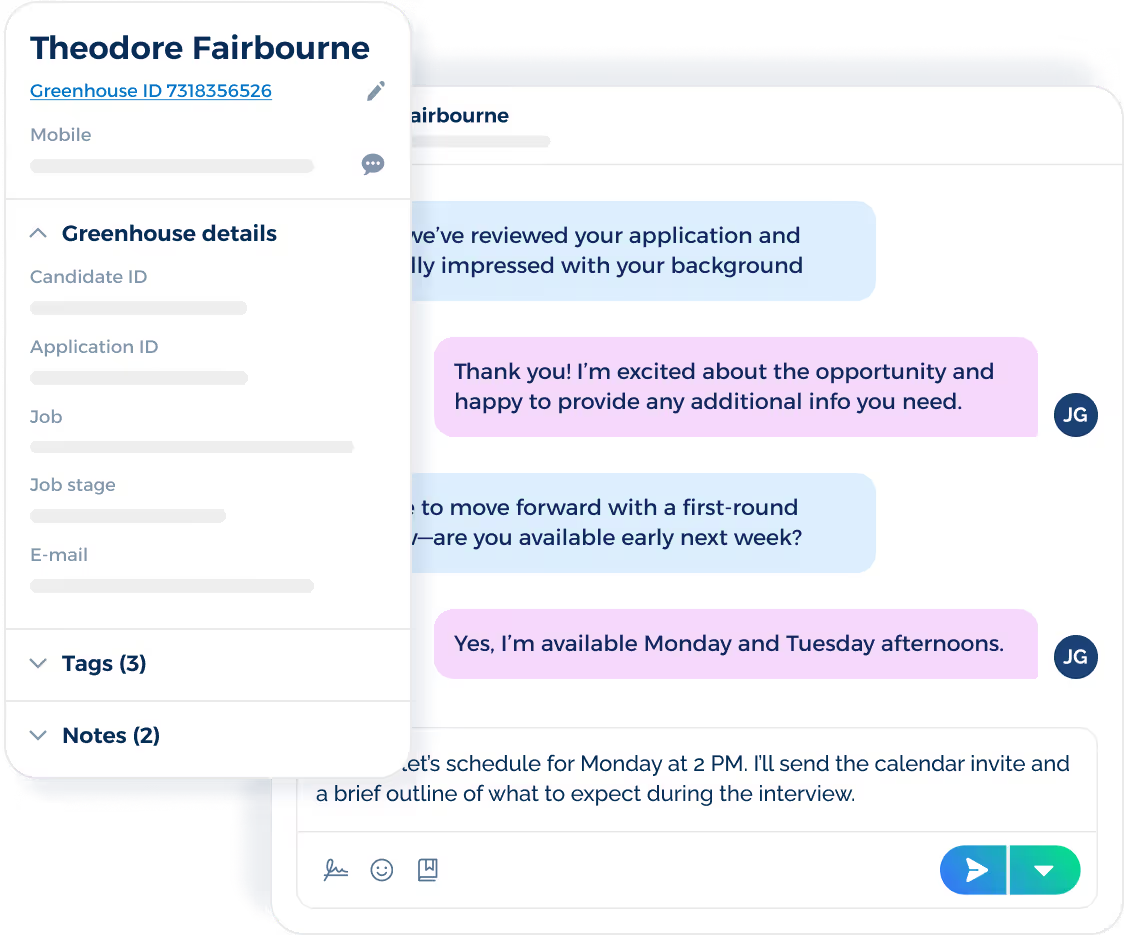
Your contacts, synced from the systems you use
Import contacts or sync them from your ATS, HRIS or CRM, then group them for targeted sends.
- Contact groups. Segment your contacts into groups for more targeted messaging.
- Easy import. Easily bring your contacts over by importing them from your existing system.
- Automatic contact sync. Sync contacts and key details from your ATS, HRIS or CRM automatically.
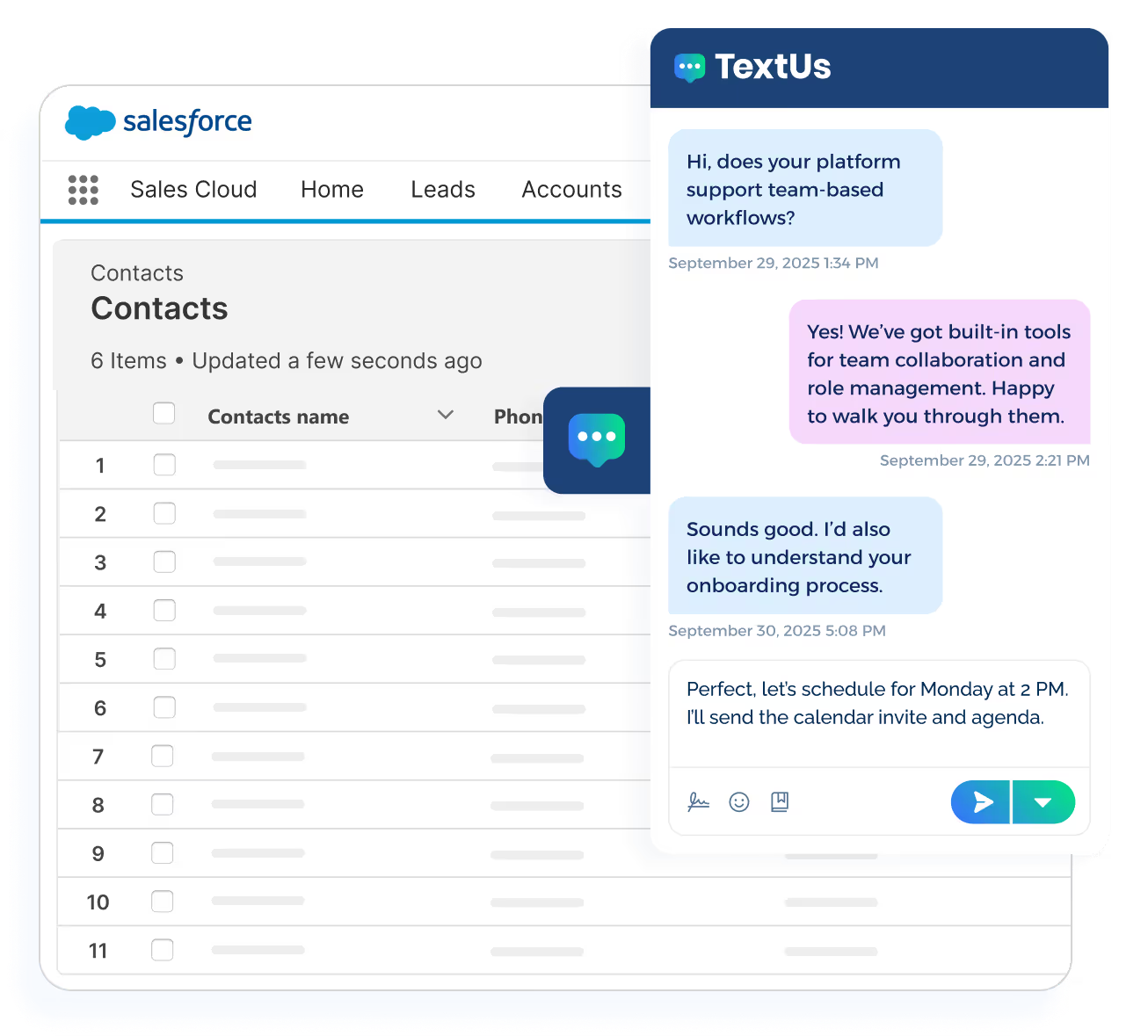
- Conversation logging. Every text and reply logs to the person's record in your ATS, HRIS or CRM.
Drip Sequences
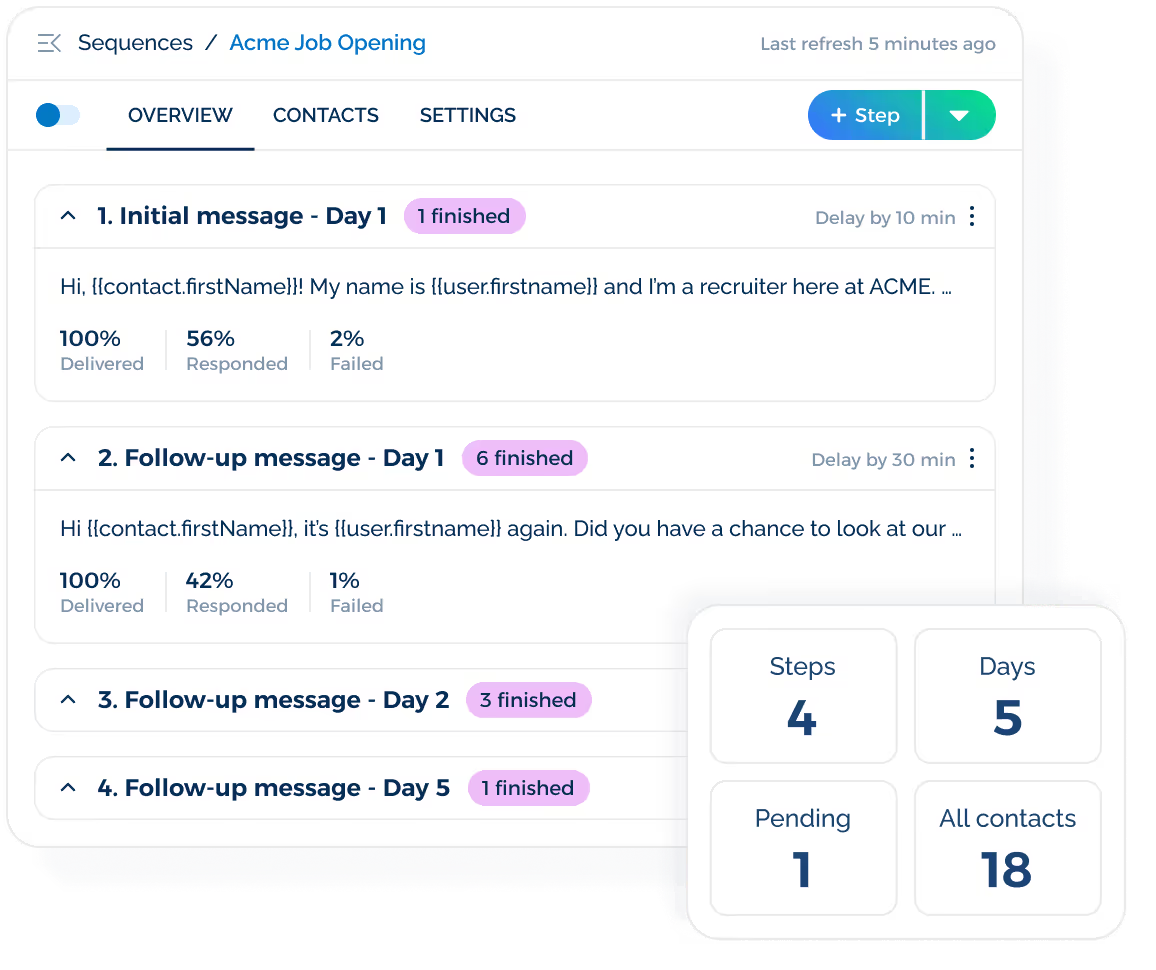
Build drip sequences that send a series of texts on a schedule, with delivery and response rates for every step.
- Build automated sequences. Send a series of texts to a candidate, employee or lead over days or weeks.
- Personalized engagement. Use dynamic variables to increase engagement by tailoring messages to each contact.
- Automate enrollment. Automatically enroll contacts into relevant sequences based on specific SMS keyword responses.
- Track performance. Monitor and analyze the success of your sequences with detailed performance metrics.
Keywords
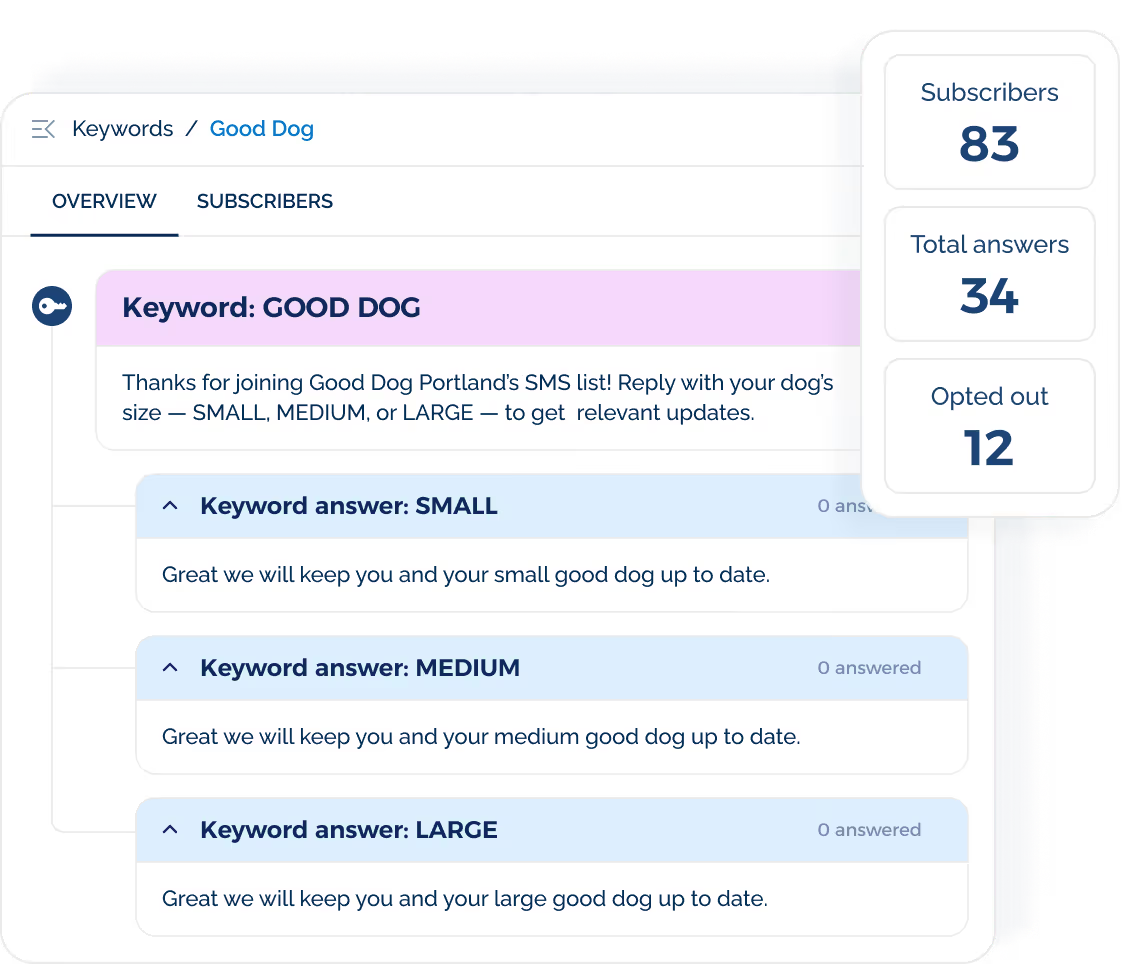
Let people text a word, or scan a QR code, to opt in and get an instant auto-reply.
- SMS keywords. Let candidates, employees and customers opt in by texting a keyword.
- Keyword responses. Use multi-layer keywords to capture specific interests through additional keyword-driven responses.
- Subscriber lists. Build and manage subscriber lists based on keyword interactions for better targeting.
- Keyword QR codes. Generate and share QR codes linked to SMS keywords for easy sign-ups and engagement.
Every text and reply, on the person's record
TextUs connects with Bullhorn, Greenhouse, Workday, JobDiva, Salesforce, HubSpot, Microsoft Dynamics and more. Every text and reply logs to the candidate, contact or employee record, so your team sees the whole conversation without leaving the system they work in.


Ready to get
more replies?
Book a demo to see campaigns and the shared inbox in action.