
SMS Reputation Management: How to Build Trust Through Texting
Learn what SMS reputation management means, what affects your sender reputation, how to manage it over time, and see how TextUs can help.

Written by
Adam Hamdan
Published
October 23, 2026

Reviews shape how people judge your business before they ever speak with you. The problem is that many review requests arrive at poor times or require too much effort for the customer.
SMS reputation management supports the path from message delivery to customer feedback. Reliable delivery helps your requests reach customers, while direct replies make it easier to address concerns before they grow.
In this article, we will explore what SMS reputation management means, what affects your sender reputation, and how to manage it over time.
You will also learn how SMS strengthens online reputation management through timely feedback, direct responses, and faster issue resolution.
TL;DR
- SMS reputation management protects sender trust, supports better delivery, and shapes how customers experience your business texts.
- SMS sender reputation depends on consent, complaints, list quality, sending behavior, message content, registration, number type, and provider infrastructure.
- SMS reputation management combines timely review requests, channel selection, personalization, segmentation, automation, response routing, quick feedback support, listing monitoring, safer SMS practices, branded links, and performance tracking.
- Texting strengthens reputation management by connecting review outreach, customer replies, issue resolution, automation, and feedback tracking in one coordinated process.
- TextUs supports the path from customer outreach to feedback resolution through automation, two-way SMS, shared inboxes, and assignments.
What Is SMS Reputation Management?
SMS reputation management is the practice of protecting how carriers, messaging networks, and customers perceive your business texting activity.
Your sender identity, consent practices, message quality, sending patterns, opt-out activity, and customer responses all shape that reputation.
A healthy SMS reputation supports better message delivery and lowers the risk of filtering or blocked traffic.
It also affects how customers experience your outreach, especially when texts include feedback requests, follow-ups, or service-related communication.
Factors That Affect Your SMS Sender Reputation
Several signals shape how carriers assess your messaging activity and decide whether your traffic appears trustworthy.
Below are the main factors that may strengthen or weaken your SMS sender reputation.
Message Consent and Opt-in Quality
Consent shows whether recipients are expected to receive messages from your business. Opt-ins create a stronger connection between the sender, the message's purpose, and the recipient.
Weak consent records increase complaints because some contacts may not remember agreeing to receive messages. Outdated customer data may create the same problem when contact information changes over time.
Spam Complaints
Spam complaints are one of the strongest signs that recipients view messages as unwanted. Carriers may consider complaint patterns when they assess whether a sender presents a higher messaging risk.
Complaints can come from unfamiliar sender names, unexpected outreach, misleading content, or repeated messages. A higher complaint rate also weakens sender reputation over time.
Opt-Out Rates
SMS opt-outs show when recipients no longer want messages from a sender. Some are normal, but noticeable increases may signal a mismatch between audience expectations and current messaging activity.
Carriers and messaging providers watch these patterns as part of broader reputation monitoring. Sudden spikes may indicate that recipients are reacting poorly to a campaign or sending pattern.
Contact List Quality
Lists may contain disconnected numbers, recycled numbers, duplicates, or contacts who no longer have a relationship with the sender.
Poor-quality lists produce more delivery failures and weaker engagement. These patterns may affect how messaging traffic is assessed across future sends.
Sending Frequency
Frequency refers to how often recipients receive messages from the same sender. High message frequency may increase fatigue, opt-outs, or complaints when recipients feel they are receiving more messages than expected.
Different messaging programs create different frequency expectations. Transactional alerts, appointment reminders, recruiting messages, and promotions don't follow the same communication pattern.
Changes in Sending Volume
Carriers also look at how much traffic a sender produces over time. Large changes in volume may appear unusual when they don't match previous sending behavior.
A number that sends a small number of messages and then produces a large campaign creates a different traffic pattern. Volume becomes one part of the broader reputation picture.
Message Content
The content inside each text message contributes to how messaging traffic is classified. Carriers may evaluate wording, formatting, sender identification, links, and the overall purpose of the message.
Certain content patterns may resemble unwanted or deceptive messaging. Repetitive copy, unclear offers, excessive promotional language, or misleading claims may increase filtering risk.
Links and Domain Reputation
URLs create another reputation signal because carriers may evaluate the destination connected to a message.
A sender may have legitimate SMS traffic while still facing issues if the linked domain appears suspicious or has a history of abuse.
Domain reputation also reflects previous activity, security concerns, redirect behavior, or associations with unwanted messaging. This means sender reputation may extend beyond the phone number itself.
10DLC Registration
10DLC registration connects a business identity, SMS use case, and sending number. It gives carriers more information about who is sending messages and why.
Registration status forms part of the broader trust framework for business SMS traffic. However, registration alone doesn't determine how carriers assess future messaging behavior.
Campaign and Use Case Alignment
Carriers compare actual messaging behavior with the purpose declared during campaign registration.
For example, a campaign registered for appointment updates represents a different use case from high-volume promotional messaging. Consistency between registration and real traffic supports a more predictable sender profile.
Sender Number Type
The type of business text number also affects how traffic is handled. Enterprise brands may send through 10DLC numbers, toll-free numbers, or short codes depending on their program.
Each sender type has different registration, throughput, and carrier requirements. These differences influence how messaging traffic enters carrier networks and how reputation signals are evaluated.
Industry and Message Risk
Some regulated industries face stricter requirements because their messages may involve sensitive information, financial activity, healthcare communication, or other controlled content.
Carriers also apply additional scrutiny when the content falls within higher-risk categories.
How to Manage and Improve Your Online Reputation
SMS reputation management requires consistent oversight across your sending practices, audience activity, and campaign setup.
This is how you can strengthen your sender reputation and reduce future delivery risks.
Step #1: Choose the Key Moments That Trigger Feedback
The timing of a feedback request matters as much as the message itself. You want to reach customers when the interaction is still fresh and easy to recognize.
Specific events that signal a completed customer experience give your feedback collection process more context. Common trigger points include:
- Completed service: Send a request after a service visit, consultation, repair, or other completed work
- Purchase: Ask for feedback after customers have had enough time to receive and experience what they purchased
- Appointment: Follow-up after a completed appointment while the interaction is still recent
- Delivery: Trigger the request after delivery confirmation instead of sending it before the customer receives the order
- Closed support ticket: Ask about the experience once the issue has been resolved and the support case is complete
- Completed project: Request feedback after final delivery, approval, or another milestone that confirms the project has ended
Avoid sending requests at random points in the customer journey. A poorly timed message may confuse customers or ask them to rate an experience that is not finished.
Step #2: Use Two-Way SMS to Resolve Issues Faster
Not every customer who gets a review request is ready to leave a positive comment. Some may still have a question, unresolved issue, or concern they want your business to address first.
Conversational texting creates a direct path back to your team. A review request can include a simple instruction such as “Reply HELP if you need support.”
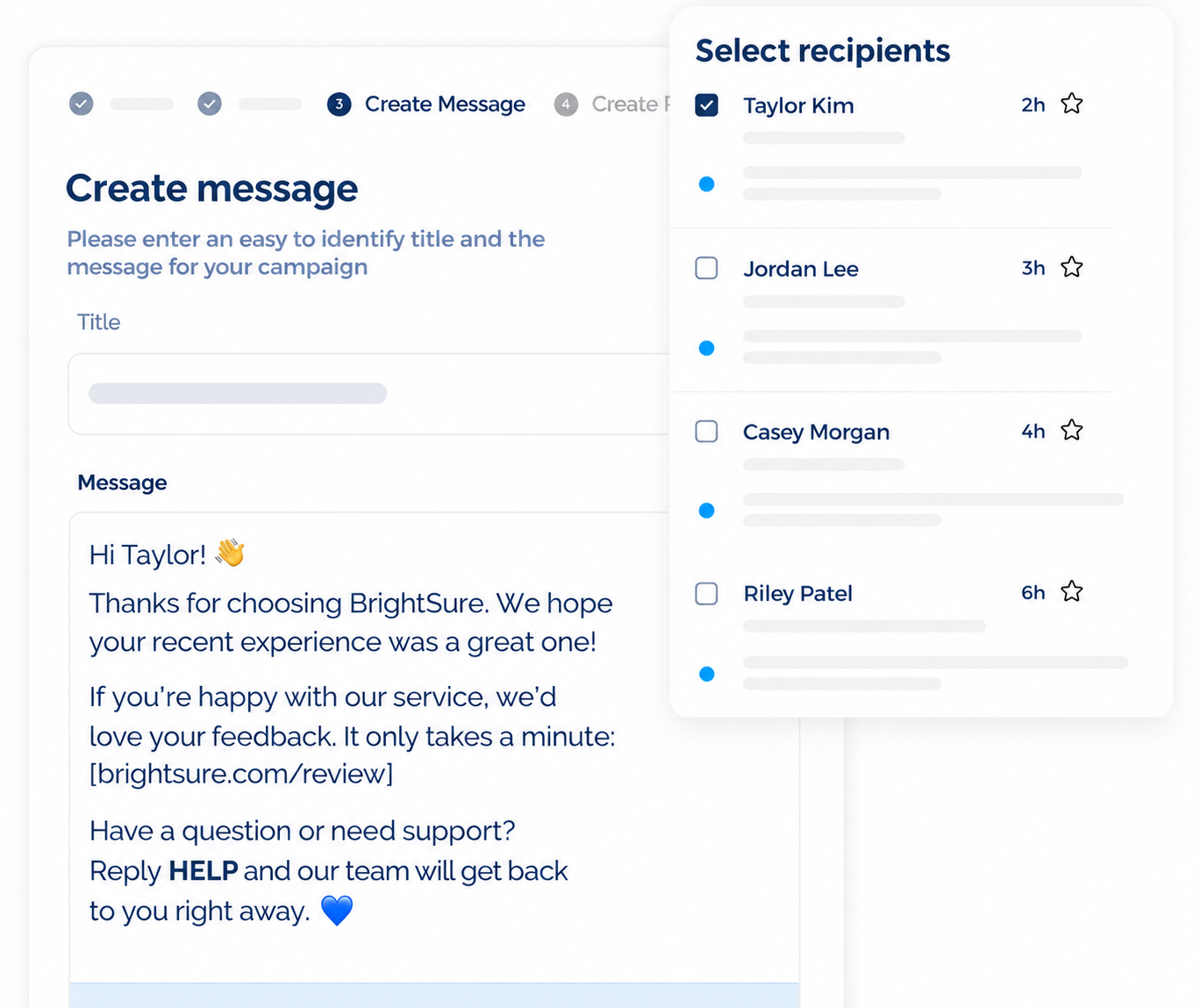
That reply can start an automated message. TextUs supports keyword-powered automation that can recognize terms and trigger the next message based on the customer’s response.
TextUs also supports structured reply paths. A keyword may send an acknowledgment first, collect more details next, and then route the conversation to the right person for follow-up.
Different keywords can support different outcomes. One path may handle service concerns, while another may answer common questions or direct customers to the correct department.
The review link should still remain available to everyone who receives the request. A separate support option lets customers ask for help without restricting who has access to the public review page.
Step #3: Decide Which Reputation Channels Matter
Not every client needs reviews on the same channel. The right platform depends on where your client’s customers actually search, compare, and make decisions.
Google Business Profile often matters when your business depends on local search. You need to consider how Google reviews shape customer trust when people compare nearby companies.
Other industries rely on different review sites. Restaurants focus on Yelp, while healthcare providers need reviews on medical directories. Home service companies also depend on trade-specific directories and local business listings.
Maps and navigation platforms influence local visibility. Profiles and reviews on Apple Maps and similar services can influence how customers discover and evaluate nearby businesses.
Social media profiles and industry directories also play a role if customers check them before making contact. These channels can affect how people judge credibility, service quality, and overall reputation.
Step #4: Write Personalized SMS Review Requests
Your review request needs enough detail for the customer to recognize your business and the experience you want them to review.
Start with your business name, then mention the recent purchase, appointment, service, or support interaction. Keep the message short and ask for honest feedback.
With TextUs, you can create reusable SMS templates and add merge fields for details such as the customer’s name. This lets you personalize requests across a larger contact list without writing each message from scratch.
For example:
“Hi Jordan, this is ABC Dental. Thanks for visiting us today. We’d love to hear about your experience. Share your feedback here: [review link].”
Personalized requests make review generation feel like a natural follow-up rather than a generic message sent to everyone.
Step #5: Segment Your Audience Before Large Sends
SMS segmentation divides your contact list into smaller groups based on shared traits, activity, or messaging needs.
Audience segments may reflect location, service type, purchase history, appointment status, or recent activity. These groups help you match each request to the customer’s actual experience.
Client account and location are also important when you manage larger programs and multi-location businesses. Separate groups prevent customers from receiving links, business names, or messages meant for another account.
A segmented approach keeps large sends organized and makes each SMS review request connected to the interaction that came before it.
Step #6: Automate Requests Without Over-Messaging
Your review request process can be harder to manage as customer volume grows. Marketing automation lets you send requests and follow-ups without tracking each customer by hand.
Automation rules need to define both timing and frequency. TextUs lets you create a series of predefined messages and control the interval between each step.
Instead of pushing a large amount of traffic at once, messages follow a planned cadence that matches your sending capacity and campaign purpose. This prevents an awkward follow-up after the customer has already engaged with you.
Trigger-based automation gives you more control over message timing. Its CRM integration connects SMS actions based on record changes and defined criteria.
Those tools let you connect outreach to customer activity instead of relying on broad manual sends.
Step #7: Route Feedback to the Right Person
The feedback process needs ownership once responses start coming in. Each review, complaint, or customer reply has to reach the person who can address it.
A unified inbox gives your team one dashboard to view incoming conversations instead of checking separate accounts. Assignments also prevent two people from replying to the same customer or leaving a message unanswered.
TextUs provides a shared inbox with conversation assignments, so you can direct responses based on location, department, service type, or issue. Role-based access also lets you control what each user can view or manage.
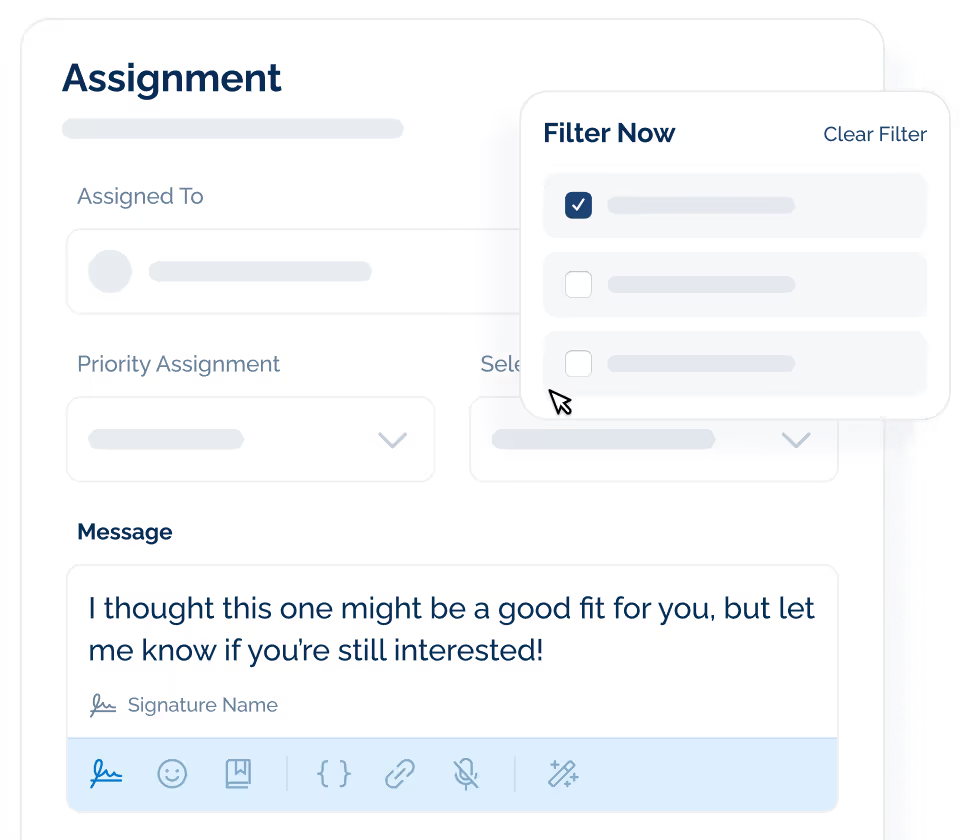
For example, a billing concern may go to your finance team, while a service complaint may go to the account manager. Client-specific feedback can also stay with the person responsible for that account.
Designated routing creates accountability and keeps follow-up organized. Your team knows who owns each conversation and what needs a response.
Step #8: Respond to Reviews and Customer Feedback
Many customers read online reviews and look at how a company responds before deciding whether to buy, book, or make contact.
Positive feedback and brand mentions give you a chance to thank customers and reinforce the experience they had. A negative review also calls for a calm response that acknowledges the concern and points toward a resolution.
A good online reputation depends on consistent handling across online conversations and reviews, not just positive feedback.
Therefore, your response process should make it clear who acknowledges the issue, who resolves it, and who confirms that no follow-up is missed.
Step #9: Monitor Reputation Across Search and Listings
Search results, business profiles, directories, and map listings all affect how people see a company before they make contact.
Regular reviews across important listing sites can support stronger search visibility and provide potential customers with a current picture of your company. Outdated profiles or inconsistent information may weaken that impression.
Reputation management tools let you monitor reviews, listings, and profile changes. This makes it easier to spot missing information, incorrect business details, or sudden changes in ratings.
Your process for optimizing listings should include routine checks for outdated information and incomplete profiles.
Suspicious activity also needs a thorough look, since fake reviews or unexpected rating changes can affect how your business appears to potential customers.
Step #10: Review SMS Content Before Sending
A pre-send review of your review requests reduces the risk of wording that may trigger filtering, complaints, or compliance concerns.
Each message needs to identify your business and explain why the customer received the request. The review invitation also needs to match a recent purchase, appointment, service, or other completed interaction.
Spam-like wording needs a careful review. Excessive capitalization, repeated punctuation, misleading urgency, or pressure for a higher-star rating may make the message look suspicious or inappropriate.
TextUs builds message safeguards into your writing process with AI-powered SMS with Smart Delivery. Instead of guessing which wording may cause problems, it identifies high-risk messages before they're sent.
You get immediate rewrite suggestions that improve questionable wording while preserving your original message and brand voice.
Step #11: Use Trusted or Branded Links
An unfamiliar or questionable URL may make a legitimate message look less credible to both carriers and recipients.
You can use domains that connect back to your business whenever possible. Branded links make the destination more recognizable and reduce the uncertainty that comes with generic public shorteners.
Public shortening services also hide the final destination, while domains tied to spam or malicious activity create additional filtering concerns.
TextUs gives you a built-in SMS URL shortener without sending recipients through an unrelated third-party service. You can create branded links inside the platform and track how many recipients interact with them.
That added visibility lets you connect link activity with broader campaign performance and gain more actionable insights.
Step #12: Measure Reputation Performance
The right metrics show how customers respond and where your reputation needs more attention.
Start with request performance. Compare messages sent, response rates, completed reviews, and overall review volume to see which outreach methods produce the strongest results.
Review data also shows how customer perception changes over time. Sentiment shifts, average ratings, and sentiment analysis reveal recurring praise and important changes in customer feedback.
Client and location comparisons provide more context when you manage several accounts. Competitive benchmarking also shows how each client compares with similar businesses in ratings, review activity, and customer perception.
Advanced reporting may connect reputation data with BI tools or other business systems. Predictive analytics support deeper analysis when you have enough historical data to identify patterns and potential reputation risks.
How SMS Strengthens Your Online Reputation Management
Reputation software focuses on what happens after customers leave reviews, post feedback, or mention a business online. But the earlier opportunity to ask for feedback or address concerns may still sit outside that process.
SMS marketing fills that gap by reaching customers soon after a purchase, appointment, service, or completed project.
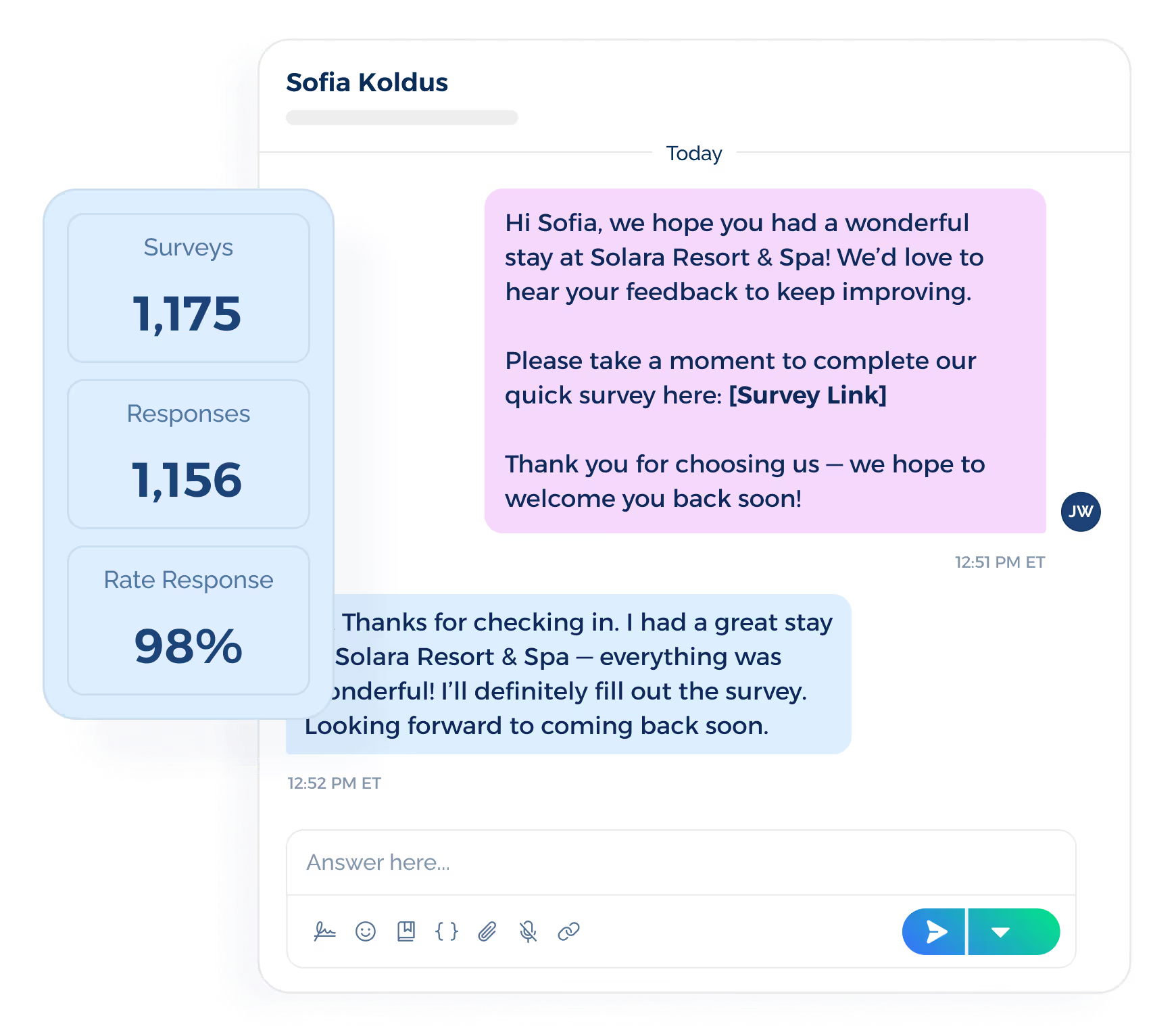
SMS-based review requests can point customers straight to the review page you want them to use. A short message with your business name, recent interaction, and trusted link keeps the process simple.
TextUs supports this part of the reputation process through a unified platform built to boost customer communication and engagement.
Its key features include shared inboxes, conversation assignments, templates, merge fields, SMS keywords, scheduled messaging, and automated sequences.
These tools support the full SMS side of reputation management, from the first review prompt to the response that follows.
Customer replies may also surface issues that need prompt attention. A complaint, question, or poor experience can then move into a response or resolution process instead of being overlooked.
By pairing SMS with review management software, you can centralize feedback, automate review requests, and tap into analytics that continually strengthen your brand reputation.
Build Reputation Through Direct Communication With TextUs
Reputation is shaped long before a customer leaves a review. Every request, reply, follow-up, and unresolved concern affects how they experience your brand.
TextUs brings two-way conversations, smart automation, shared inboxes, assignments, templates, and message safeguards into one platform.
Your team can send timely review requests, respond to customer concerns, and keep follow-ups organized with multiple clients inside a clean interface without the steep learning curve.
Better review outreach and faster issue resolution can strengthen retention and contribute to revenue growth over time.
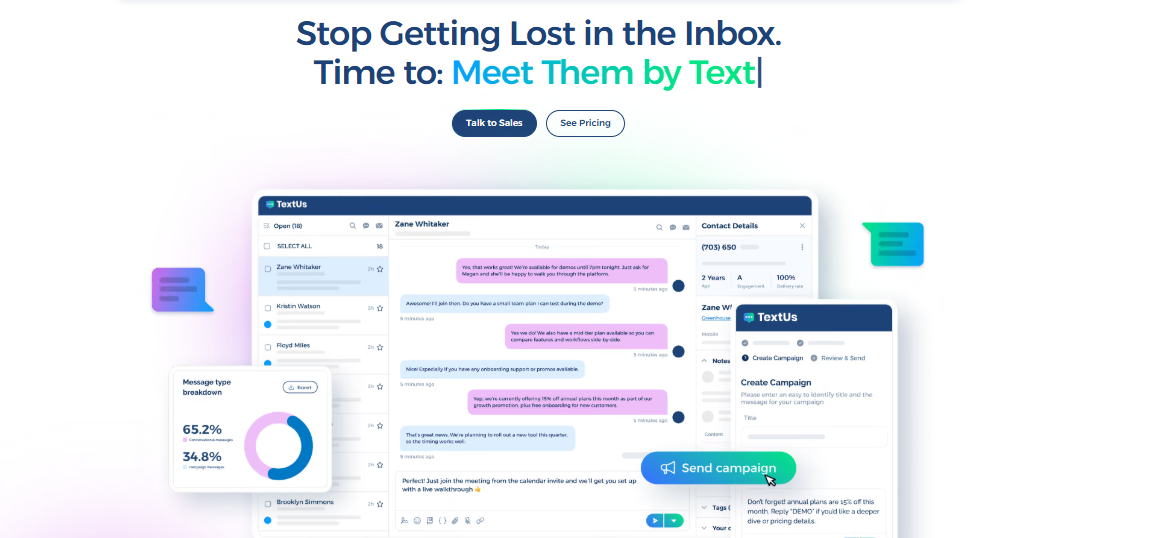
Book a demo with TextUs to see how SMS reputation management helps you resolve issues faster, improve review outreach, and boost ROI!
FAQs About SMS Reputation Management
Is SMS marketing legal in the USA?
Yes, businesses can use SMS marketing in the U.S., but federal and state requirements apply.
Under the Telephone Consumer Protection Act (TCPA), marketing messages generally require prior express written consent, and businesses must honor valid opt-out requests.
What does reputation management do?
Reputation management tracks how customers and the public perceive your business across reviews, search results, social platforms, and news sites.
The right reputation tools can centralize this activity and help you save time when you need to monitor and respond across several channels.
How do I unsubscribe from SMS marketing?
You can revoke consent through a reasonable method, including replies such as STOP, QUIT, END, OPT OUT, CANCEL, or UNSUBSCRIBE.
Under current FCC rules, businesses must honor valid revocation requests within a reasonable period not exceeding 10 business days.
What is the best reputation management software?
The best option depends on your core service, business size, and the channels you need to manage.
If you're a small business, you can prioritize reviews and simple monitoring. Larger organizations may need other services such as social monitoring, analytics, and location management.
Continue Reading


Frequently Asked Questions
Business Texting
Built for Results
Create and convert pipeline at scale through industry leading SMS software