
What to Look for in Software for Automated Candidate Texting
Learn what to look for in software for automated candidate texting and see how TextUs supports outreach, interviews, follow-ups, and candidate replies.

Written by
Adam Hamdan
Published
October 16, 2026

Candidate interest fades fast when communication stalls. A missed follow-up or delayed update may be enough for a strong candidate to move on to another opportunity.
Automated texting uses configured rules, schedules, and supported recruiting integrations to connect candidate actions with predefined text workflows. The software behind it determines how well you can manage timing, personalization, replies, and recruiter handoffs.
In this article, you’ll learn why you need software for automated candidate texting, what recruiting tasks you can automate, and which features to look for.
You'll also find out how the best text recruiting software supports consistent communication for larger candidate pools.
TL;DR
- Automated candidate texting reduces repetitive follow-ups, keeps communication consistent, and supports faster responses as candidate volume grows.
- Candidate texting software can automate confirmations, outreach, screening, scheduling, follow-ups, updates, re-engagement, job alerts, and pre-onboarding reminders.
- Strong automated candidate texting software should include trigger-based automation, multi-step sequences, personalization, SMS templates, ATS integration, two-way messaging, shared inboxes, stop rules, segmentation, scheduling controls, mobile access, analytics, and user permissions.
- TextUs brings bulk texting, automation, shared inboxes, integrations, and message controls into one platform for faster follow-up and more organized candidate communication.
Why Use Texting Software for Hiring Automation
Gem’s 2025 Recruiting Benchmarks Report found that recruiting teams manage 56% more open requisitions and 2.7 times more applications than three years ago.
As candidate volume grows, repetitive communication takes up more of the day. You'll still need to confirm interviews, send updates, follow up, and answer routine questions.
Text recruiting software like TextUs takes some of that work off your plate. It keeps routine communication moving throughout the recruiting process.
You can respond to new candidates sooner, schedule interviews, and follow up when someone hasn't responded. This reduces missed communication and prevents unnecessary delays between hiring stages.
Consistent workflows create a more predictable candidate experience. Candidates also receive important information at the right stage, regardless of who manages their application.
Book a demo with TextUs today to see how it supports faster hiring communication!
What Can You Automate With Candidate Texting Software?
Candidate texting software supports routine communication throughout the recruitment process. Here are common candidate interactions that this software can automate.
Application Confirmation
Candidates want confirmation that their application reached the employer. An automated text can acknowledge submission and explain what happens next.
These messages also set expectations early in the application process. A short confirmation prevents candidates from wondering whether their information went through.
Initial Candidate Outreach
You can automate introductory messages for candidates who match specific roles or talent segments.
Each message can include the candidate's name, position, location, or other relevant details. You'll save time while still keeping outreach relevant to the opportunity.
Candidate Screening
Automated texts collect basic information before you start a deeper conversation.
Your questions may cover work availability, preferred shifts, location, years of experience, start date, and role preferences. Candidate responses give the recruitment team more context before they decide who moves forward.
Interview Scheduling
Texting software can send scheduling links once someone reaches the interview stage.
Candidates choose an available time and receive confirmation. Automated interview invites also give candidates important details in one place.
Interview Reminder
Automated interview reminders can confirm the date, time, location, or meeting link.
You can prepare these reminders in advance and send messages based on each scheduled interview. This reduces forgotten appointments and cuts the time you spend on individual reminders.
Candidate Follow-up
You'll need more than one attempt to reach someone. Automated follow-up sequences can send another message after a defined period when a candidate has not responded.
Drip campaigns make this process consistent rather than creating an endless stream of texts. The workflow should stop once the candidate responds or completes the requested action.
Hiring Stage Updates
Candidates may lose interest when they go too long without hearing anything.
Automated recruitment messages can provide updates after screenings, interviews, document requests, or other stage changes. Candidates stay informed while recruiters handle more complex conversations.
Candidate Re-Engagement
Previous applicants may still be a strong fit for future opportunities.
You can reconnect with past candidates when relevant positions become available. Messages may reference a new role, location, shift, or opportunity that matches previous interests.
Job Alerts
Candidate texting software matches people with new job postings based on skills, location, availability, or stated interests.
For larger candidate groups, bulk messaging lets you share relevant openings instead of contacting each person one at a time. Segmentation keeps those alerts focused on candidates who match the opportunity.
Pre-onboarding Reminders
Automation continues after candidates receive messages and accept an offer.
Texts may remind new hires about documents, orientation dates, first-day instructions, or required forms. These updates reduce communication gaps before the employee officially starts.
Key Features of an Automated Candidate Texting Software
The right platform should do more than basic message scheduling to support your recruitment process. Here are the key features to consider when comparing platforms.
Trigger-based Text Automation
SMS automation sends a message after a specific candidate action or recruiting event.
Common triggers include new applications, interview bookings, candidate status changes, missed responses, completed screening forms, and new role matches.
These auto-replies keep communication connected to the hiring process instead of relying on recruiters to remember every follow-up.
Multi-step Text Sequences
Some candidate conversations require more than one message.
Multi-step sequences let you create a series of scheduled texts with set delays between each step. A drip campaign may include outreach, a reminder, and a final follow-up.
The software should also stop the sequence once the candidate replies or completes the requested action.
Candidate Personalization
Personalization makes automated messages feel more relevant to each recipient.
The platform can pull candidate data, such as names, job titles, locations, recruiter information, and hiring stages, into each message. Merge fields allow those details to populate without rewriting each text.
Personalization also becomes important when you manage different candidate profiles for different roles, locations, and hiring stages.
SMS Templates
Reusable message templates reduce the need to rewrite common recruiting messages from scratch.
You may create ones for application confirmations, screening questions, interview reminders, status updates, follow-ups, and job alerts.
Templates create consistency while still leaving space for personalization. They also make it simpler to keep messages short and appropriate for texting.
ATS Integration
You don't have to move between several systems just to understand the full candidate conversation.
A strong applicant tracking system (ATS) integration keeps candidate texting connected with existing recruiting workflows. It should sync contact details, hiring stages, recruiter ownership, and message history.
Two-way Messaging
Automated outreach needs a path back to a real conversation. The platform should display message history so you'll understand the context before responding.
Two-way text communication lets candidates respond to automated messages and continue the conversation with a recruiter.
Shared Inbox and Conversation Routing
A shared inbox gives you one place to text candidates and review ongoing conversations.
Assignment tools can route responses to the correct recruiter, location, department, or role. This feature is valuable for high-volume recruiting, where several recruiters manage overlapping candidate groups.
Automation Stop Rules
Good automation needs exit points. The platform should pause messages after a candidate responds, books an interview, opts out, changes hiring stages, or completes the requested action.
You should also be able to stop the automation once a direct conversation begins.
Candidate Segmentation
Candidate segmentation groups contacts by shared criteria.
These groups may reflect location, role, skills, hiring stage, availability, candidate source, or previous engagement.
Better SMS segmentation keeps outreach relevant and reduces unnecessary messages.
Scheduling and Timing Controls
You need control over when automated messages go out. Scheduling tools should support future messages, delays between follow-ups, recurring workflows, and defined sending windows.
This gives recruiting teams more control when planning outreach around the optimal times for each candidate group.
Mobile Access
Recruiting doesn't always happen from a desktop. The platform should allow you to review conversations, respond to candidates, and manage follow-ups from a mobile device.
Mobile access also lets you take over automated conversations when a candidate needs a direct response.
Reporting and Message Analytics
Reporting shows how automated candidate texts perform in different workflows.
Key metrics may include delivery rate, response rate, opt-out rate, failed messages, response times, link clicks, interview confirmations, and sequence performance.
User Permissions and Administrative Controls
Larger recruiting operations need different access levels for recruiters, HR teams, and administrators.
Permission settings should control who creates templates, launches campaigns, reviews reports, or changes automation rules.
TextUs Supports Candidate Texting Across the Hiring Journey
General messaging apps support basic conversations. But SMS recruiting tools connect each interaction to the candidate journey and hiring workflow.
TextUs builds on that connection by bringing automation and conversational SMS for staffing agencies. Your hiring managers stay responsive without making every interaction manual.
Turn Candidate Interest Into an Automated Conversation
TextUs supports several ways for staffing firms to start workflow automation.
SMS keywords and QR codes allow candidates to express interest and opt in through actions such as texting “APPLY” or “JOBS.” TextUs then sends an automated response based on the keyword.
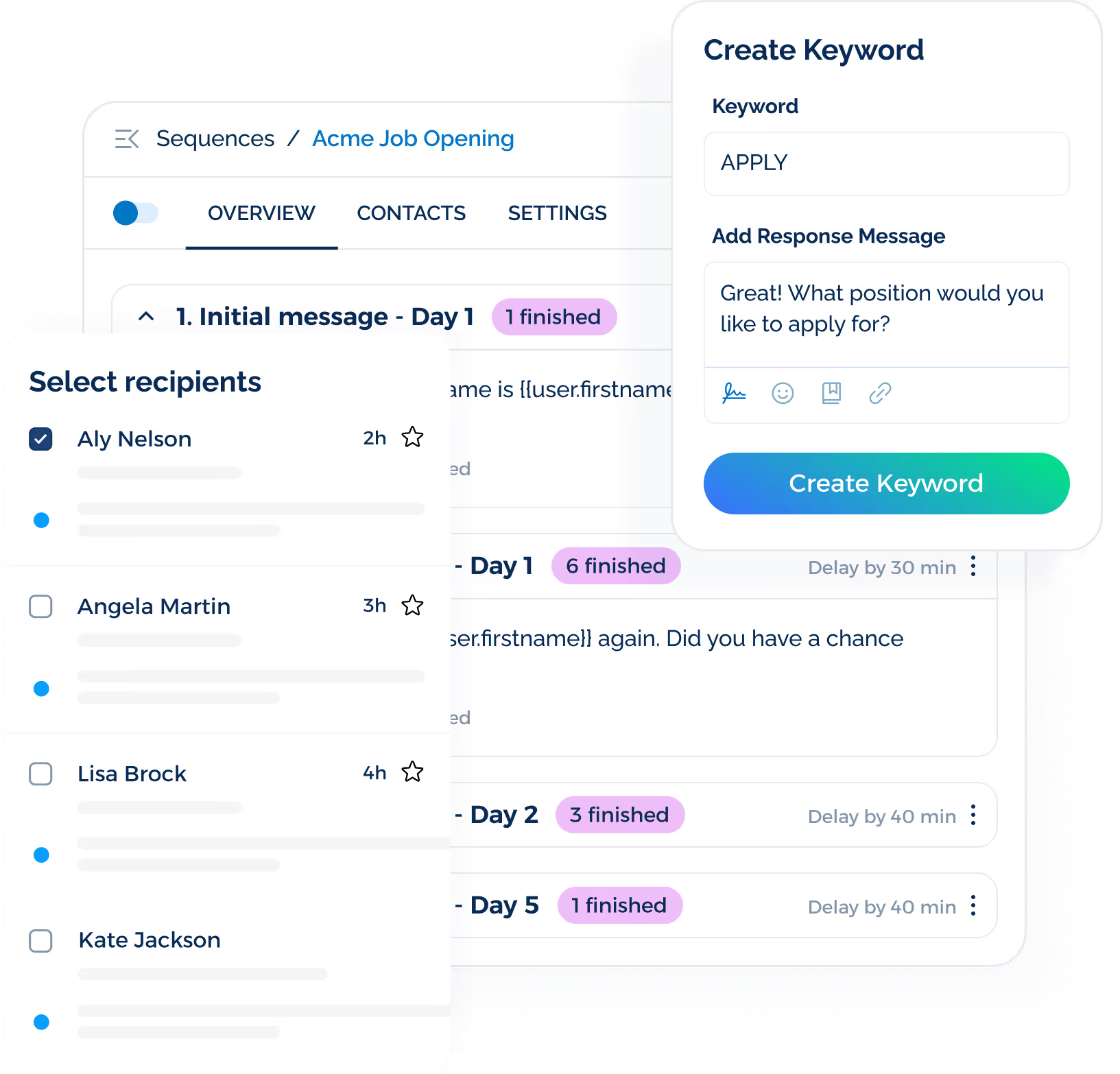
This setup supports text-to-apply campaigns for career fairs, physical signage, social campaigns, and local recruiting events.
It creates a direct path for active job seekers to start a conversation without another form or phone calls.
Keep Candidate Follow-Up Moving After First Contact
One message doesn't always lead to a response. TextUs supports automated SMS sequences that send a series of messages over set intervals.
You may use these sequences for outreach, reminders, candidate nurturing, or follow-up after initial contact. This creates a structured follow-up process for your recruitment team.
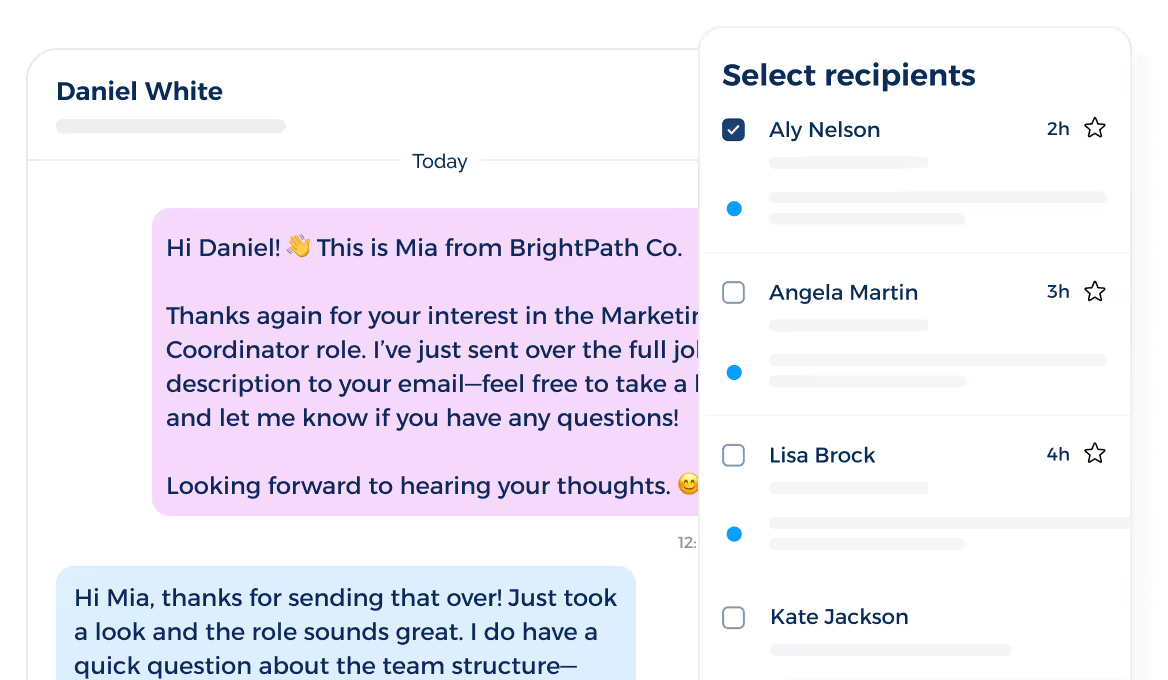
Scheduled and recurring messages also support time-sensitive communication. It's easier to prepare reminders or updates in advance and set when each message goes out.
Focus Recruiter Attention on Engaged Candidates
Not every candidate shows the same level of interest. TextUs Contact Intelligence scores contact engagement as Cold, Warm, or Hot to show which contacts have interacted more.
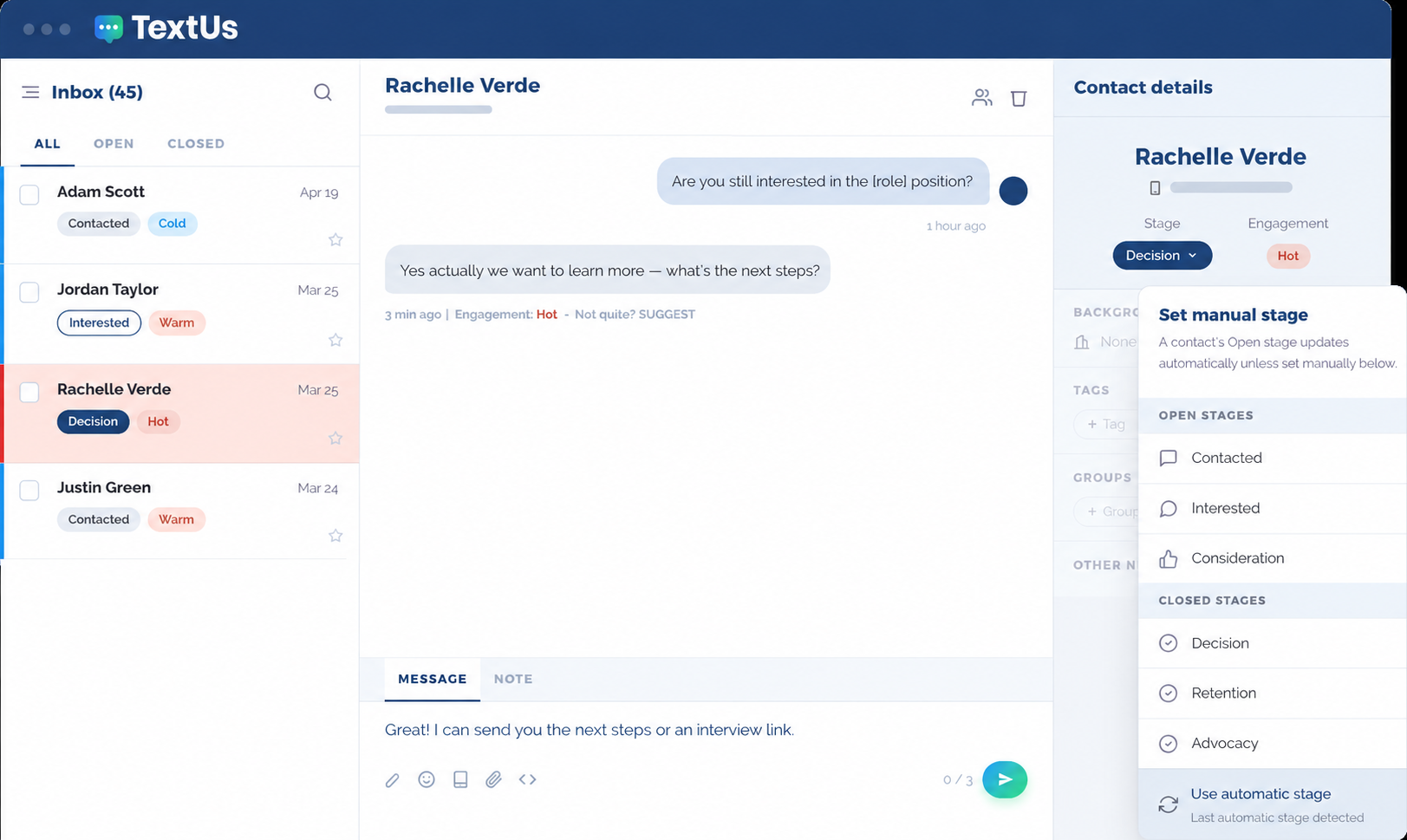
These engagement signals help you decide where personal follow-up deserves more attention. It also creates a stronger balance between automation and recruiter involvement.
Automation maintains routine candidate communication, while you spend more time with top talent showing stronger engagement.
Keep Texting Connected With Recruiting Systems
Candidate texting can be harder to manage when conversations sit outside the systems you already use.
TextUs integrates with recruitment software such as Bullhorn, Greenhouse, Workday, and Oracle Taleo.
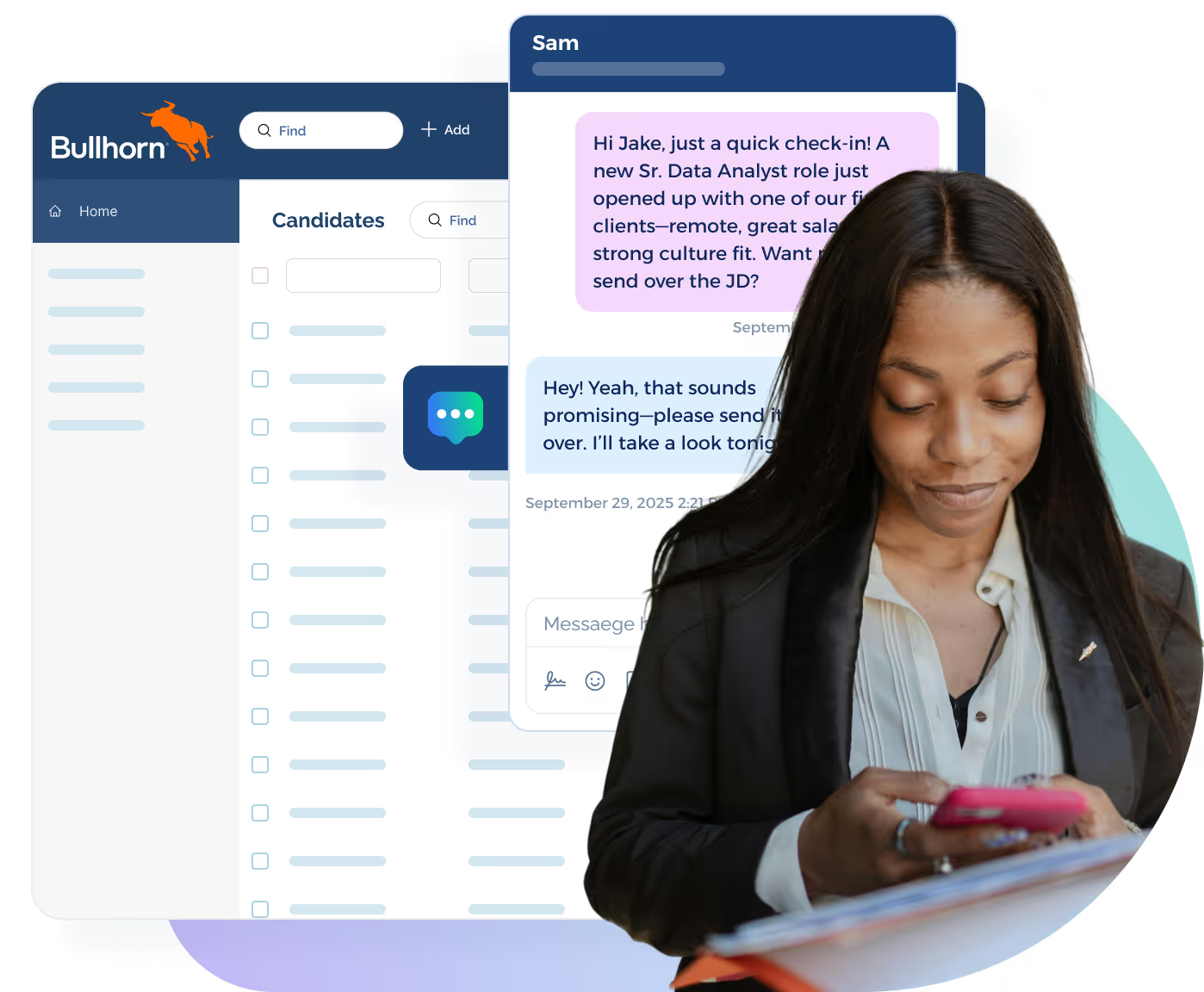
You'll have more context before responding because previous interactions remain tied to the candidate record.
This is valuable for staffing agencies that manage more applicants, candidate relationships, and recruiter assignments at once.
Move From Automation to Human Conversation
Automation should support conversations rather than replace them. TextUs combines automated outreach with real-time texting and shared inboxes.
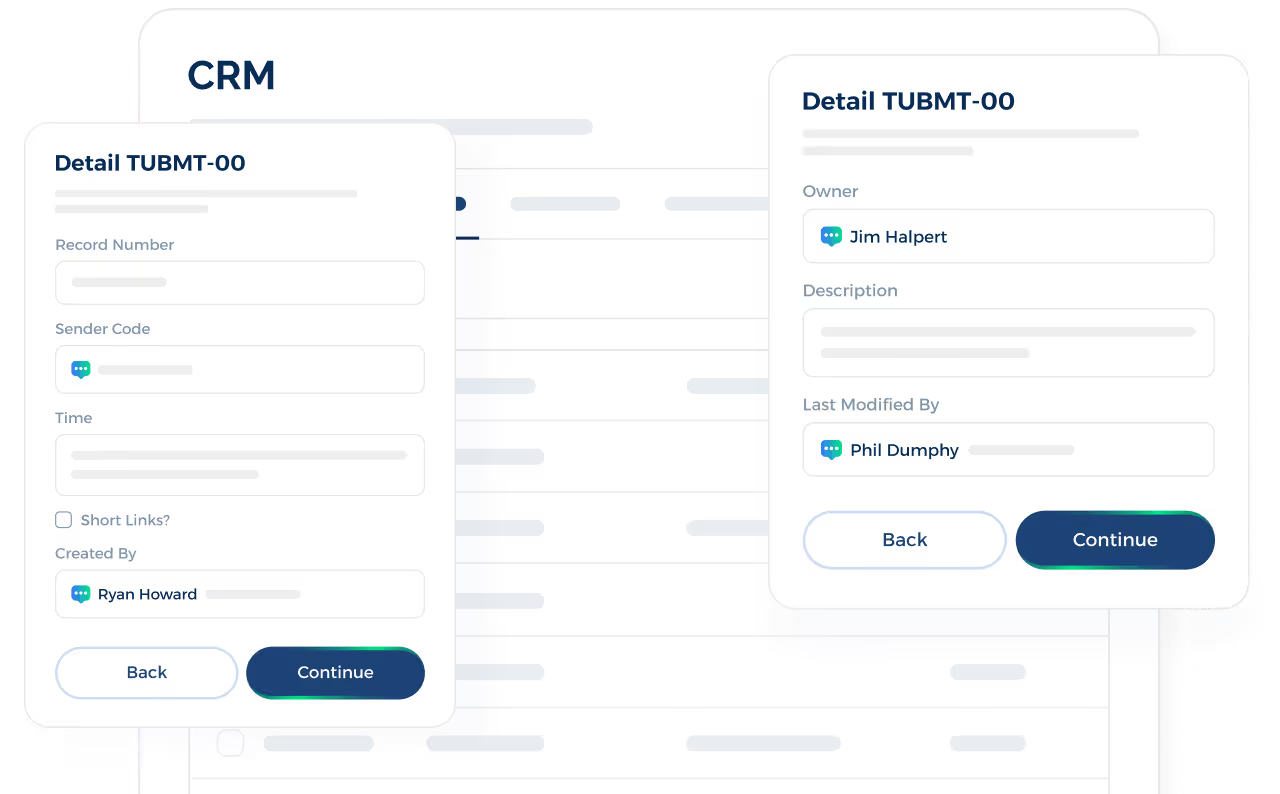
The platform lets you manage responses and continue conversations after an automated message gets a candidate’s attention.
This creates a smooth handoff from scheduled SMS messages to one-to-one conversations.
Manage Message Quality and Compliance at Scale
High-volume hiring campaigns introduce another challenge: one weak message may reach a large audience.
TextUs Smart Delivery reviews message content and flags potential spam risks before delivery. Its Message Quality Indicator scores messages and provides rewrite guidance for higher-risk content.
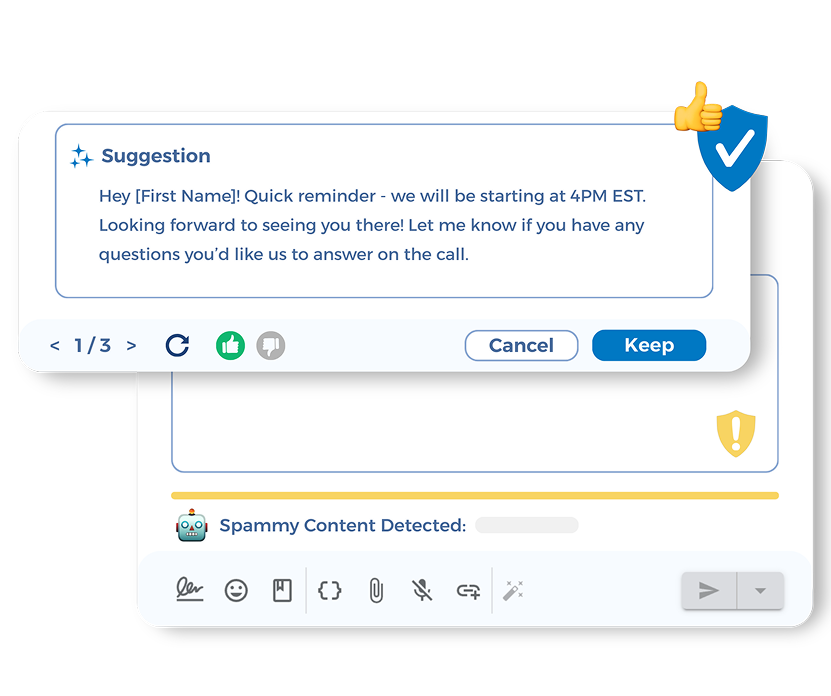
The platform also monitors opt-out risk and pauses campaigns when thresholds become too high. These safeguards help you stay compliant while maintaining a consistent texting experience from one campaign to the next.
Keep Candidate Outreach Fast, Organized, and Personal With TextUs
Every delayed candidate response creates another chance for a qualified person to move on.
TextUs keeps outreach active with automated texting for faster follow-ups and consistent candidate engagement.
This text recruiting platform connects automation with two-way conversations, shared inboxes, campaigns, and recruiting integrations.
Your HR teams quickly reach active job seekers, manage responses, and step into conversations when personal attention matters.
Book a demo with TextUs today and see how automated candidate texting supports timely outreach and higher response rates!
FAQs About Software for Automated Candidate Texting
Can you set up automated text messages?
Yes, you can. Text automation software lets you schedule texts or trigger them after actions such as an application, interview booking, or status change.
TextUs supports these workflows with scheduled messages, automated sequences, and ATS integrations. Candidates get updates on their mobile phones, while you manage follow-ups from one system.
What are the top five ATS systems?
Leading options in 2026 include Greenhouse, Workday HCM, JobDiva, Bullhorn, and BambooHR. But the best choice depends on your hiring volume, integrations, recruiting model, and automation needs.
What should you know before automating candidate text messages?
Automated texting is a game changer for recruiting, but compliance is non-negotiable. Your SMS program should comply with the Telephone Consumer Protection Act and applicable consent requirements.
Avoid common mistakes such as sending messages without proper permission or continuing outreach after someone opts out.
What is the best texting platform for recruiting?
The best recruiting texting tool should combine automated outreach, two-way messaging, flexible integrations, shared inboxes, and performance tracking.
TextUs is built for recruiting and staffing teams, with SMS automation, candidate messaging, ATS integrations, and tools designed to support higher response rates for recruiting outreach.
Continue Reading


Frequently Asked Questions
Business Texting
Built for Results
Create and convert pipeline at scale through industry leading SMS software